XML Digital Signature and XML Canonicalization
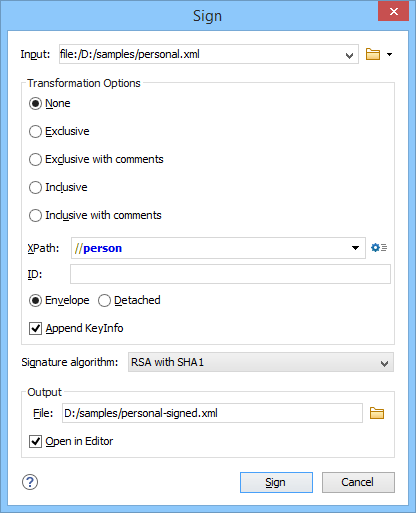
To sign a document, you need to import your private key into a key store of the type JKS or PCKS12. If you already have a Java source signing code certificate, you can use it from Oxygen to sign your documents. If you are using Microsoft Authenticode, check the documentation provided by the issuer of your certificate for instructions regarding the conversion to one of the above key store types.
It is also possible to transform an XML document into the canonical form, save it, and then use another signing tool if you do not have a certificate that can be converted to the supported formats.