
Microsoft® Office - Office Open XML (OOXML)
Office Open XML (OOXML)
Microsoft® Office adopted an XML-based file format for Excel, Word, and PowerPoint called Office Open XML Format (OOXML). It uses the capabilities of XML to be read across various applications and platforms.
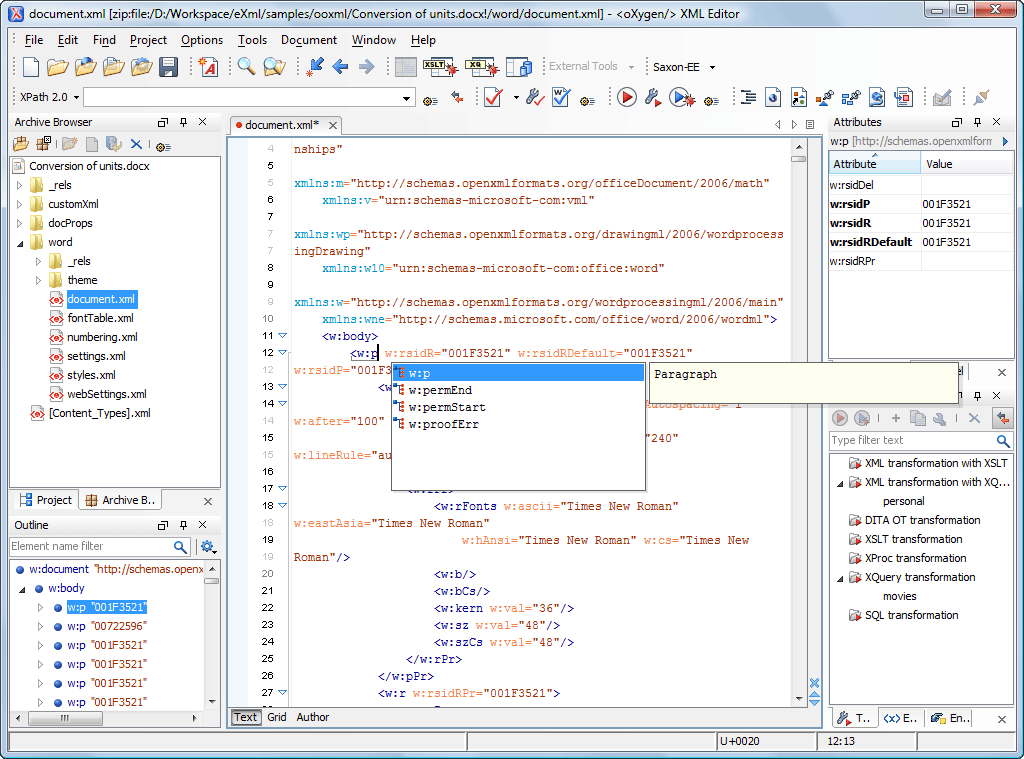
Oxygen XML Editor allows you to extract, validate, edit, and process the XML data stored in Office files and other ZIP-based archives. These capabilities allow you to use data from Office documents, through validation and transformations, in other file formats. Validation is done using the latest ECMA XML Schemas, while transformations are done with XSLT or XQuery.
The Archive Browser View
You can transform, validate, and perform many other operations on files inside an archive. When selecting a URL for a specific operation (such as transformation or validation) you can click the Browse for archive file button to navigate and choose the file from a certain archive.
An archive opened in the Archive Browser view is displayed in a tree-like structure of files and folders. You can easily modify this structure by adding, removing, or renaming files and folders, or editing files.
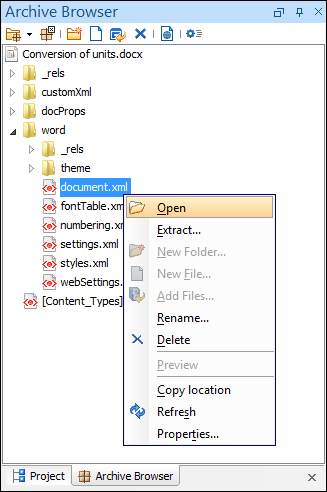
It is possible to organize the content of an archive opened in the Archive Browser view, using drag-and-drop operations.
Editing Office Open XML (OOXML) Files
Oxygen provides powerful support for editing and validating documents from the Office Open XML zipped package. The NVDL schema can be easily customized to allow user-defined extension schemas for use in the OOXML files. See the ECMA Markup Compatibility and Extensibility PDF document for more details.
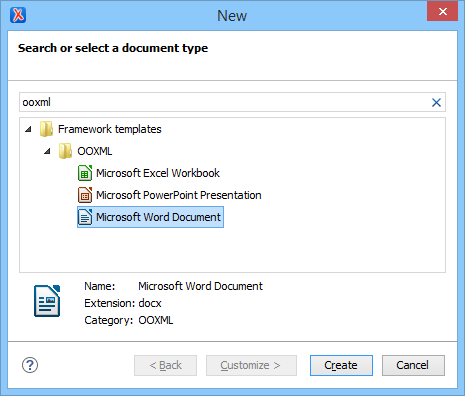
You can easily create new OOXML documents using the document templates provided by Oxygen for Microsoft® Excel, PowerPoint, and Word.
Comparing Office Open XML Files
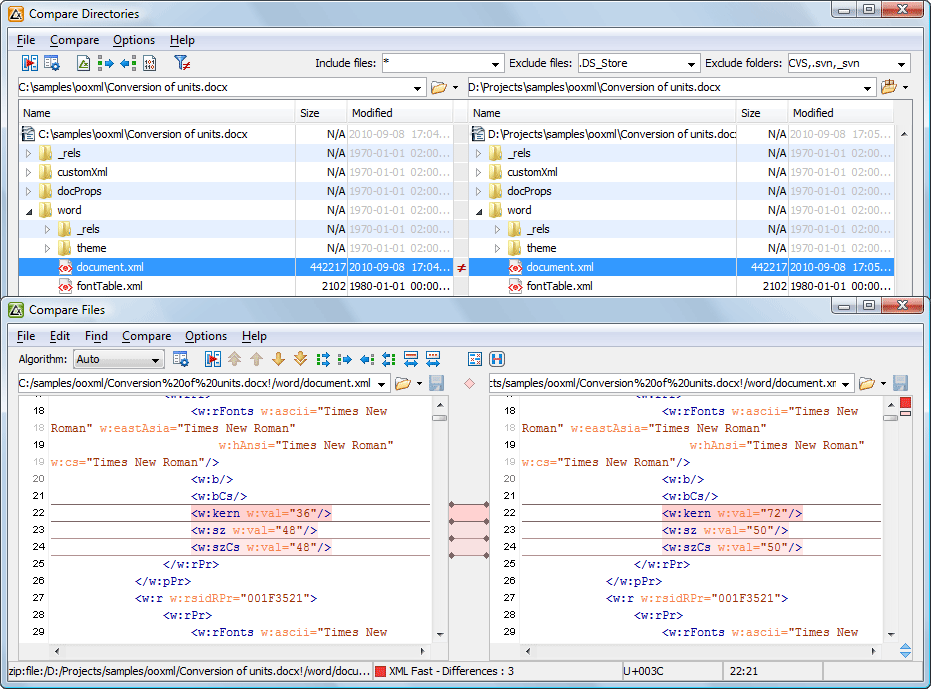
By using the Oxygen Compare Directories tool, you can compare and merge Office (OOXML) files, or other ZIP-based archives, seamlessly. The archive files are presented as directories, allowing you to use the usual comparison and merge operations inside them.
Archive Formats
Oxygen XML Editor also supports browsing, processing, and modification of files from other ZIP archives such as:
- OpenDocument (ODF) The OpenDocument Format (ODF) is a free and open file format for electronic Office documents, such as spreadsheets, charts, presentations, and word processing documents. The standard was developed by the Open Office XML technical committee of the Organization for the Advancement of Structured Information Standards (OASIS) consortium and it is based on the XML format originally created and implemented by the OpenOffice.org office suite. The most common file extensions used for ODF are: ODT (text), ODS (spreadsheet), ODP (presentation), ODG (graphics), and ODF (mathematical formulas).
- Java packages (EAR, WAR, JAR)
A JAR file is a Java Archive, a WAR file is a Web Archive, and an EAR file is an Enterprise Archive.

