
Oxygen XML Plugin for Eclipse
To see the differences between the Standalone and Eclipse version of Oxygen click here.
Tree-Based Outline View
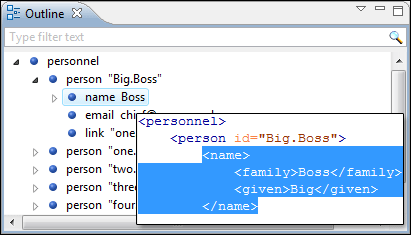
This is an automatically synchronized tree-based Outline view. The document tree structure is presented as the document is edited. The modified element is revealed and selected in the Outline view. Also, an element can be selected in the editing window by clicking on the corresponding node in the Outline view. It uses a robust parser thus being able to handle correctly not well formed documents.
XML Perspective and Project Support
From the dialog box for creating new Eclipse projects, you can choose the type "XML Project". This will change the perspective to Oxygen XML Perspective, allows you to easily access Oxygen actions, and helps to organize your XML files.
XSLT/XQuery Debugger Perspectives
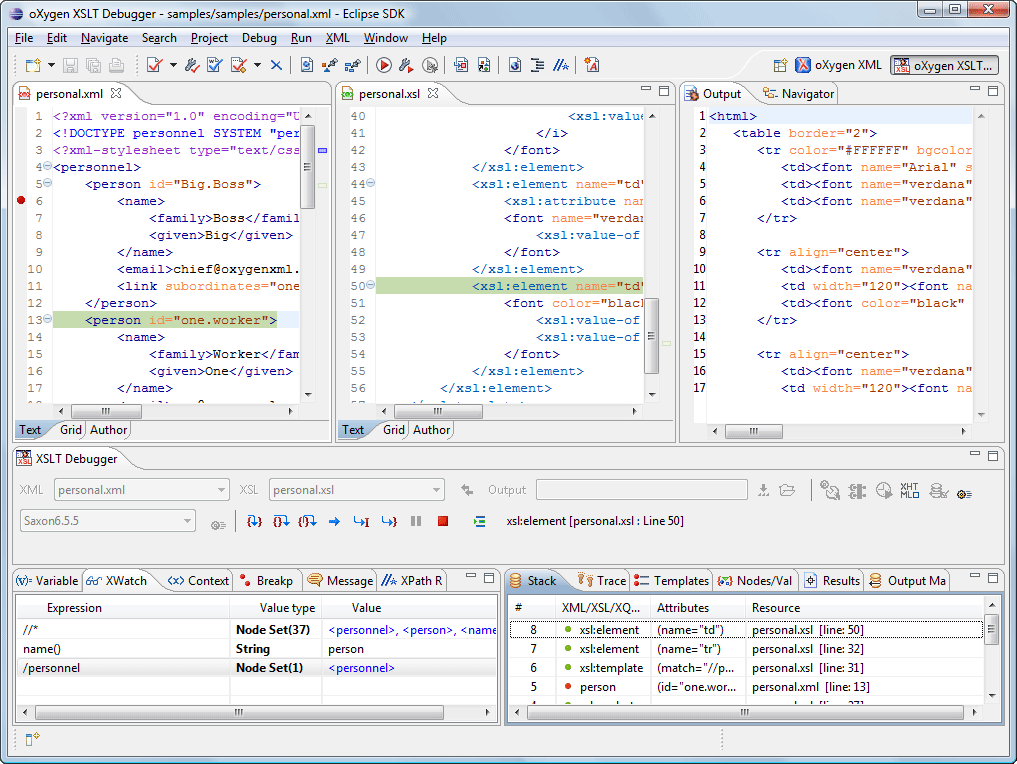
Oxygen adds two debugger perspectives to the Eclipse IDE providing a special layout that shows the source and the stylesheet/xquery documents side by side as well as the results and special debugging views (Context, Call Stack, Trace History, XPath Watch, Variables, etc.) All debugger capabilities are provided (step into, step over, step out, run, run to cursor, run to end, pause, stop).
Oxygen Wizards
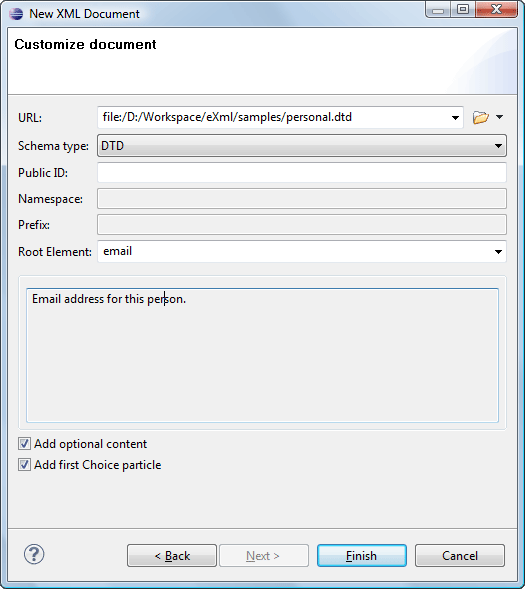
The Oxygen plugin installs a series of Eclipse wizards that helps you to easily create new documents. Using these wizards, Oxygen will fill in details such as the system ID or schema location of a new XML document, the minimal markup of a DocBook article, or the namespace declarations of a Relax NG schema.
Non-Blocking Operations
Some operations may take some noticeable time when you work on large documents or you perform complex transformations. Unlike other editors that block these operations and remain unusable for large periods of time, Oxygen performs all these operations in background, keeping the interface usable so you can continue editing the document or switch to other documents or perform other operations.
XML Catalog Support
The XML Catalog support allows you to specify references to original remote resources (using a public ID or a remote URL) while the application is using your local copy for those resources. Thus, the documents are written in a portable manner, the access to resources is faster because the local copy is used, and the remote resource references can be used even when you are off-line. With Oxygen, you can use OASIS Entity Resolution Technical Committee XML Catalog file, Extended OASIS Entity Resolution Technical Committee XML Catalog files, OASIS Open Catalog files, and "xcatalog" XML Catalog files .
XInclude Support
Oxygen allows you to enable the XInclude support from the XML Parser preferences page. The XInclude support is based on Xerces.
Context-Sensitive Content Completion Assistant
Oxygen offers proposals for elements, attributes, and attribute values via context sensitive content completion mechanism. Unlike other editors that offer all the available entries, Oxygen will offer only the entries that are valid in the editing context to help you create valid content while editing.
Content Completion Assistant Shows XSLT Output Document Elements
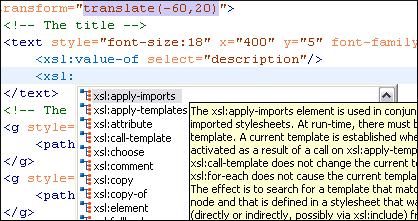
While creating an XSLT document as output (HTML, FO, or another XML format), XSLT allows you to specify elements from the target output directly. For example, you can specify <table> ... </table> instead of <xsl:element name="table"> ... </xsl:element>. Whenever an xsl:element is allowed, the Content Completion Assistant provided by Oxygen will also propose the elements from the target output. The target output document type can be easily configured from options where you can choose from XHTML, FO, and to specify a custom XML Schema or DTD.
XSLT Transformations
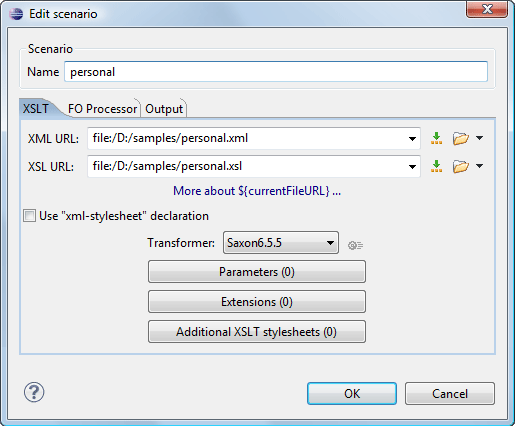
Oxygen allows you to define a stylesheet, an FOP to be applied on your XML document, and how you would like to save or view the transformation result. You can create more transformations for a file, and the current transformation can be executed with one mouse-click or keyboard shortcut. Support for cascading stylesheets is also available.
DocBook Documents Support
Oxygen plugin includes DocBook DTDs, XML catalog, stylesheets, and document templates so that you can start creating DocBook documents right away. Articles from our site are written in DocBook and their sources are available for download so you can easily have some samples to start from. DocBook documents can be converted to HTML, PDF, or PostScript.
TEI Documents Support
Oxygen plugin includes TEI DTDs, XML Catalog, stylesheets, and document templates so that you can start working with TEI documents immediately. You can edit documents guided by the context-sensitive Content Completion Assistant, easily validate the edited documents, and transform them to HTML or PDF for presentation. We cooperate with TEI Consortium and are committed to keep the TEI support up to date in future Oxygen releases.
Configurable Document Templates
Oxygen allows a very flexible document creation process through document templates. You can create new document templates from the editor content and publish your templates to share them with other users. Organizations can maintain a central document templates repository and all the users will be able to create documents using it. Also, Oxygen provides a set of document templates for the most commonly used types of documents.

Automatic Generation of Required Content
To speed up the content creation, Oxygen can automatically insert the required attributes inside an element and can also automatically insert the required element content of the inserted element. You can also configure the optional content to be inserted, such as the first element from a choice, or the first occurrence of an optional element.

Well-Formed Document Checking
This check allows you to verify that a document is XML well-formed. This verifies the general document structure and if the structure conforms with a specified XML schema or DTD. Passing this test is a must for a document to be considered an XML document. The well-formedness can be checked at every save operation by simply activating an option in the Oxygen plugin.
Validate XML Documents Against W3C XML Schemas, DTDs, Relax NG Schemas, and Namespace Routing Language Schemas
Oxygen integrates the latest version of the Xerces-J XML parser to validate documents against XML Schemas. You can also use Oxygen to validate an XML document instance against a specified DTD, Relax NG schemas (both in XML syntax and compact syntax), and Namespace Routing Language schema .
Wizard for Schema Association
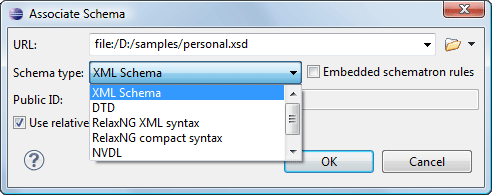
To associate a DTD or a schema with a document, you can use the Associate Schema action that will present a wizard to easily accomplish this task.
XSLT Support
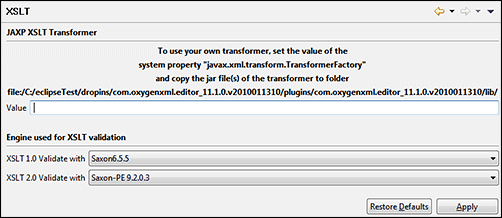
With Oxygen, you can easily create, edit, test, and validate XSLT documents. The Content Completion Assistant will provide the elements, attributes and attribute values that are specific for XSLT documents. Transformations can be easily configured and run to easily test the XSLT you are creating. You can choose between the most popular XSLT engines (Xalan, Saxon 6.5, Saxon EE) when performing XSLT transformations. You can also configure any JAXP compliant XSLT processor and use it to perform transformations. Other XSLT engines can be configured as external tools.
Preview Transformation
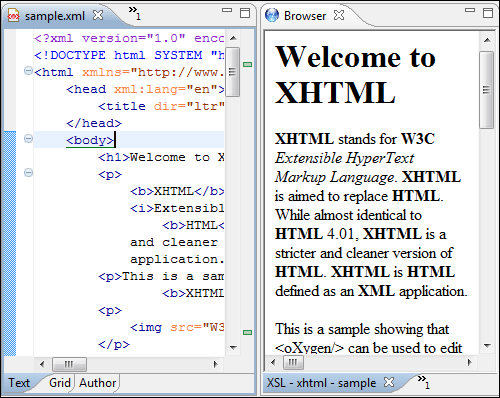
Oxygen offers an integrated view to show transformation results that will render XML, HTML, or text results. The possibility to show the transformation results in your browser is vital when you are working on a production ready system. For example, this allows you to view HTML or PDF transformation results.
XPath Search and Evaluation
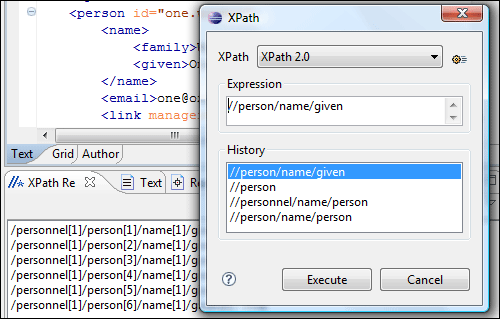
Oxygen features powerful XPath support, allowing you to both perform XPath searches on an XML document and to evaluate XPath expressions. If location paths are selected by your query, they are presented in the XPath view area together with their text content to allow you to easily visually identify the nodes. Clicking on a result location path will highlight the corresponding part from the document. Note that you can choose to execute your XPath query conforming with the version 1.0 or 2.0 of the standard.
FOP Support
The Apache FOP is bundled inside Oxygen plugin and it does not require any special configuration to use it. Therefore, you can convert DocBook to PDF or PostScript, for instance, just by setting up a transformation to use the DocBook to FO stylesheet and choose the perform FOP option. If the Apache FOP is not enough for your development and you need to use another FOP, you can very easily add that to Oxygen. In case of XEP, it is even more simple as you just have to browse for its start file.
XML Schema, DTD, Relax NG Schema and Namespace Routing Language Schema Support
W3C XML Schema documents can be edited and validated with Oxygen. While editing, the user is assisted by the context-sensitive content completion assistance guided by the schema. The schema is validated in accordance with the W3C specification and Oxygen uses the latest version of Xerces-J. The DTD editor features syntax highlighting and validation support. Relax NG schemas can be edited both in XML syntax and in Compact syntax. The Relax NG schemas in XML syntax editing is assisted by the content completion mechanism and validation. Namespace Routing Language schemas can be edited with Oxygen using the Content Completion Assistant and validation.
Conversion Between Different Schema Types
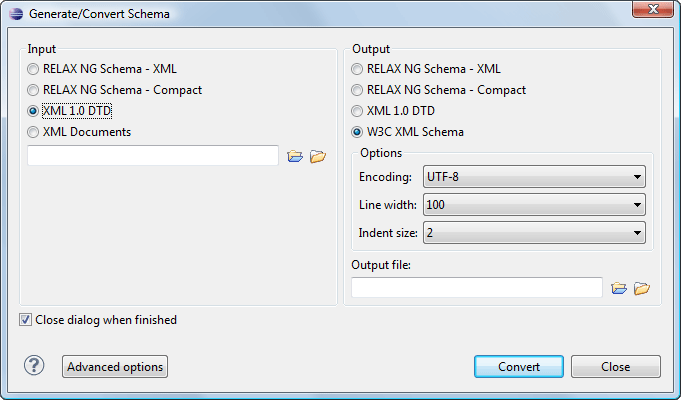
The Generate/Convert Schema tool (available in the XML Tools menu, allows you to convert a DTD or Relax NG (full or compact syntax) grammar to an equivalent XML Schema, DTD, or Relax NG (full or compact syntax) grammar. When an exact equivalence is not possible due to limitations of the target language, Oxygen will generate an approximation of the source grammar.
You can convert from a DTD or Relax NG schema (XML or Compact syntax) to a DTD, W3C XML Schema, or Relax NG schema (XML or Compact syntax).
Pretty-Print XML Documents
XML documents can be formatted and indented with this option in Oxygen. This does a hard wrapping of text content and you can specify the indent size, the maximum line length, and if spaces or tab should be used for indenting. To control the elements that should not be processed, you can use the xml:space attribute and specify its value to "preserve" or "default", depending on whether you want to keep the formatting or to format the elements respectively. Also, you can edit two lists of elements that will be treated as if they have an xml:space attribute with the value "preserve" and "default", respectively. Oxygen also includes some other advanced options for formatting you XML documents.
Unicode Support
Oxygen offers full Unicode support. The text font for the plugin document editor can be specified independently from the Eclipse settings.
Spell Checking
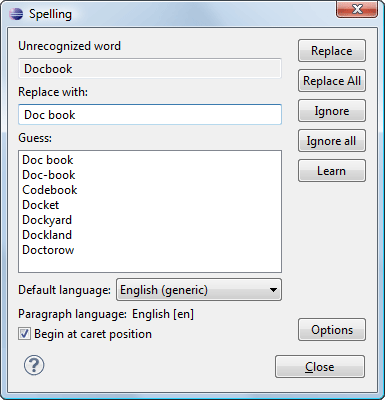
You can check the spelling of your document content from within Oxygen. This is very important when you write a lot of text content. The spell checking support is XML aware (it can check only the text and skips the markup). The supported languages for the spell checking feature are English, German, Spanish, and French including locale variants.
Mark Selected Text
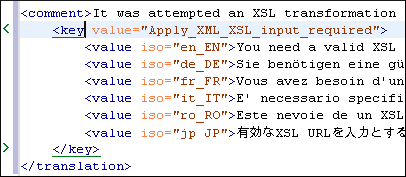
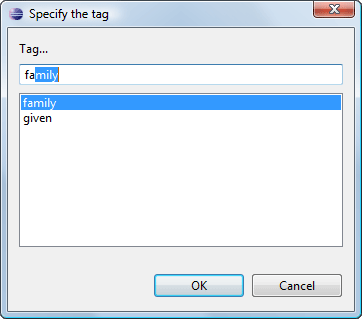
If you have an unstructured document and you want to obtain an XML document, you will find the Surround with option especially useful. This allows you to surround the currently selected text with a specified tag.
WSDL Editing and Testing
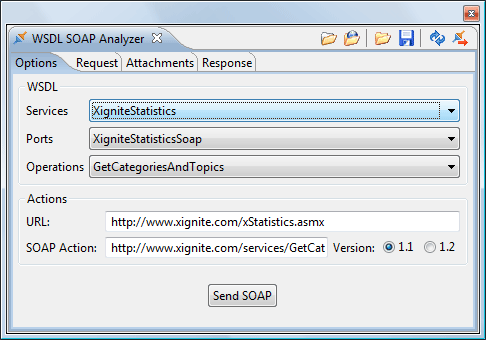
The WSDL files contain information about the published services, such as the name, the message types, and the service bindings. The editor offers you a way to edit WSDL files, which is similar to editing XML. The Content Completion Assistant is driven by a mix of the WSDL and SOAP schema.
More that just editing, you can test the definitions directly from the editor. To accomplish this, you can use the integrated WSDL tester. It automatically discovers the services, so you just have to select the service, port, and action, and Oxygen will try to generate as much content as possible for the call skeleton. Usually, you just have to change a few values for the request to be valid. The Content Completion Assistant is available for the request editor and is driven by the schema that defines the current message type.
Folding XML Elements
Eclipse offers support for folding of Java elements. We have extended it for XML. The folding allows you to collapse elements, leaving only the ones you need to edit in focus.
In the following image, you can see that only one of the chapter sections is expanded, while the rest are collapsed.
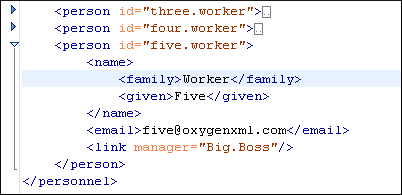
To make the fold operation faster, you can use the contextual menu to collapse or expand all the child folds of an element.

