Documentation for XSLT Stylesheets
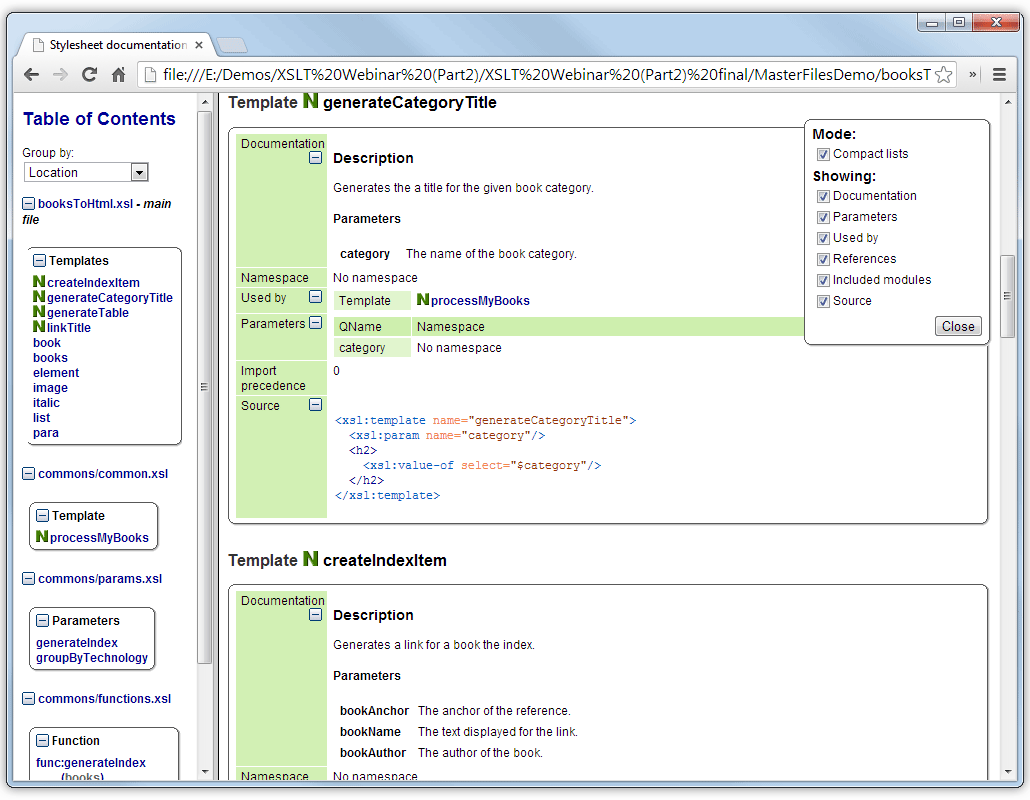
The Oxygen XSLT Documentation tool allows you to generate full documentation for the XSLT stylesheet components in XHTML format, including comprehensive annotations and cross references.
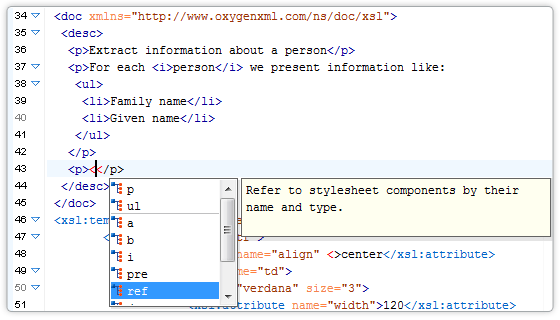
User-supplied descriptions can be specified either in the form of XML comments or in a simple language, for which Oxygen provides easy editing support through special actions for inserting documentation and through content completion assistance. Support for user-defined documentation languages can be added by updating the conversion to XHTML to support those languages.
The core elements from existing documentation frameworks, such as XSLStyle and Doxsl, as well as some usual DocBook, DITA and all the XHTML elements, are handled for user-supplied descriptions.
XSLT Stylesheet Documentation Examples
It is possible to generate XSLT stylesheet documentation either in XHTML format or in an Oxygen-specific XML format.
You can find an XHTML sample of the documentation generated for a very simple XSLT stylesheet here. For more complex samples, see:
- XSLT stylesheet documentation for DocBook to XHTML
- XSLT stylesheet documentation for DITA to XHTML
Options for the XSLT Documentation Tool
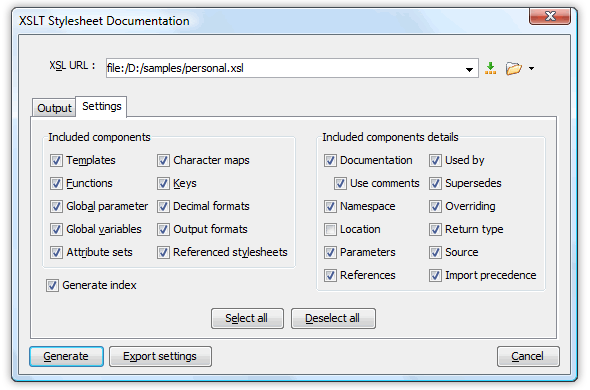
For large XSLT stylesheets, a "generate chunks" option is available for the HTML format that will output documentation in multiple files.
Support for Imported and Included XSLT Stylesheets
The generated documentation includes all the components defined in the imported or included stylesheets.
Best Look and Performance
The documentation output is carefully designed with a balanced selection of colors and a neatly organized layout.
Oxygen XML Editor delivers the best performance available for generating XSLT stylesheet documentation. While working with even the largest XSLT stylesheet, Oxygen generates complete documentation within seconds.
XSLT Editor Documentation Support
When the Content Completion Assistant is invoked inside an XSLT editor (by pressing CTRL+SPACE), it will offer elements from the XSLT documentation schema (either the built-in schema or one specified by the user). A contextual action for adding documentation blocks is also available in the editor contextual menu.