XSLT Search and Refactoring
XSLT Refactoring Actions
Oxygen helps you improve code readability of an XSLT stylesheet and reduce its complexity using refactoring actions. For example, you can use the Extract template action to break a long template into smaller templates. Similarly, you can refactor long XPath expressions by extracting small sub-expressions as local or global variables or parameters. Also, if you want to move one or more XSLT components (templates or functions) to another stylesheet, Oxygen helps you to refactor your stylesheet.
Quick Assist
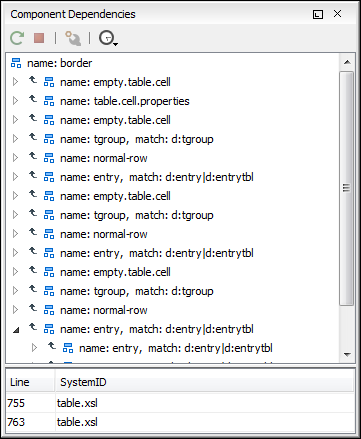
Working with large stylesheets becomes more and more difficult as their complexity increases. Oxygen helps you reorganize them by allowing you to easily extract sections from templates, move some XSLT components to other stylesheets, rename templates and variables, and search references and occurrences in the project files. Some operations that imply modifications to multiple files display a preview window that shows the exact changes that will be performed in each file.
Rename XSLT Occurrences
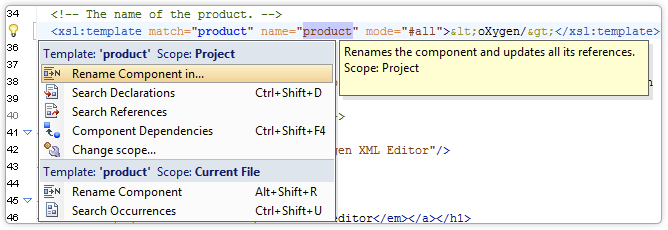
You can rename XSLT components (variables, templates, functions, etc.) and you have full control over all changes using a Diff view, which allows you to inspect and review the document edits before accepting them. The scope of the edits can be the current file, the Project, the Main Files, or another scope that you define.
Search XSLT References/Declarations
This search is performed for any XSLT component that has references or declarations (variables, functions, named templates, attribute sets, etc.) The search scope can be the current file, the Project, the Main Files, or a custom scope that you define.
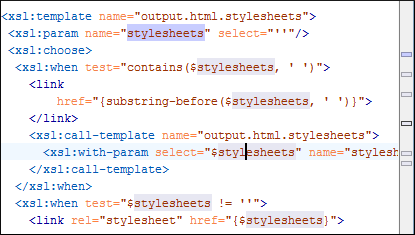
Also, all the occurrences of an XSL component are highlighted in the text when you place the cursor near the component name.