What's New in Oxygen JSON Editor 28.1
Oxygen JSON Editor 28.1 introduces important enhancements in
AI-powered workflows, including the new Planner chat
mode in Oxygen AI Positron and improved sensitive data masking. Additional
enhancements include the updated Git Client add-on.
There are changes in:
AI Enhancements Powered by Oxygen AI Positron
Oxygen JSON Editor 28.1 is compatible with the
enhanced
Oxygen AI Positron 8.1 add-on, which introduces the following AI
additions for the Desktop distribution. For a comprehensive overview, see the complete list
of new features on our website:
What's New in Oxygen AI Positron
8.1.
Sensitive Data Masking for AI Requests
Personal or private information (such as email addresses, phone numbers, IDs,
or API keys) is now automatically identified and masked in AI requests to help protect
sensitive data. You can extend this protection by adding custom patterns to cover
additional data types. The masked information is automatically restored in the AI
response, ensuring that users see the correct content and that any generated or updated
files remain accurate.
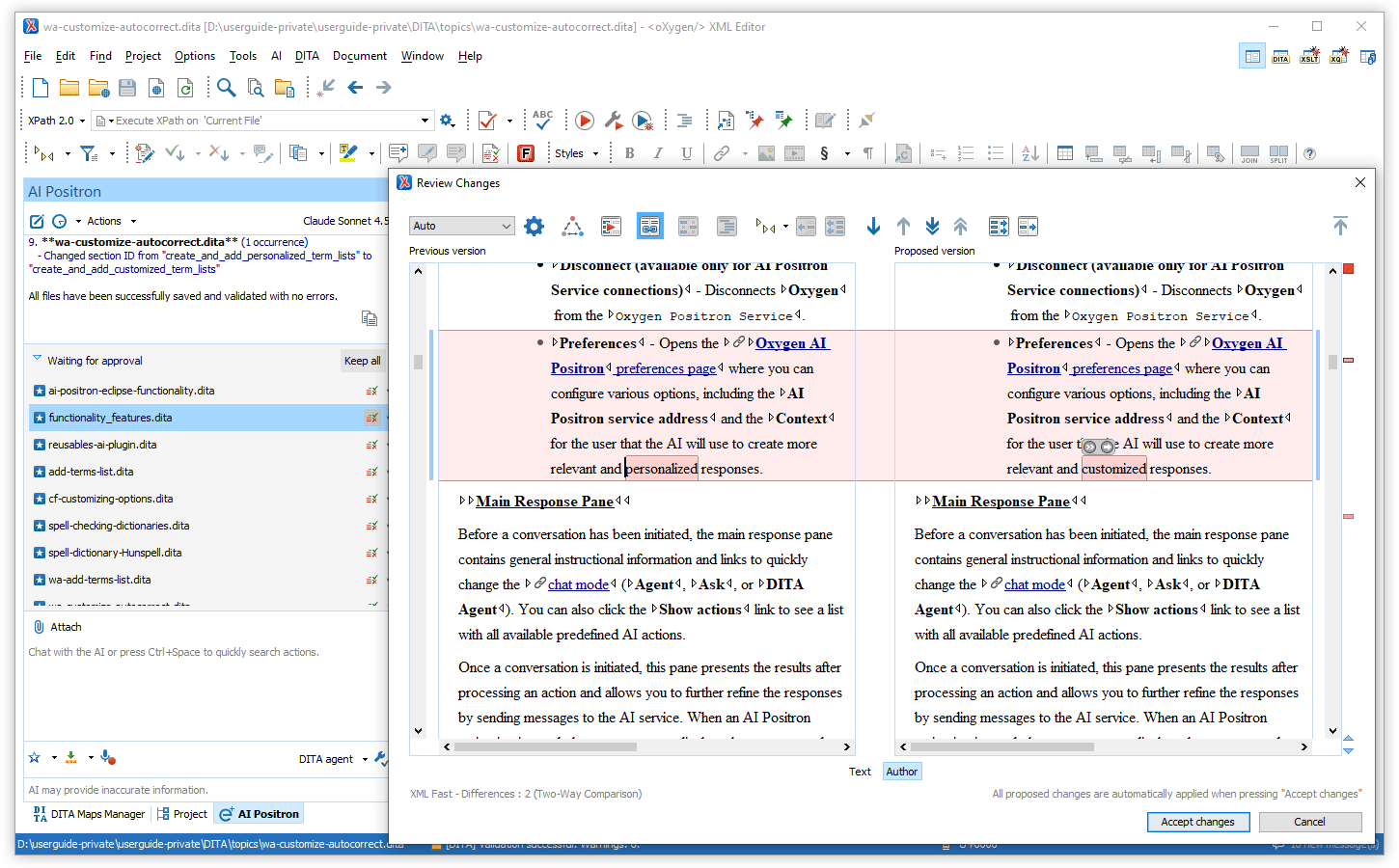
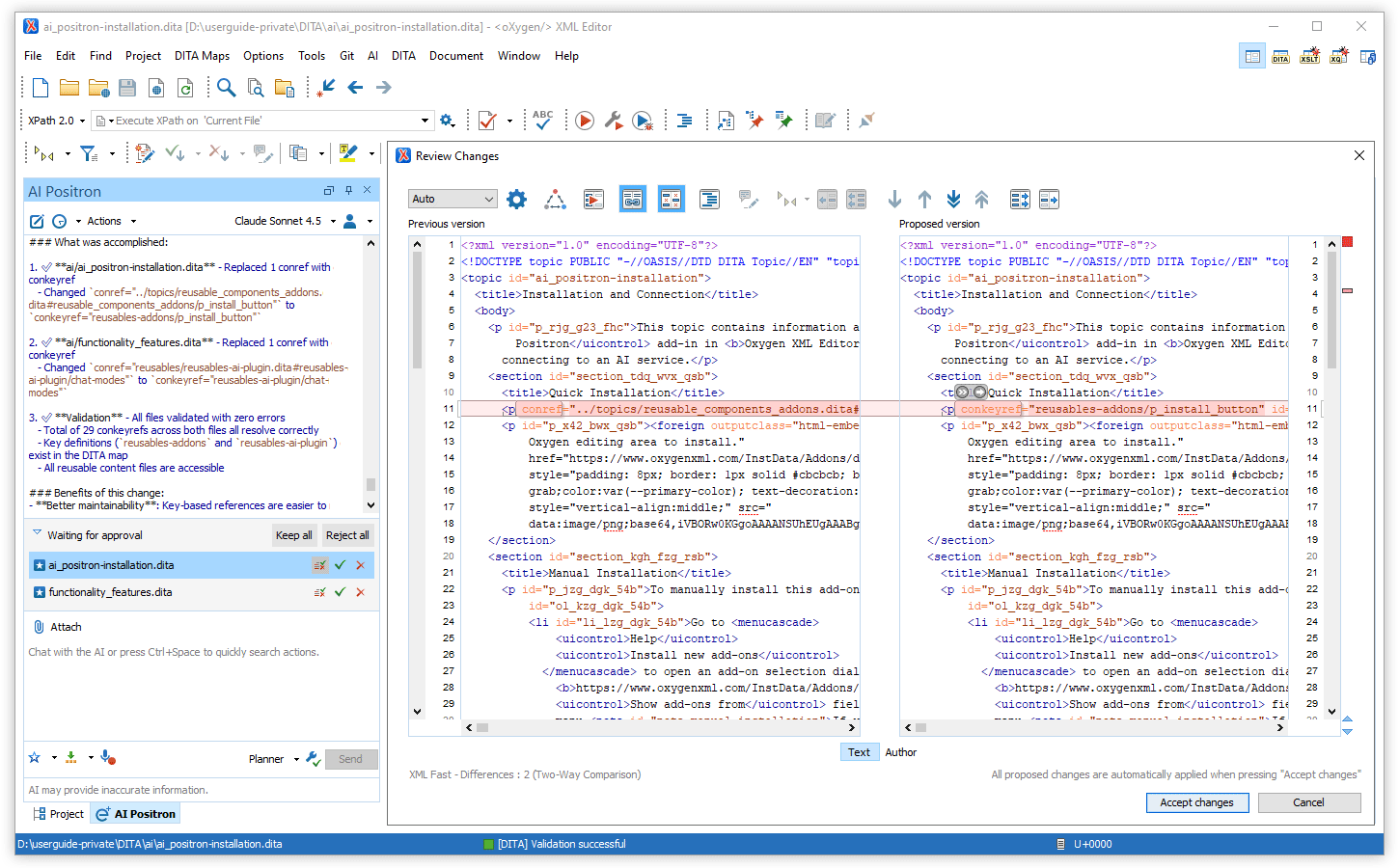
Improved Review Experience for AI-Modified Files
All files created or modified by AI now appear directly in the chat area, so
you can review the proposed changes and accept or discard them without leaving the
conversation. You can also open each file individually and accept only a subset of the
proposed changes while rejecting the rest.
Optimized Token Consumption for AI Prompts and Tools
The prompts and tools that the AI uses to generate answers have been improved
to consume fewer tokens/credits.
New Planner Chat Mode for Resource-Consuming Tasks
The newly introduced Planner chat mode is available for complex,
token-intensive operations (e.g., “Translate all files in the current folder” or “Find
all conrefs and replace them with conkeyrefs in userguide.ditamap”).
After being given the prompt, the AI explores your project, proposes a multi-step
plan, and, after your approval, delegates each step to the most suitable AI agent. This
means large, project-wide changes can be coordinated without hitting LLM context limits,
while still showing you the tool calls and results for review.
Smarter PDF/Word Attachment Expansion in Planner Mode
When using the Planner chat mode with PDF or Word (.docx) attachments, the
document is automatically split into multiple Markdown files, with embedded images
extracted into a temporary folder. This allows the Planner to invoke sub-agents that can
process, transform, or convert the extracted files and assets as needed (for example,
converting them to other formats or generating new project structures).
More Context Information Available in Chat
The AI chat now automatically includes additional information about your
environment and editing context, such as the Oxygen application version, operating system
details, current date, main file information, and caret or selection data (Oxygen 28.1 or
newer). Having richer contextual information leads to higher-quality AI responses. For
example, when the AI needs to run a command-line tool, knowing whether you are using
Windows or macOS is essential to generate correct and relevant commands.
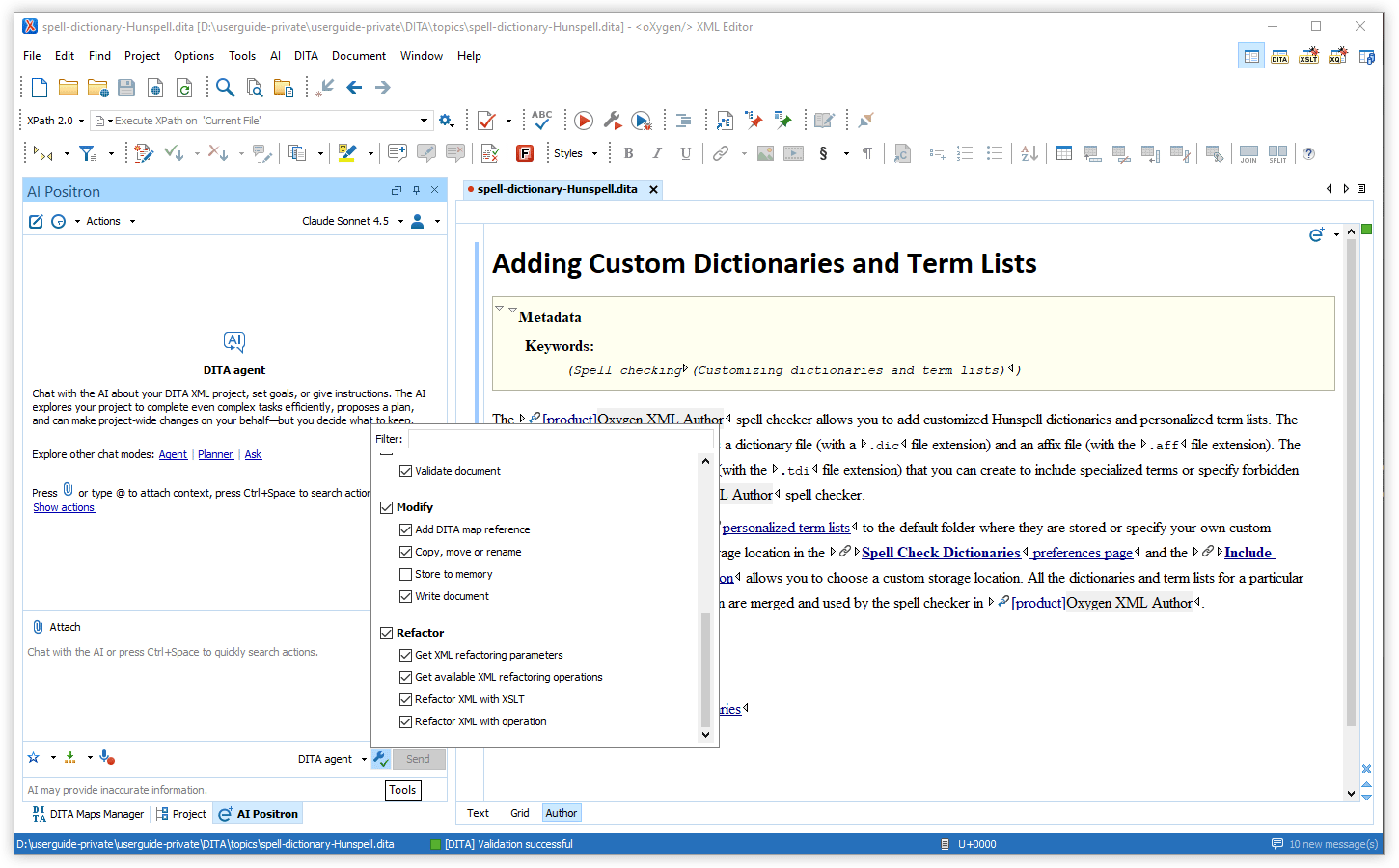
Tools Selector
You can now customize the AI's capabilities for each chat mode. The new
Tools selector allows you to disable or enable specific tools (either added
via Model Context Protocol or provided in the chat mode definition), giving you
more control to fine-tune the AI's responses and behavior for your specific
tasks.
Chat Selection Includes Images
When you use the AI chat with content selected in your document, any images
within that selection are now also included for the LLM to analyze along with the
text.
AI Positron Fix Action Turns Agentic
The AI Positron Fix action now automatically applies proposed fixes directly in
your document and continues to explore additional sections when more context is
needed.
Documentation and APIs to Create New Chat Modes
You can now officially define new chat modes by creating new AI actions that
contain the
"output-action": "agentic" property.
For more details, see
Creating Custom Chat ModesTools to List and Invoke AI Agents
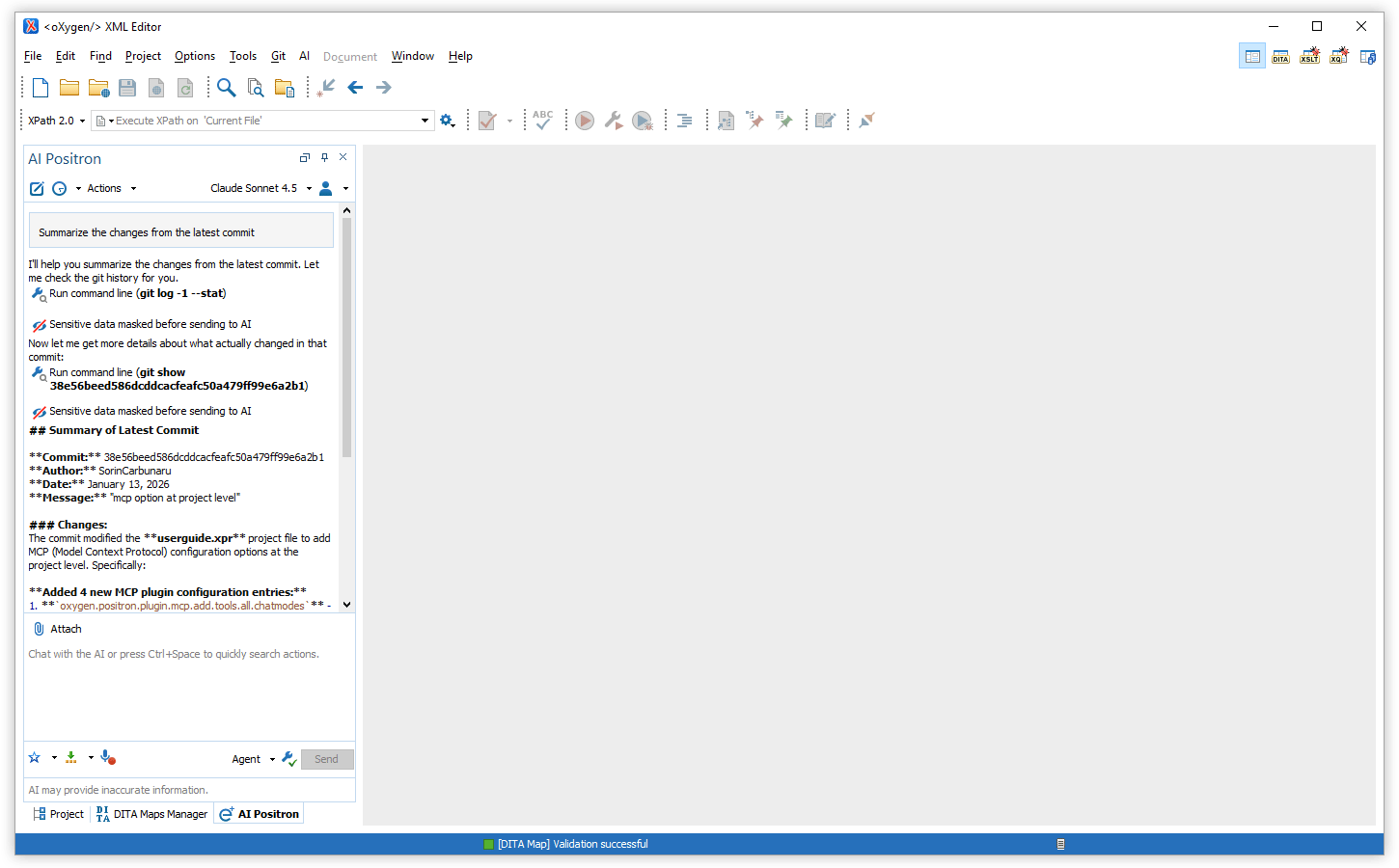
Tool to Run Command Line
A newly added tool is available in all chat modes and can be used to invoke a
command-line process. Note that the tool needs explicit user approval when it is invoked.
For more details, see
AI Positron User Guide: Multi Purpose Tools.
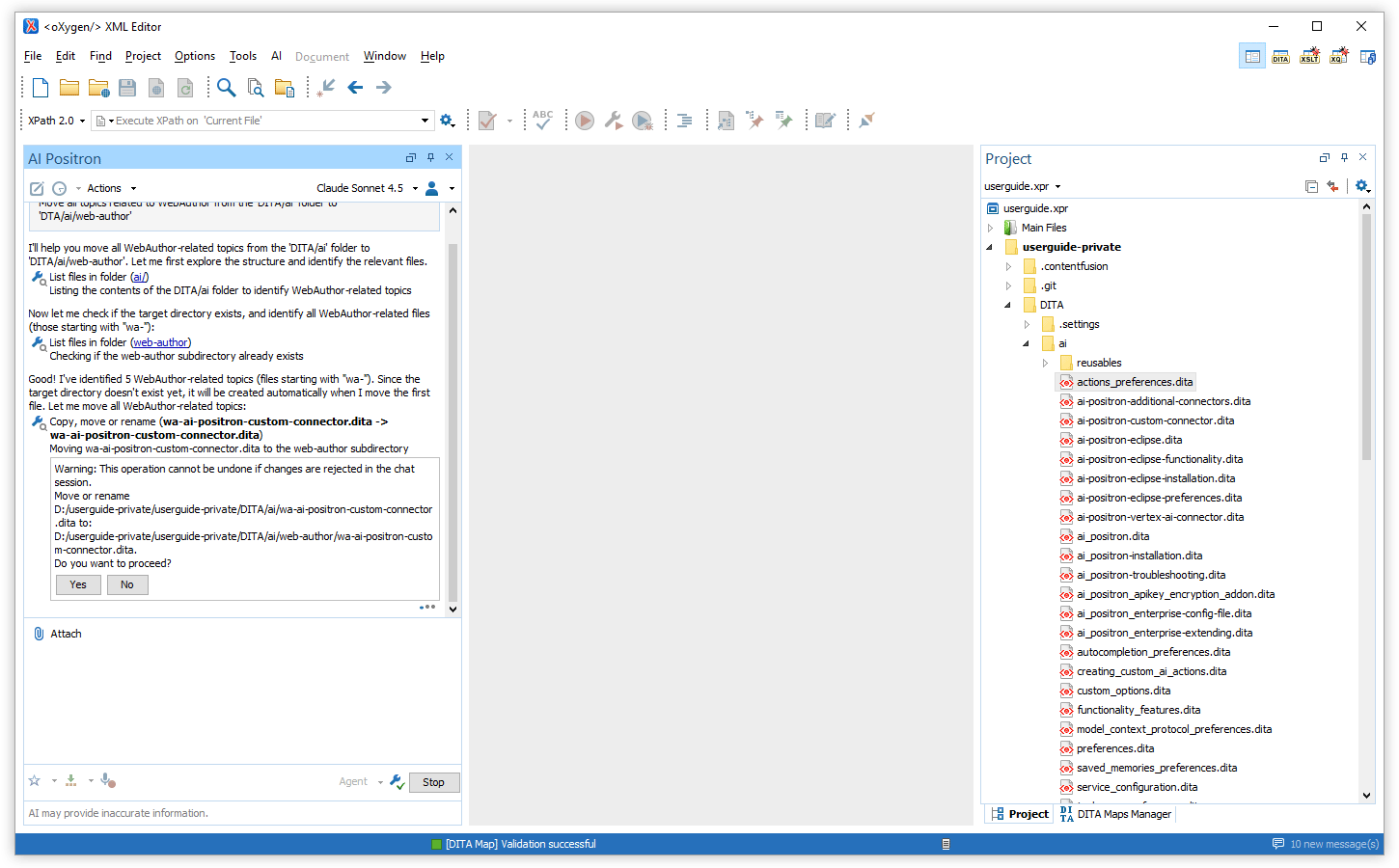
Tool to Copy/Move/Rename Local Resources
A new tool is available in all chat modes and can be used to copy, move, or
rename a local file or folder path. When used in Oxygen 28.1 and newer, if the
Main
Files feature is enabled in Oxygen, references to the moved or renamed resource
are also automatically updated. For more details, see
AI Positron User Guide: Tools that Change Content.
Control AI Action Visibility
You can now choose whether a defined AI action is visible in the UI or only
available to other AI actions as a sub-agent by using the new
visibility
property. For more details, see
AI Positron User Guide: Visibility Property.
Create AI Actions with Vision Support
You can now decide whether a custom AI action sends both content and referenced
images to the LLM by using the
"input-type": "markup-with-images" JSON
property. This helps you include images only when they are relevant for the AI
response.
For more details, see
markup-with-images.
Preserve Structure and Styles for Attached Word and PDF Documents
When attaching Word (.docx) or PDF documents in the chat, their internal
structure (headings, lists, tables, code blocks) and styling (bold, italic) are now
preserved when being sent to the AI so that it better understands the
document.
Updated Model Context Protocol Library
The Model Context Protocol SDK that is bundled with AI Positron 8.1
was updated to contain the latest fixes in the 0.16.0 SDK.
Removed Support for Older Models
Support for older models (such as GPT-4, GPT-4 Turbo, GPT-4o, Sonnet 3.7, and
more) has been removed. Alternatives with improved characteristics are available, such as
models with higher intelligence, lower prices, or larger context windows.
File/Directory Comparison
Timestamps and User Information in Comparison Reports
Your comparison reports now include metadata about who ran the comparison, when
it was run, and how long it took. This helps you track and audit comparison activity over
time. For HTML reports, this information is also displayed in the browser in a collapsible
section.
Add-on Updates
Git Client
Version 5.6.0 of the Git Client was released with the following updates:
- Multiple worktrees are now supported, allowing you to manage several branches
simultaneously without the hassle of stashing changes or performing a fresh
clone.
- A new Explain commit action is available (when
right-clicking commits in the Git History view) that utilizes AI
Positron to explain the changes from the selected commits.
- Actions were added to quickly open the working copy folder in your system's
file manager or terminal.
- New actions are available in the Git Branch Manager to show
the head of a selected branch in the Git History or to track a
remote branch from a local one.
- The performance of the Git Client was significantly improved when working
without access to the remote repository.
- Various other improvements, component updates, and bug fixes were
implemented.
- The minimum required version of Oxygen was updated to 27.1.
For more information, see the release notes at https://www.oxygenxml.com/addons/com.oxygenxml.git.html.
API Additions
Retrieve Line/Column for Offset in Author Mode
The new
WSTextBasedEditorPage.getColumnOfOffset and
WSTextBasedEditorPage.getLineOfOffset APIs allow you to retrieve the
corresponding line and column information for a caret offset location in the Author visual
editor mode.
For more details, see
Oxygen XML Editor 28.1 API (The user must log in to view the Oxygen API).
Accessibility
Support for VPAT 2.5
Oxygen was evaluated against the latest VPAT 2.5 accessibility
guidelines.
Component Updates
Updated OpenJDK to Version 21.0.10
The version of OpenJDK that is bundled with the installation kits for providing
the Java Runtime Environment was updated to version 21.0.10 from Eclipse
Adoptium.
Updated Jackson JSON Libraries to Version 2.20.1
Updated the Jackson JSON libraries that are used by the Oxygen core to version
2.20.1.