
Oxygen AI Positron 8.2 for Desktop
Oxygen AI Positron for Desktop 8.2 introduces a major productivity boost through the new skills mechanism (based on the Anthropic Agent Skills), allowing organizations to extend the assistant with reusable modules for specialized tasks, workflow automation, external integrations, and domain-specific processes. To help users get started quickly, several built-in AI skills are now included for adding review comments, translating XML while preserving markup, performing persona-based analysis, and even consulting the AI Positron user guide automatically.
This release also expands the AI experience with the new Personas chat mode, smarter awareness of changes in the current editing context, and support for analyzing binary resources such as images, PDF, Word, Excel, and PowerPoint files without manually attaching them first. Additional usability enhancements include a new context window size indicator, support for attaching Excel documents, access to referenced SVG images, and improved Review Changes tracking for AI-driven copy, move, and rename operations.
Oxygen AI Positron for Desktop
Extend AI Capabilities Using Skills

Built-in AI Skills
- Add review comments to your document.
- Translate XML content into another language while preserving markup and technical elements.
- Apply structured persona-based analysis to evaluate a task through multiple audience perspectives.
- Get help with AI Positron features by automatically reading the user guide documentation.
Claude Models with Adaptive Thinking

Personas Chat Mode
Smarter AI Awareness of Changes in Your Working Context
Binary Resource Insights
Context Window Size Indicator

Attach Excel Documents
xlsx) documents in the AI Positron
chat view to provide additional context for your conversation with the AI.Analyze Referenced SVG Images
Review Changes Support for Copy/Move/Rename AI Operations
Configure Reasoning Effort Level for Microsoft Azure Connections
Support for Claude Deployments in Microsoft Azure Connections
New Gemini Models Available for Oxygen AI Positron Service
Define Multiple AI Connections in JSON Configuration Files
Improved Tools Approval

Model Context Protocol (MCP) Improvements
Ask for Website Access
Oxygen AI Positron 8.1 for Desktop
Oxygen AI Positron 8.1 for Desktop delivers a new level of productivity, security, and flexibility for users leveraging AI in their XML authoring workflows. This release introduces support for OpenAI’s latest GPT-5.2 and GPT-5.2 Thinking models and enables more accurate and context-aware agentic tasks. Sensitive data masking is now built-in, automatically protecting personal information in AI requests, with the ability to extend coverage to custom data types. The review experience is streamlined as AI-modified files are now presented directly in the chat for easy acceptance or rejection of changes. Token consumption for AI prompts and tools has been optimized, reducing costs and improving efficiency.
A new Planner chat mode empowers users to coordinate complex, multi-step, project-wide changes, while smarter handling of PDF and Word attachments enables advanced document processing. The chat interface now provides richer context about your editing environment, leading to higher-quality AI responses. Users gain granular control over AI capabilities with the new Tools selector, and can now create custom chat modes and actions, including those with vision support for image analysis. Additional enhancements include agentic AI Positron Fixes, improved alternate text generation for images, preservation of structure and styles in attached documents, and new tools for command-line operations and resource management.
Oxygen AI Positron for Desktop
OpenAI GPT-5.2 Models Available
Sensitive Data Masking for AI Requests

Improved Review Experience for AI-Modified Files
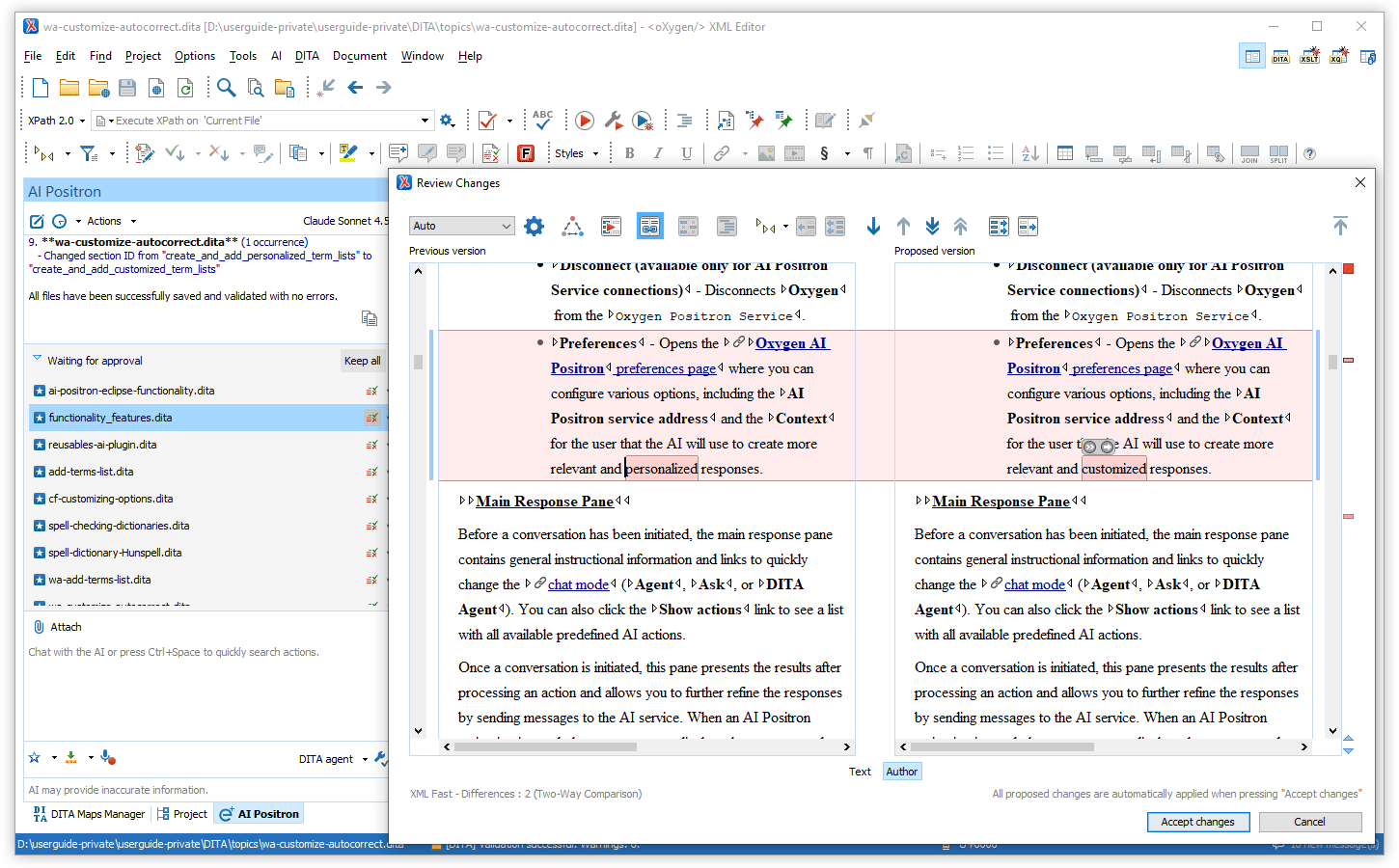
Optimized Token Consumption for AI Prompts and Tools
New Planner Chat Mode for Resource Consuming Tasks
The newly-introduced Planner chat mode is available for complex, token-intensive operations (e.g. “Translate all files in the current folder” or “Find all conrefs and replace them with conkeyrefs in userguide.ditamap”).
After being given the prompt, the AI explores your project, proposes a multi-step plan, and after your approval, delegates each step to the most suitable AI agent. This means large, project-wide changes can be coordinated without hitting LLM context limits, while still showing you the tool calls and results for review.
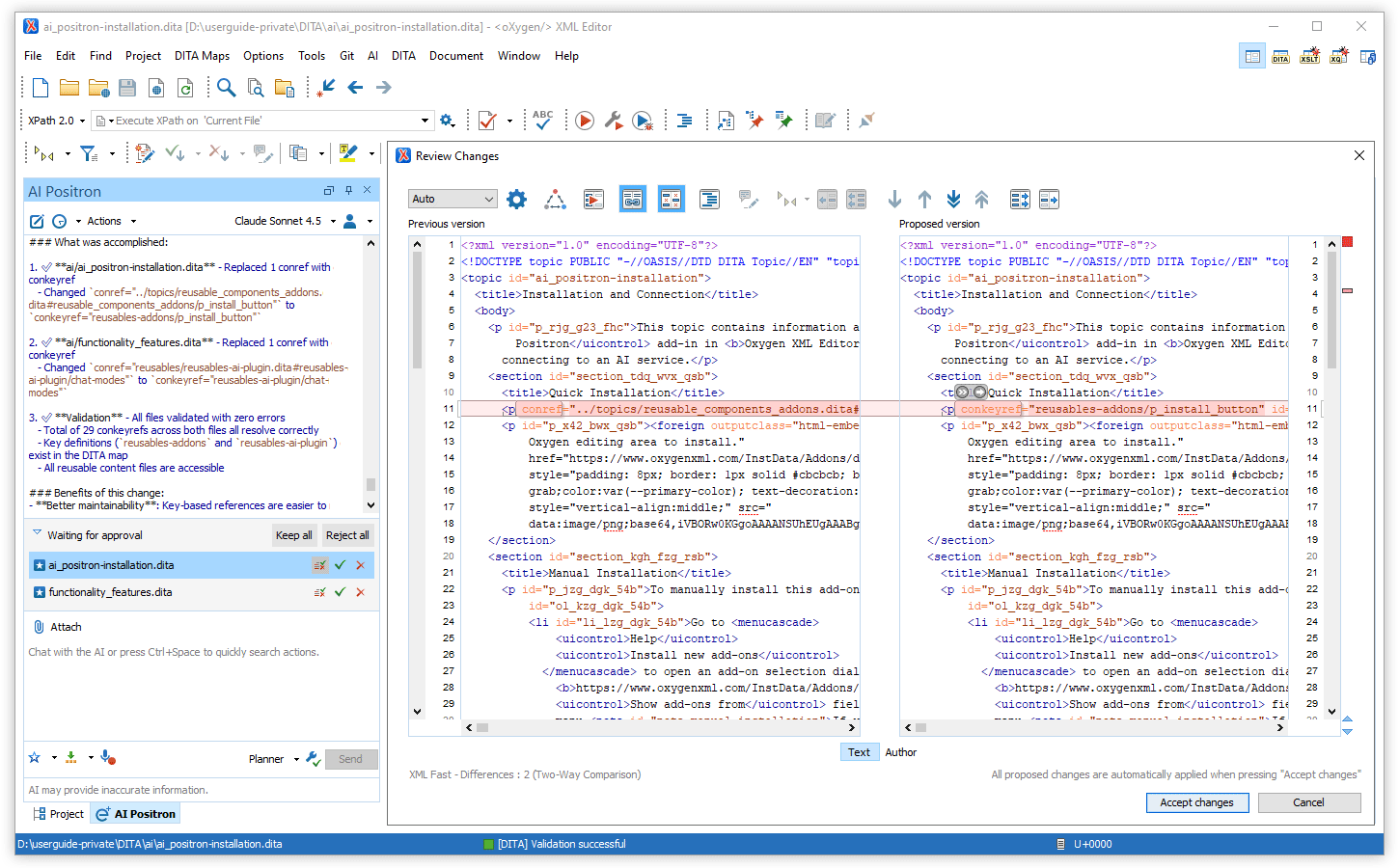
Smarter PDF/Word Attachment Expansion in Planner Mode
More Context Information Available in Chat
Tools Selector
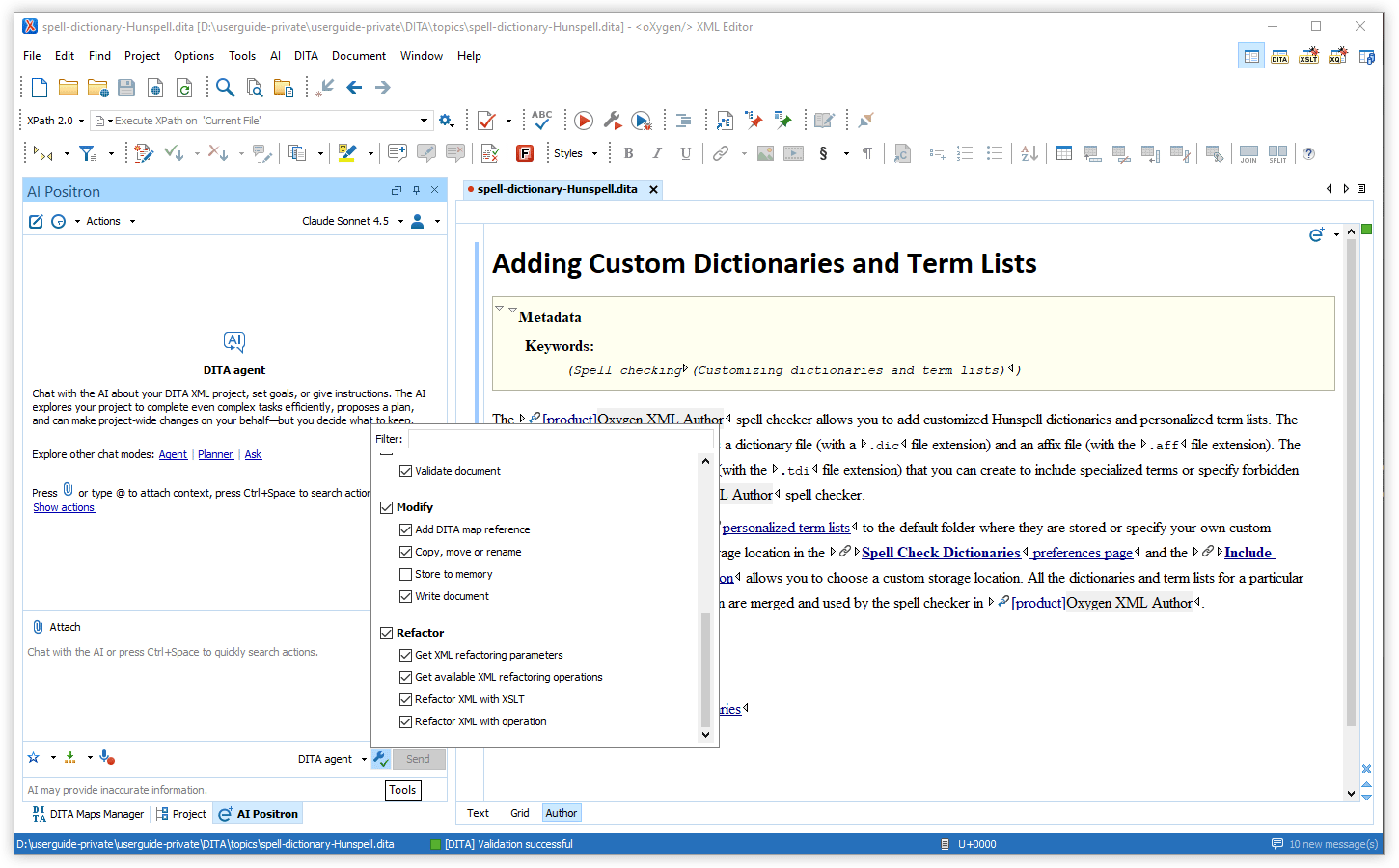
Chat Selection Includes Images
Create New AI Chat Modes
AI Positron Fix Action Turns Agentic
Documentation and APIs to Create New Chat Modes
"output-action": "agentic" property.
For more details, see Creating Custom Chat ModesTools to List and Invoke AI Agents
Tool to Run Command Line
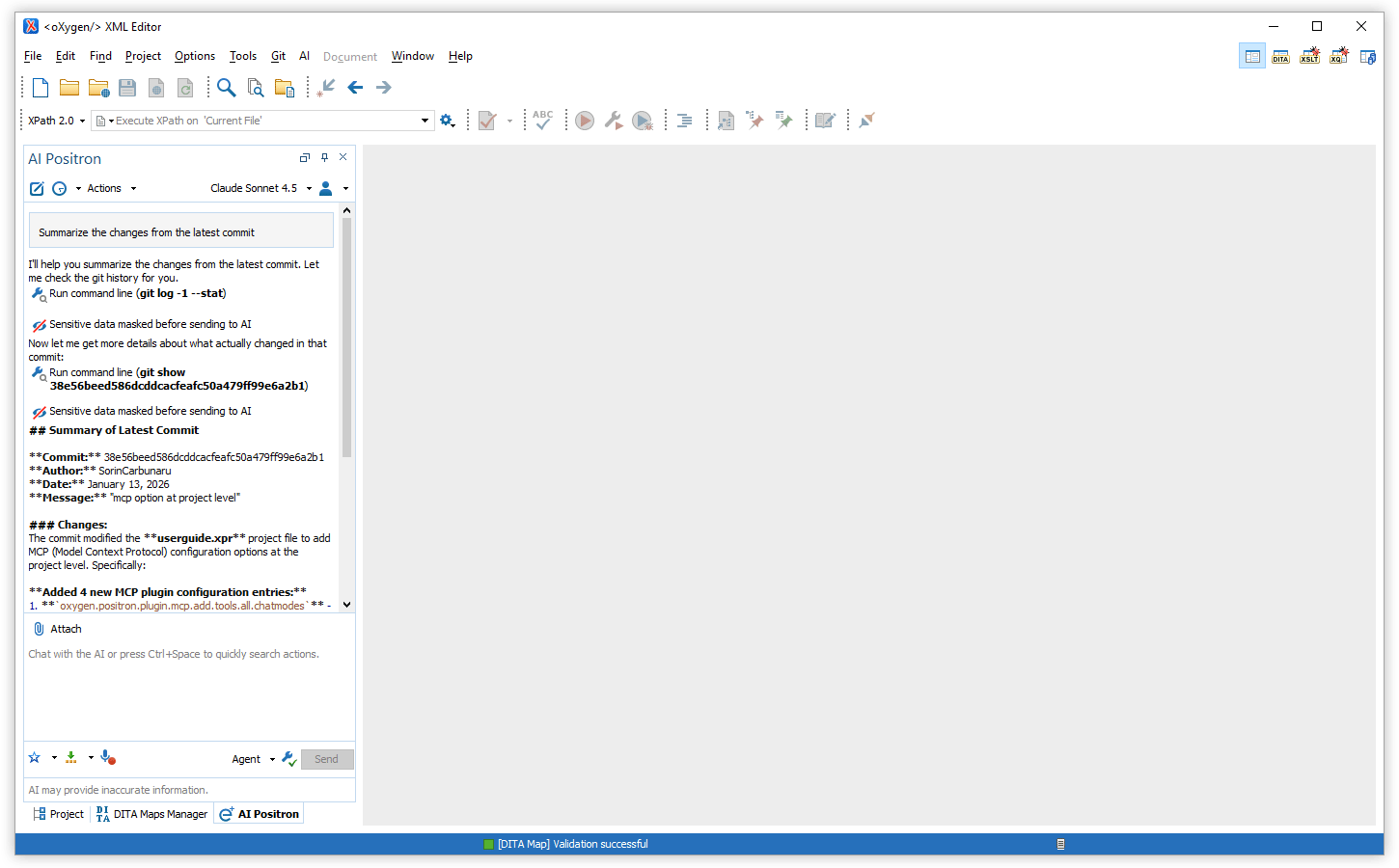
Tool to Copy/Move/Rename Local Resources
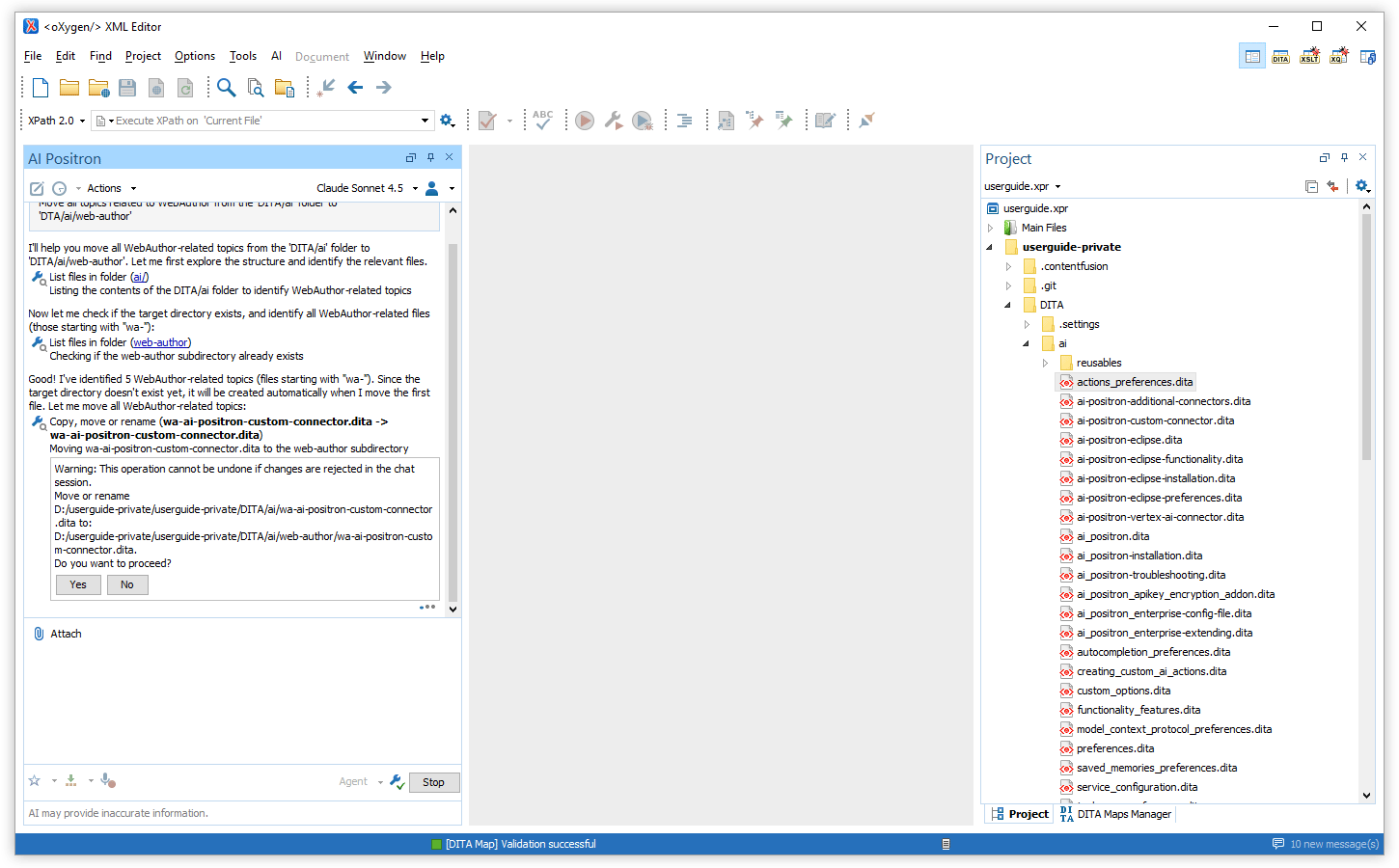
Control AI Action Visibility
Create AI Actions with Vision Support
"input-type": "markup-with-images" JSON
property. This helps you include images only when they are relevant for the AI
response.
For more details, see markup-with-images.
Generate Image Alternate Text Improvements
Preserve Structure and Styles for Attached Word and PDF Documents
Updated Model Context Protocol Library
Removed Support for Older Models
Oxygen AI Positron 8.0 for Desktop
Oxygen AI Positron 8.0 combines the AI Positron Assistant and AI Positron Assistant Enterprise add-ons into one unified add-on. This single installation simplifies the setup process and makes it easier to get started.
AI assistance for authoring and development is now more effective. Project-aware prompts created using the Generate agent instructions action and support for multiple context files provide better guidance. New tools include project-wide search, directory listing, and precise edit operations. You can also refactor XML directly from the chat in Agent or DITA Agent modes.
You can now create multiple connections to each supported AI service provider, giving you greater flexibility in choosing the right AI assistance for your tasks. The supported connectors list has been enhanced with the addition of a dedicated AWS Bedrock connector. Furthermore, new AI model options include OpenAI GPT-5.1, Claude Sonnet 4.5, Claude Haiku 4.5, and xAI Grok 4 Fast.
This version also introduces an experimental local Model Context Protocol (MCP) server so desktop AI assistants can start the Oxygen application and validate, edit, and refactor documents through Oxygen tools.
A New Unified AI Positron Add-on
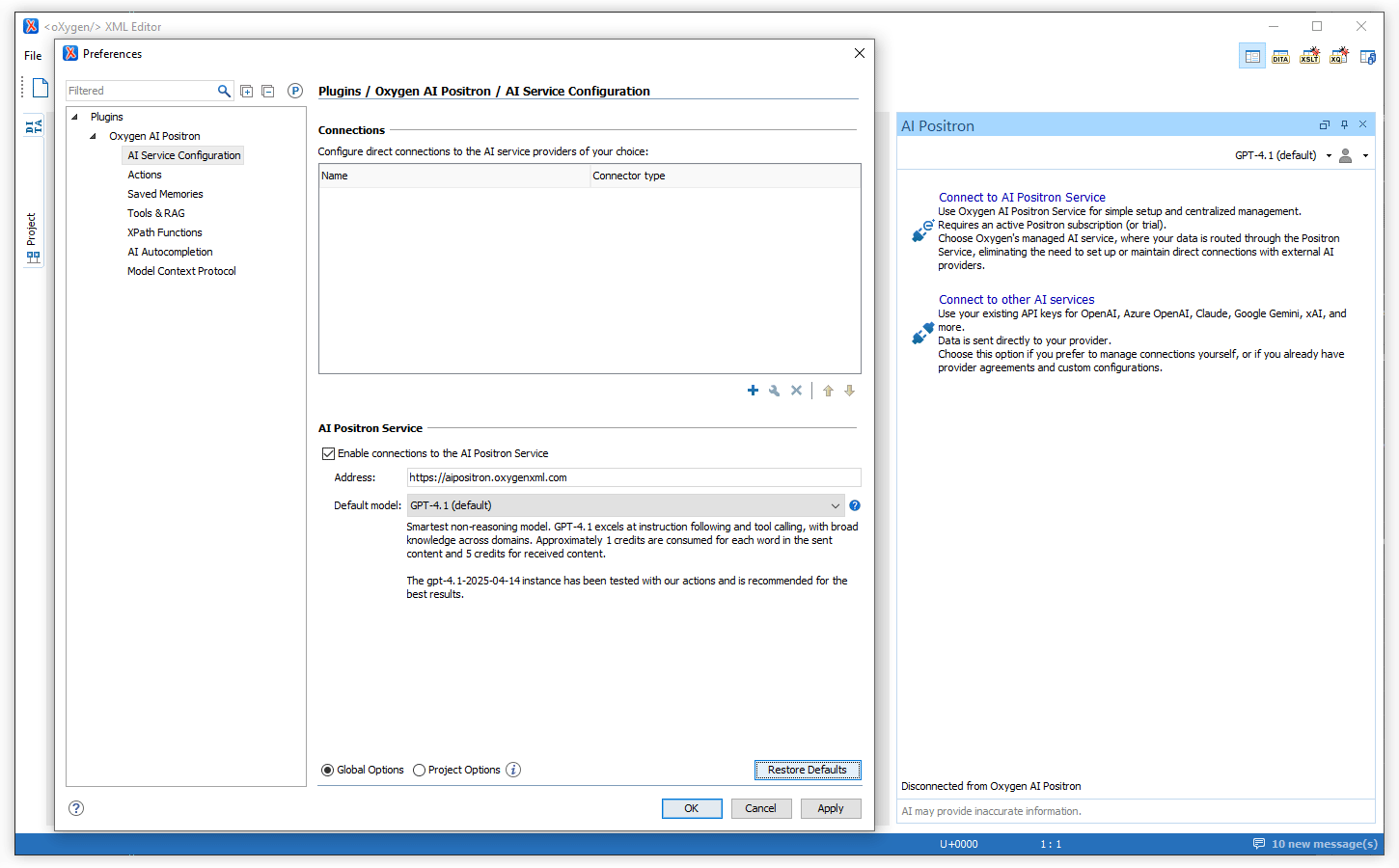
Support Multiple Connections to AI Service Providers
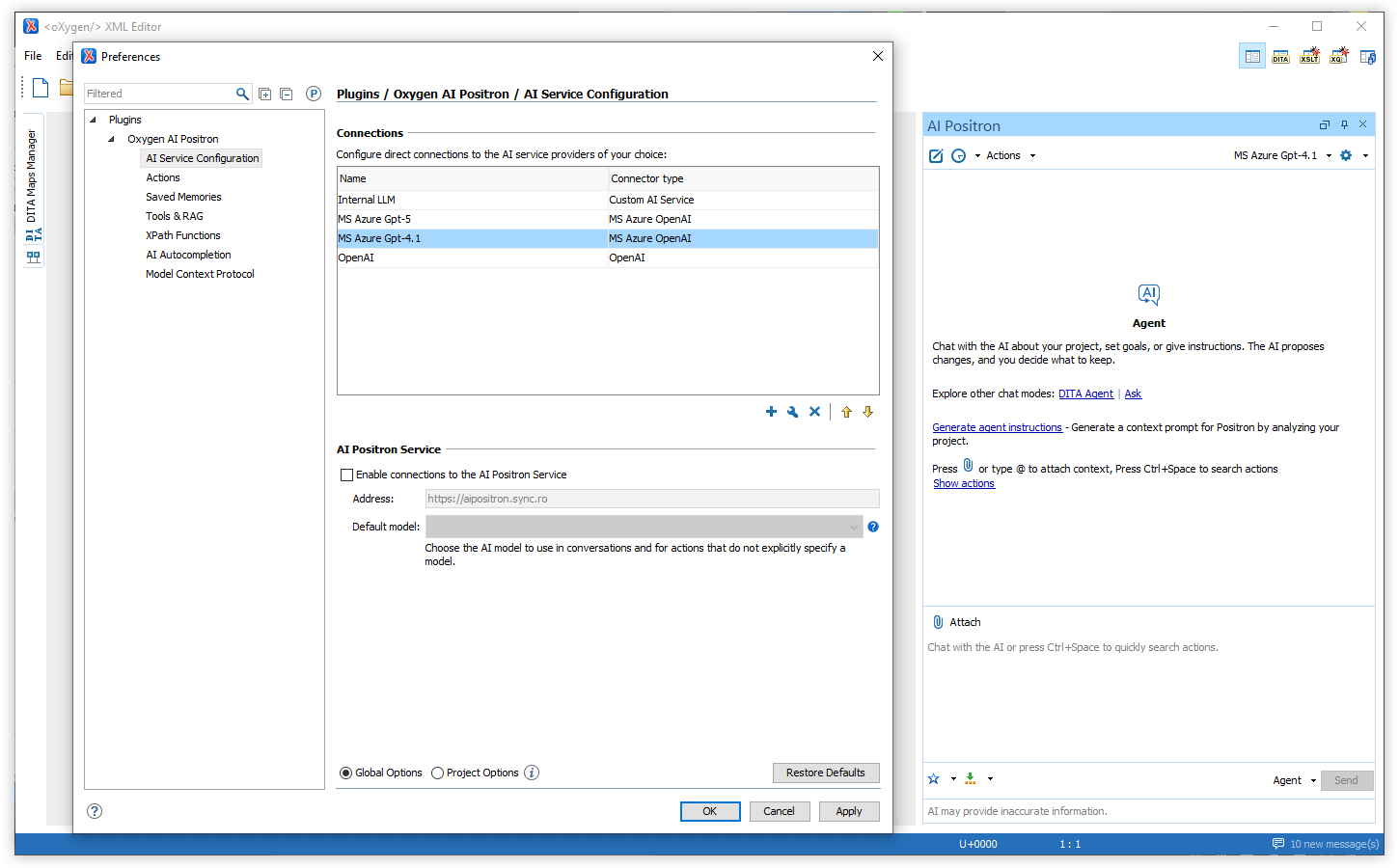
New Dedicated Connector: AWS Bedrock
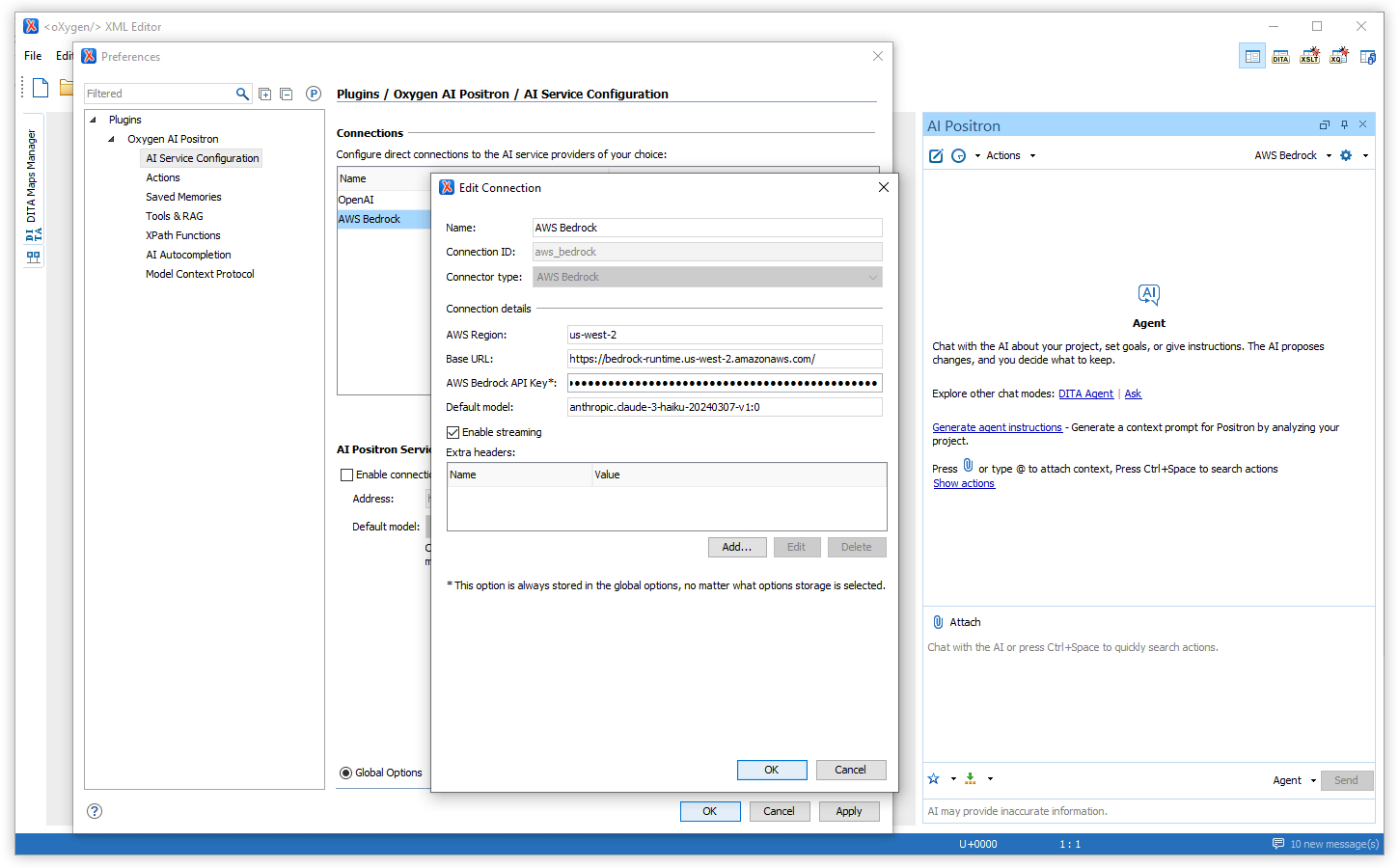
Smarter AI Context Prompt Setup
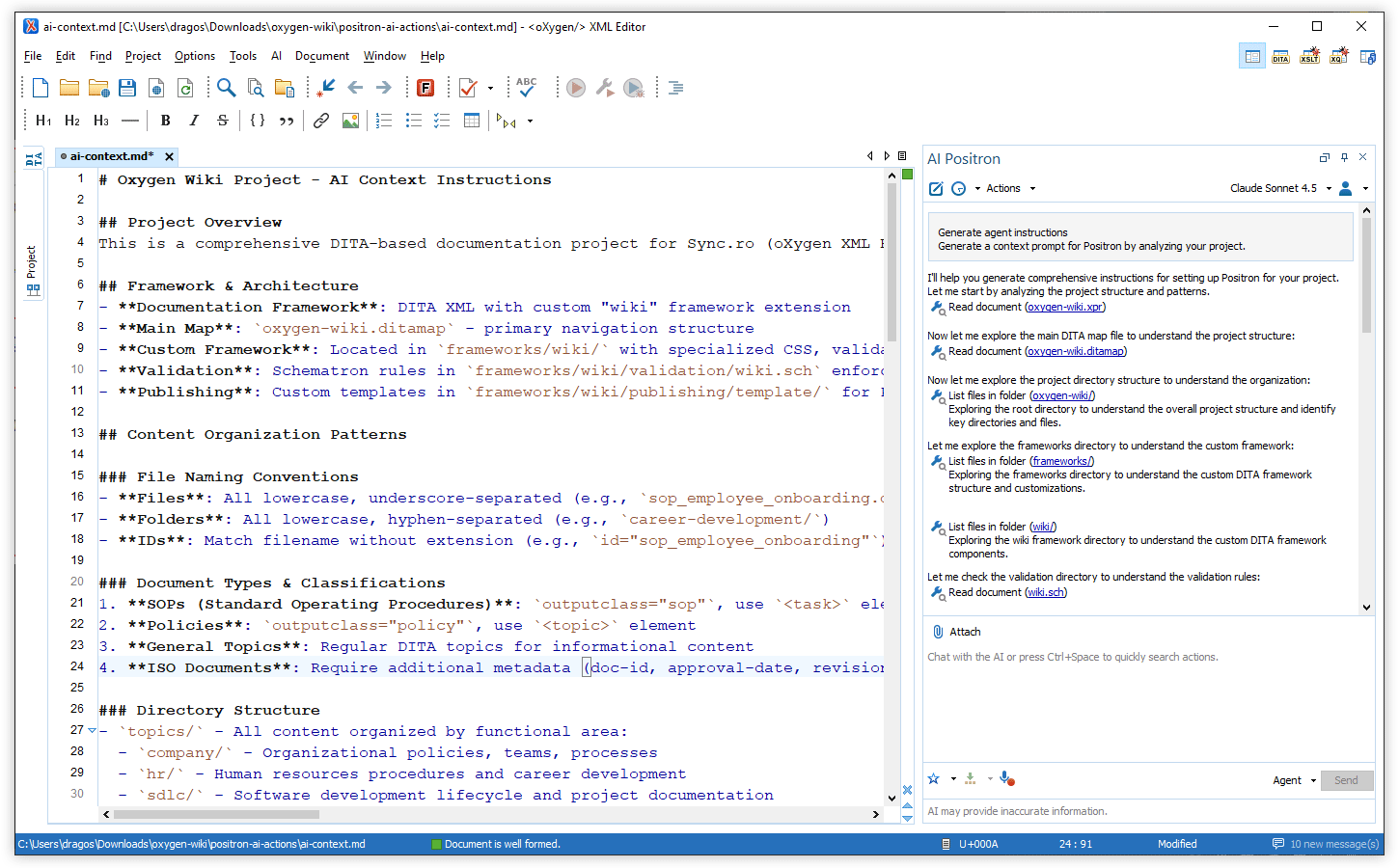
Edit Document Tool
List Directory Tool
XML Refactoring Tools in Chat Modes (Oxygen 28.0 Required)
Project-wide Search Tool (Oxygen 28.0 Required)
*.dita), regular expressions, and XPath filters, making searches both
flexible and powerful. By leveraging this tool, the AI can efficiently explore your
project, resulting in improved performance on complex agentic tasks.AI-Powered New File Creation (Oxygen 28.0 Required)
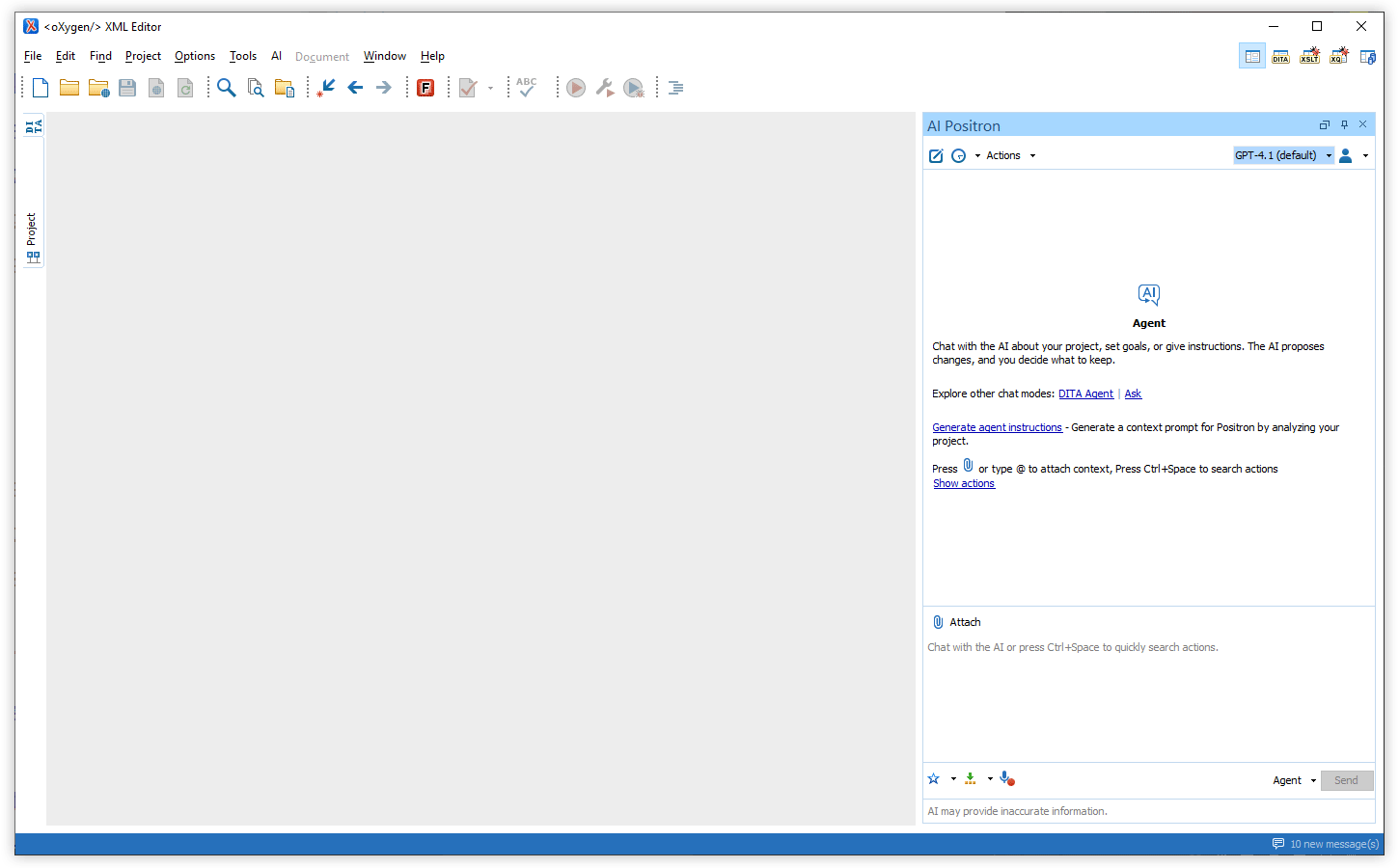
Chat Welcome Screen
Oxygen XML as a Local Model Context Protocol Server (Experimental, Oxygen 28.0 Required)
Model Context Protocol Improvements
More information about MCP integration is available at:
https://www.oxygenxml.com/doc/ug-positron-desktop/ai/model_context_protocol_preferences.html.
Autocomplete Development Action (Oxygen 28.0 Required)
Generate Code Improvements (Oxygen 28.0 Required)
Enhanced Project Content Search Options (Oxygen 28.0 Required)
OpenAI GPT-5.1 Models Available
xAI Grok 4 Fast Models Available
Claude Sonnet 4.5 Model Available
Claude Haiku 4.5 Model Available
Improved Tool Names and Descriptions
Additional Context Files
Custom Actions Prioritized
Oxygen AI Positron 7.0
The latest release of the Oxygen AI Positron Assistant for desktop tools introduces support for OpenAI's cutting-edge GPT-5 models, enhancing AI capabilities for chat and AI actions. The release includes the ability to invoke tools defined on Model Context Protocol Servers, ensuring seamless integration with external AI-powered tools. AI-powered automatic fixes now ensure XML documents remain valid when an invalid or not well-formed document is generated by the AI model. Additionally, you can now manage attachments using visual chips, paste screenshots directly into the chat for better context, and edit attached resources from prompts that have already been sent to the AI. The introduction of multiple chat modes, the new search_in_project tool, and improved handling of Word (.docx) attachments further enrich the user experience.
There are changes in:
Oxygen AI Positron Assistant
Support for OpenAI GPT-5 Models
Invoke Tools Defined on Model Context Protocol Servers
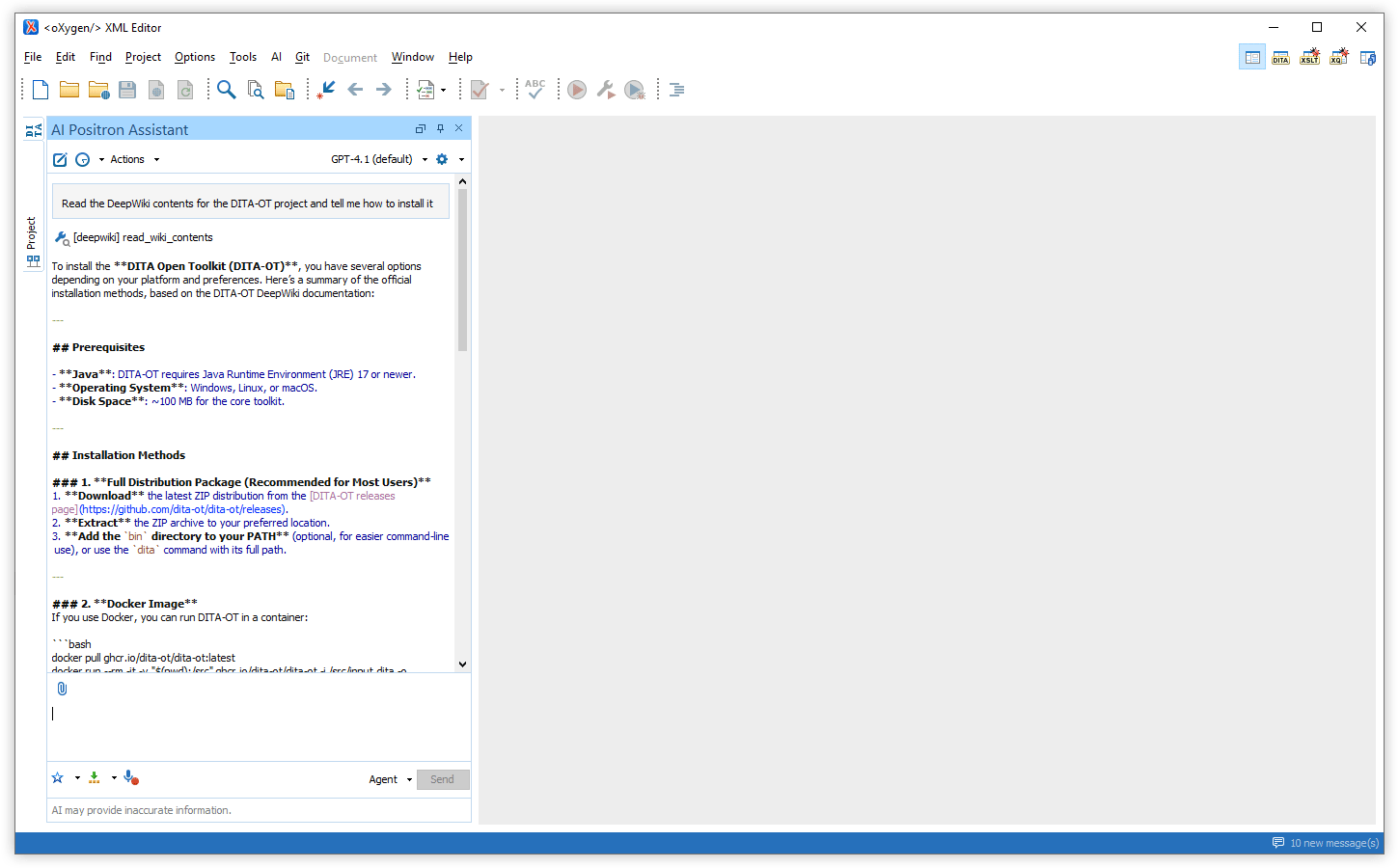
AI-powered Automatic Fixes for Invalid XML Responses
Fix Validation Problems in the Editor with AI Positron Fix
Attach Files to Edited Message Prompts
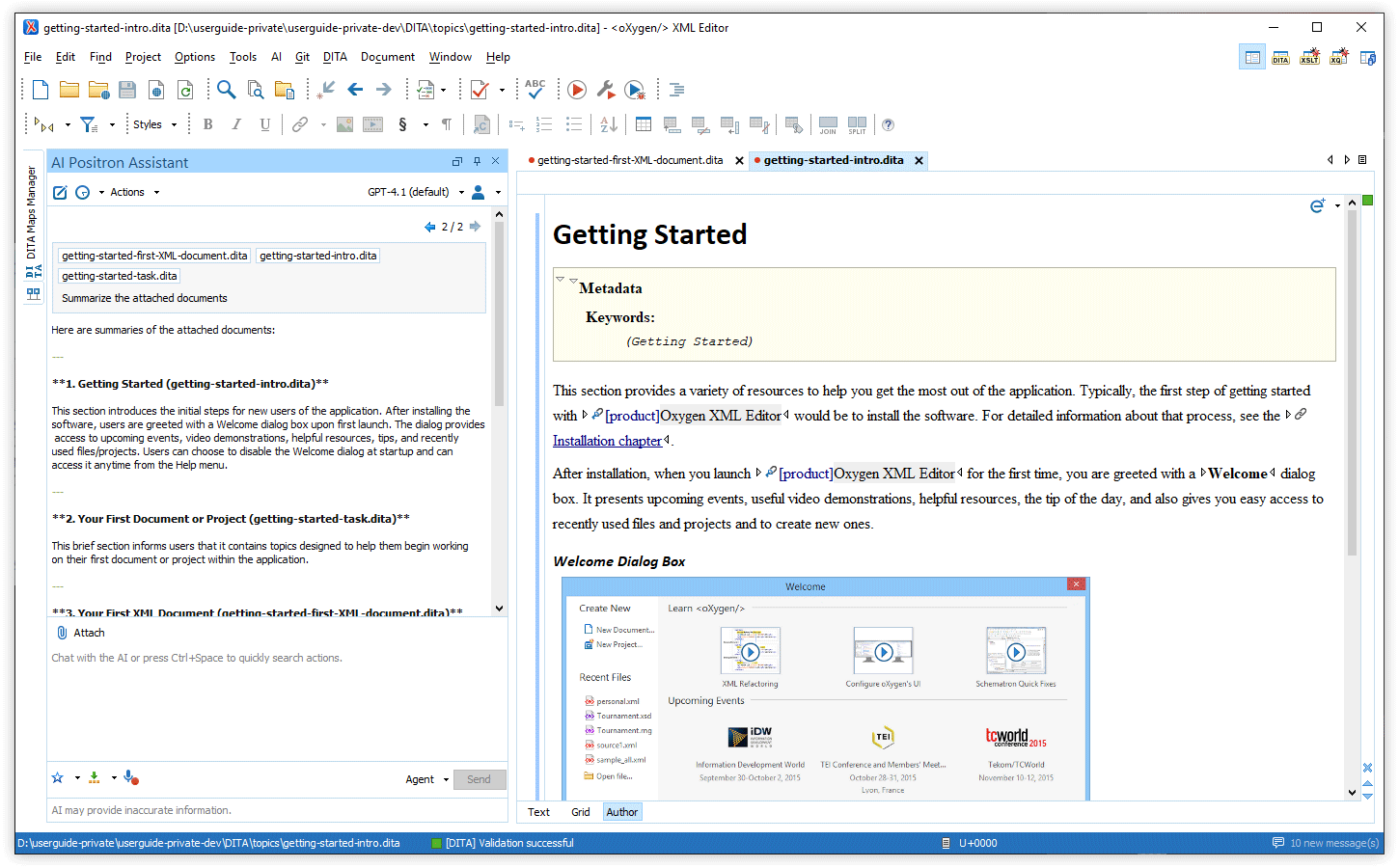
Manage Attachments with Visual Chips
You can now see your attached files as chips in the chat input
area, making it easy to review and remove individual attachments. If you want more
control, you can optionally use @ to reference specific files in your
instructions. Unreferenced attachments are still included automatically at the end of
your message.
Attachments are also displayed as chips in the chat, so you can quickly identify and access files sent to the AI.
Additionally, when you select content in the editor, a chip named
selection appears in the AI Positron chat input area. It represents
your current selection and updates whenever you change it. You can reference it by
typing @selection.
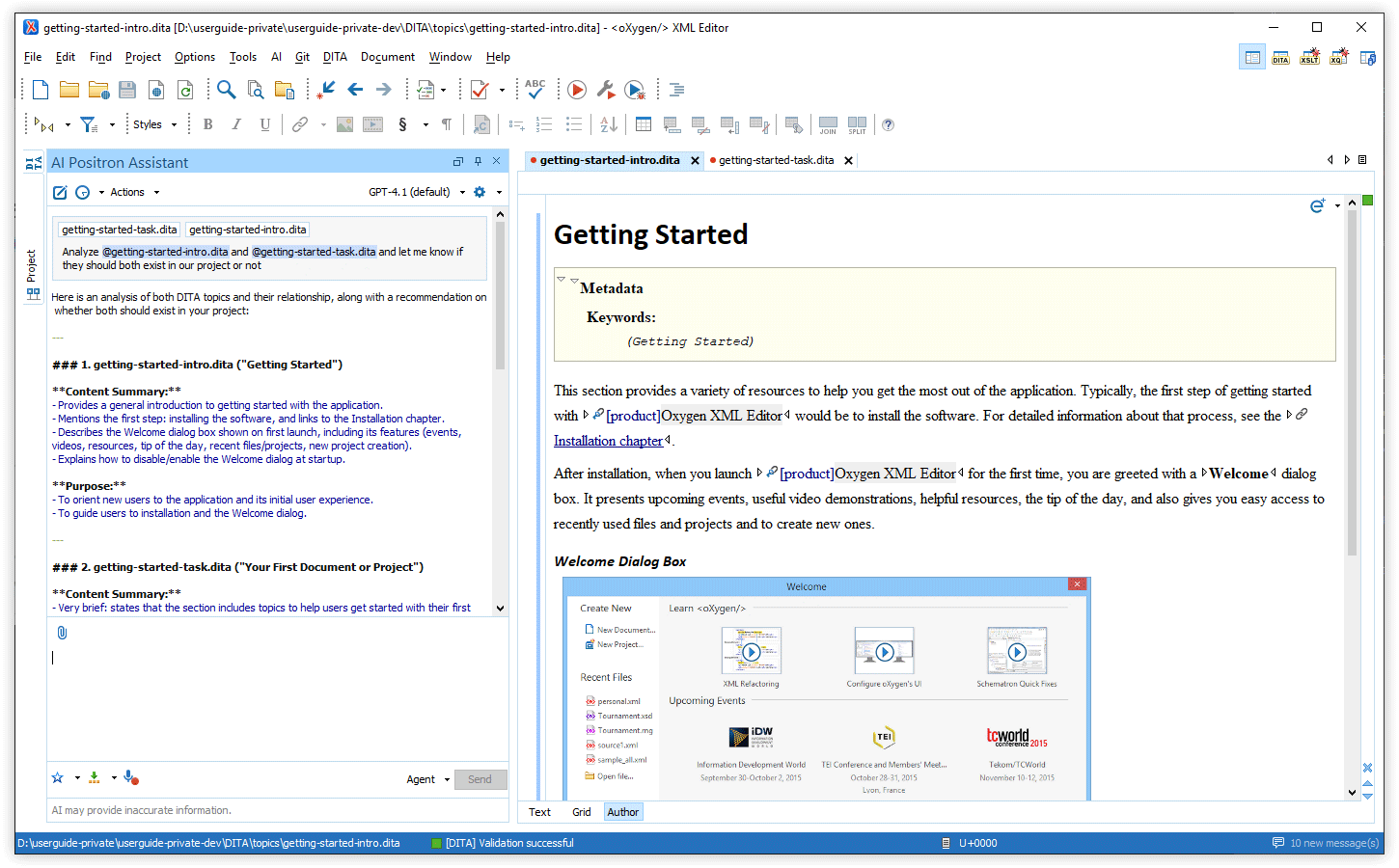
Paste Screenshots into Chat
Multiple Chat Modes
You can now choose between three chat modes in the Chat view:
- Agent - Discuss your project, set goals, or give instructions. The AI proposes changes and you are required to review and approve them.
- DITA Agent - Specially tuned for DITA-specific projects, provide goals or instructions and let the AI explore your project and apply project-wide changes with your approval.
- Ask - Get answers and explanations from the AI. This read-only mode uses search tools when needed and does not change your files.
All modes automatically use your current context (project location, current document and type, and the DITA map in scope), so you don’t need to include this information in your prompts.
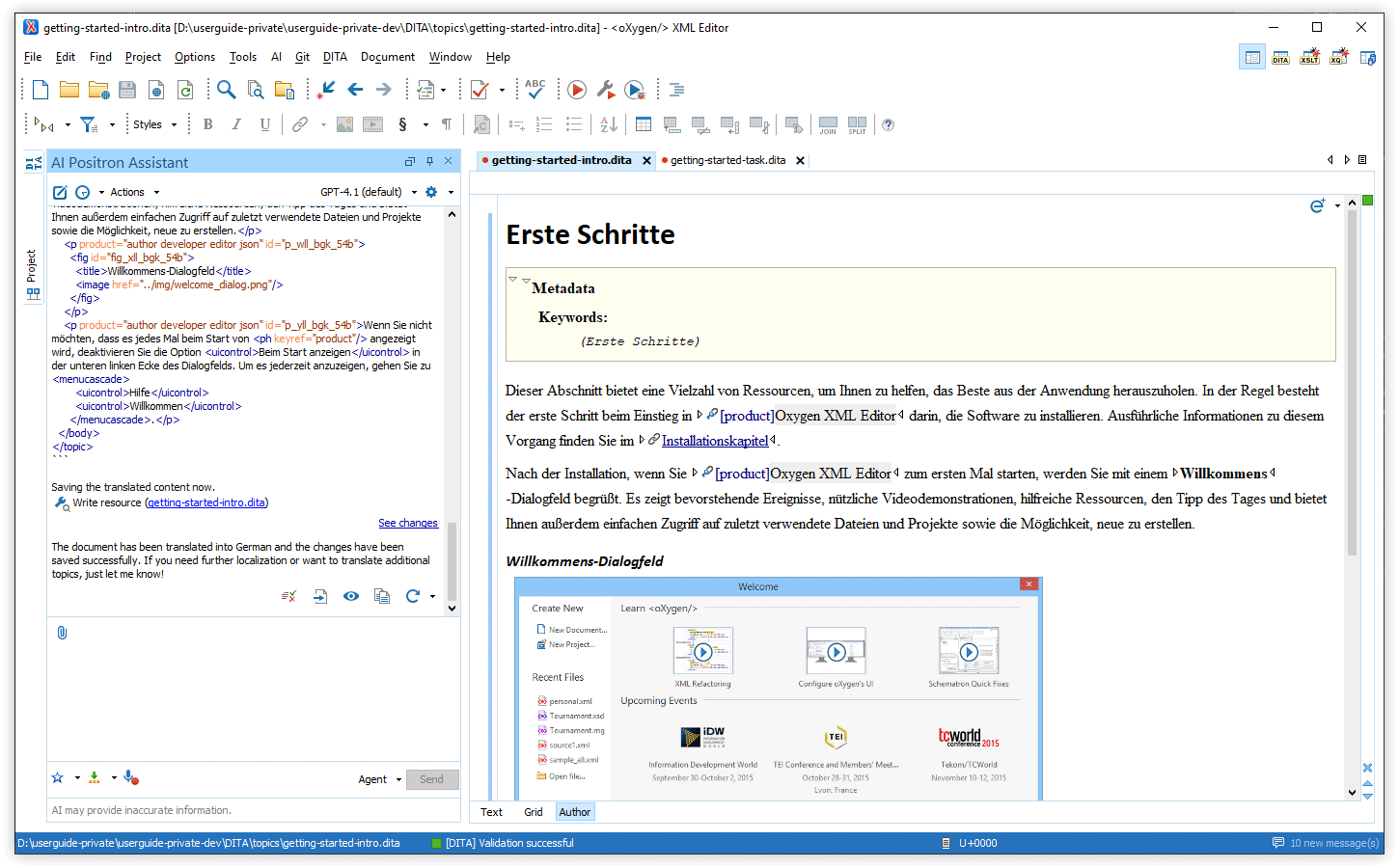
Flexible OAuth2 Configuration via the Positron Custom Connector Add-on
POSITRON_CONNECTOR_AUTH_TOKEN_URL environment variable and set the
OAuth2 scope with POSITRON_CONNECTOR_AUTH_SCOPE. This lets you use
identity providers that require custom token URLs or scopes.Improved Word (.docx) Attachment Handling
Dedicated Connector for xAI Grok
Search In Project Tool
*.dita), regular expressions, and XPath filters, making searches both
flexible and powerful. With this feature, the AI can ground its answers in your project
content.Debug Custom AI Action Prompts
oxygen.ai.positron.development.mode system property with the value of
true in the parent Oxygen application.New XSpec Template for Testing AI Actions
Enhanced Generate Code Experience
Flexible AI Validation and Correction Controls
Oxygen AI Positron 6.0
All Oxygen AI Positron Assistant 6.0 distributions feature the advanced GPT-4.1 OpenAI model as default. All AI action prompts were reviewed and improved for better quality, consistency, and reuse. The users of the Enterprise distribution benefit from new connectors for Google Gemini and Vertex AI, as well as enhanced Microsoft Azure OpenAI integration and simplified configuration.
Oxygen AI Positron Assistant (for Oxygen desktop tools) brings automatic validation and correction of AI-generated content, and smarter document context expansion for the AI Positron Fix action. User preferences and rules can be saved as persistent memories,the AI context can be supplemented with additional files automatically, or by manually attaching files to conversations, and prompts can be entered using voice input. AI actions can be invoked directly from chat, just by referring to them, the Improve Readability action now supports audience level customization, and AI development actions are available for more document types.
There are changes in:
Oxygen AI Positron Assistant
Default OpenAI Model Updated to GPT-4.1
Improved All AI Action Prompts
Automatic Validation and Correction of AI-Generated Content
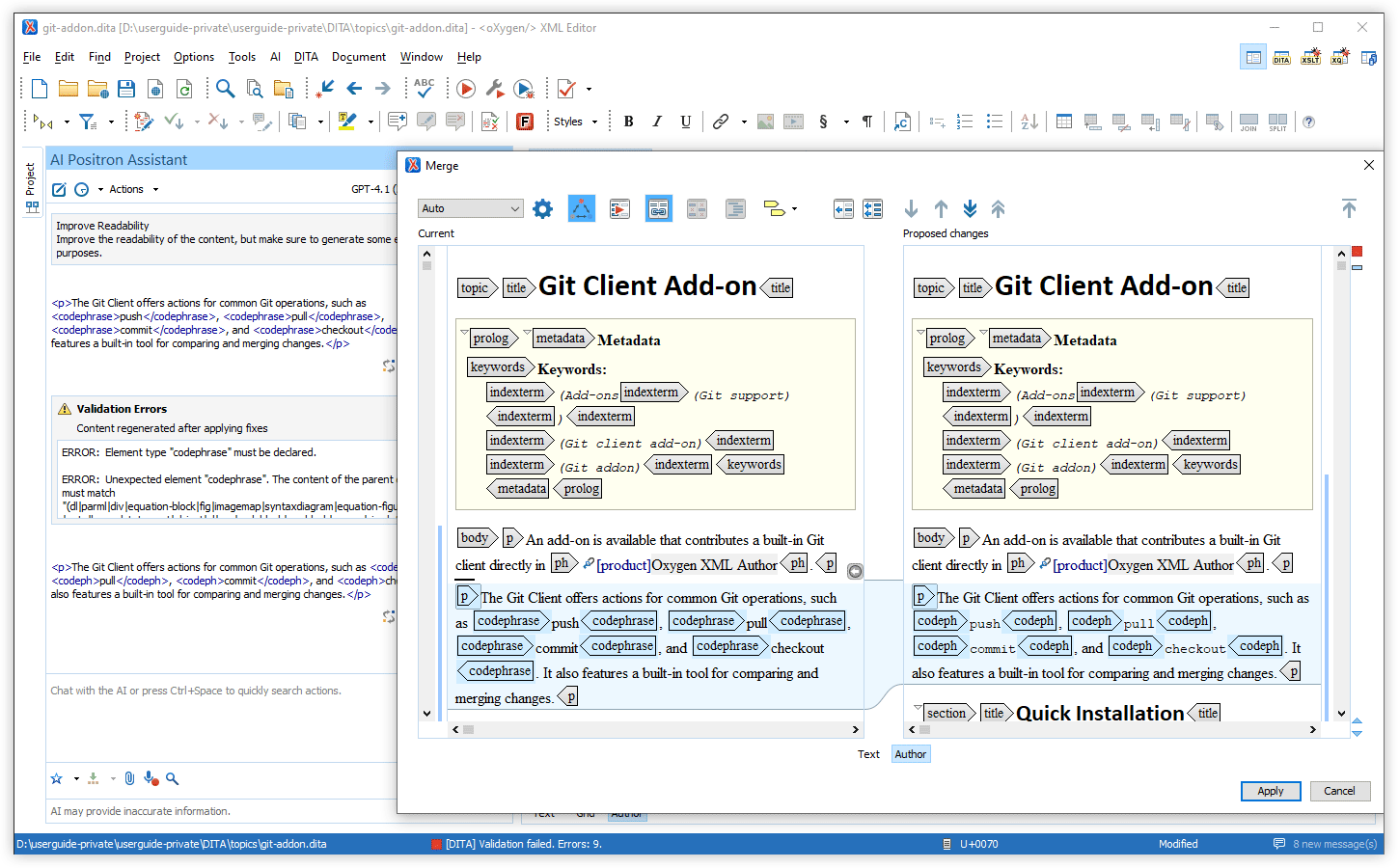
AI Positron Fix Uses More Context
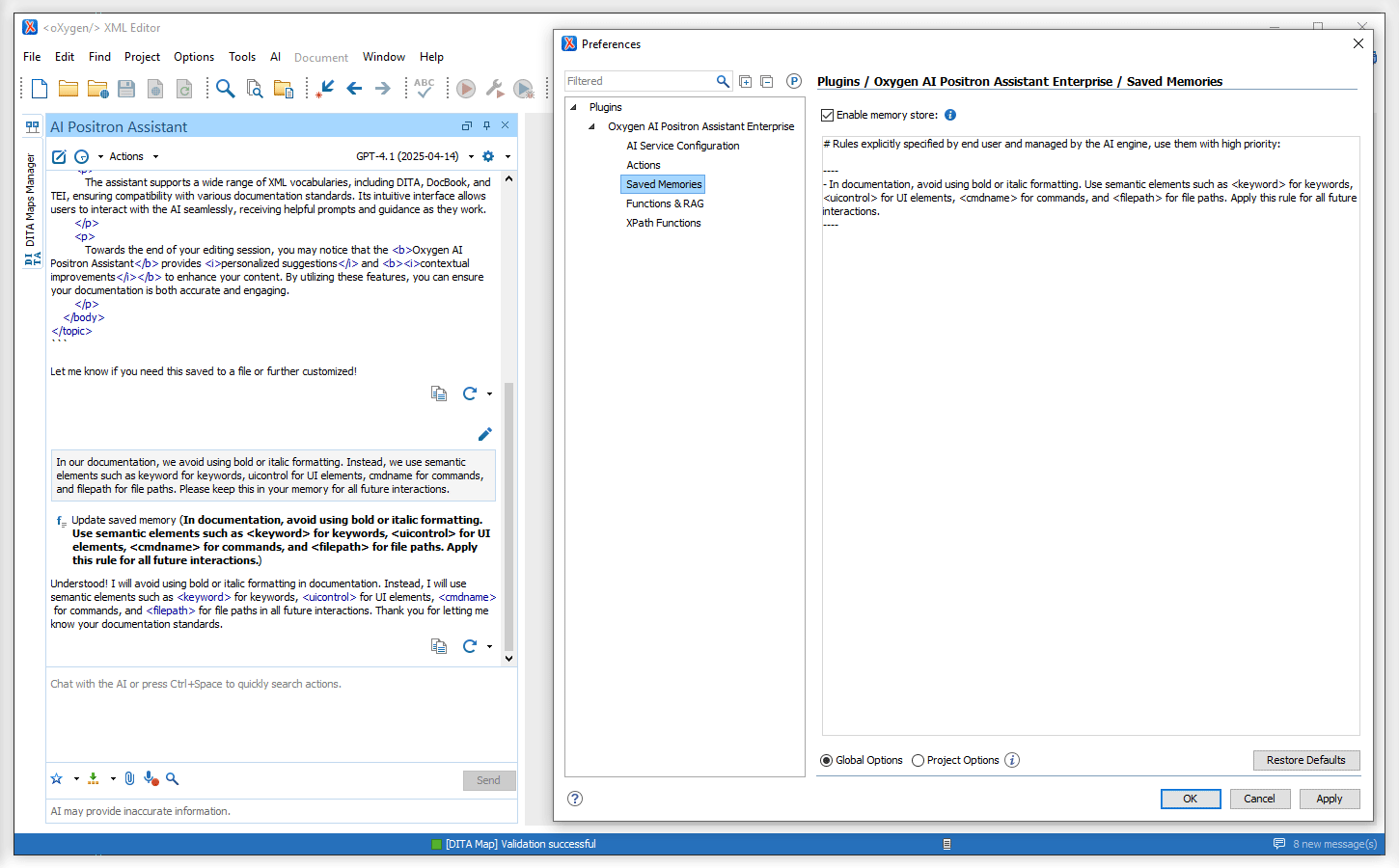
Rules Saved as Persistent Memories
New "Additional Context File" Setting
Attach Files to AI Conversations Using Drag and Drop or Copy/Paste
Record Prompts with Your Voice
Refer AI Actions in Chat Prompts
Invoke correct
                        grammar on the current document and save the updated content
. This
approach streamlines your workflow by letting you quickly apply changes or
transformations in one place.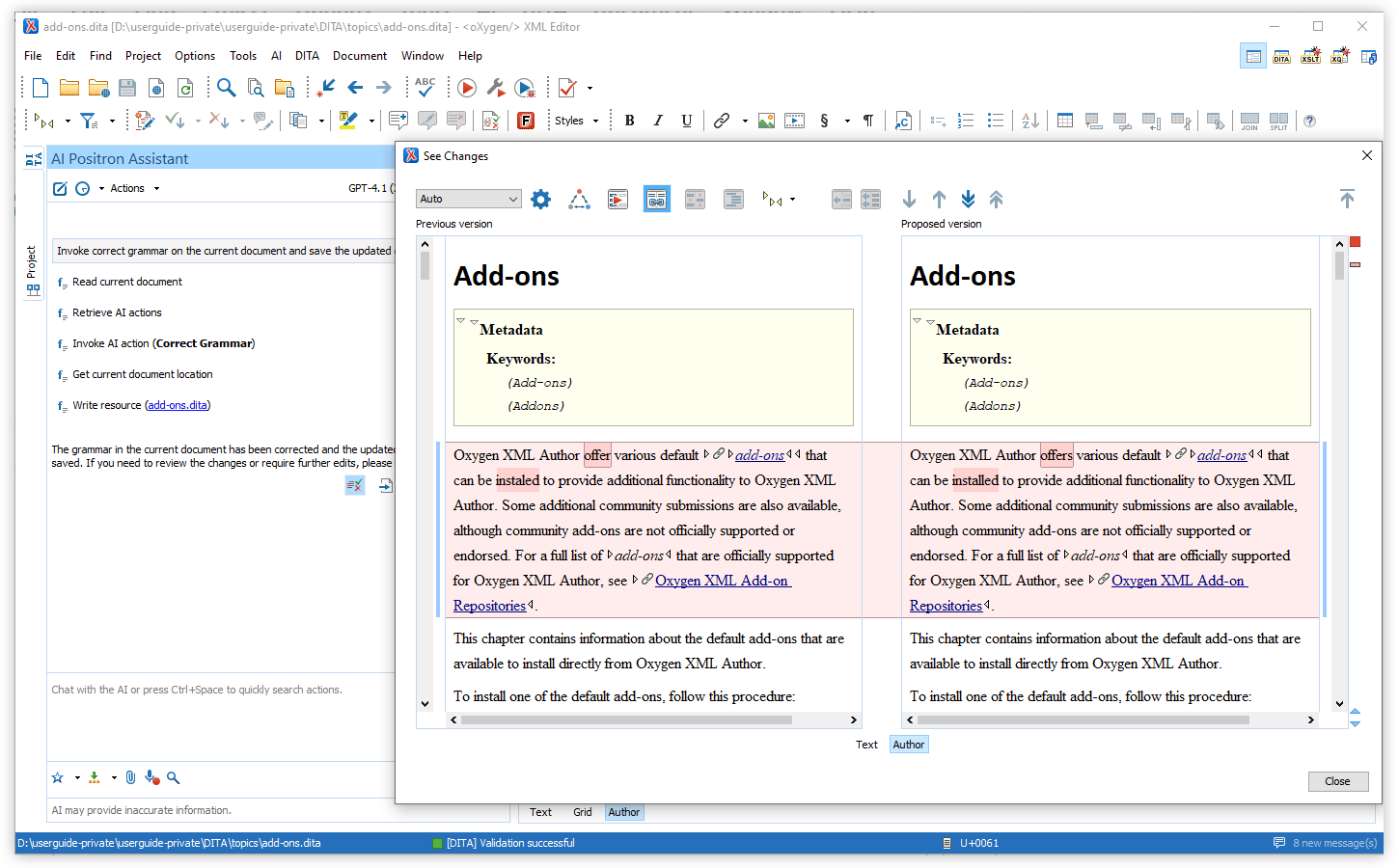
Grouped Function Call Information
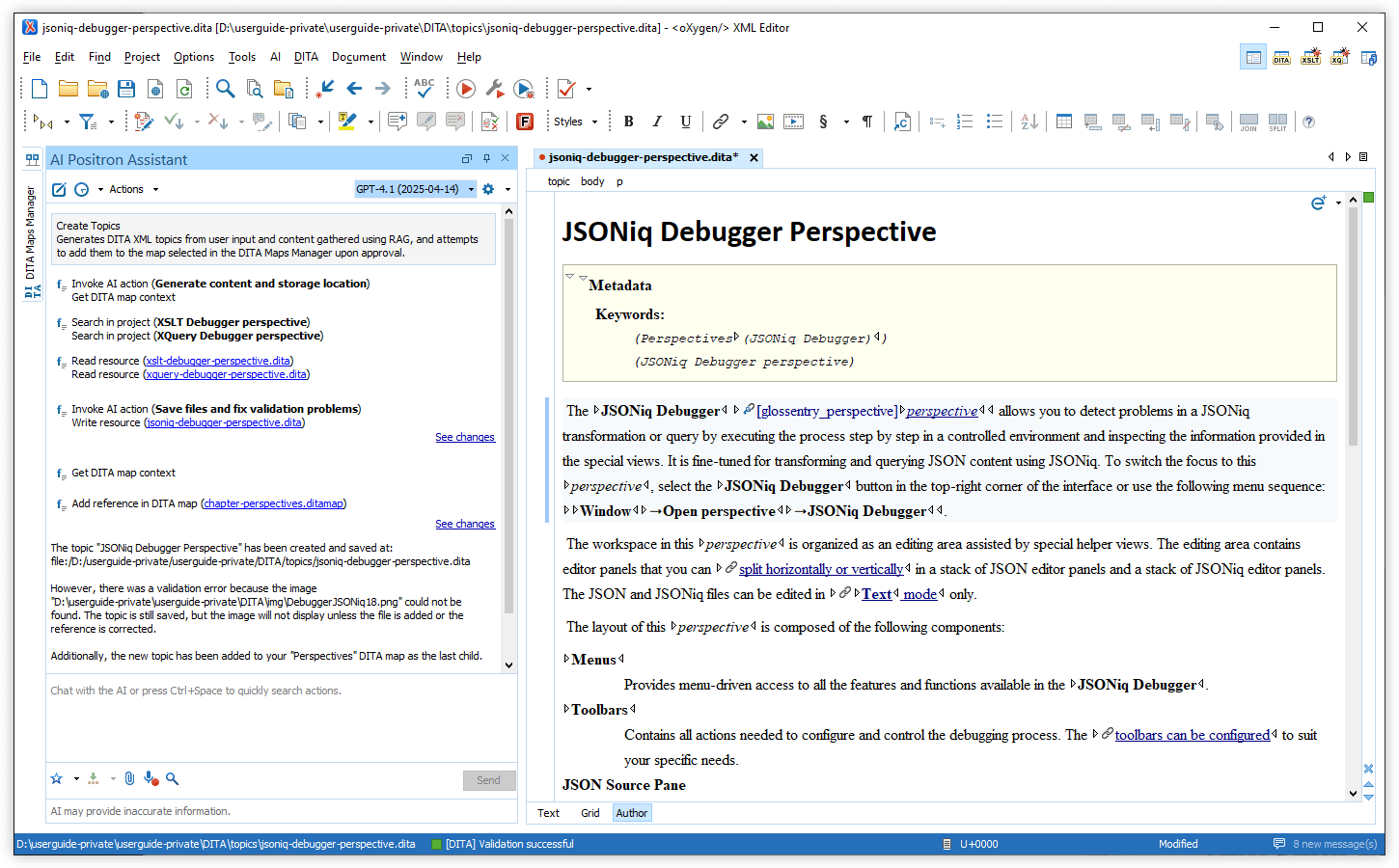
Compact AI Message Presentation
Uninterrupted AI Chat When Switching Editors
New AI Connector for Google Gemini
New AI Connector for the Vertex AI Service
Connect with Microsoft Entra ID to Microsoft Azure OpenAI Connector
Simplified Configuration for Microsoft Azure OpenAI
Configure the AI Service Using a JSON File
Specify Audience Level for the Improve Readability Action
AI Development Actions for More Document Types
Create Custom AI Actions More Easily
Oxygen AI Positron Assistant 5.0
There are changes in:
Oxygen AI Positron Assistant
AI Positron Assistant Now Available in Eclipse Plugin Distributions
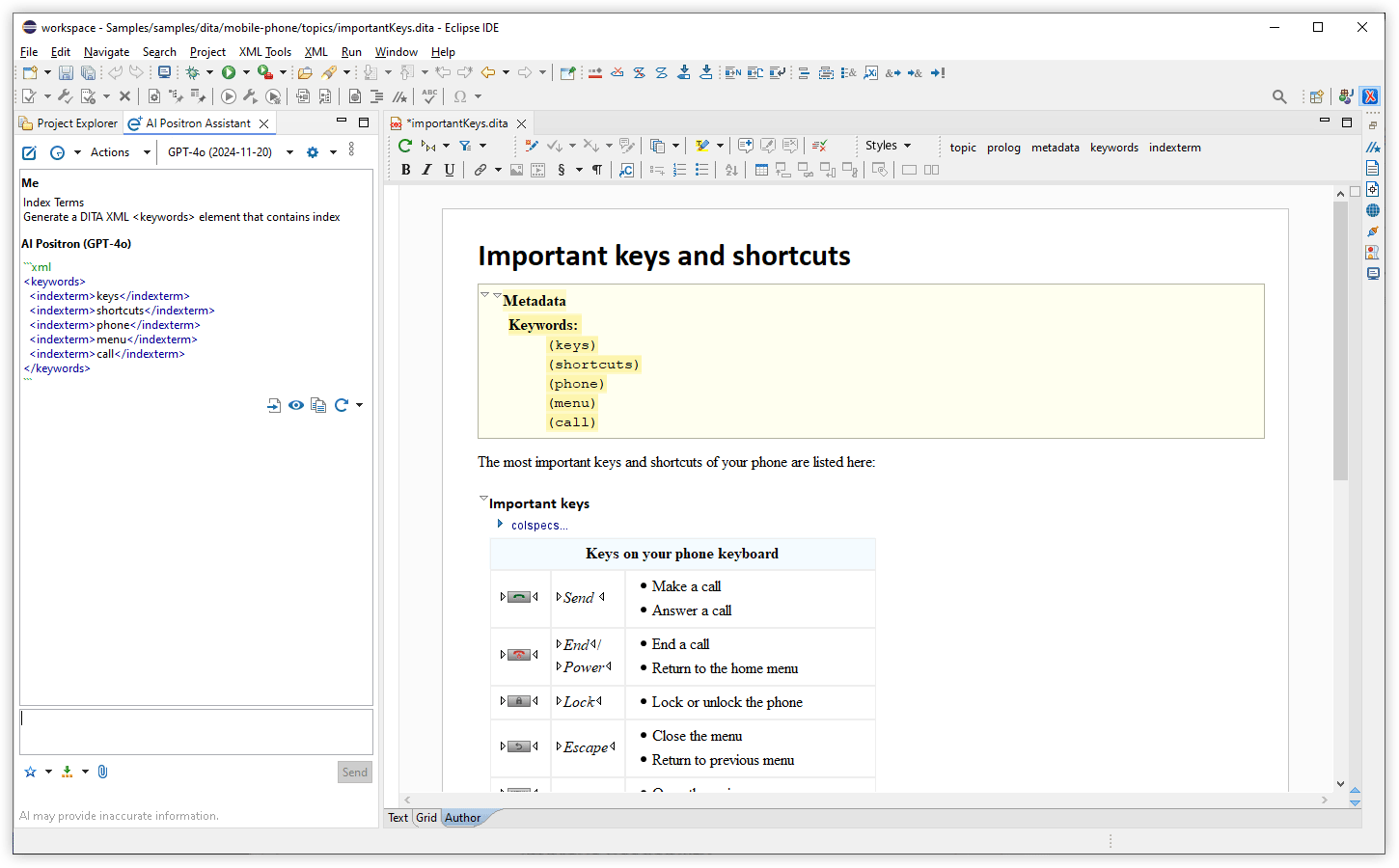
Create Files with AI
AI Creates and Updates Files with User Control
save_document callback function to create new files or to update
existing files while keeping you in control. You can view the changes in the built-in
visual file comparison tool and choose to accept or revert them, ensuring that you
maintain oversight over your documents.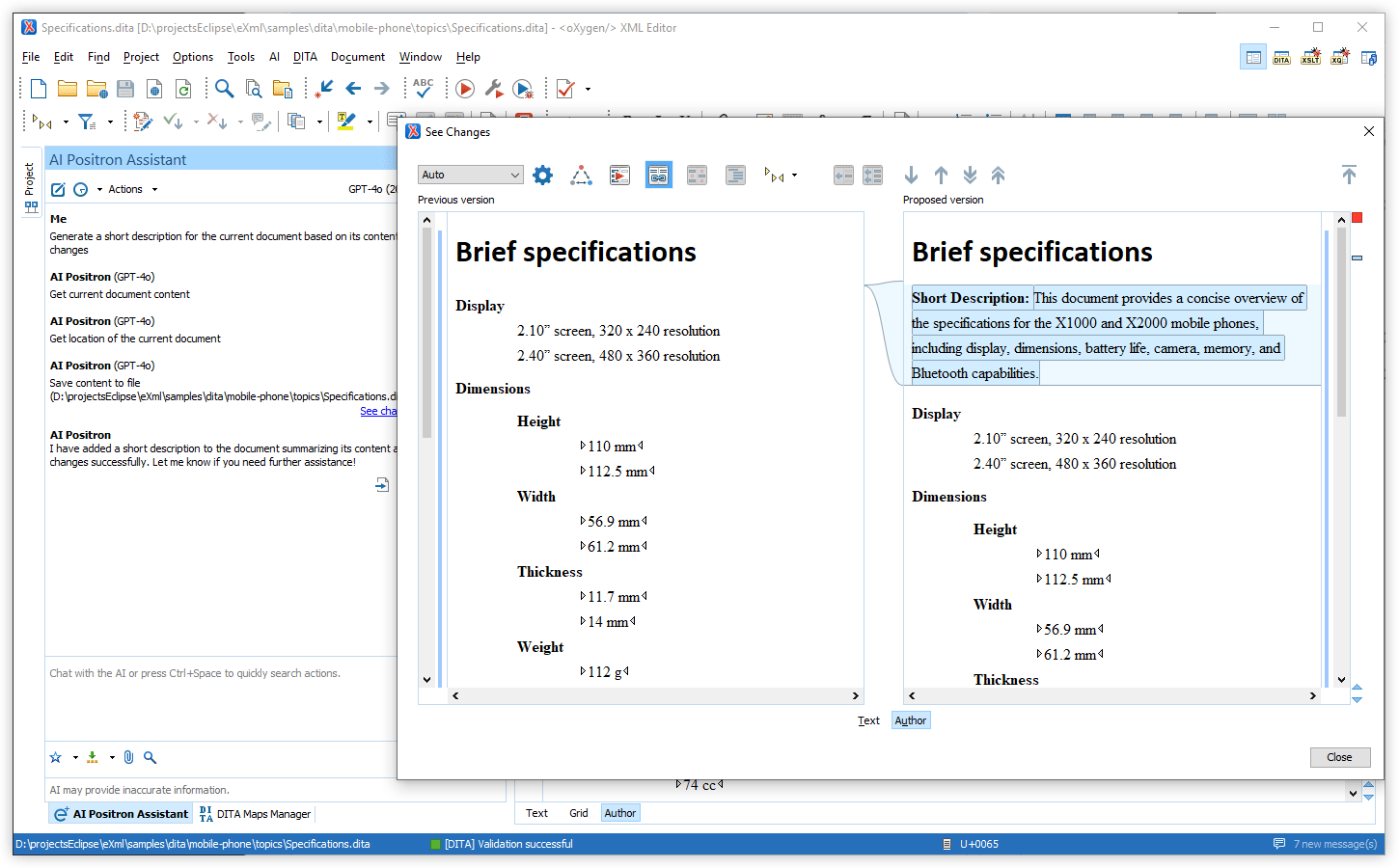
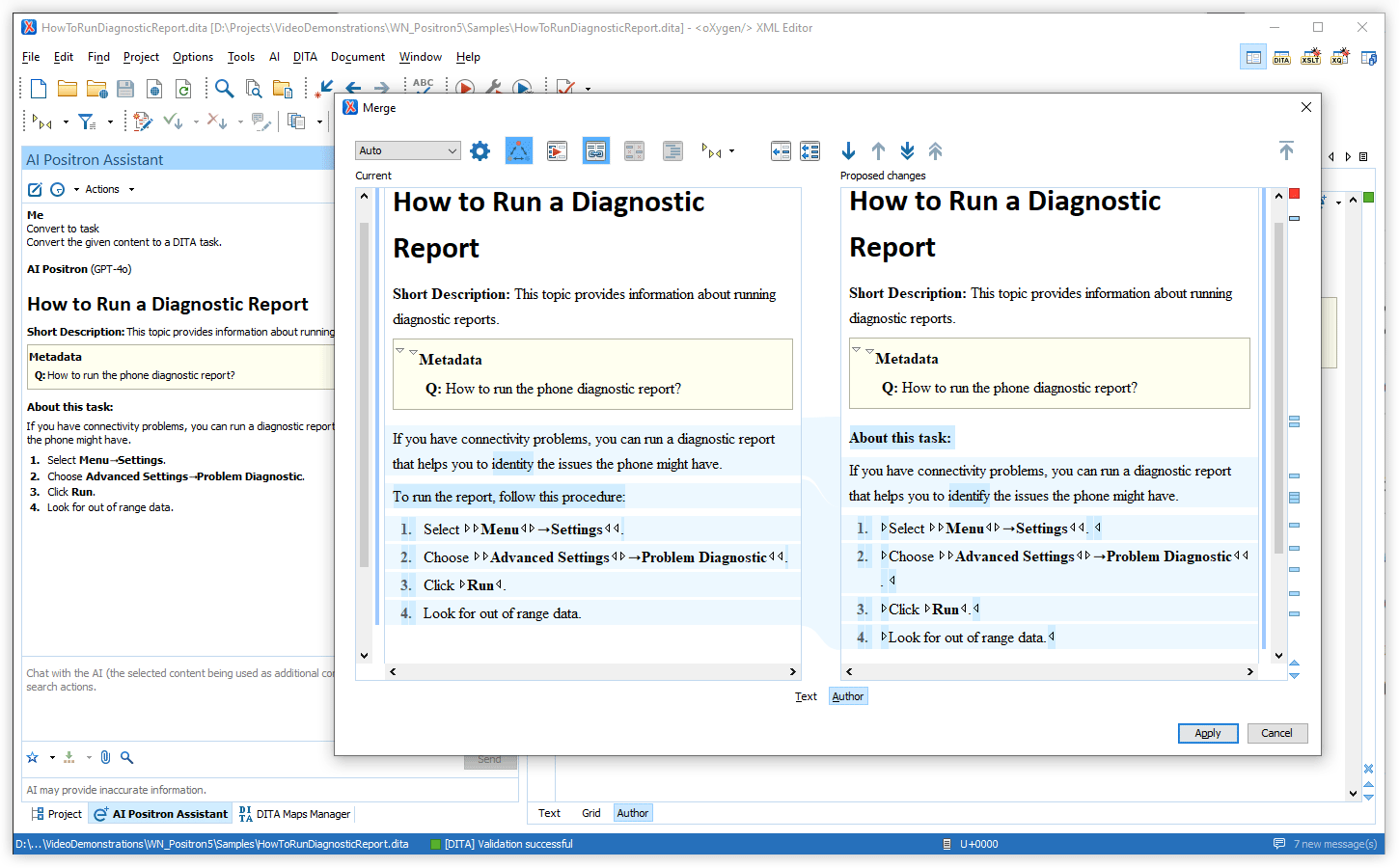
AI-based DITA Conversion, Analysis, and Update Tools
Exclude Resources from AI Processing
.ai-ignore file. You can easily add resources to the ignore
file by using a new contextual menu action (named Exclude from AI
processing) that is available in the Project view,
DITA Maps Manager, and the Text and
Author pages of your current editor.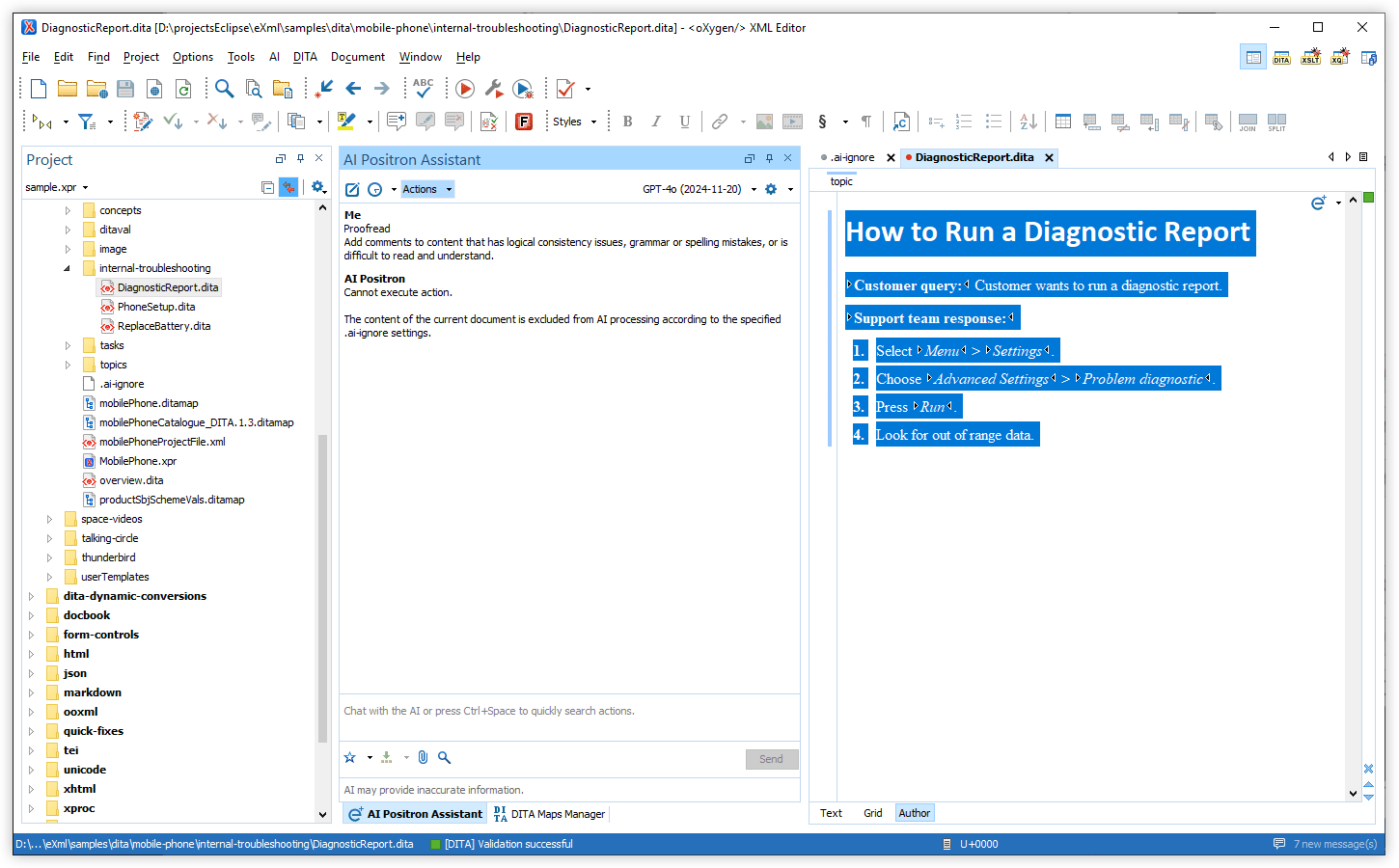
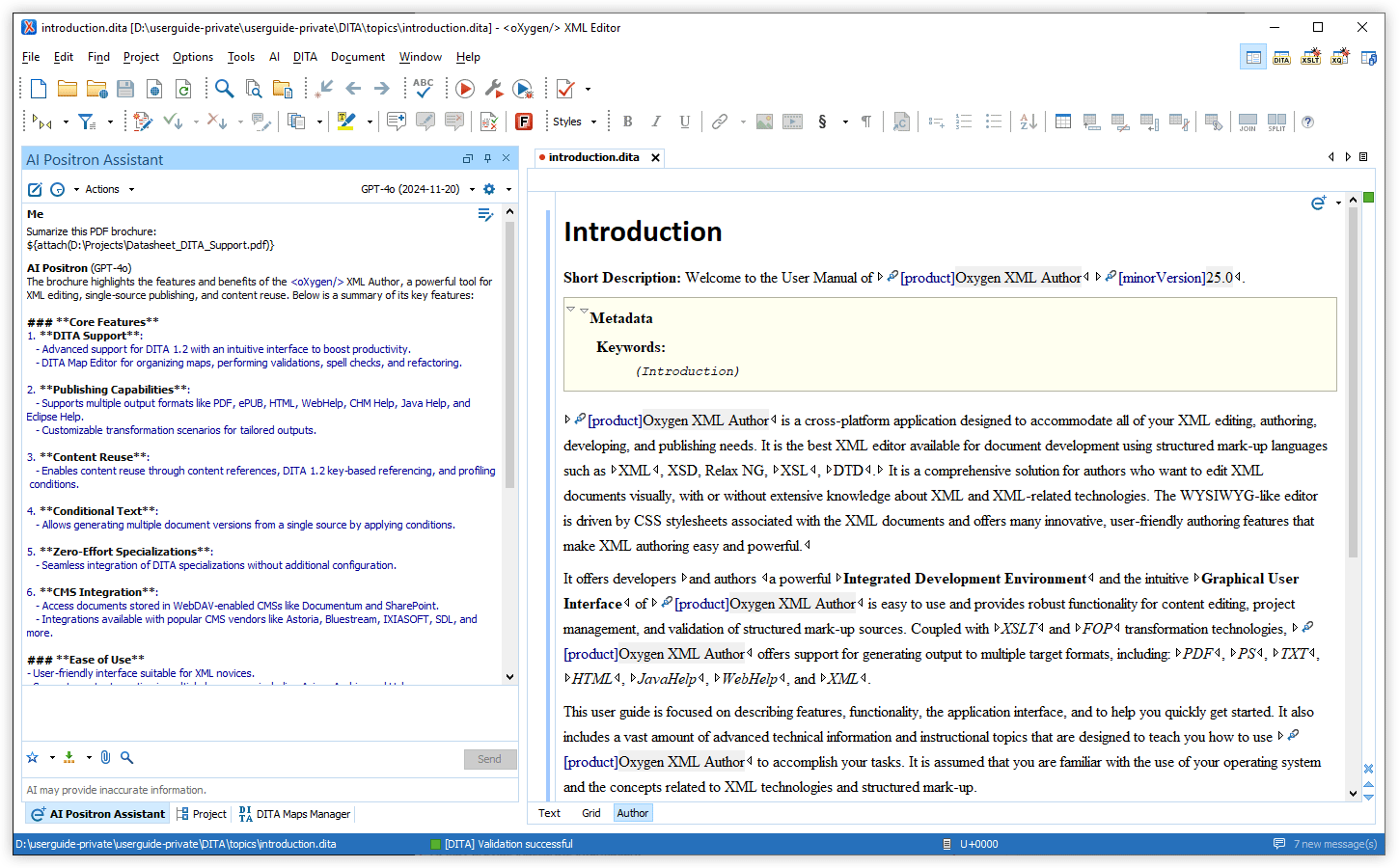
Attach Word, PowerPoint, and PDF Files
Generate Documentation Draft Can Read External Files
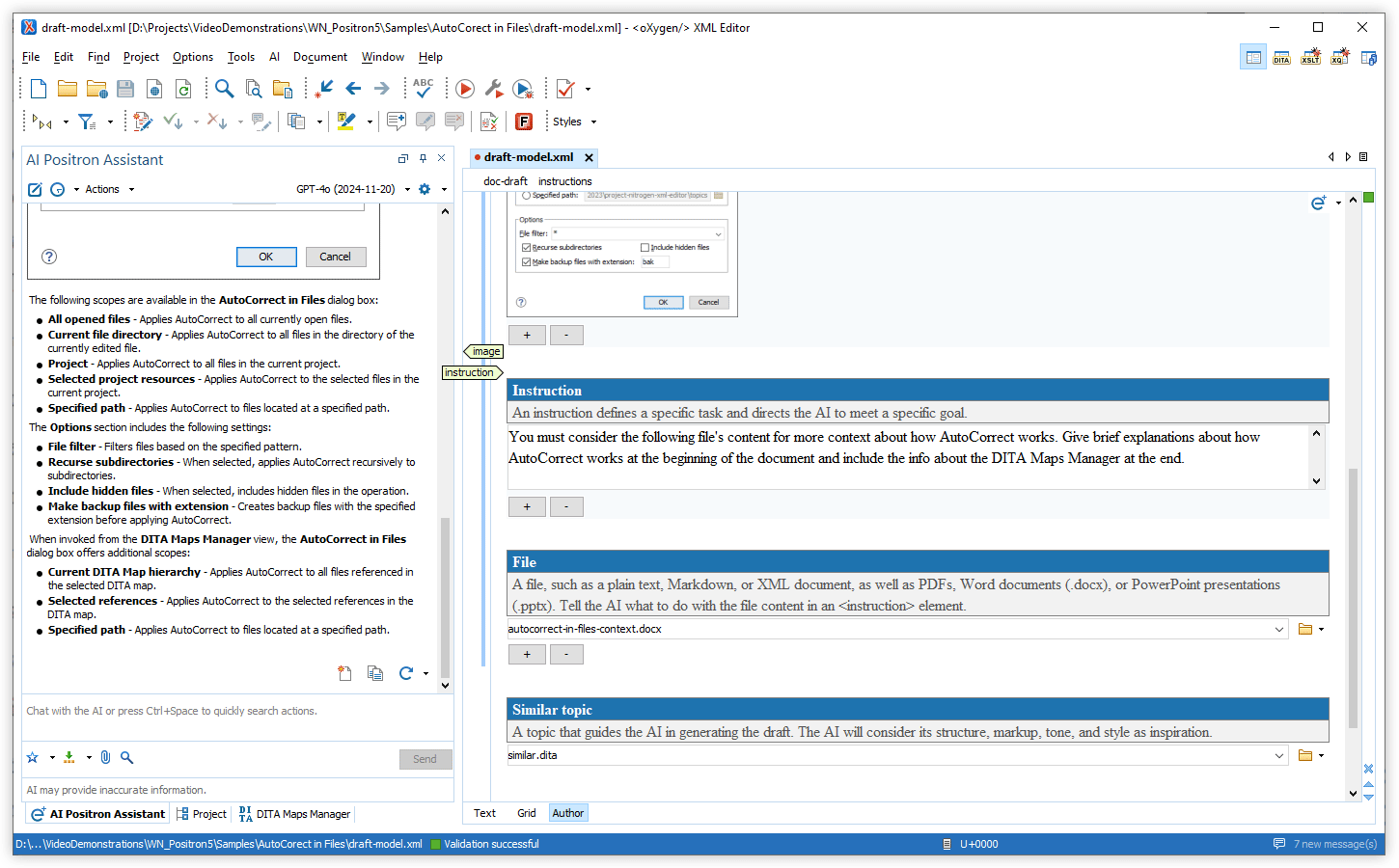
Reasoning Models in AI Positron Service
Integration with xAI Grok
Quickly Find AI Actions
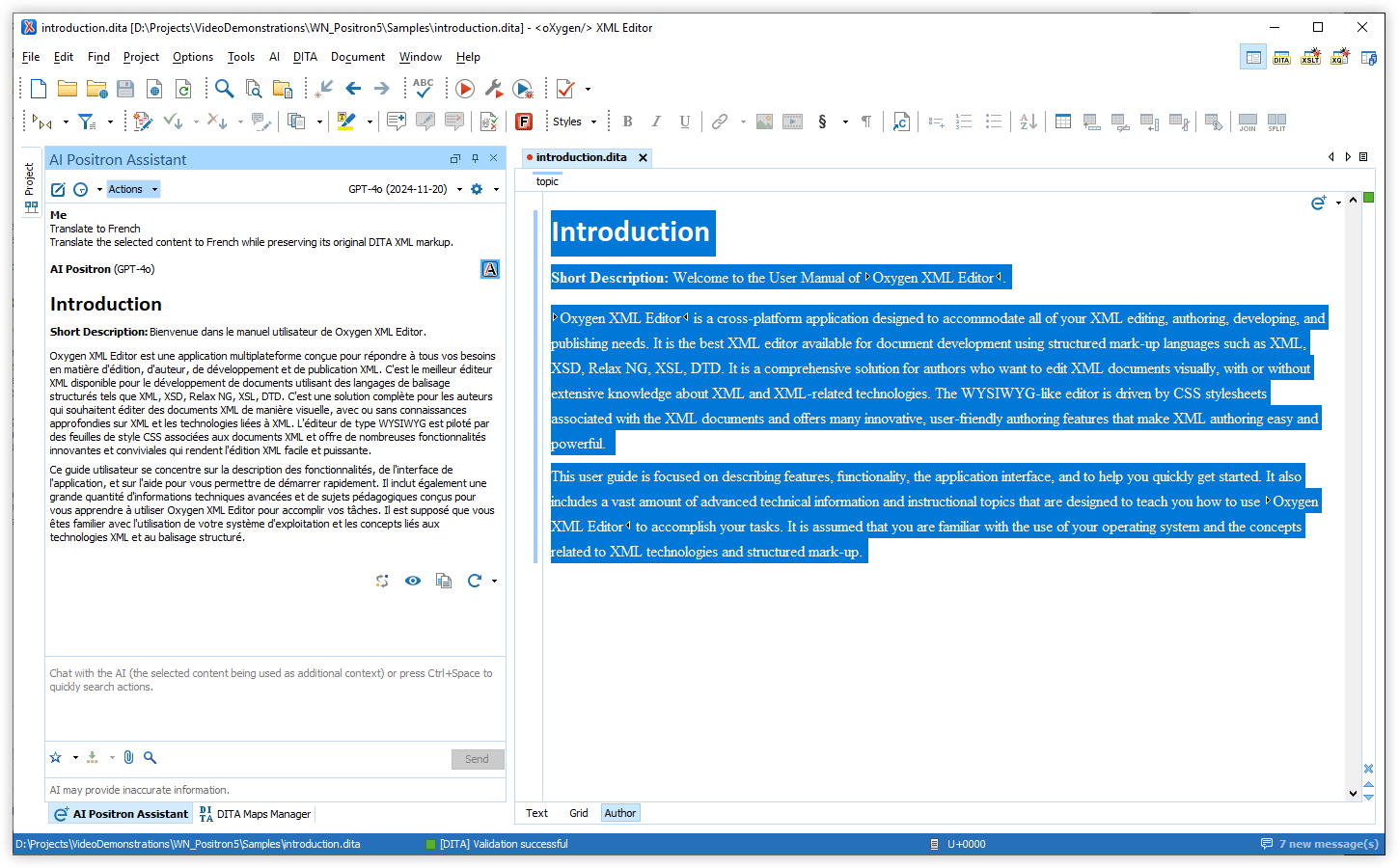
Generate Image Alternate Text from the Floating Toolbar
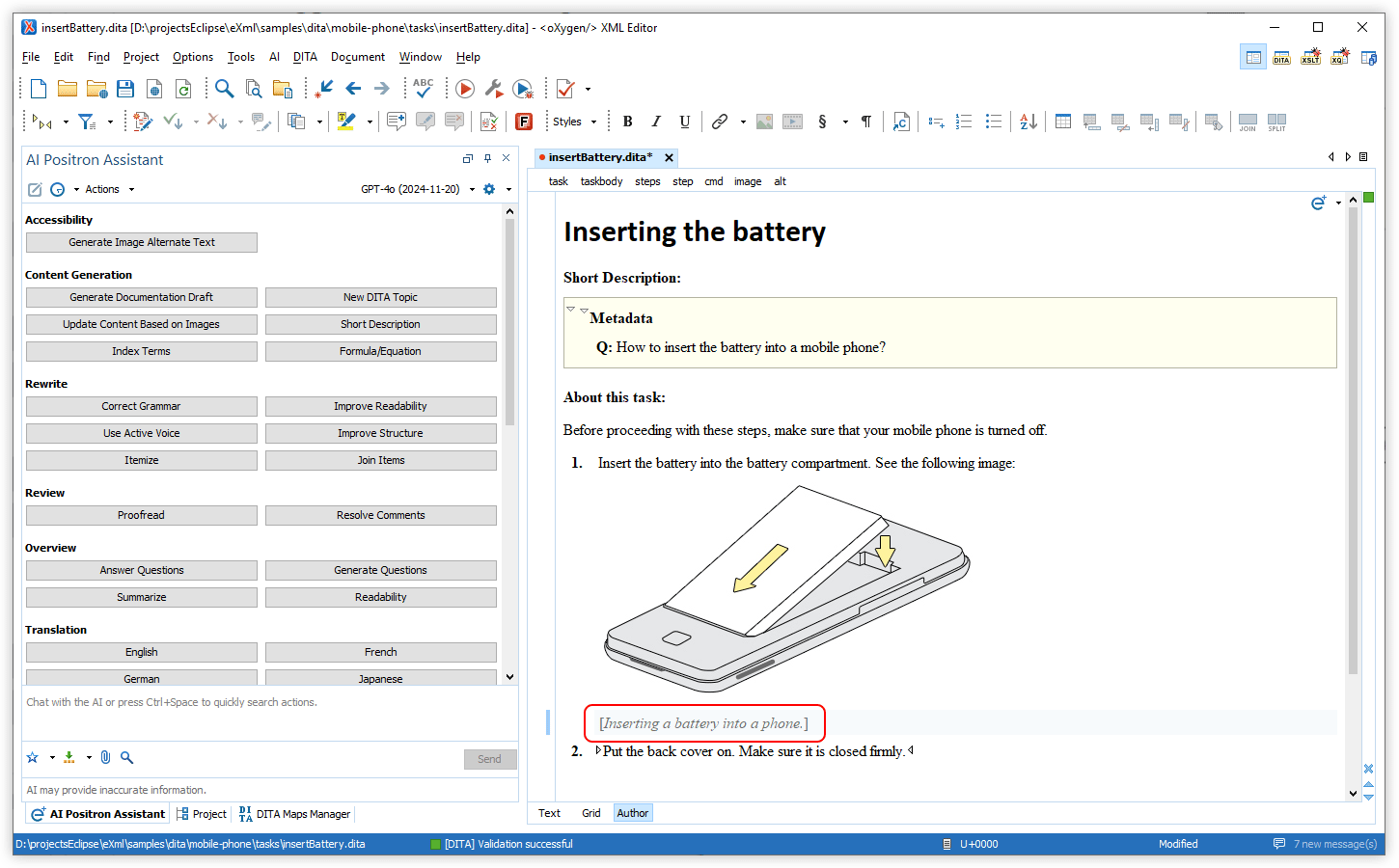
Improved Resolve Comments Action
Performance Optimization for Fix Validation Problems
New AI Callback Functions for Dynamic Workflows
get_related_content_from_specific_feedback_site- Retrieve content from a specified feedback site using an Oxygen Feedback WebHelp token. This function is available when external retrieval sources are enabled in your preferences.validate_current_document- Validate your current document and receive a list of any validation issues, allowing the AI to suggest fixes for the detected errors.term_check_document_content- Check specified content for terminology issues and get suggestions based on rules from the Oxygen Terminology Checker, ensuring consistency in your documents.term_check_current_document- Check your current document for terminology issues and receive suggestions based on rules from the Oxygen Terminology Checker, helping you maintain quality and consistency.- The
get_content_for_document_urlandget_current_document_marked_up_contentfunctions can now be used to retrieve content with line numbers included.
Distribute or Filter AI Actions via Plugins and Frameworks
Reference Prompt Files in AI Actions
Integrate Custom AI Connectors and Custom Callback Functions
New AI Custom Connector Add-on
Translated AI Actions
GPT-3.5 Turbo Model Removed
Oxygen AI Positron Assistant 4.1
The Oxygen AI Positron Assistant add-on is a powerful tool that helps users increase their productivity by providing support for using AI-generated content. Version 4.1 introduces some helpful new AI-powered actions to fix validation problems, generate MathML formulas, and generate XML comments for annotating code.
Some of the intelligent agent actions were upgraded to enhance their functionality. The Resolve Comments AI action is now accessible directly from the editor or Review view, making it a breeze to resolve all comments in a document with AI assistance. Message labels were also improved to indicate when submitted content requires no AI changes, new functions were implemented, and some features were added to assist with debugging and for security purposes.
There are changes in:
Desktop
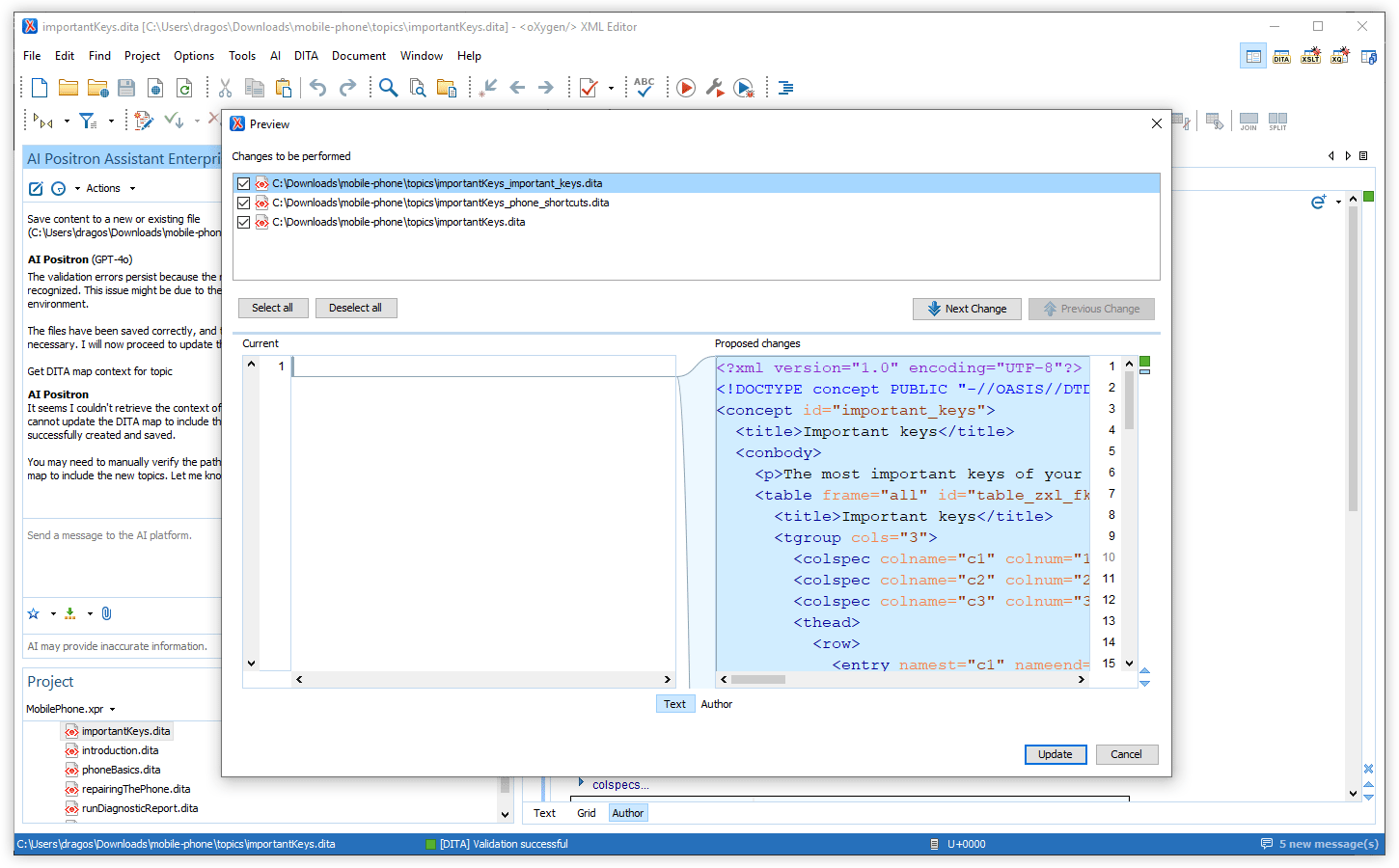
Preview All AI-Proposed Changes to Files
Notification for Unchanged Content
When an AI action processes content but does not result in any changes, you are now informed, eliminating the need for unnecessary previews or visual inspection. This improvement saves time and ensures a smoother workflow.
Fix Validation Problems
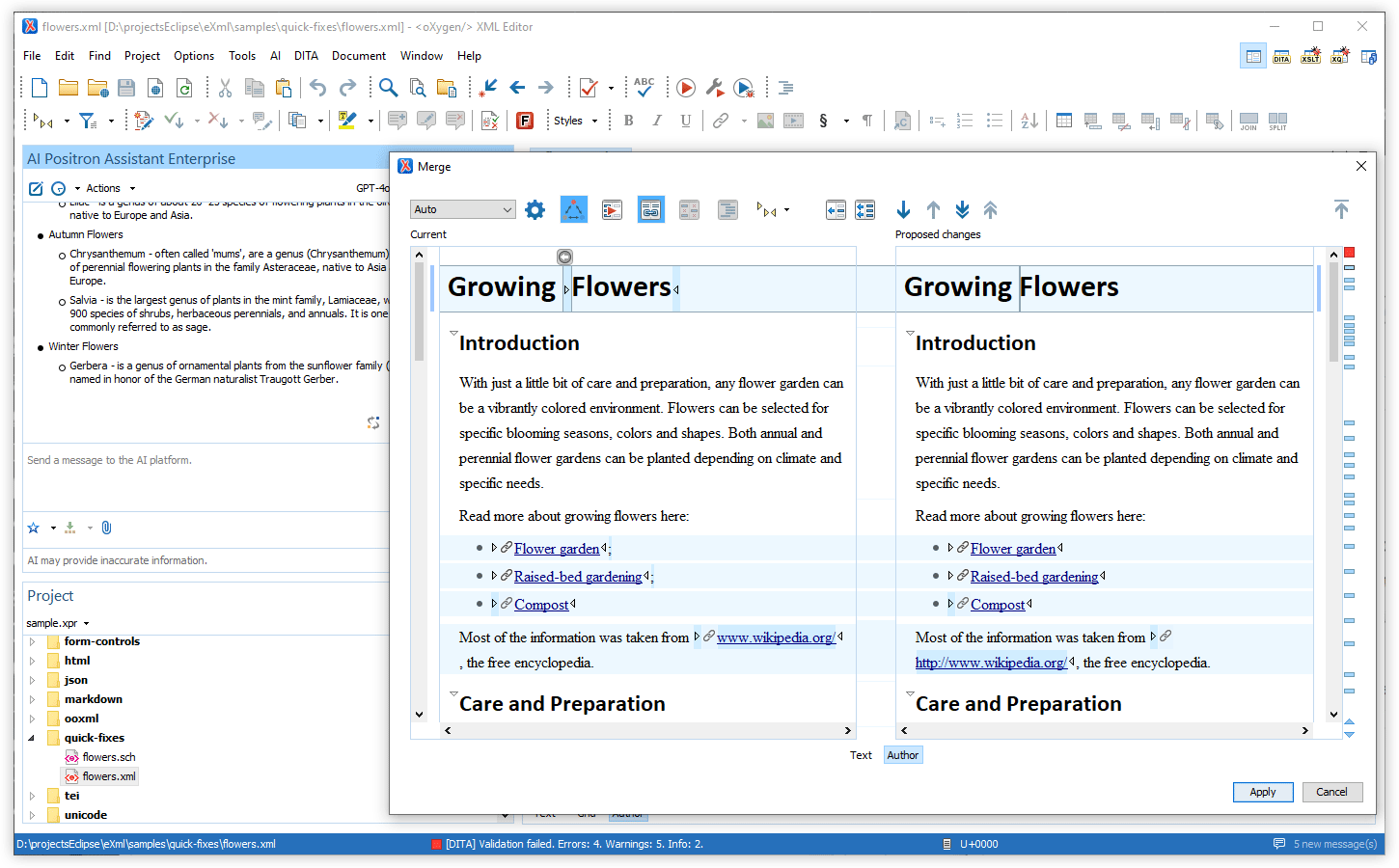
AI-based MathML Generation
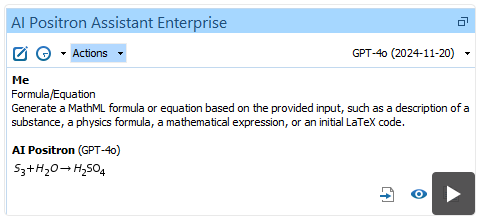
The new Formula/Equation action (located in the Content Generation category) leverages AI to generate MathML formulas based on your descriptions. This feature simplifies the creation of complex mathematical representations and enhances technical documentation workflows.
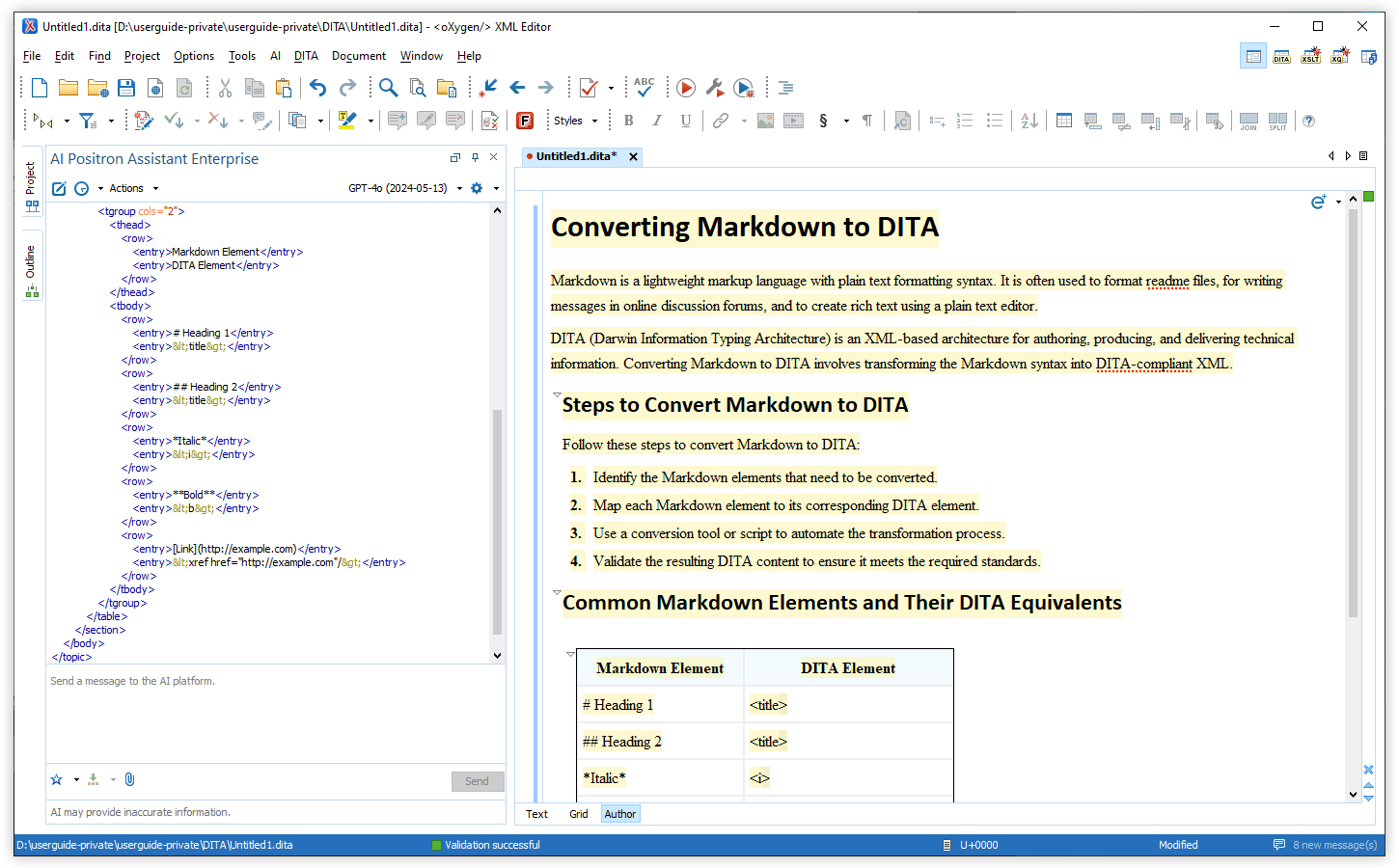
AI-based Code Annotations
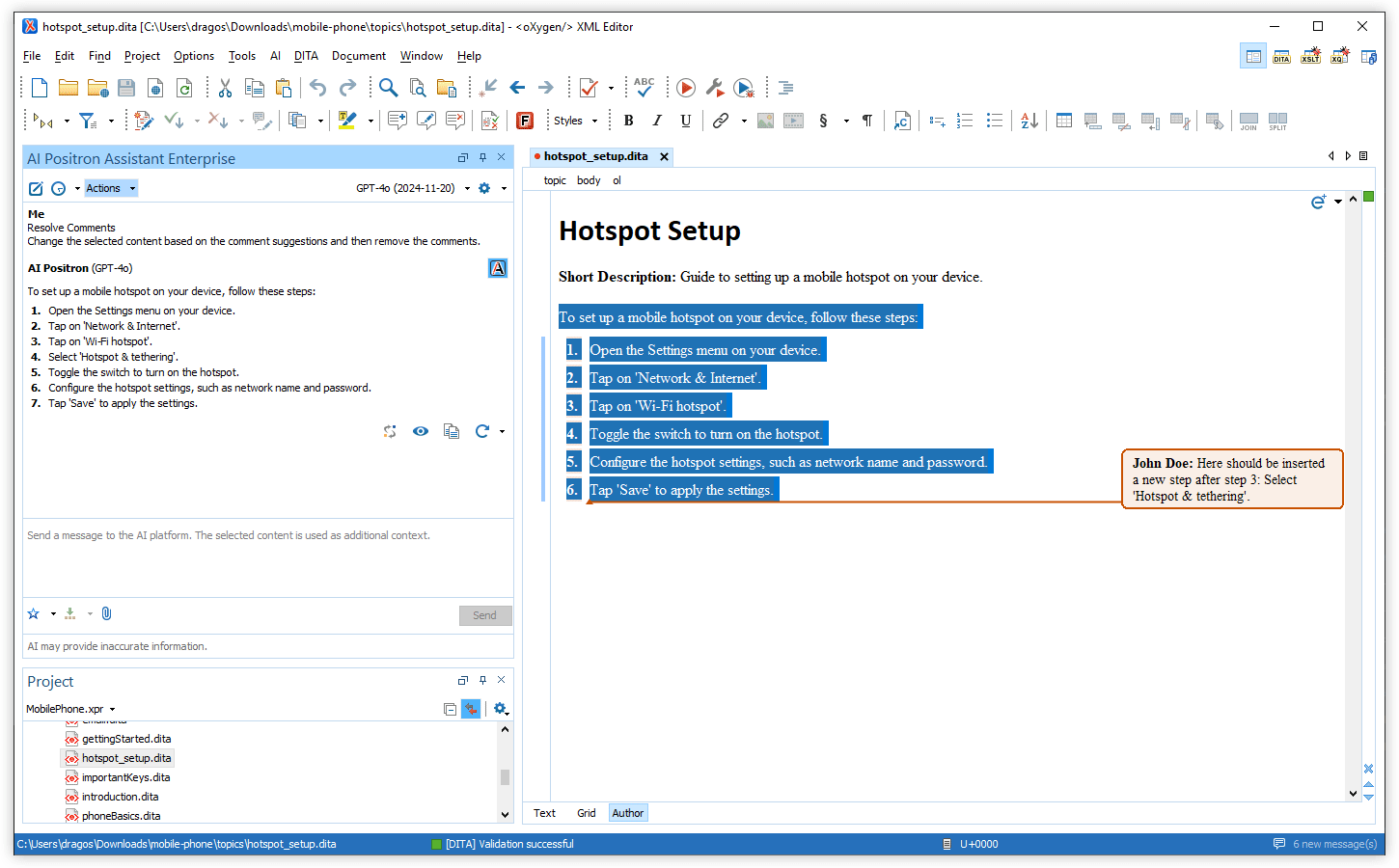
Resolve Comments from Contextual Menu
New AI Callback Functions to Enable Dynamic Workflows
invoke_ai_action- This callback function invokes an AI action that enables the delegation of processing to other AI actions, allowing you to use a divide-et-impera approach to simplify and optimize the AI action processing.retrieve_all_ai_actions- Instead of specifying a predefined set of AI actions that can be invoked, you can use this callback function that returns all the defined actions. This allows the AI to discover all the available AI actions and invoke them dynamically as needed.validate_document_content- When processing or generating content, an AI action can now use this callback function that validates a document, ensuring that the generated content is valid. In case of errors, it offers the opportunity to automatically correct the detected problems.
Invoke Positron Actions from XPath
A new XPath function (ai:invoke-action) has been introduced,
enabling you to seamlessly invoke an AI Positron action from any XPath context (such as
XSLT, XQuery, Schematron, etc.) by providing the action ID, contextual text, and the
content to be processed.
XSLT Support Improved for Suggest Refactoring Action
xsl:try' and 'xsl:catch' instructions, and XML
comments were added to help clarify the purpose and functionality of the
code.Multi-agent Architecture for Create Topics
invoke_ai_action()
function. These improvements ensure better adherence to system instructions and more
consistent execution. Export and Import Chat Sessions
Disable/Enable All AI Features for a Specific Project
Updated Default Model
gpt-4o-2024-11-20,
the latest gpt-4o snapshot from OpenAI. This model is more cost-effective
than the previous default one and supports four times as many maximum output tokens while
maintaining very similar performance.Oxygen AI Positron Assistant 4.0
There are changes in:
Retrieval-Augmented Generation (RAG)
Improved AI Fixes
RAG using the search provided by Oxygen Feedback
New AI tool functions
add_to_toc- Modifies a DITA map and adds a specified topic reference to it.find_similar_reusable_content- Retrieves a list of reusable DITA XML components that match keywords provided by the AI.get_content_for_document_url- Retrieves the content of a certain document.get_corresponding_dita_keyrefs- Can be used to find if there are key definitions for corresponding values.get_current_editor_file_location- Retrieves the location (URL) of the current file that is open in the editor.get_related_content_from_webhelp- Accesses the search functionality provided by the Oxygen Feedback product when a connection to Oxygen Feedback is defined in the preferences page.get_topic_context_in_toc- Returns the hierarchical structure path that references the selected topic from the DITA map that is open in the DITA Maps Manager view, providing context such as its parent, siblings, and surrounding nodes within the DITA map. This is useful for understanding the topic's location in relation to other elements in the DITA map.resolve_dita_key_or_content_reference- Resolves a DITA XML key reference, content key reference, or content reference to the target content.save_document- Saves the document at the specified path within the project and writes content to it. If a resource already exists at the specified URL, the content of the document is overridden with the new content.
Intelligent Agents
Expand DITA Topic Draft
Split Large DITA Topics
Create DITA Topics
Interface Improvements
Current Element Highlighted When Applying an AI Action in Text Mode
AI-Powered Actions
Reuse DITA XML Component
Find Product Names
keyref) if keys are defined for the
particular product names. If keys are not defined for specific product names, those names
are wrapped in <keyword> elements instead.Suggest Refactoring for Selected Code
Generate Code Action Reuses Components
New Action Types
prompt-user- Prompts the user for extra details passed to the action prompt.replace-selection-based-on-image-analysis- Uses details obtained from the referenced DITA XML images when performing the action prompt.
Miscellaneous
Document Type Sent to AI for Context
Intuitive Identification of XML Content in Markdown
```xml marker. This type of response is now detected and
the block of XML code can be inserted or previewed.Security Enhancements
Oxygen AI Positron Assistant 3.0
There are changes in:
Retrieval-Augmented Generation (RAG)
Retrieve Project Information to Provide More Context to the AI
RAG is also enabled by default for all chat sessions within the AI Positron Assistant. If you wish to configure the various RAG-specific settings, you can access the new Retrieval-Augmented Generation (RAG) preferences page.
Function Calls
get_related_content_from_project- Retrieves content from the user's local project based on given key words. It is limited to return a maximum of 50k characters and works with Oxygen version 26.1 or newer.get_related_resources_overview_from_projectandget_content_for_document_id- Retrieves an overview of a maximum of 5 documents that each contain an ID along with the most relevant information from each document (usually titles, key words, short descriptions). The second function can be called by the AI to retrieve the content of a certain document. It is also limited to return a maximum of 50k characters and works with Oxygen version 26.1 or newer.get_current_document_plain_text_content- Obtains all text without markup from the current document open in the editor.get_current_document_marked_up_content- Obtains all text with markup from the current document open in the editor.get_content_around_caret- Obtains size-limited content around the current cursor location within the document open in the editor.
Interface Improvements
AI Positron Assistant Widget
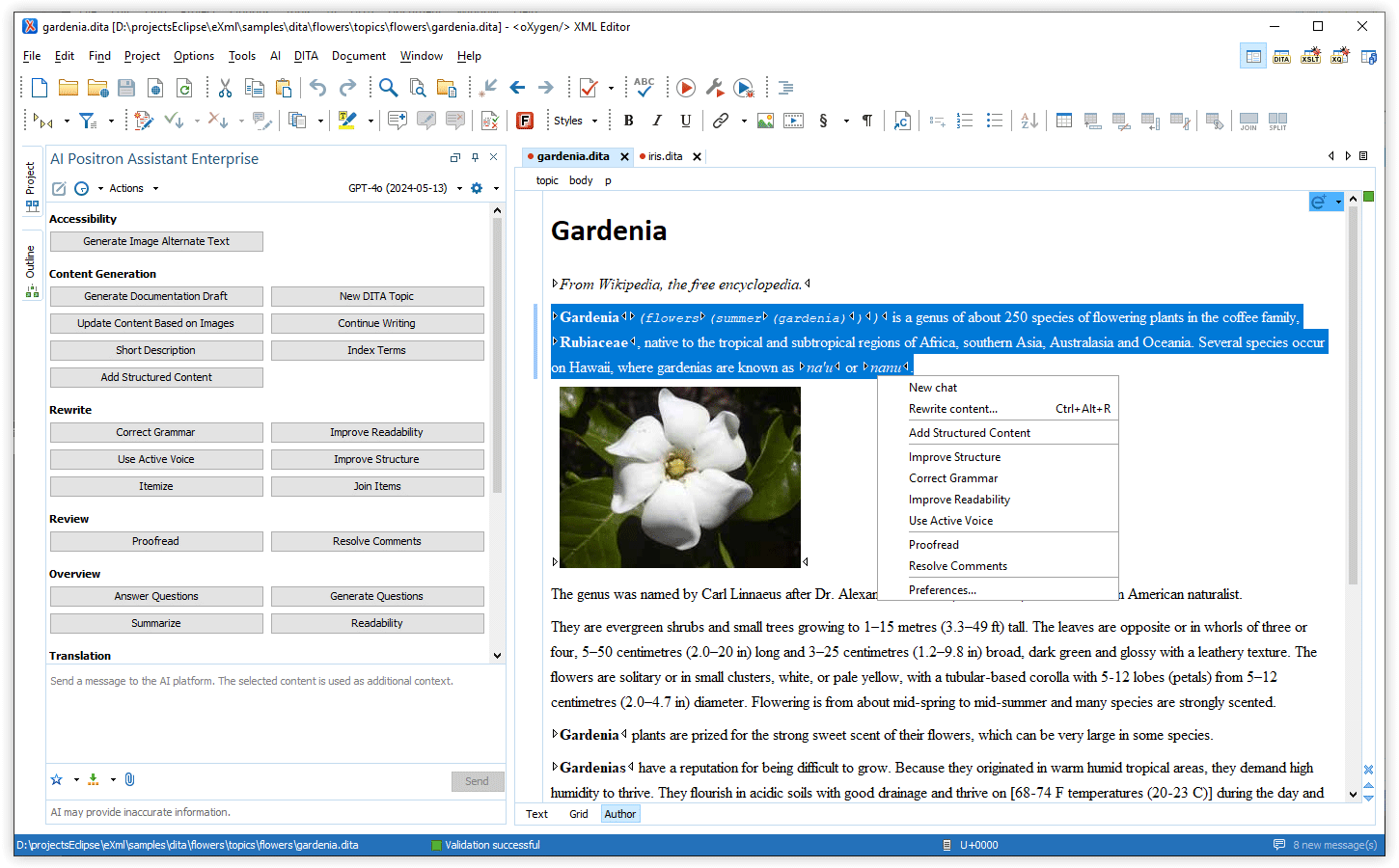
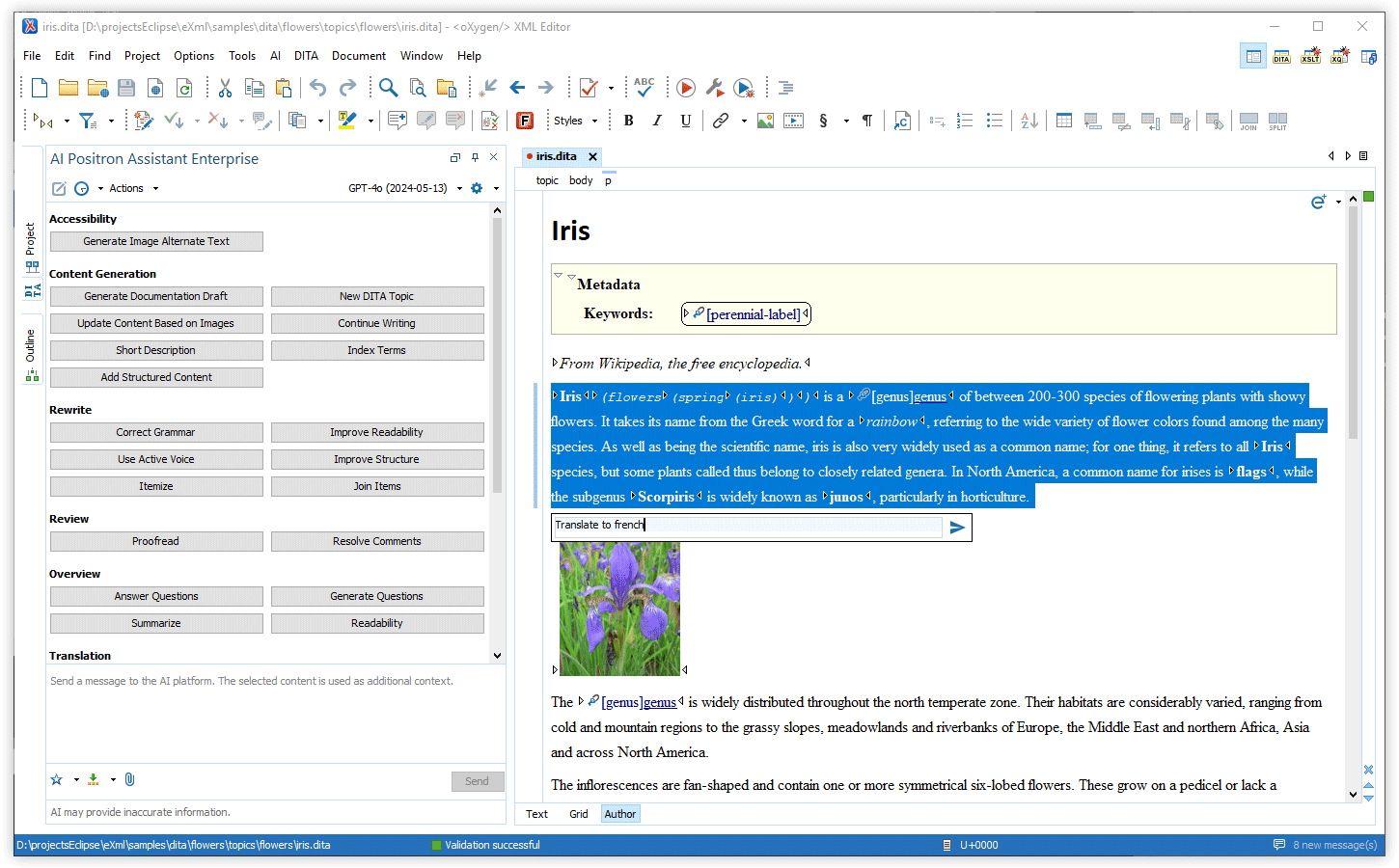
In-place AI Prompt Input Field
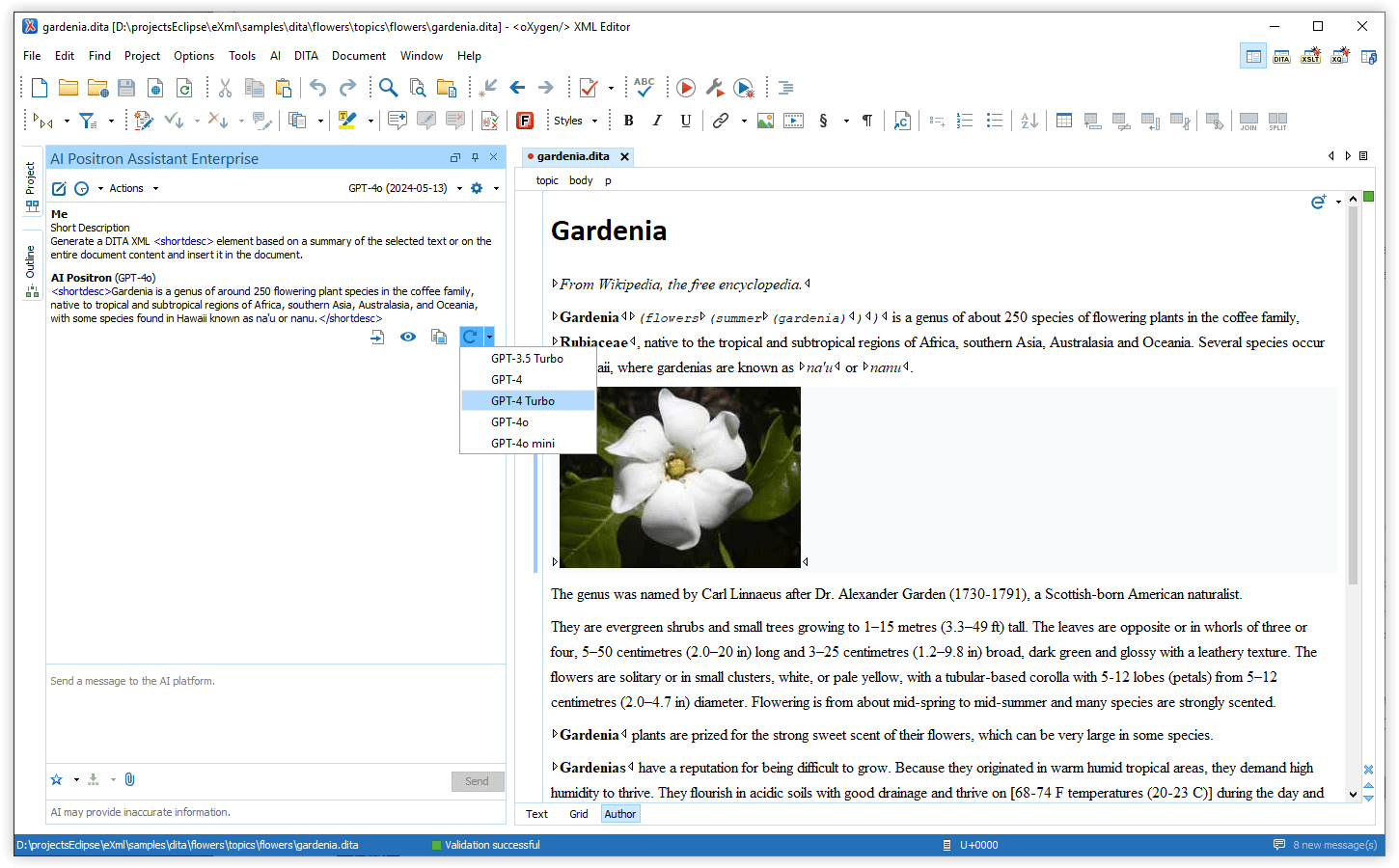
Regenerate Response
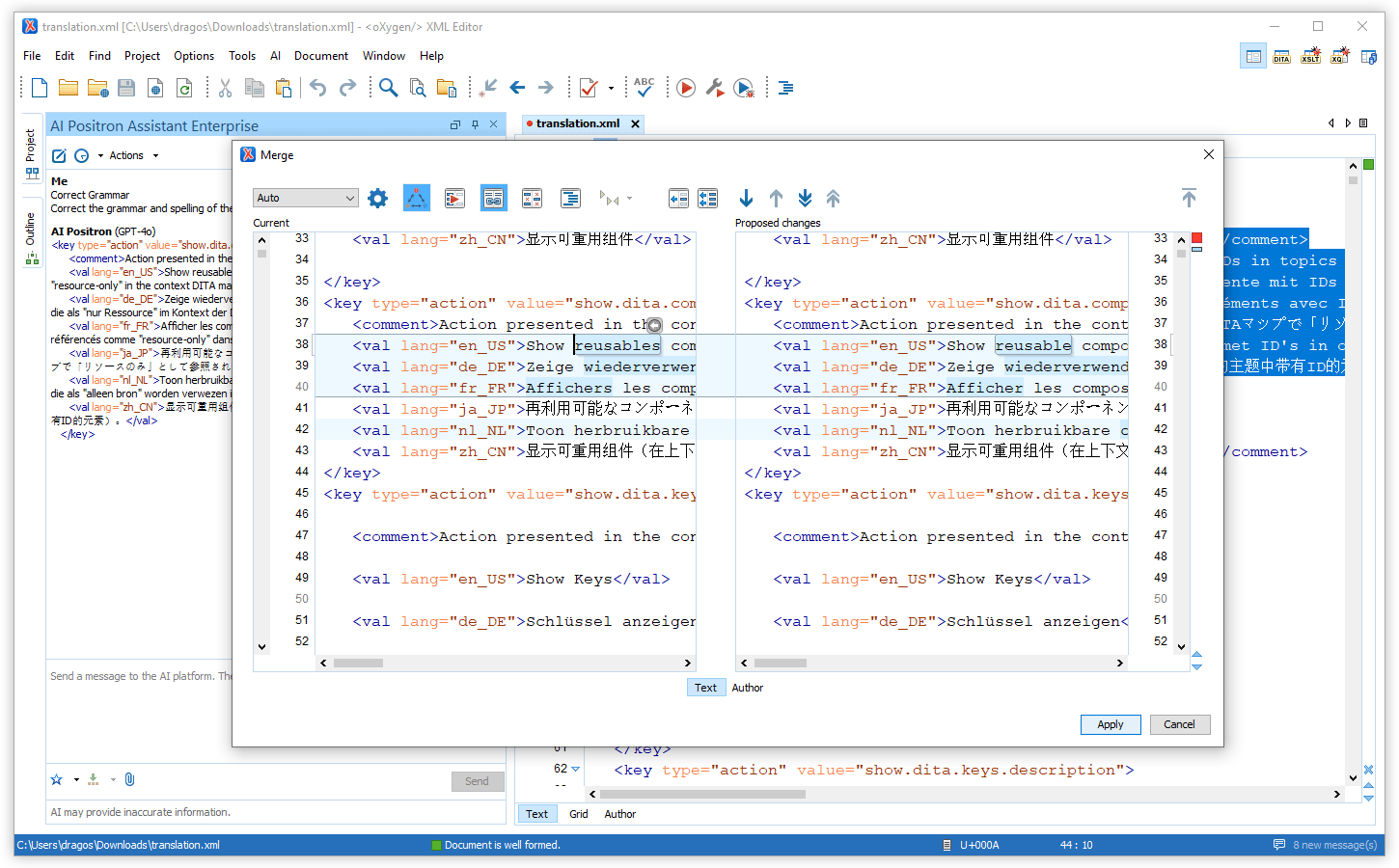
Preview Responses When Using AI Features in Text Mode
Access Quick Assist Actions From Vertical Stripe Icon
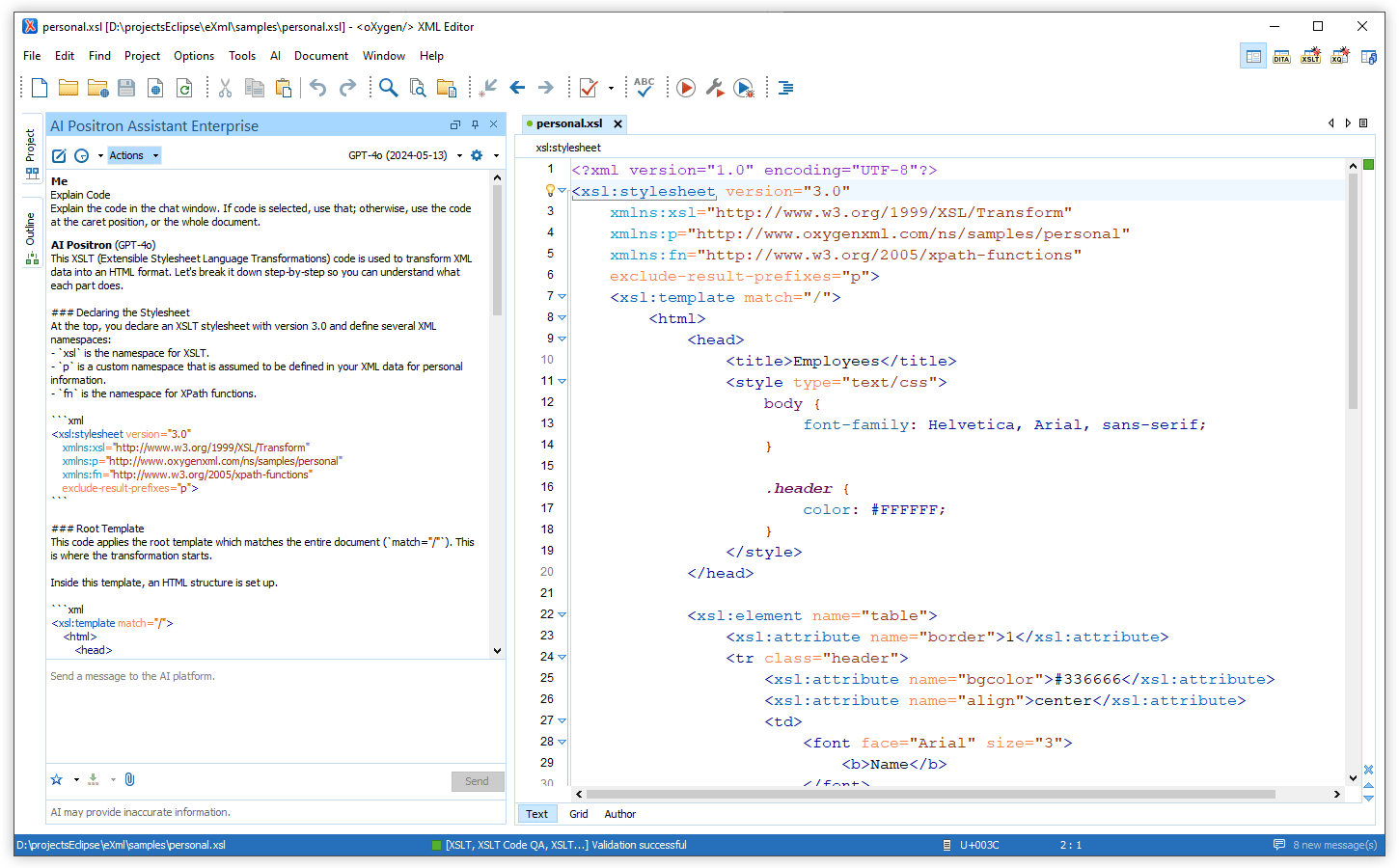
Easily Choose Between AI Models
Additionally, the chat panel now specifies which AI model was used for each response.
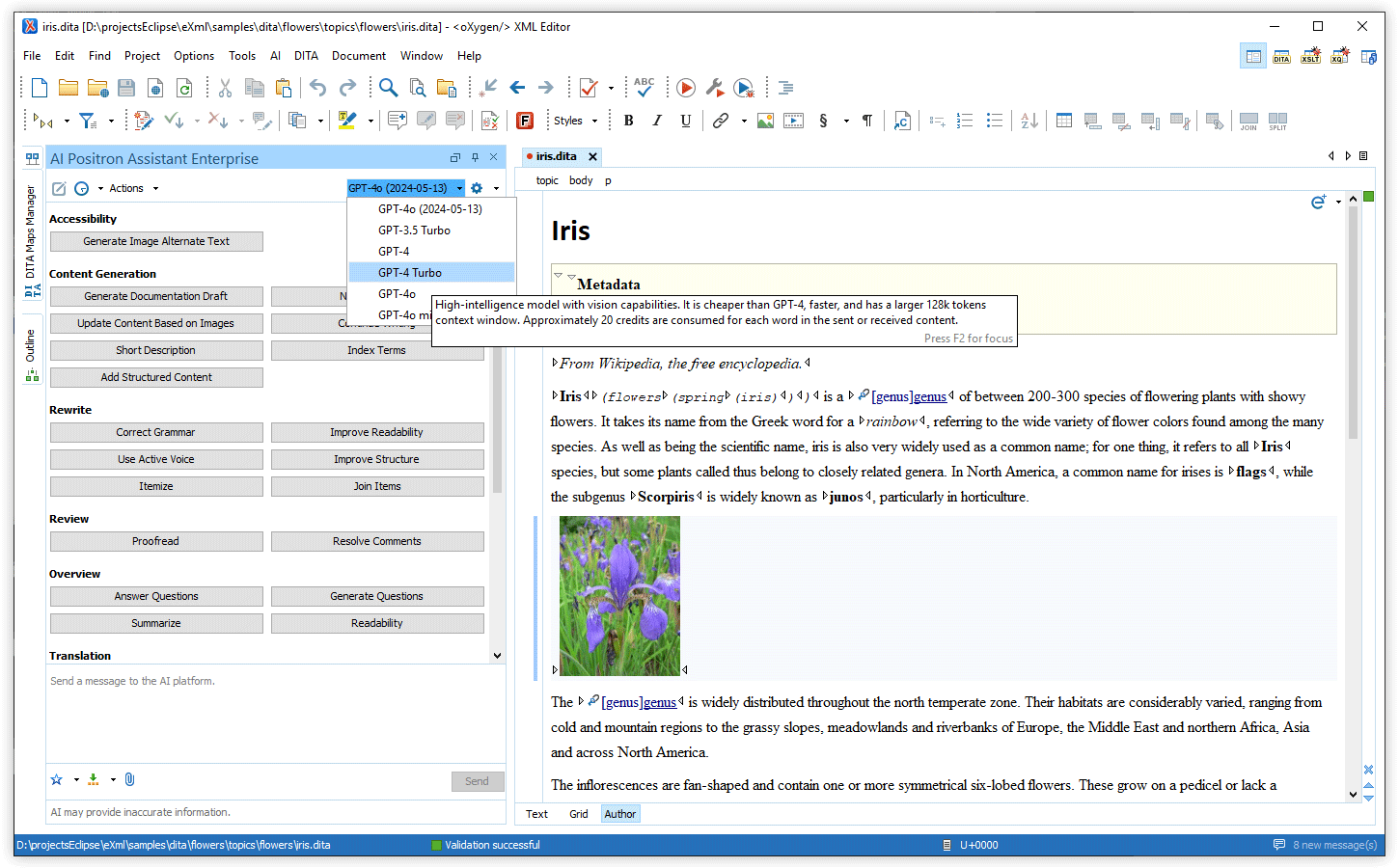
AI Models
GPT-4o-mini AI Model
Improved Credit Usage Efficiency
AI-Powered Actions
Proofread Action
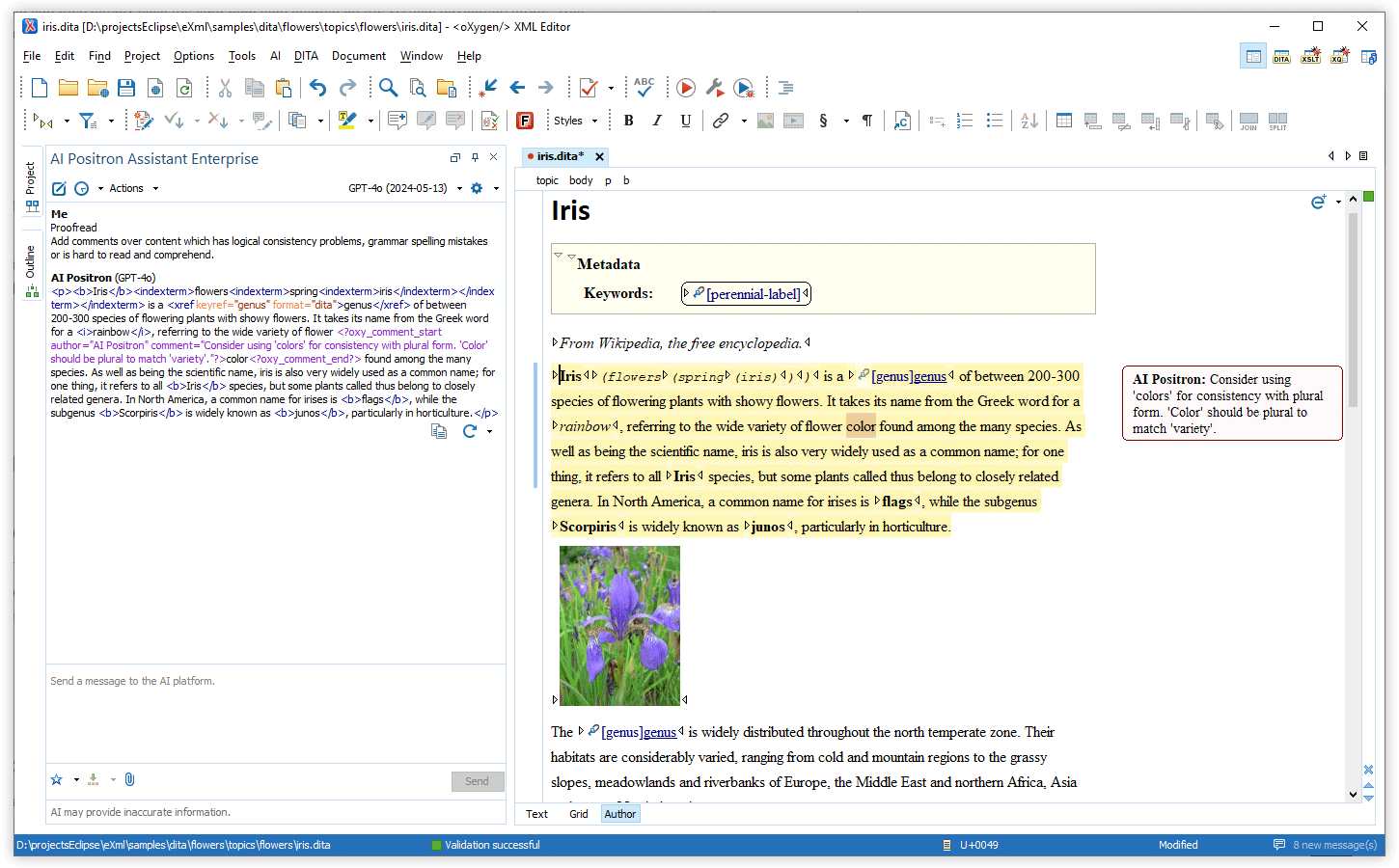
Resolve Comments Action
Improve Structure Action
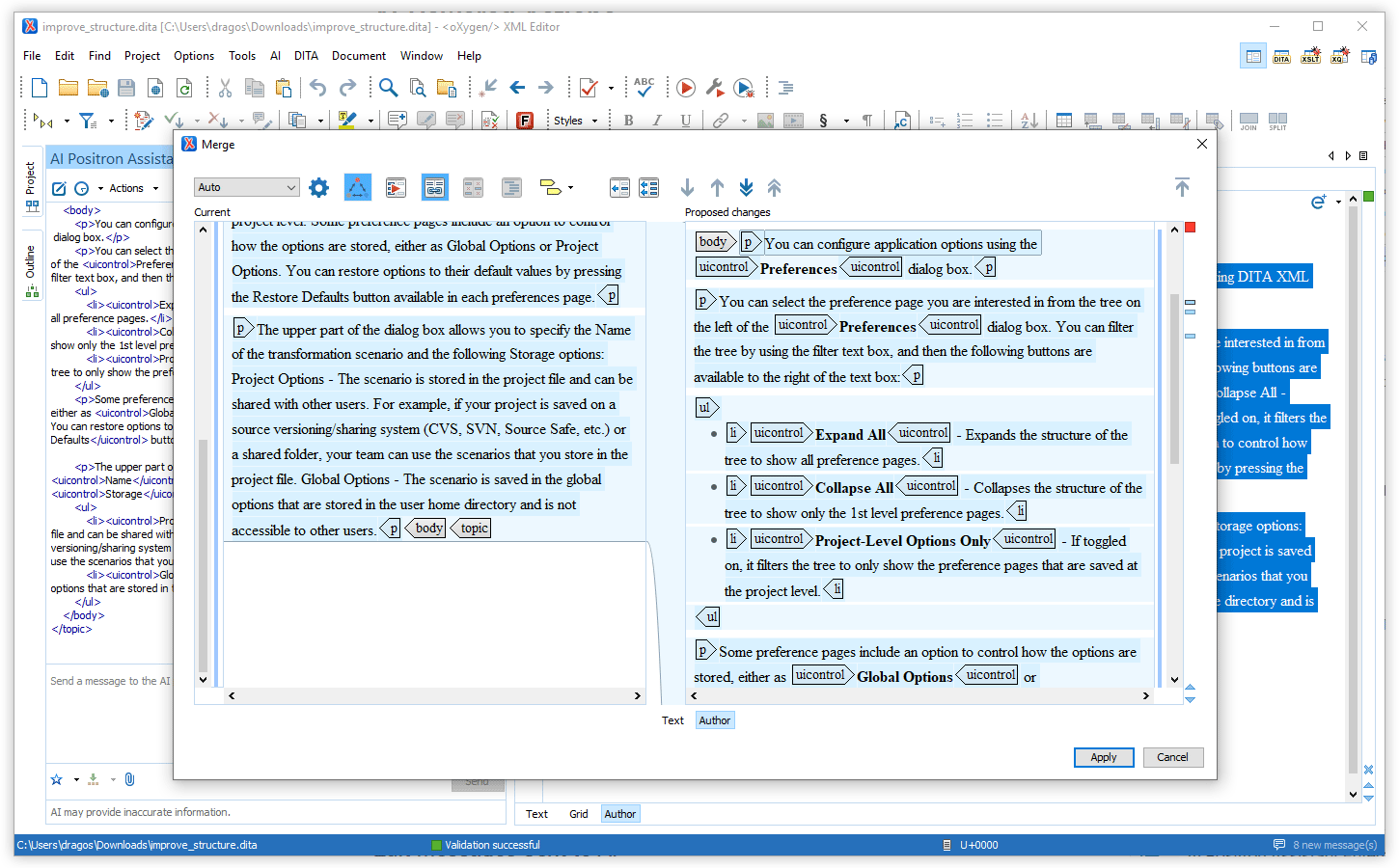
Add Structured Content Action
Oxygen AI Positron Assistant 2.1
The Oxygen AI Positron Assistant add-on is a powerful tool that helps users increase their productivity by providing support for using AI-generated content. Version 2.1 expands upon the enhancements of the previous version by adding the advanced multi-modal GPT-4o to the list of models to choose from, as well as the Microsoft Azure OpenAI Service connector now supporting authentication using Microsoft Entra ID.
New AI actions have been introduced in this version, allowing users to generate, document, or explain specific code, initiate a conversation with the AI regarding certain code, and create alternate text for images. Furthermore, version 2.1 also introduces three AI XML refactoring actions aimed to improve the efficiency for users working with DITA XML topics.
There are changes in:
Optimization
GPT-4o Model
When utilizing the Oxygen AI Positron Assistant Enterprise add-on, access to the GPT-4o model is possible when connected to the OpenAI platform.
Enhanced Microsoft Azure OpenAI Service Connector Using Microsoft Entra ID Authentication
AI-Powered Actions
Explain Code AI Action
Chat About Code AI Action
Document Code AI Action
Generate Code AI Action
Generate Image Alternate Text AI Action
AI XML Refactoring Actions
Oxygen AI Positron Assistant 2.0
The Oxygen AI Positron Assistant add-on is a powerful tool that helps users increase their productivity by providing support for using AI-generated content. Version 2.0 adds support for Vision models, allowing the AI to also read and interpret images and thus supporting more use cases. The new Generate Documentation Draft action makes it possible for users to provide instructions and images to help the AI engine create a draft DITA topic. Furthermore, this version also introduces an action that enables users to simply update the images from a topic and have the AI analyze the images and propose content updates.
Moreover, the Oxygen XML Enterprise edition license for Oxygen XML Editor, Author, and Developer products now includes access to the Oxygen AI Positron Assistant Enterprise add-on at no extra cost.
There are changes in:
Oxygen XML Enterprise Edition Includes Free Access to AI Positron Assistant Enterprise Add-on
Oxygen AI Positron Assistant Enterprise Connector for Anthropic Claude
Vision Support
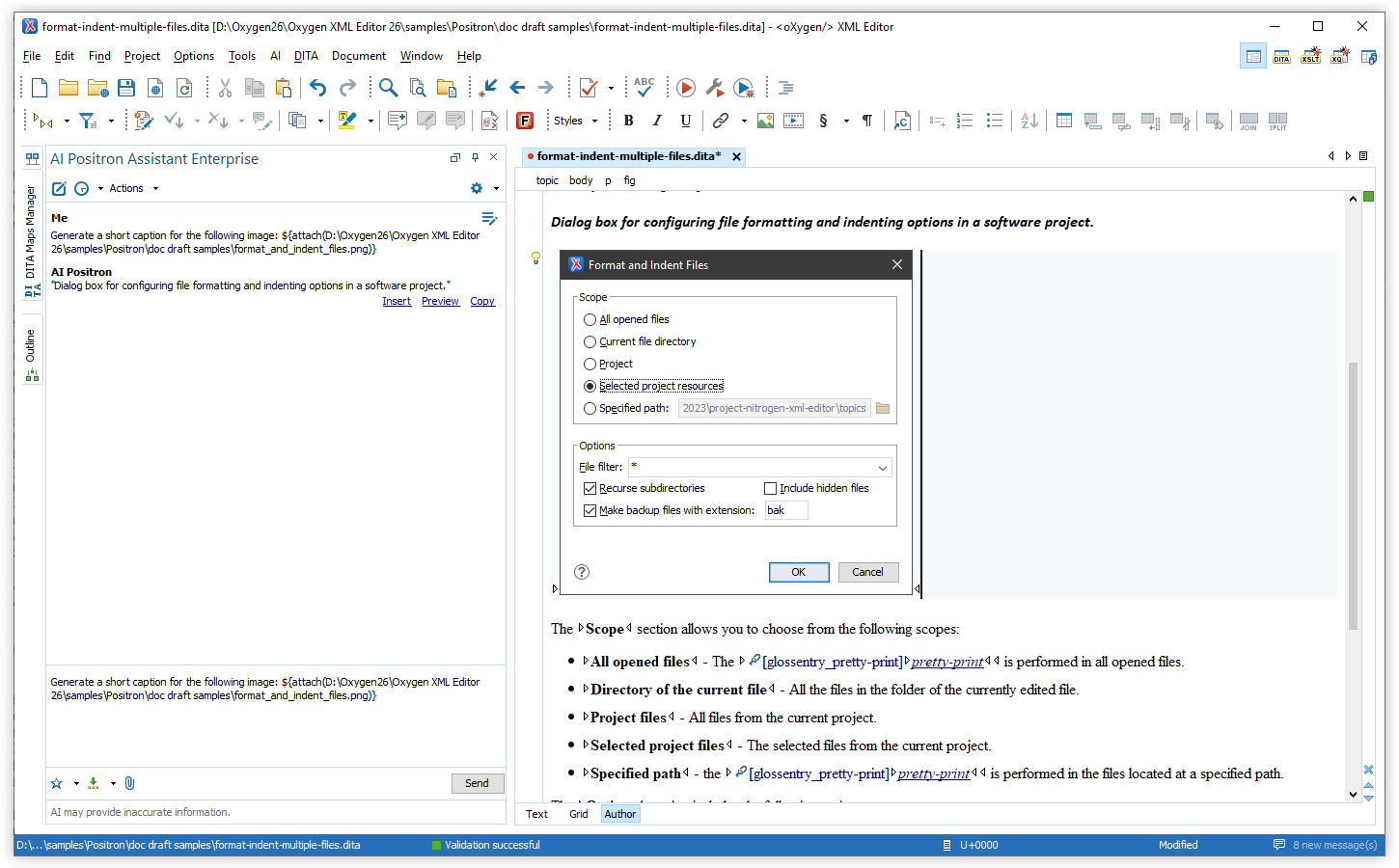
Generate Documentation Drafts
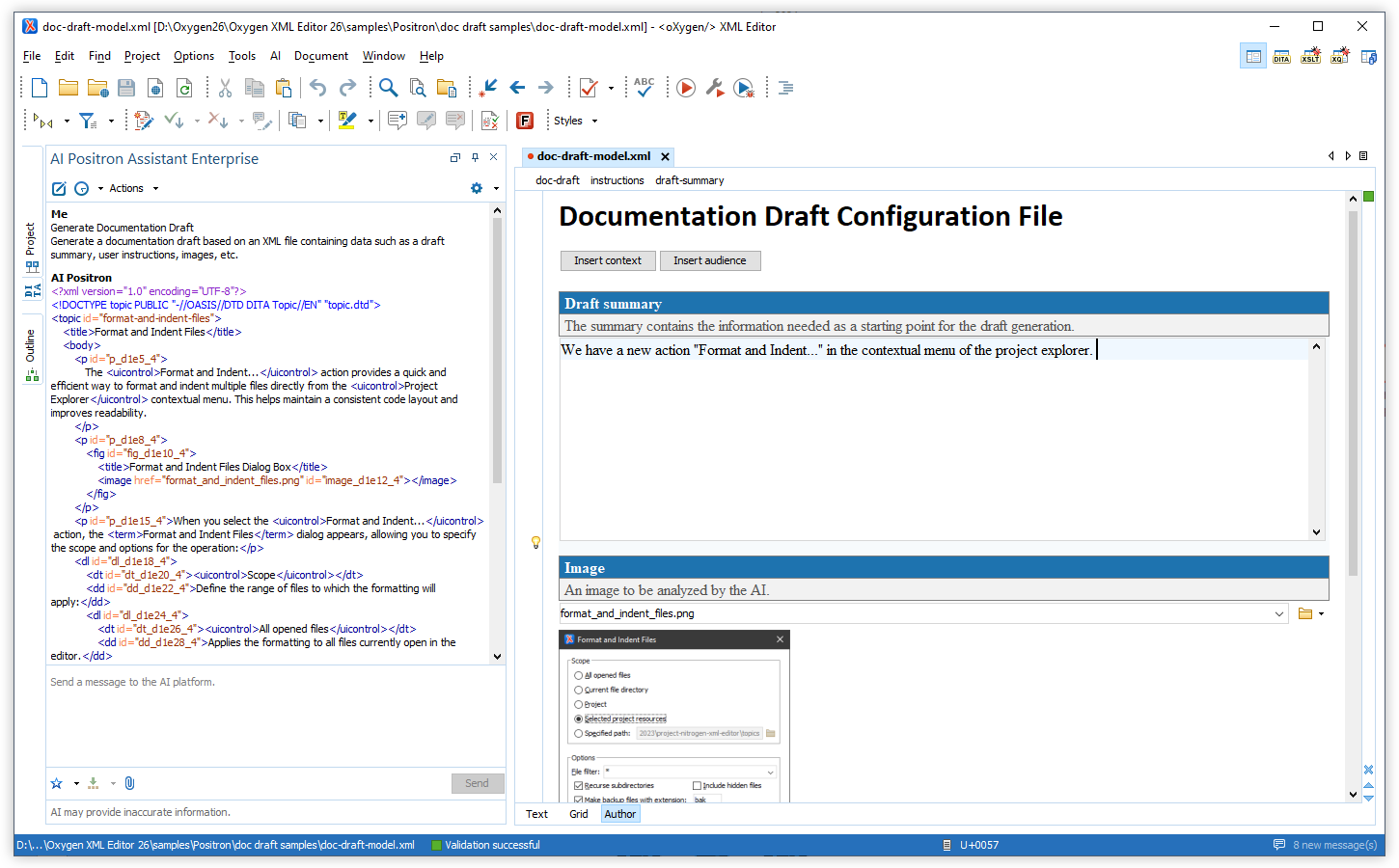
A new action called Generate Documentation Draft is available that can be used to create a draft DITA topic. To control the draft generation process, users can specify the context for the new topic, instructions, and images that will be analyzed using the vision support in a dedicated drafting configuration file that gathers all this information. Oxygen provides a customized editing experience in the visual Author editing mode for these draft configuration files so you can easily create such files just by following the instructions from the visual editor.
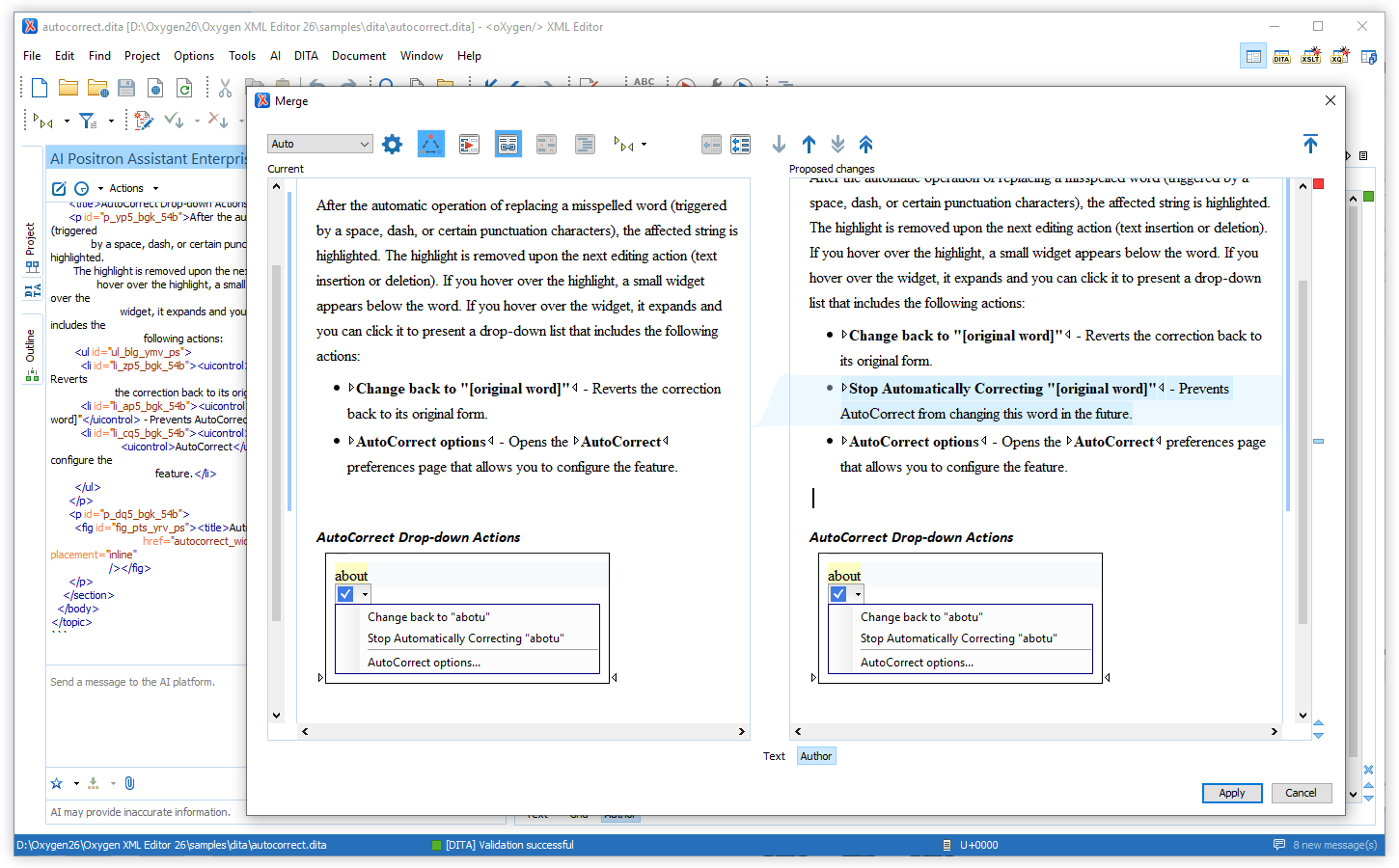
Update the Content of a DITA Topic Based on the Images that it References
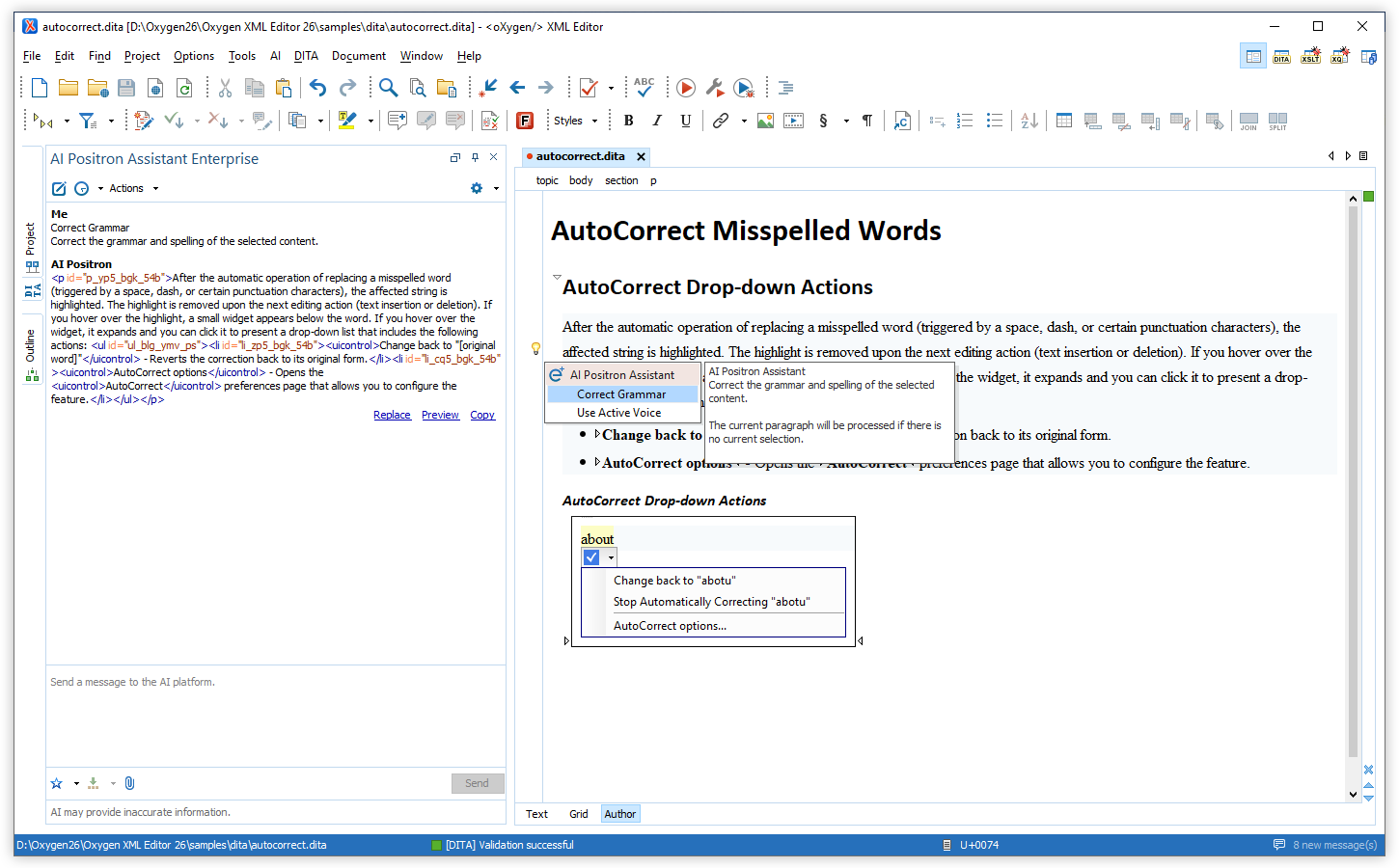
Quick Assist Actions
Variables to Obtain Selection with Track Changes Accepted/Rejected
Filter the List of Actions
GPT-4 Turbo
AI XPath Functions Updated to Allow Adding a Conversation History
ai:transform-content
and ai:verify-content were modified to allow adding a conversation
history when the functions are used. You can add multiple pairs of user-agent data that
will be passed to the AI as the history of the conversation. This can be used for more
complex actions that need to also set a context for the AI operation.Oxygen AI Positron Assistant 1.1
Oxygen AI Positron Assistant Enterprise
Create Custom AI Actions
Translate Content to Any Language
AI Refactoring Available for Remote Resources
Easier Access to Actions
XML Syntax Highlights
Introducing Oxygen AI Positron Assistant 1.0
There are changes in:
AI-Powered Actions
AI Positron Actions
The AI Positron Assistant side-view and various menus offer an extensive array of AI-powered predefined actions that enable users to:
- Generate content such as DITA topics, document fragments, short descriptions, and index terms.
- Improve existing content in terms of grammar, readability, and the use of active voice.
- Get various insights to understand how readable the content is and how it responds to questions.
- Translate to various languages while preserving the XML structure.
- Write better marketing content with support for generating press releases, marketing posts, applying marketing frameworks, and for enhancing search engine optimization.
Custom AI Actions
Additional Features
AI Chat
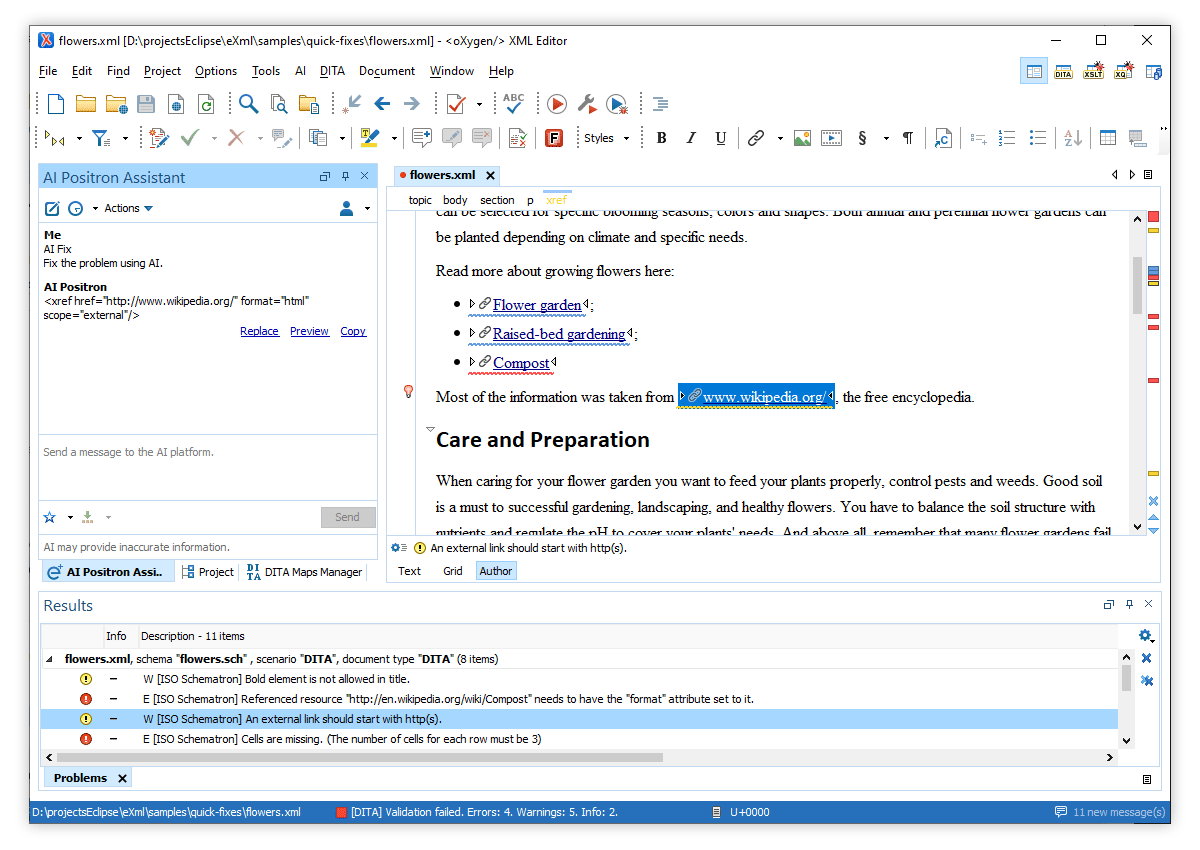
AI Fixes for Validation Problems
AI Refactoring
Record Examples for a Set of Instructions
Subscriptions
Customization
AI Positron Preferences
Change Default Model
AI-based XPath Functions
ai:transform-content(instruction, content) and
ai:verify-content(instruction, content)] that can be used from custom
Schematron schemas or XML Refactoring actions to rephrase content or to perform validation
checks on existing content.