
What's New in Oxygen XML Scripting 24
October 18, 2021
Oxygen XML Scripting version 24.0 offers updates and improvements for some of the scripts that are available to provide a variety of functions that can be scheduled or triggered using a command-line tool on Windows, Linux, or macOS. This release brings the possibility of generating various types of comparison reports, a new merge option, several improvements for the file and directory comparison scripts, a brand new script that can be used to batch format and indent multiple files at once, as well as other updates and bug fixes.
Scripting
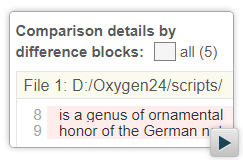
Generate HTML Reports for the File Comparison Script
When using the Compare Files script, a new output format is
available to generate the comparison result as an HTML file, for both 2-way and 3-way
comparison. You can visualize the differences side-by-side and you can filter them by
type. For details, see Scripting
Oxygen: Compare Files.
Generate HTML Reports for the Directories Comparison Script
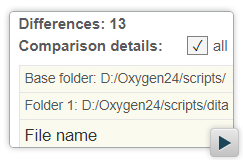
When using the Compare Directories script, a new output format
is available to generate the comparison result as an HTML file. It also is possible to
generate separate comparison reports for all modified file pairs. For details, see Scripting Oxygen: Compare Directories.
New Merge Option for File and Directory Comparison
When using the Compare Directories or Compare Files scripts for 3-way comparisons, the
-merge argument can now be used to perform a merge operation that is
similar to the same process in any version control system. After the comparison, a report
is created that provides details about the changes that were made. You can also use the
-mergeout argument to specify a directory path where to save the output
results of the merge operation.
Improvements to the File and Directory Comparison Scripts
When using the Compare Files or Compare Directories script, you can now specify the file or
directory paths with a URL. Also, you now have the ability to specify a path to a base
file or directory to do 3-way comparisons. In addition, you can optionally specify the
content type to force file handling for a specific type of file.
Batch Format and Indent Multiple Files at Once
A new command-line script (
batchFormatAndIndent) is now
available that can be used to format and indent multiple files at once. You can add
numerous options as arguments to control which files and settings should be used for the
operation. For details, see Scripting Oxygen: Format and Indent Files.