
What's New in Oxygen Content Fusion Enterprise 9.1
Oxygen Content Fusion Enterprise 9.1 introduces faster, more targeted collaboration with @mentions, a new dashboard for tracking review tasks, and a more capable visual editor with sticky table headers and built-in S1000D support. This release also expands AI-assisted authoring with the new Planner agent and delivers a range of usability improvements across project management, review workflows, and the user interface.
Core Updates
Streamlined Collaboration with @mentions
Communication within the review process is now more direct and responsive. You can now pull specific teammates into a conversation exactly where they are needed using @mentions.
Key improvements
- Mentioned User Selection - Simply type the
@symbol in any comment or reply to trigger a searchable list of collaborators, then select the desired user to mention. - Instant Email Notifications - Once mentioned, the collaborator receives an automated email notification containing your message, ensuring they never miss a critical update.
- Direct link to comments - Each notification includes a direct link that takes the user straight to the specific message within the review task, eliminating the need to hunt through documents for context.
New Review Task Dashboard
Navigating complex review cycles just got easier. A dedicated Dashboard view for review tasks was introduced, providing a centralized hub for tracking progress and context at a glance.
Key improvements
- Detailed Task Descriptions - Move beyond simple titles. You can now provide a full description for each task, ensuring all reviewers understand the specific goals and context of the proposed changes.
- Consolidated Task Metadata - Instantly view task information such as, Status information, Due Date (with a countdown), task Owners, and, in case of tasks created within a project, the task Source consisting of project and branch information.
- File Management - Access and manage all associated files directly from the dashboard, with action buttons to access various actions, including adding new files to the task.
- Real-time Review Status - A new sidebar provides a live status of reviewers activity, showing the reviewer status information, so you can easily see who Finalized their review, who is still In Progress, and who did not yet access the task and their status is Pending.
Better Onboarding Experience with New Project Templates
- Empty project to start from scratch.
- DITA Software Documentation starter project.
- Circle Chat Demo - A sample software documentation project showcasing reuse and profiling.
- Hydraulic Gear Pump - A sample hardware documentation project showcasing the use of an image map.
- Sunny Sky Demo - A sample API documentation project showcasing the inclusion of an OpenAPI JSON file in a DITA XML project.
Updated Visual Editor
Improved Table & Content Flagging Support
Table support was updated to support large DITA tables, by implementing "sticky" headers, keeping table headers visible while you scroll.
You can now insert multiple empty rows or columns at once in tables from DITA, DocBook, XHTML, and TEI documents.
You can now easily distinguish profiled content by applying colors and text styles using DITAVAL flagging. These styles are rendered directly in the visual editor and DITA Map pane according to your active DITAVAL file.
Built-in S1000D Support
Key functionality
- Editing and Validation - Edit S1000D documents with schema-guided editing, validation, and content completion support.
- Visual Editing with Dedicated Styles and Actions - Visually edit S1000D documents and switch between full-width, print preview, or large-font styles. Use dedicated actions to insert and edit tables, lists, and text styling.
- Smart Paste - Paste content from web browsers or Word documents into S1000D documents while preserving the structure and formatting.
Enhanced AI-Assisted Authoring
Planner AI Agent
- Agent - A general-purpose project assistant. You can chat with it about your project, set goals, or give instructions. It proposes changes, and you decide what to keep.
- DITA Agent - A specialized agent for DITA XML projects. It can explore the project, help with complex DITA tasks, propose a plan, and make project-wide changes on your behalf.
- Your custom agent - You can now define new agents by creating
new AI actions that contain the
"output-action": "agentic"property.
Smarter Context & Vision
More context information is available when you interact with the AI. The chat now automatically includes additional information about your environment and editing context, such as the application version, current date, and caret or selection data. Having richer contextual information leads to higher-quality AI responses.
The structure and styles for attached Word and PDF documents are preserved when attaching them in the chat. Their internal structure (headings, lists, tables, code blocks) and styling (bold, italic) are sent to the AI so that it better understands the content of the document.
You can create AI actions with vision support, allowing a custom-defined AI action to send both content and referenced images to the LLM, by using the "input-type": "markup-with-images" JSON property.
Other Improvements
Project & Task Management
- Granular Access Control - Introduced Owner and Member roles for Projects (now, only Owners can modify project-level settings).
- Publication Context - The publication context is now automatically preserved when creating review tasks directly from a project.
- Streamlined Reviewer Invitations - A new Add Reviewers button in the Review Status drop-down provides instant access to the Share settings.
User Interface
- Refined Headers - The application and context headers have been redesigned to reduce clutter and maximize workspace.
- Focused Editing - Support for collapsing the left side-view allows you to focus entirely on the editor.
- Optimized Search - A redesigned search side-view now includes a dedicated pop-over for advanced search syntax.
Review & Activity Side-Views
- Rich Email Notifications - Review task emails now include the full text of review comments directly in the notification.
- Dedicated Review View - Review items have moved from a sub-tab in the Search page to their own Review side-view, featuring improved filtering with a Mentioning Me filter for comments.
- Continuous Feedback - The Task Activity side-view now keeps the message input visible at all times, with automated notifications sent to all task collaborators when a new message is added.
- Activity Filtering - New filters in the Task Activity view allow you to quickly isolate the entries that are most relevant to you.
What's New in Oxygen Content Fusion 9.0
Oxygen Content Fusion 9.0 delivers a major upgrade to collaborative DITA content management, review, and publishing workflows. This release introduces new project management capabilities, such as support for multi-branch publishing and the ability to control whether project files are included as context in review tasks.
The visual editor, powered by the latest Oxygen XML Web Author, now offers improved table handling, streamlined commenting, whitespace visualization, and seamless integration of Markdown and media content.
Increased AI-driven efficiency is a reality with the latest Oxygen AI Positron features, such as support for new AI models and more ways to access custom actions.
Projects
Control Whether Project Files are Included as Context in a New Review Task
Multi-Branch Publishing Pipelines
Easily Create New Review Tasks from the Publications Tree
Review Tasks
Reactivate Integrated Tasks
Visual Editor Powered by Oxygen XML Web Author
Easily Resize Table Columns
Toggle Full Width Mode on DITA Tables
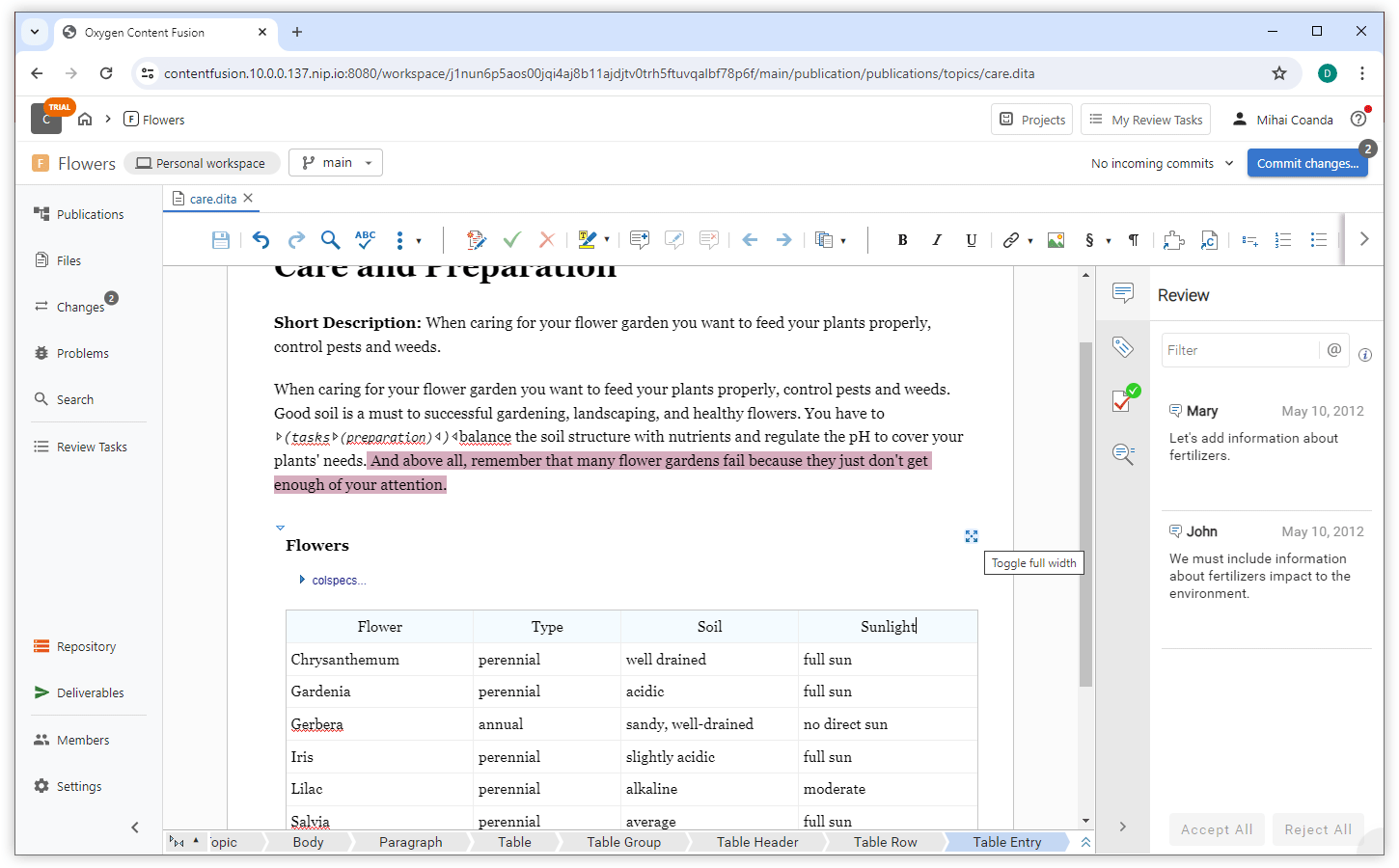
Add Comment from the Floating Toolbar
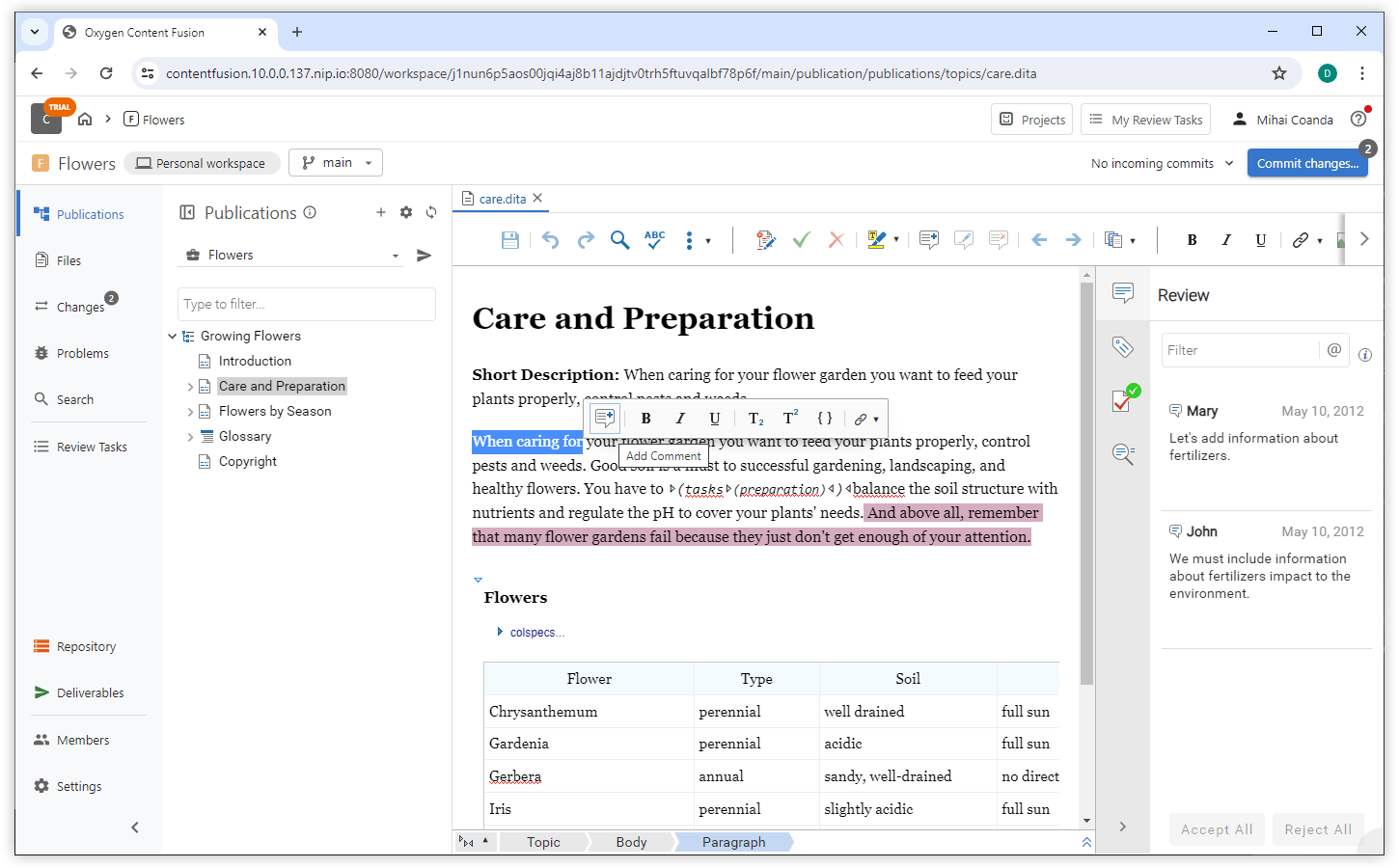
Display Whitespace Markers in the Editor
View Referenced Markdown Content in Expanded DITA Maps
Copy Visual Editor Content as Markdown
Preview Video and Audio Controls in DITA 2.0 Documents
<video>, <audio> elements) rendered directly in
the visual editor, so you can easily review embedded media content. Search for Specific Attribute Values
Oxygen AI Positron for Content Fusion
Uncluttered Chat Input Area
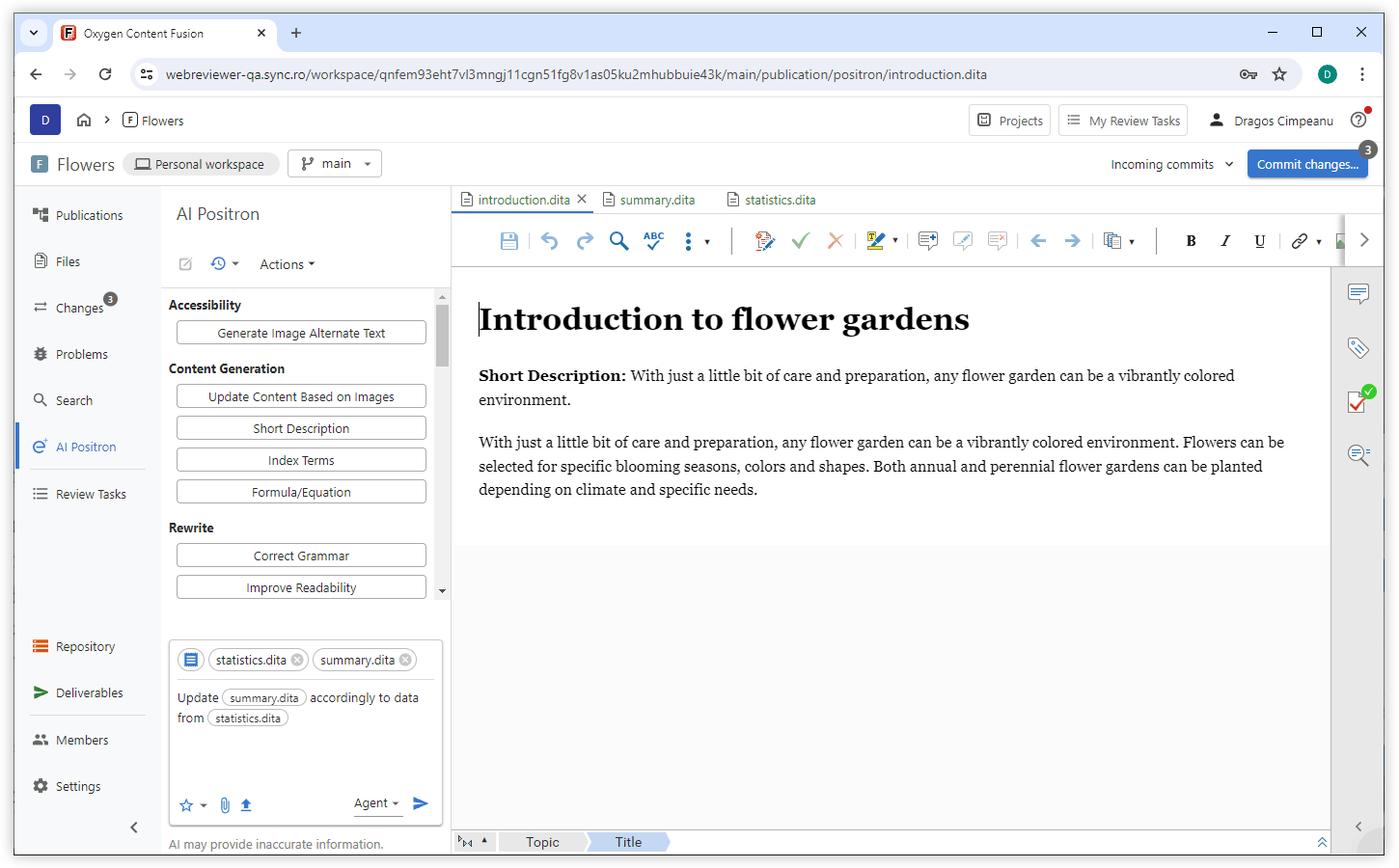
New AI Models Available
- OpenAI - GPT-5.1 and GPT-5.1 Thinking
- xAI Grok - Grok 4 Fast and Grok 4 Fast (Non Reasoning)
- Claude - Claude Sonnet 4.5 and Claude Haiku 4.5
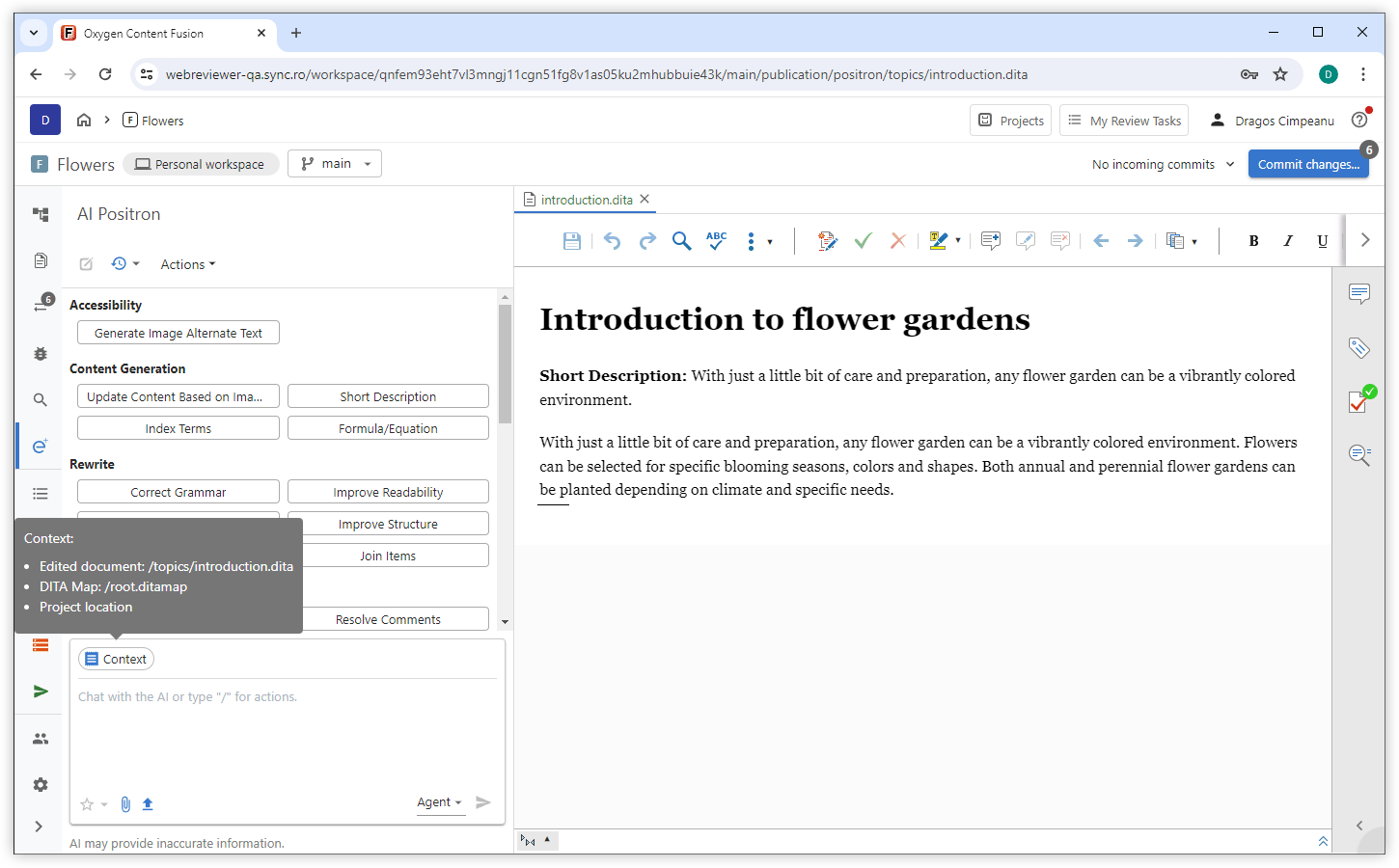
Inspect Chat Context
Invoke AI Actions with Keyboard Shortcut
Edit Document Tool
Easier Access to Tool Call Details
Custom Actions Prioritized
What's New in Oxygen Content Fusion 8.2
Projects Personal Workspace
Personal Workspace is the Default Project Page
Now, when you open a project, you are taken directly to your personal workspace, giving you immediate access to your project files and resources. From the workspace, you can easily navigate to review tasks and other project tools as needed. This streamlined approach helps you get started faster and manage your work more efficiently.
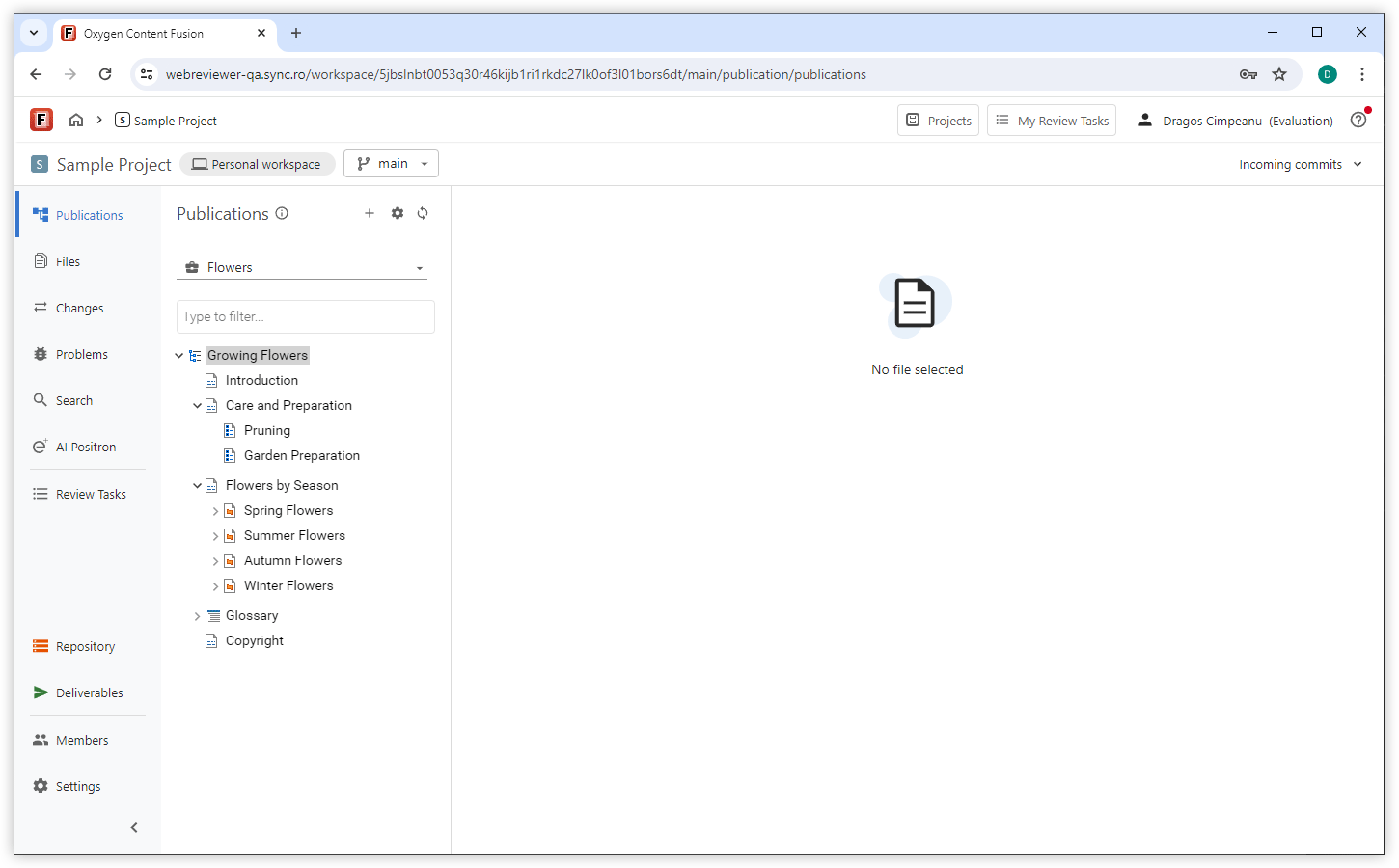
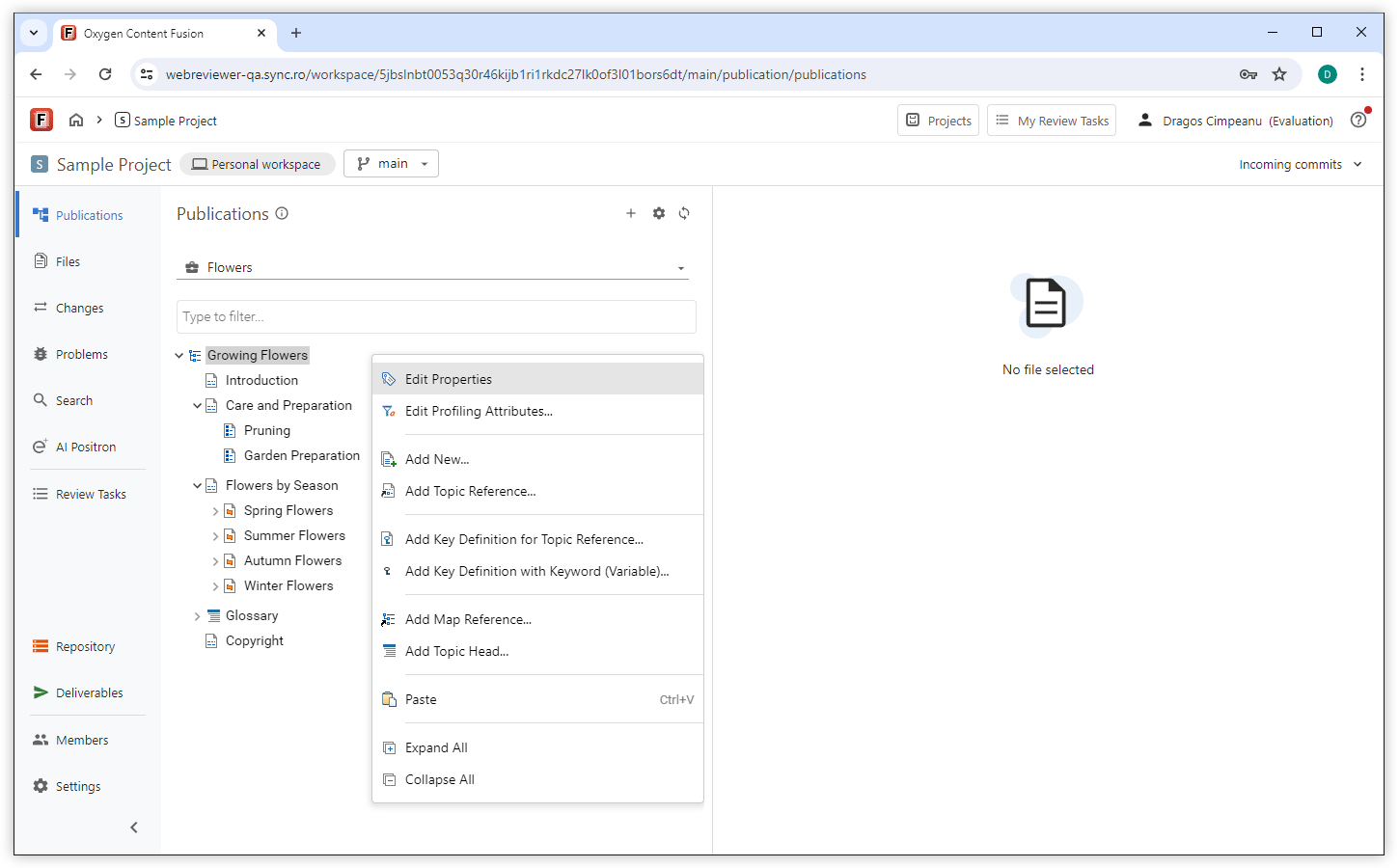
Edit Publication Structure
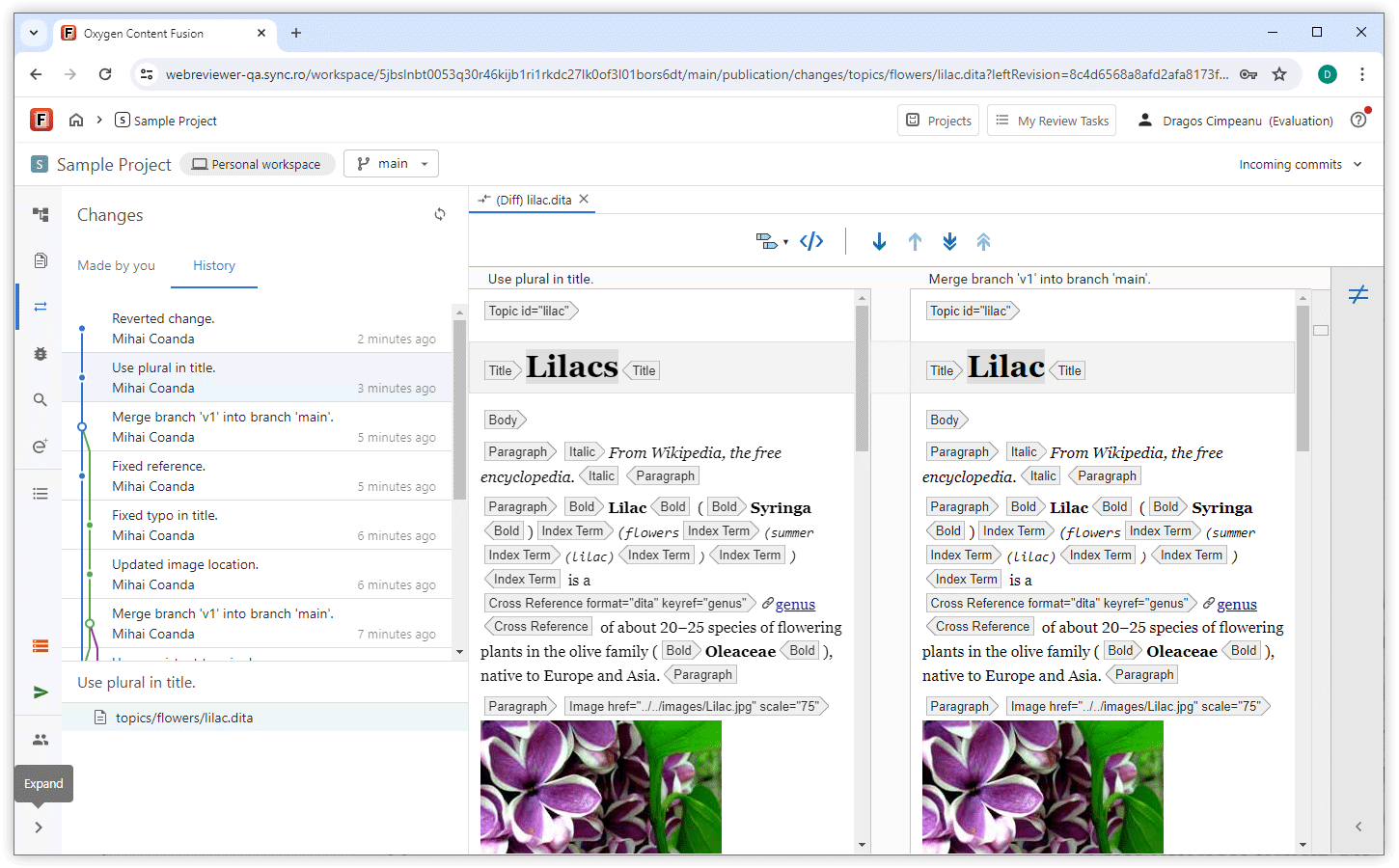
See History in Changes View
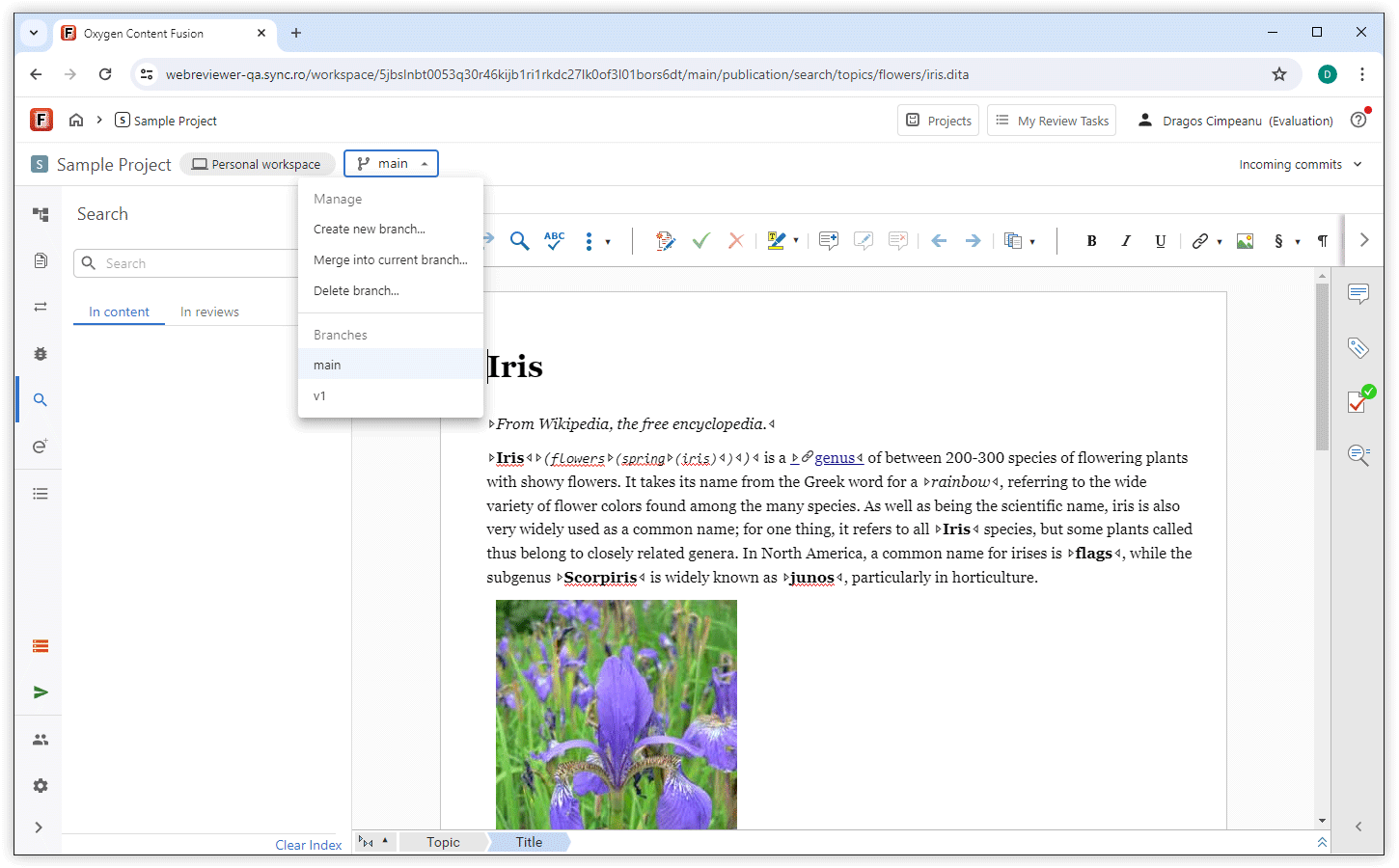
Manage Branches
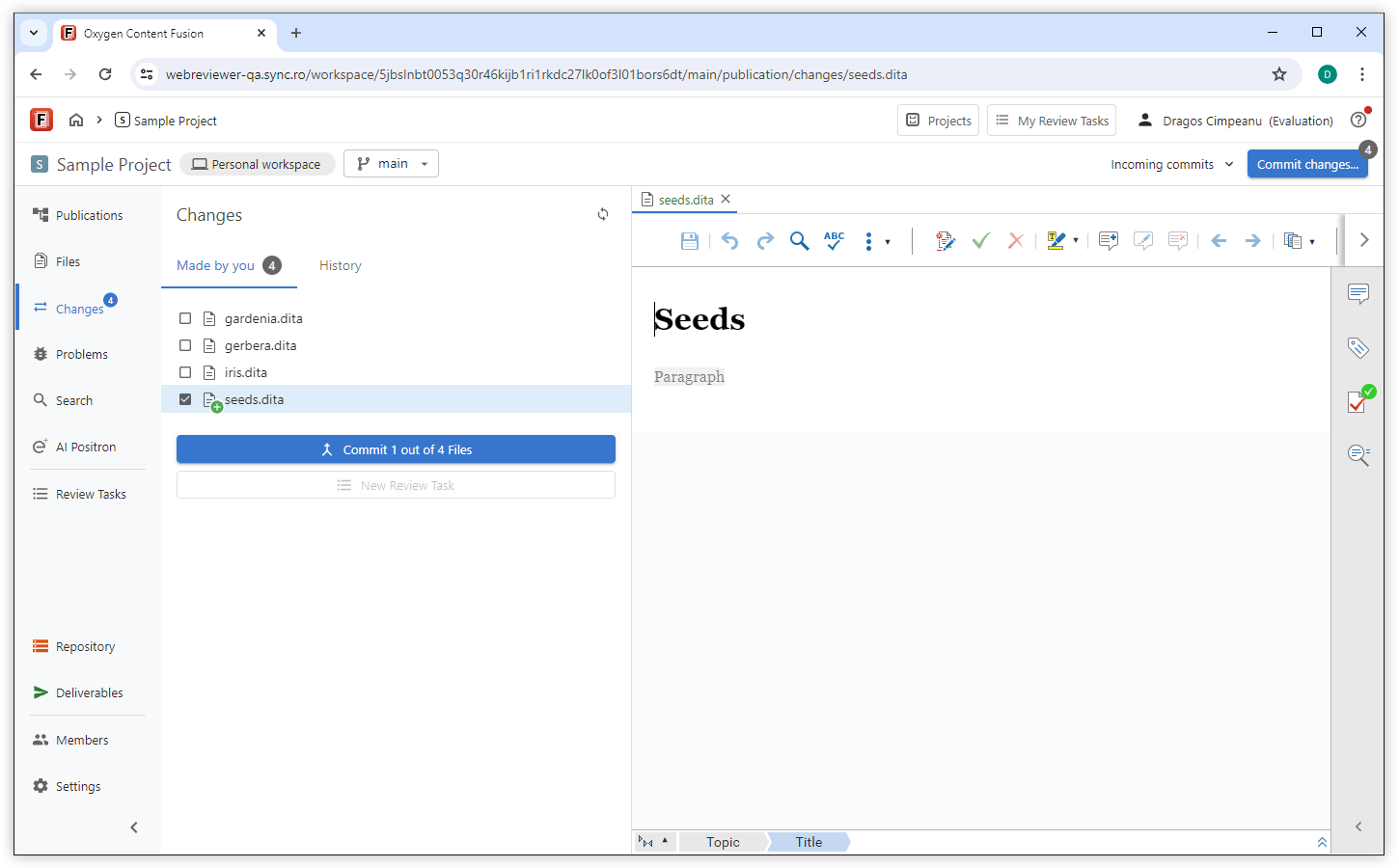
Selective File Commit
You can now select which modified files from your Personal Workspace to commit, so you share only the changes that are complete and keep other files in progress. This helps you to manage your tasks without interrupting ongoing edits and to avoid sharing incomplete work.
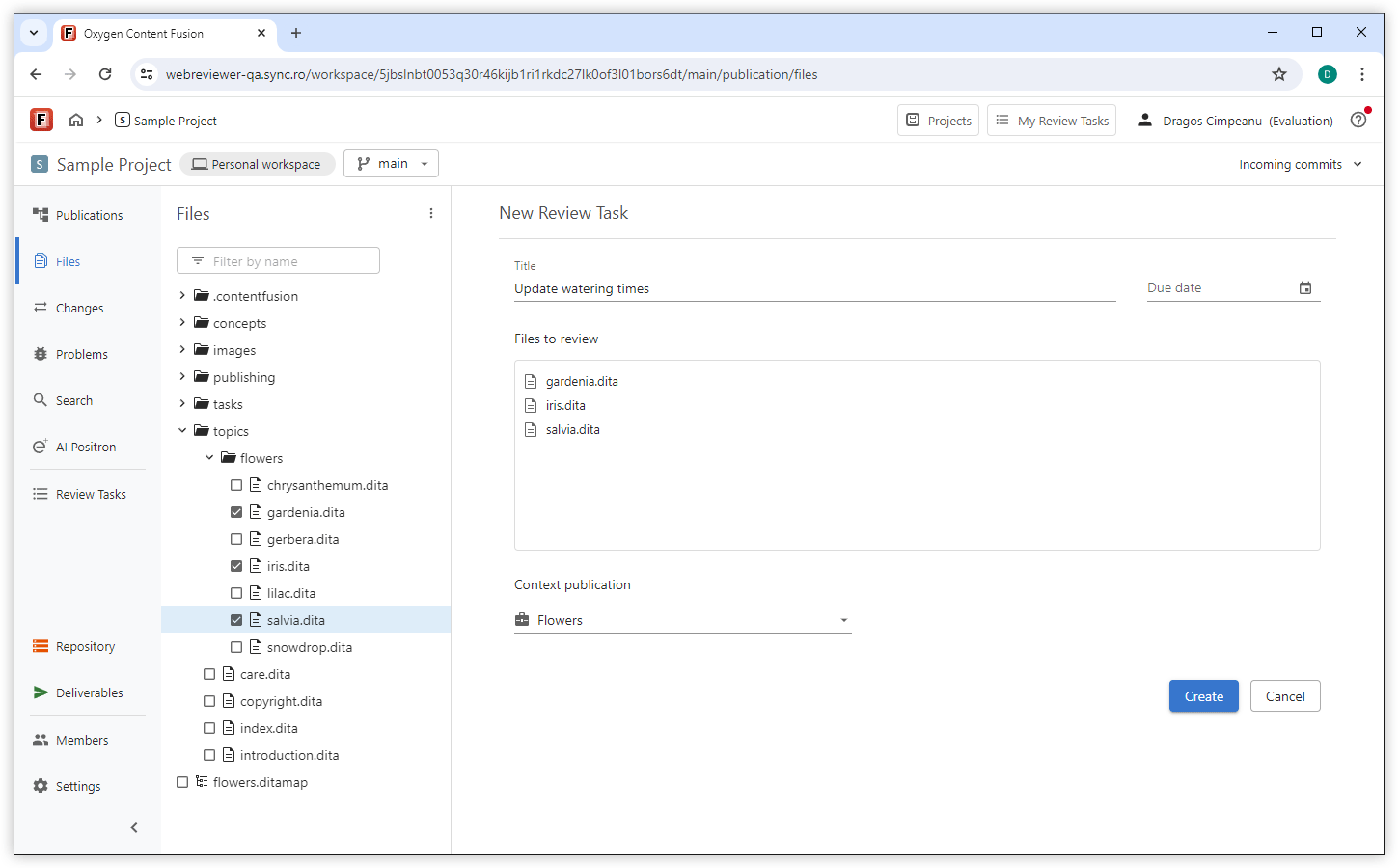
Create Review Tasks from the Files View
Review tasks
Show All My Tasks
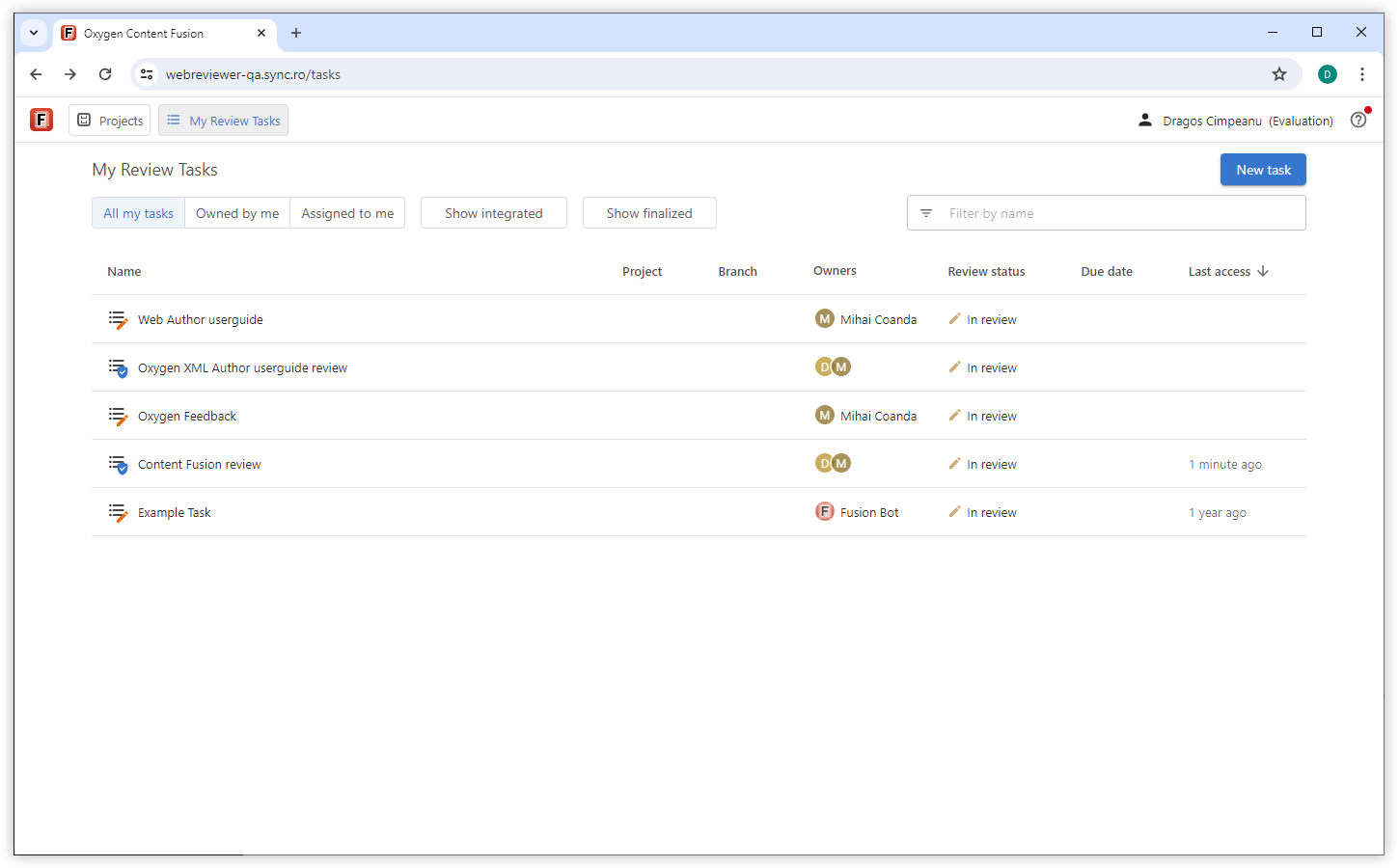
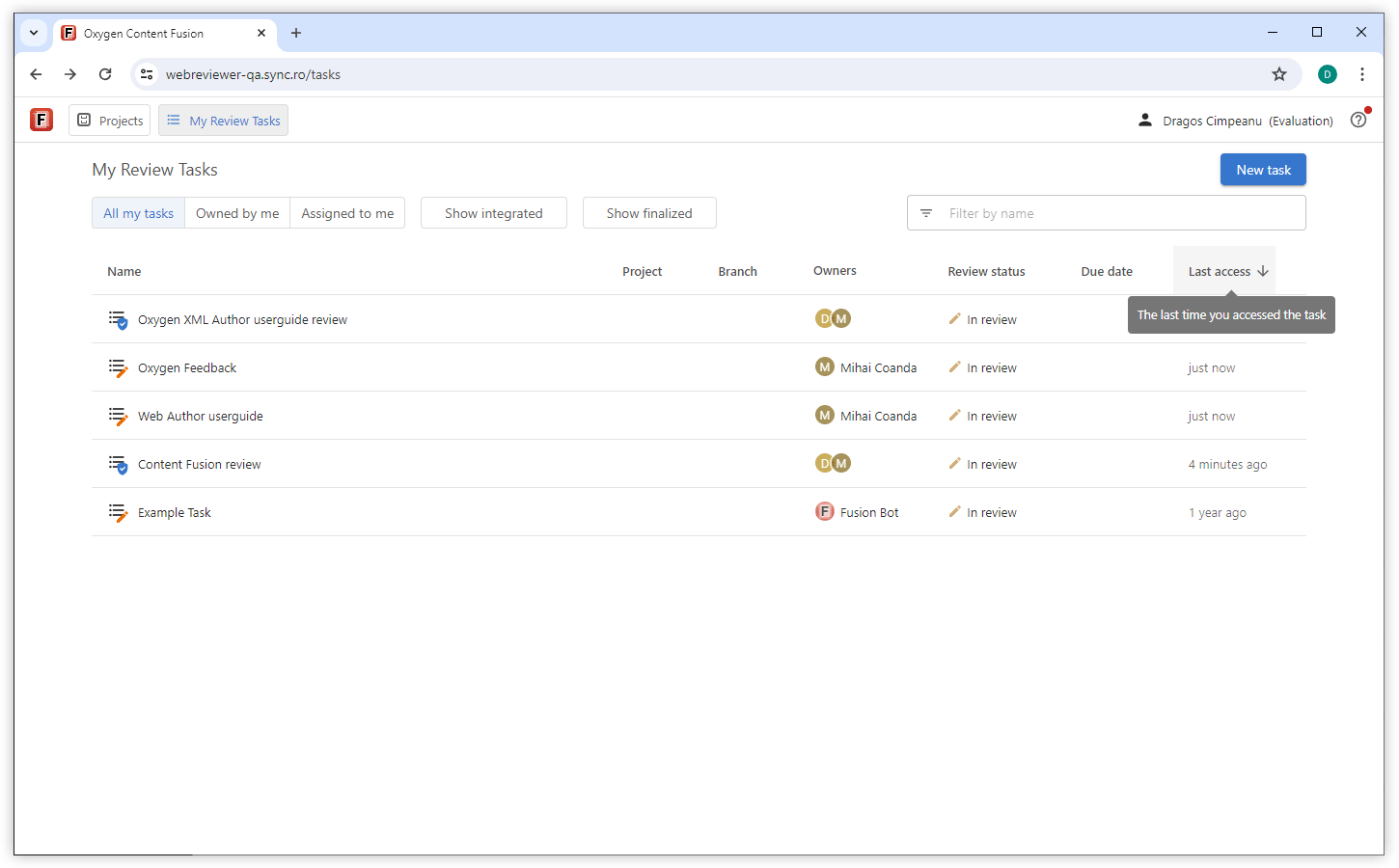
Focus on Recent Tasks
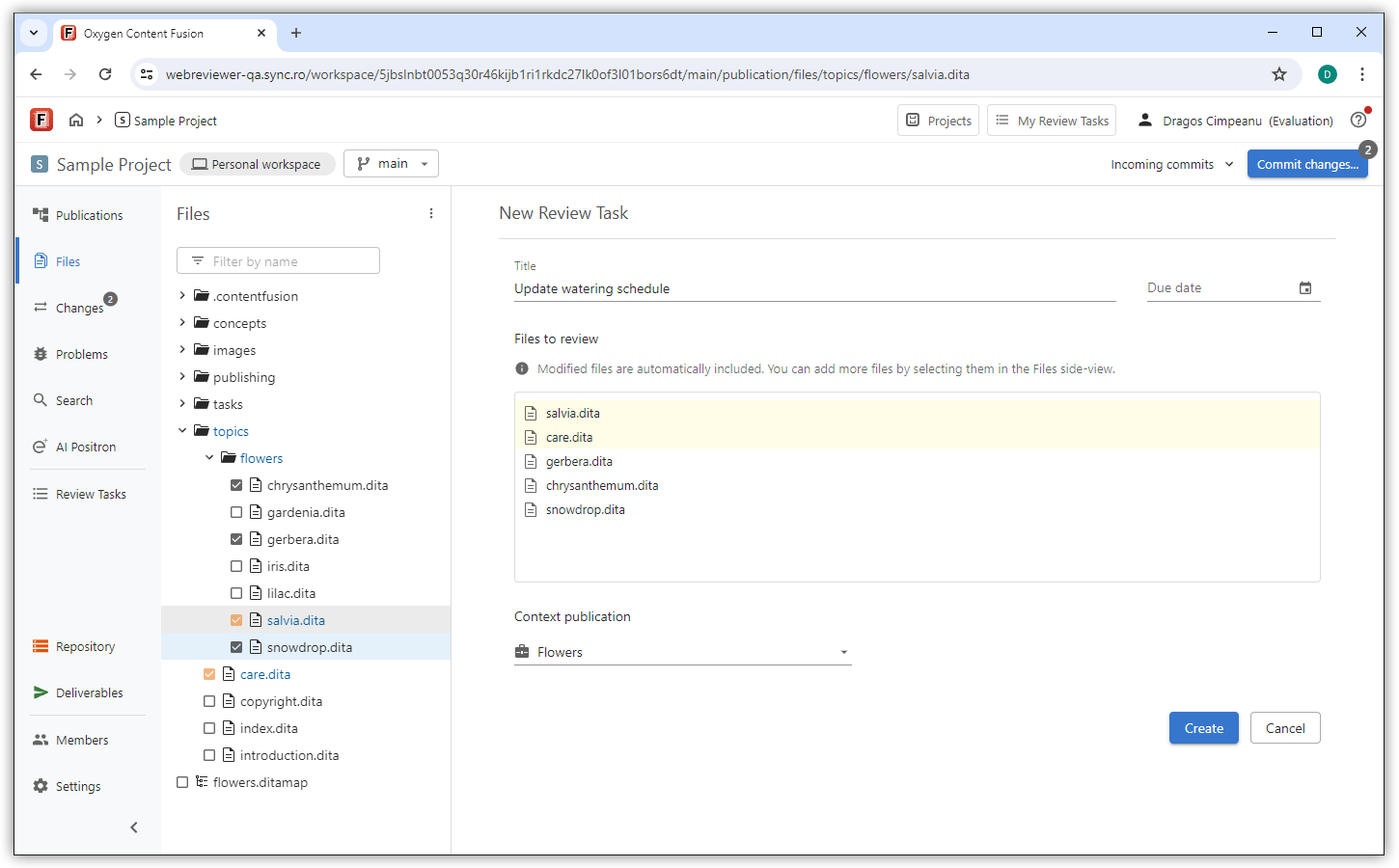
Add Non-Modified Files when Moving Changes to Review Tasks
Web Author Visual Editor
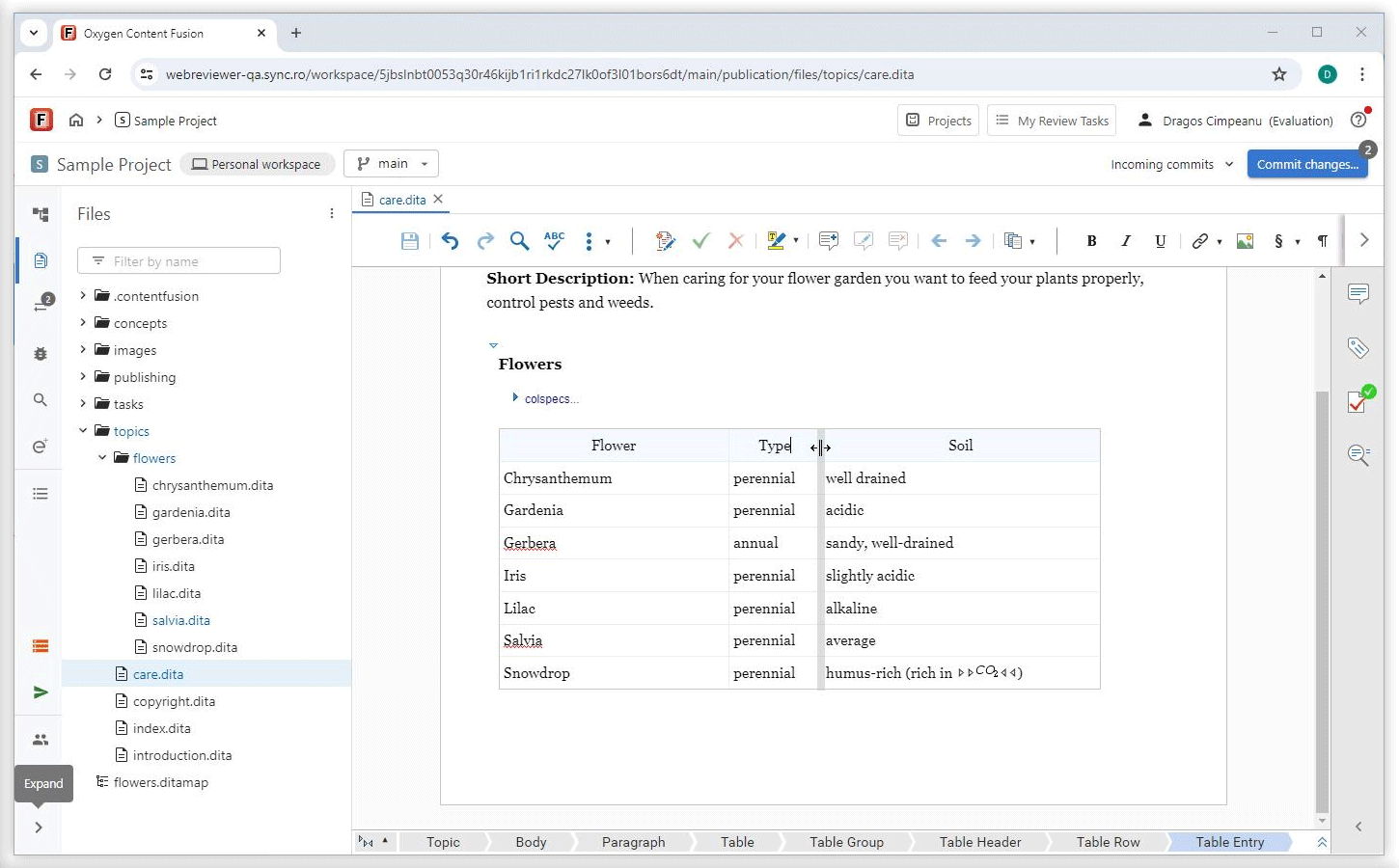
Easily Resize Table Columns with Drag Handles
Edit and View Referenced Markdown Content in Expanded DITA Maps
Copy and Paste Visual Editor Content as Markdown
Preview Video and Audio Controls in DITA 2.0 Documents
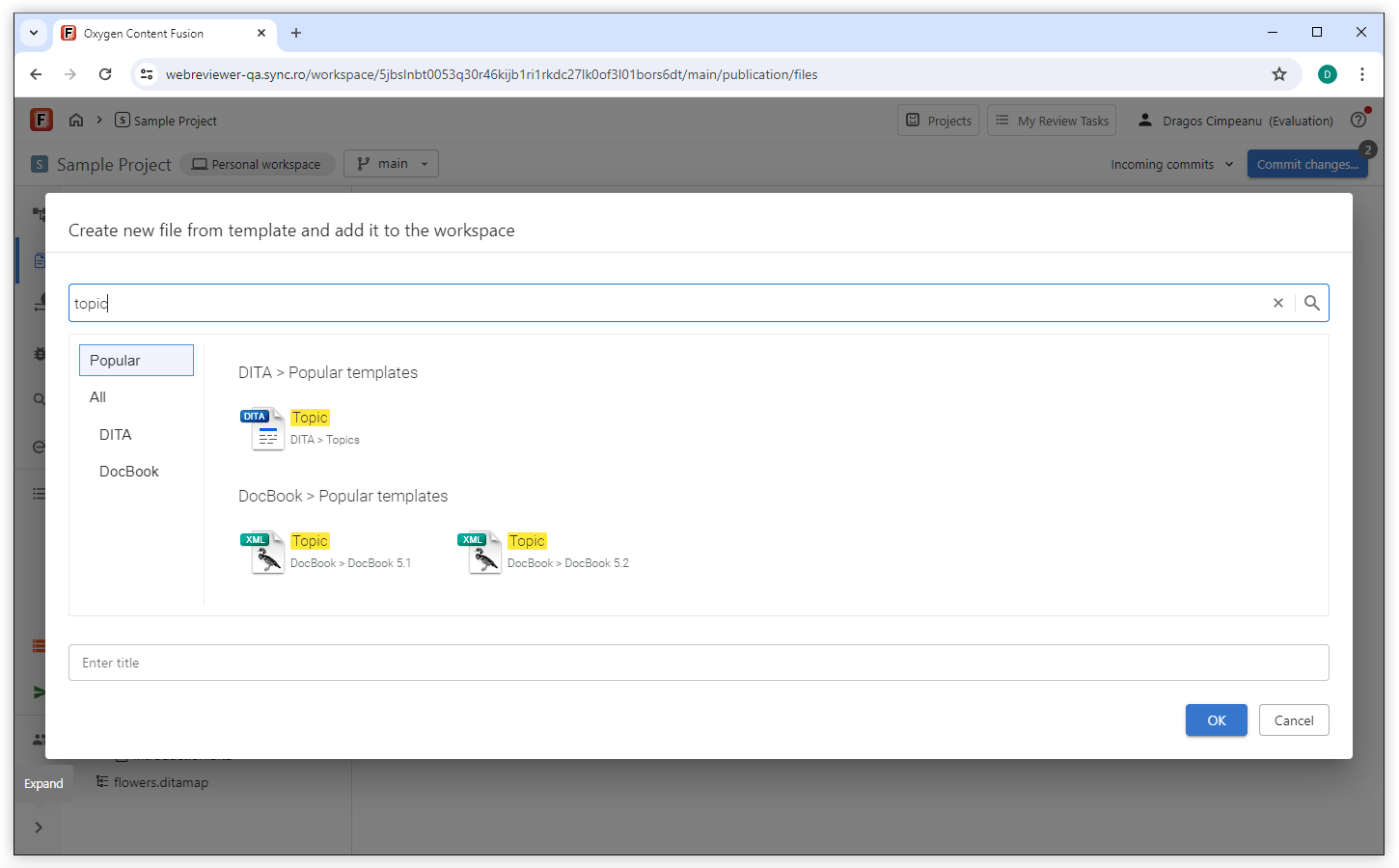
Search Templates When Creating a New File
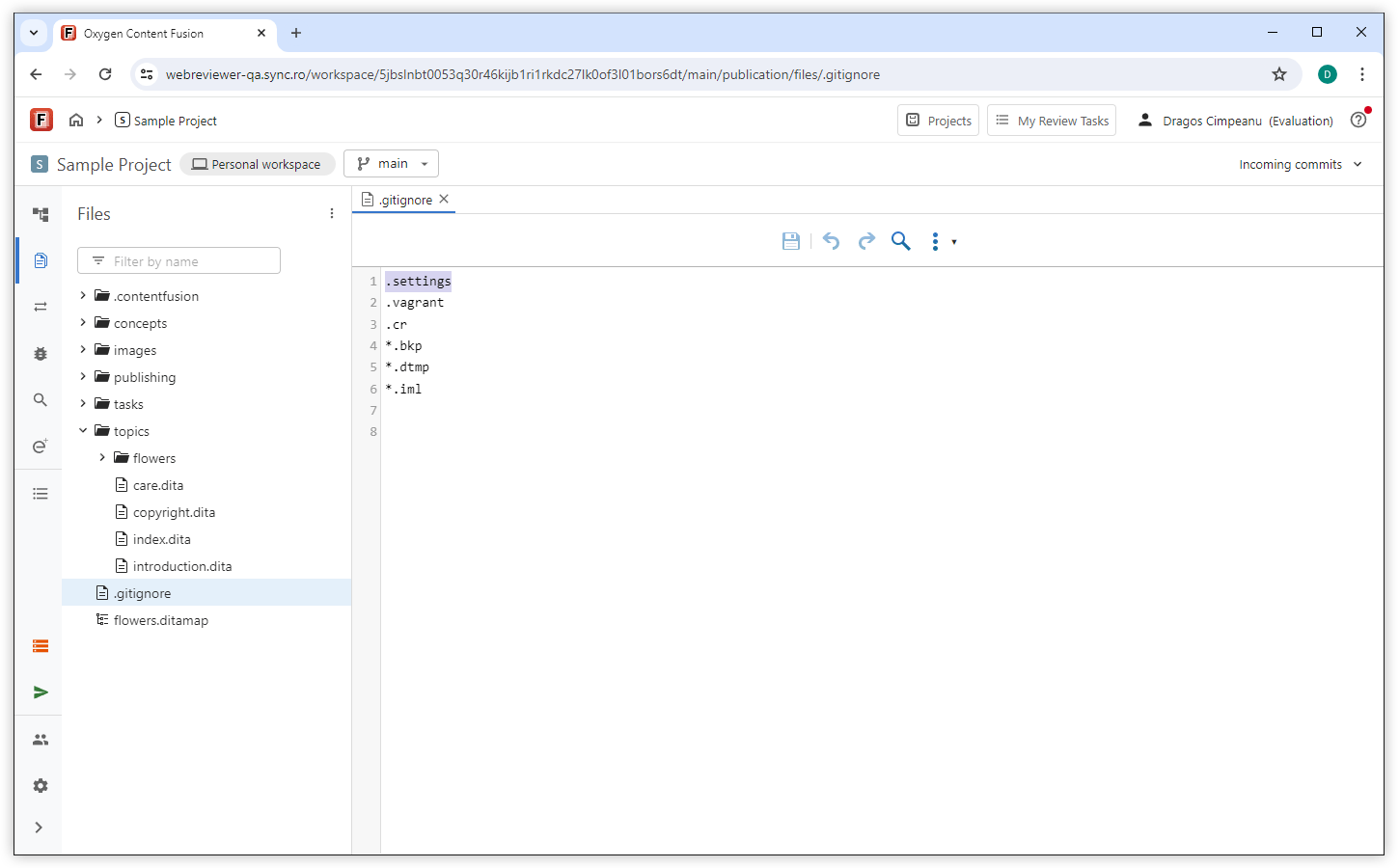
Support for More Plain Text File Types
Administration
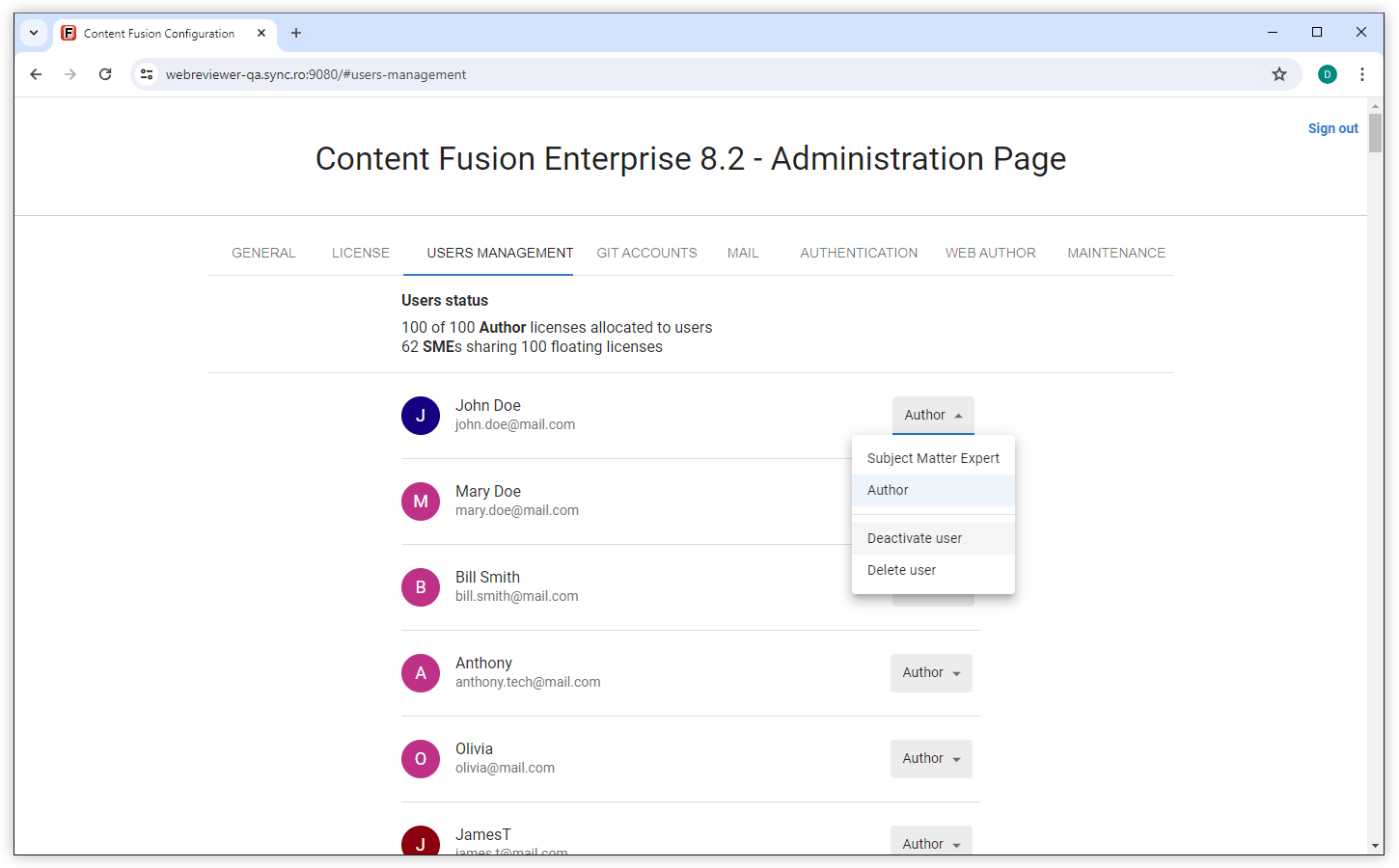
Deactivate and Reactivate User Accounts
Oxygen AI Positron Assistant for Content Fusion
Automatically Load and Manage Custom AI Actions from Your Project
Default OpenAI Model Updated to GPT-4.1
Improved All AI Action Prompts
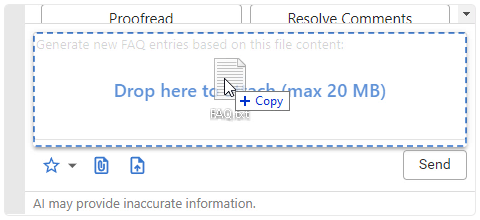
Attach Files to the Conversation Using Drag/Drop or Copy/Paste
Persistent Chat Across Editors
Persistent AI Positron Chat History in Content Fusion
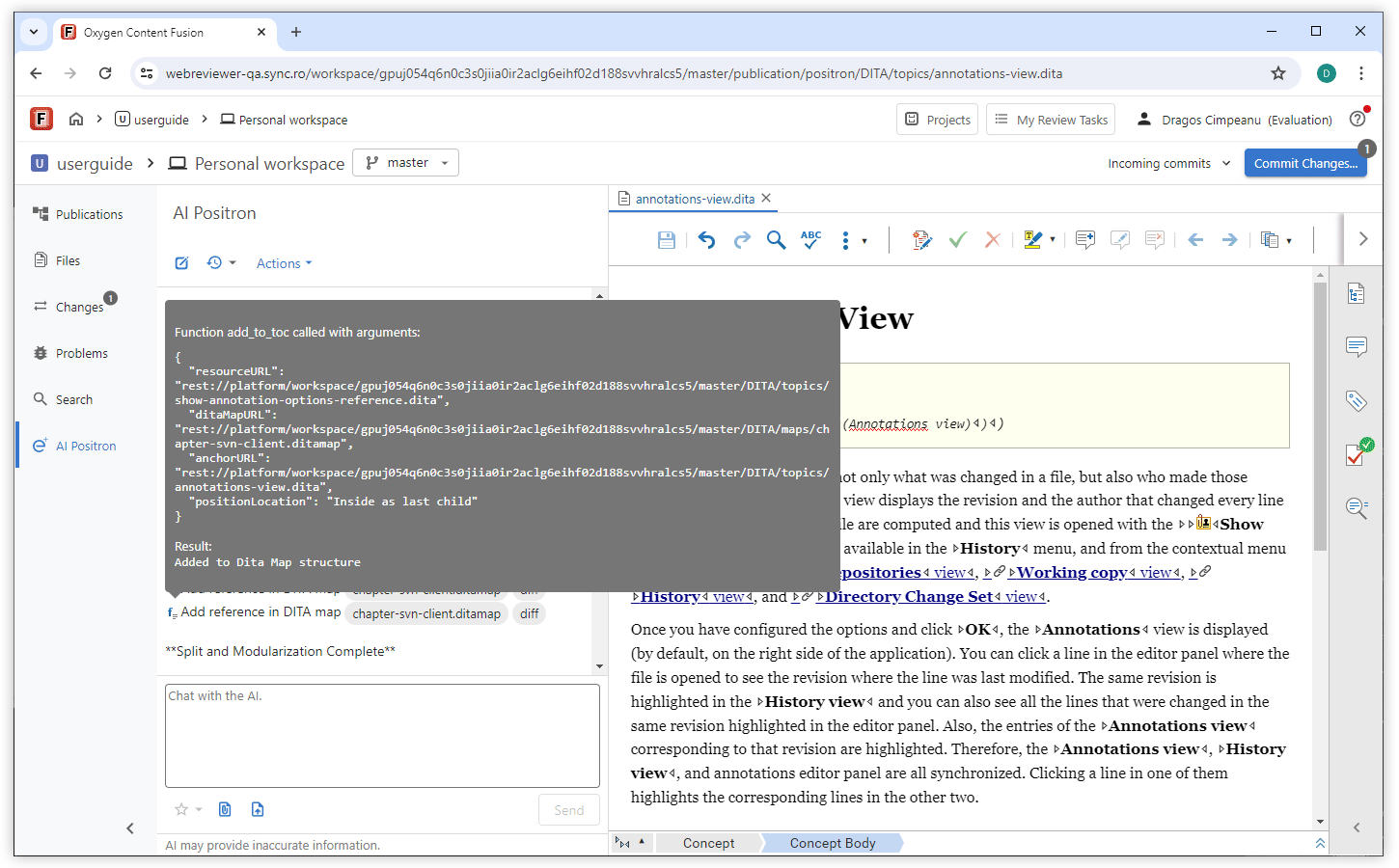
Improved Function Call Information
Save Prompt to Favorites After Invocation
New AI Connectors for Google Gemini and Vertex AI
What's New in Oxygen Content Fusion 8.1
Oxygen Content Fusion version 8.1 introduces significant enhancements to streamline your DITA content management and collaboration. You can now include publications from existing DITA-OT project files and enjoy flexible project creation workflows. This allows you to start projects without immediate Git integration and utilize predefined templates for a faster setup.
With the updated file comparison and merging tool, you can easily see changed review comments and choose to ignore whitespaces in text-based comparisons, helping you focus on meaningful changes.
The integration of the latest AI Positron Assistant 5.0 features enables you to attach Word, PowerPoint, and PDF files for context in AI interactions. You can also perform AI-powered topic analysis, conversion, and updates.
Projects
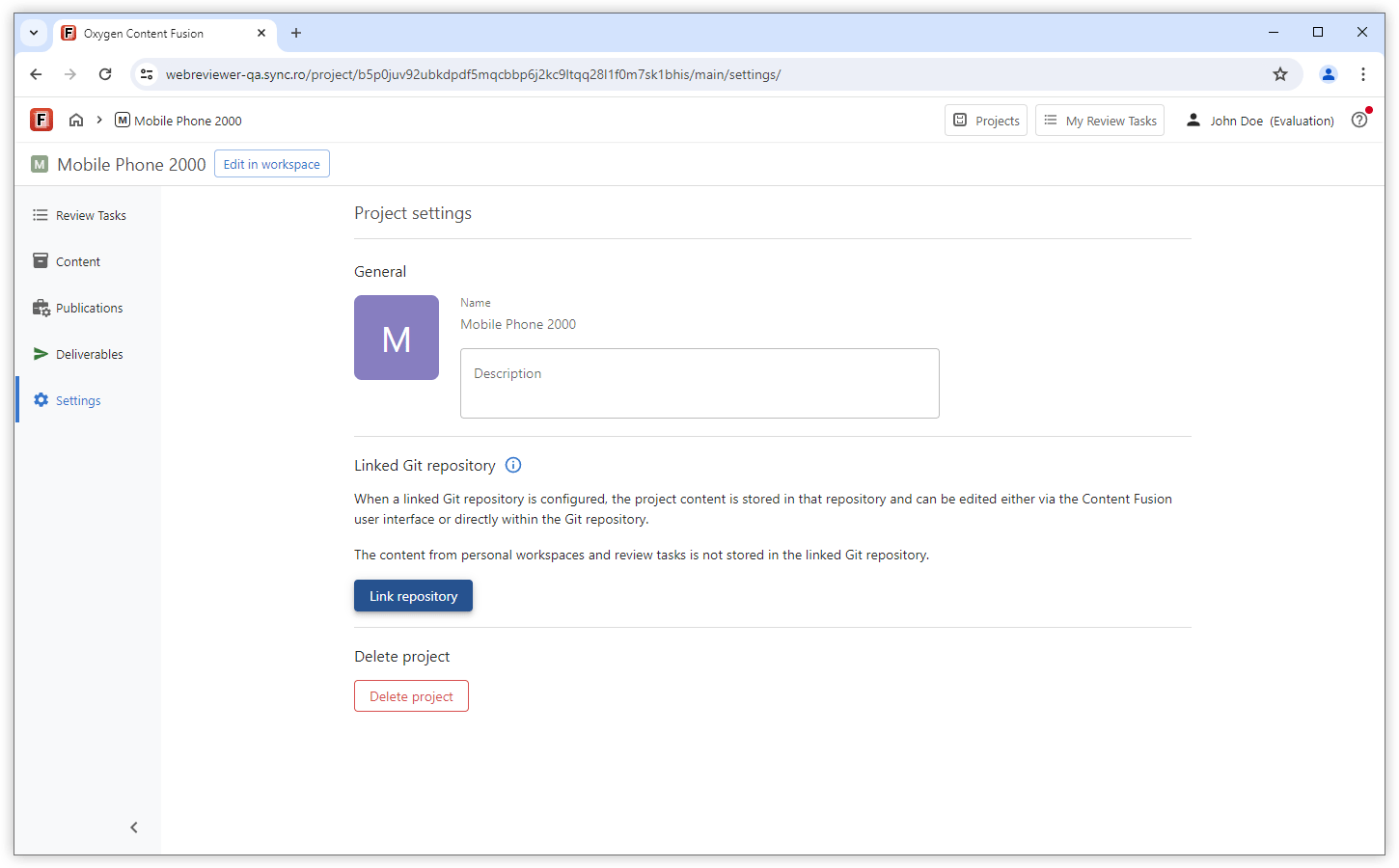
Start Projects Without Immediate Git Integration
You can now create a project in Content Fusion without immediately linking it to a Git repository. This gives you the flexibility to explore and work on your content without committing to a repository right away. Simply upload your files into the new project and start editing and collaborating. When you're ready, you can link a Git repository to the project, ensuring that all your previous work is retained and stored in the repository.
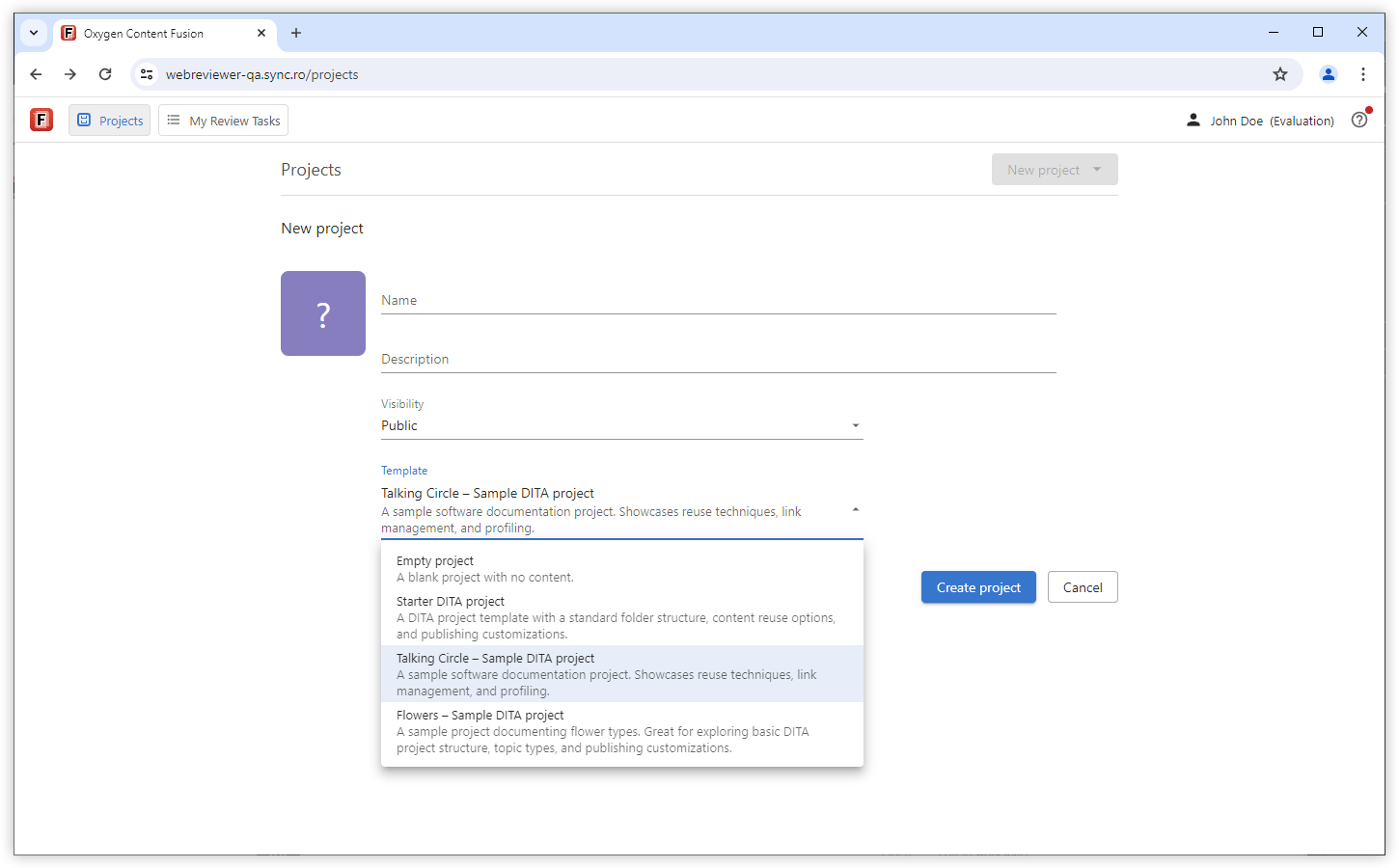
Get Started Faster with Project Templates
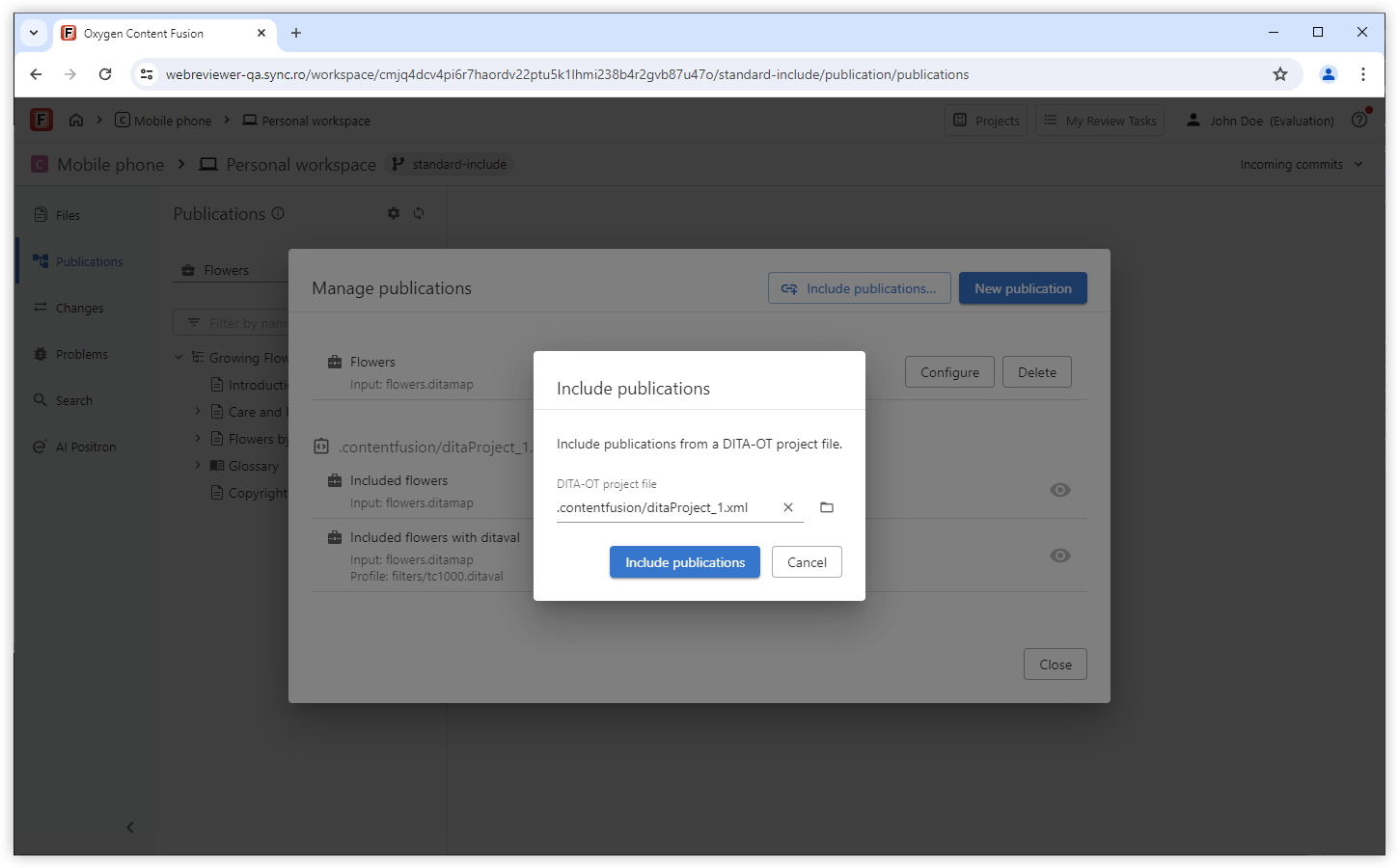
Include Publications from Existing DITA-OT Project Files
File Comparison/Merge Tool
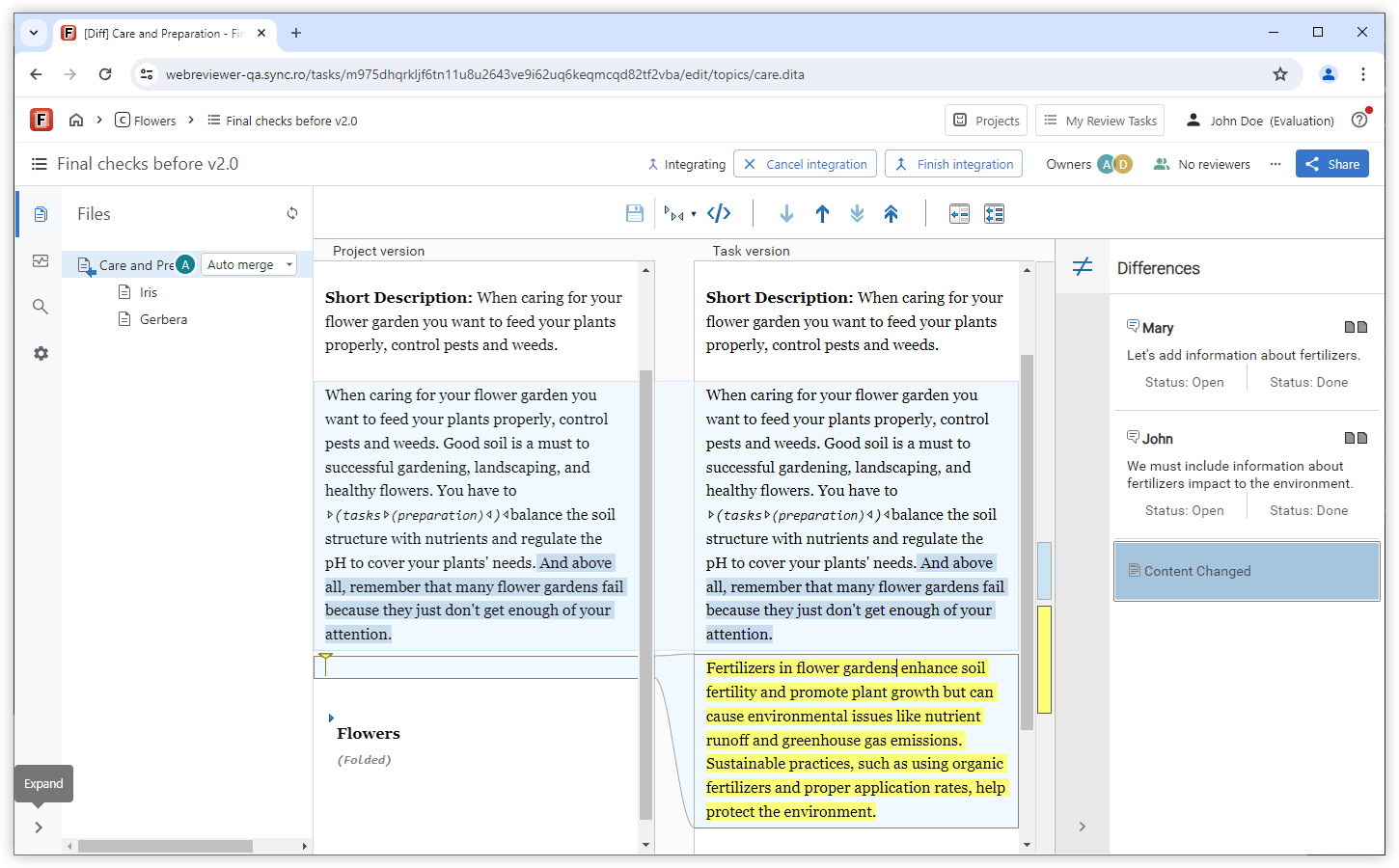
Differences View for Review Comments
You can now use the Differences view when you compare two versions of a file to see changes in review comments. This feature highlights newly added comments and replies, helping you stay informed about updates in your review tasks.
Ignore Whitespaces in Text-based Comparisons
AI Positron Assistant
Attach Word, Powerpoint, and PDF Files
DITA Document Conversion Actions
AI-Powered DITA Topic Analysis and Update
Custom AI Actions Development
Integration with xAI Grok
Distribute or Filter AI Actions
Reference Prompt Files in AI Actions
Component Updates
Updated Web Author Visual Editor
Updated Oxygen Publishing Engine
What's New in Oxygen Content Fusion 8.0
Oxygen Content Fusion version 8.0 integrates the Oxygen AI Positron Assistant, a powerful AI-driven tool designed to boost writer productivity through AI-generated content, as well as introducing significant enhancements to the project functionality.
AI Positron Assistant
AI-Powered Editing Inside the Personal Workspace
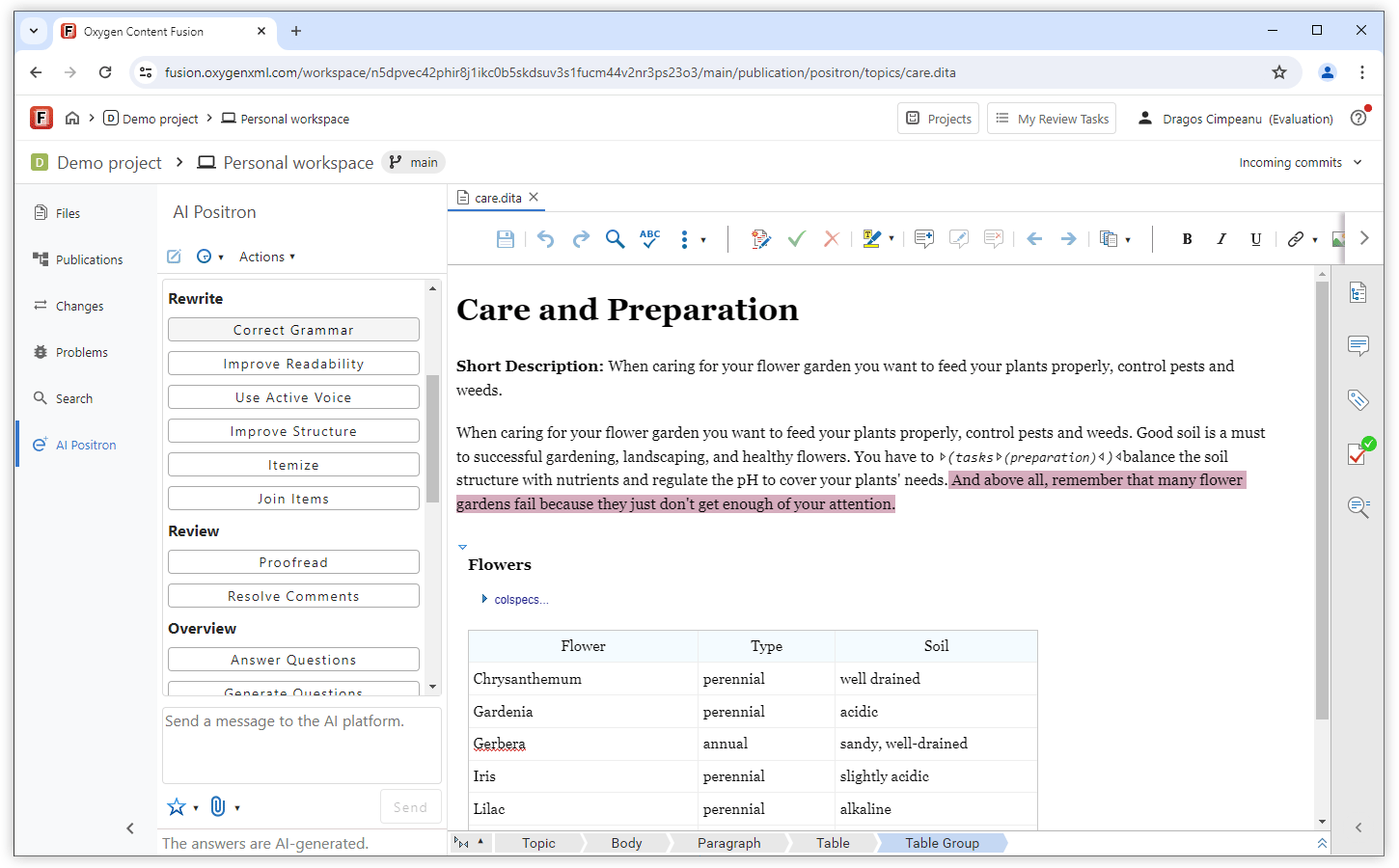
Address Feedback in Review Tasks Using AI
Projects
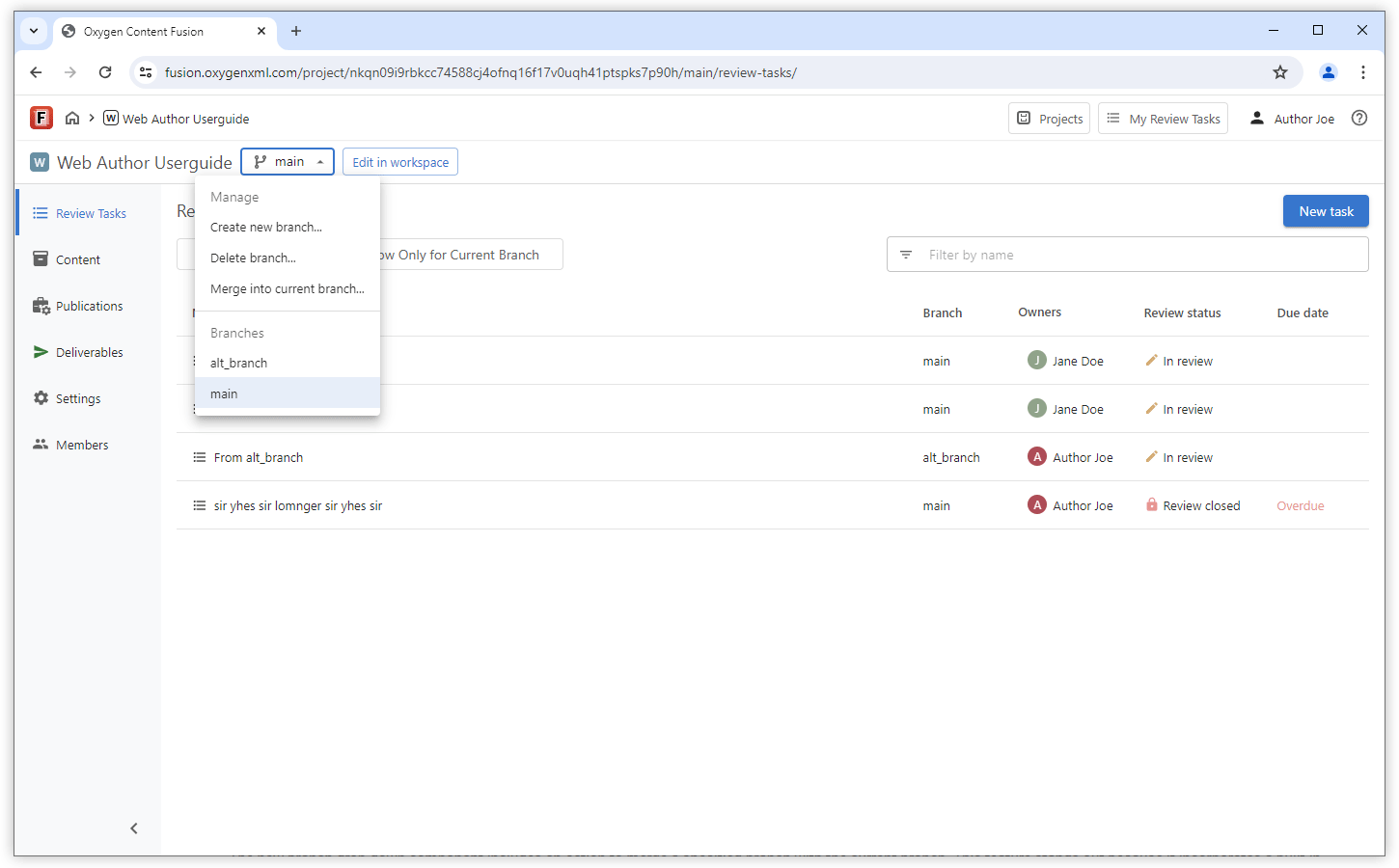
Access to All Branches
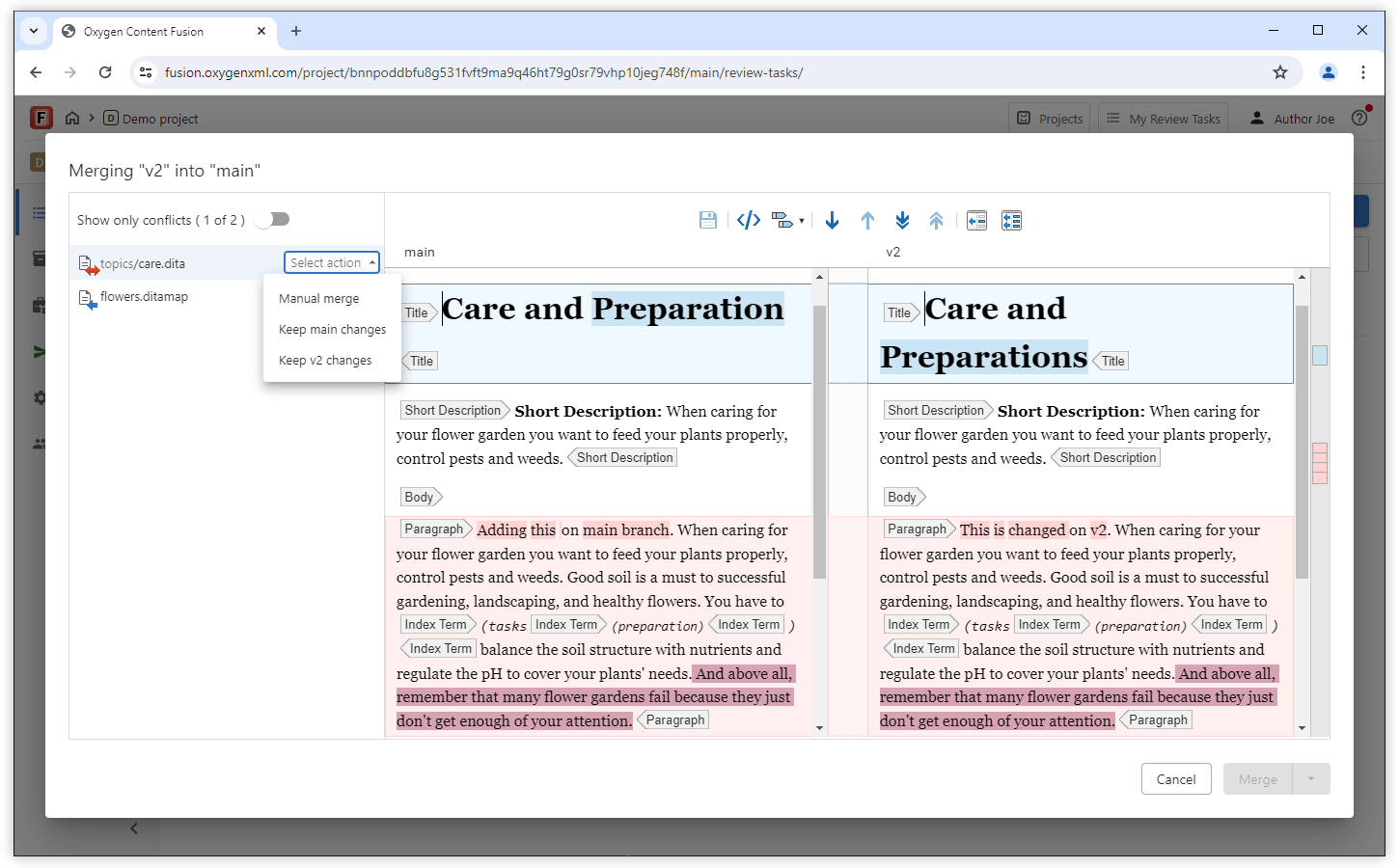
Merge Branches
Review Tasks on Any Branch
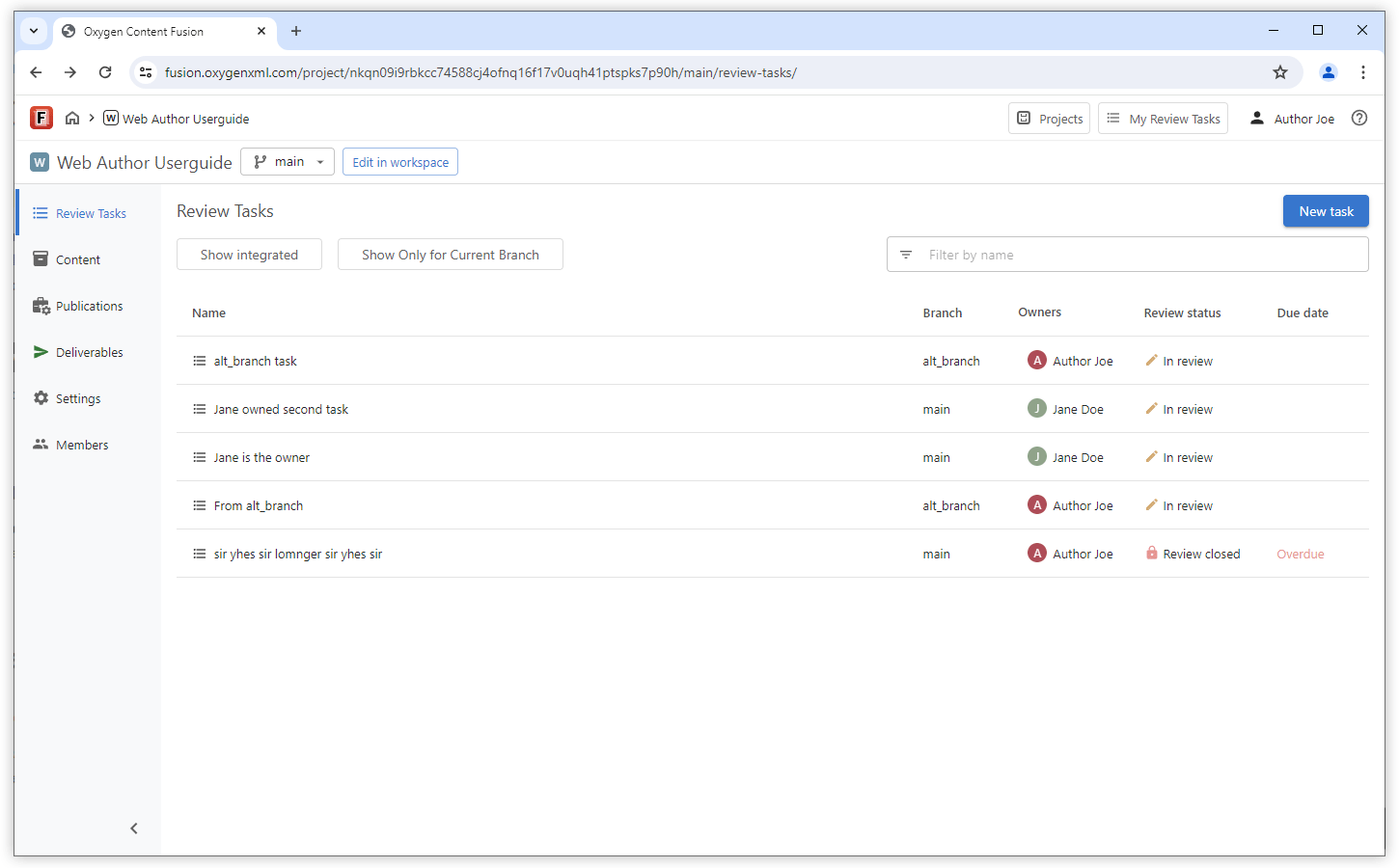
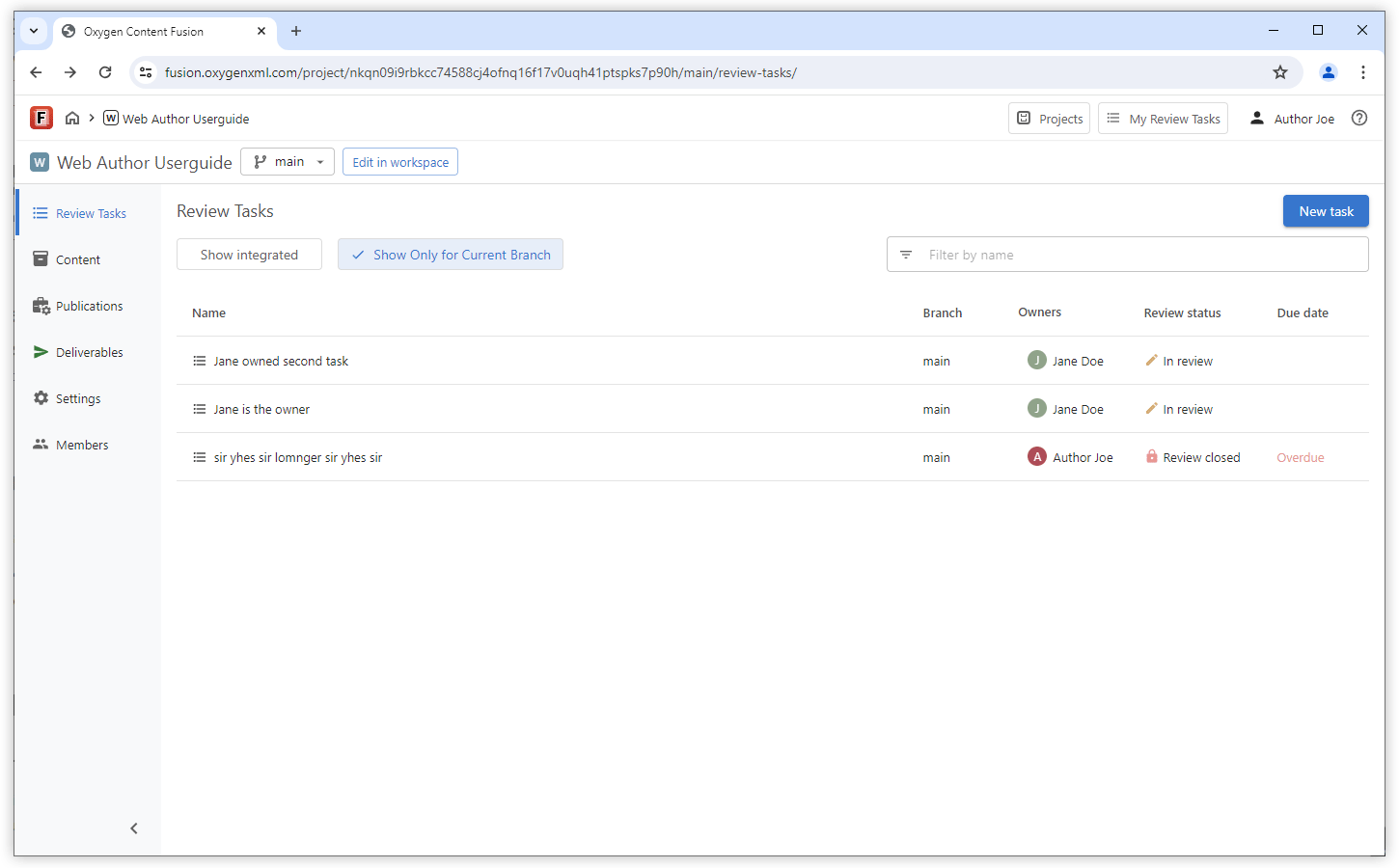
Current Branch Filter for Review Tasks
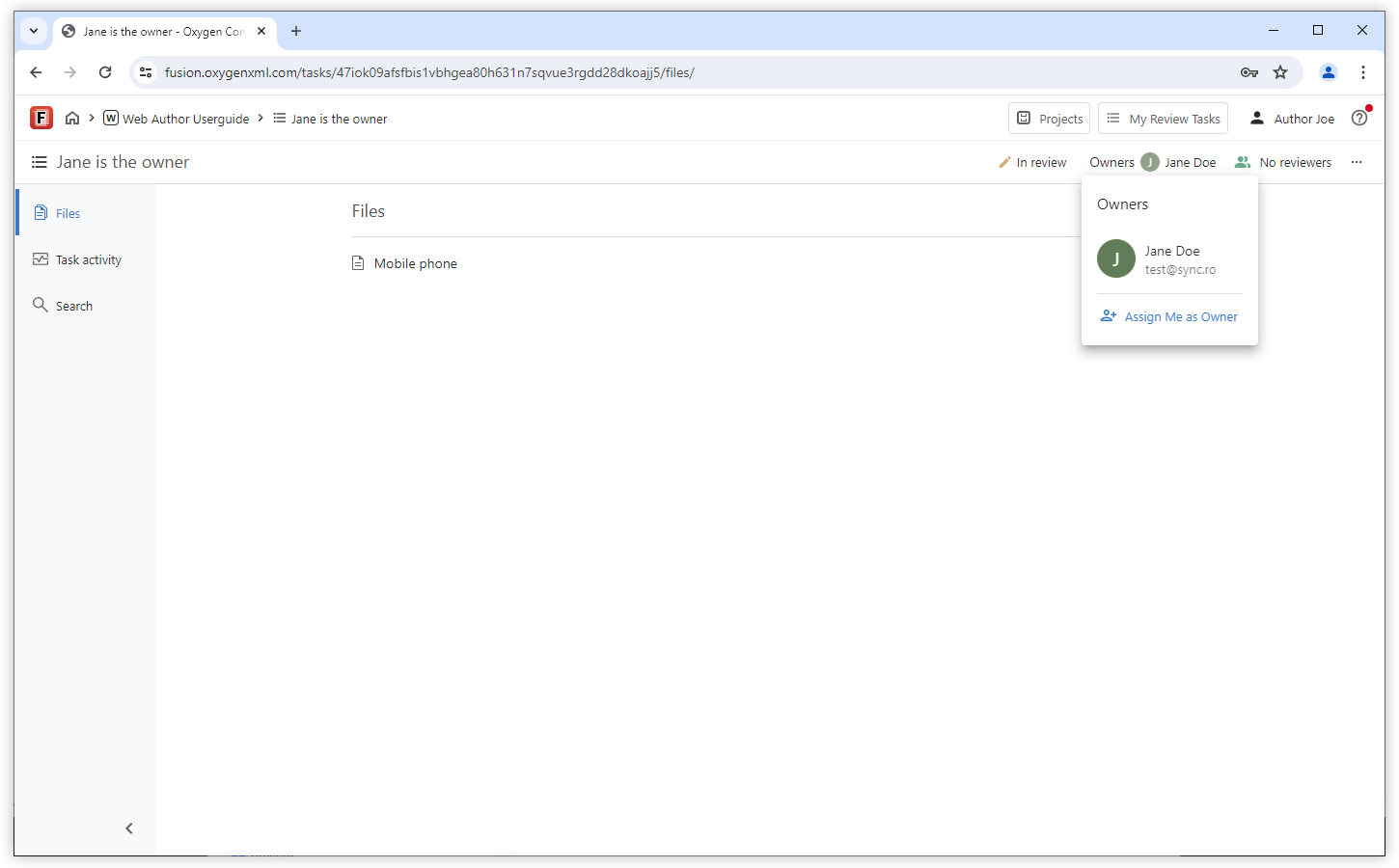
Take Ownership of a Review Task
Validation Improvements
AI Content Generation Actions
Expand DITA Topic Draft
Generate Short Descriptions
Generate Image Alternate Text
AI-based MathML Generation
AI Content Improvement Actions
Split Large DITA Topics
Fix Validation Problems
Proofread Action
Resolve Comments Action
Improve Structure Action
Authentication
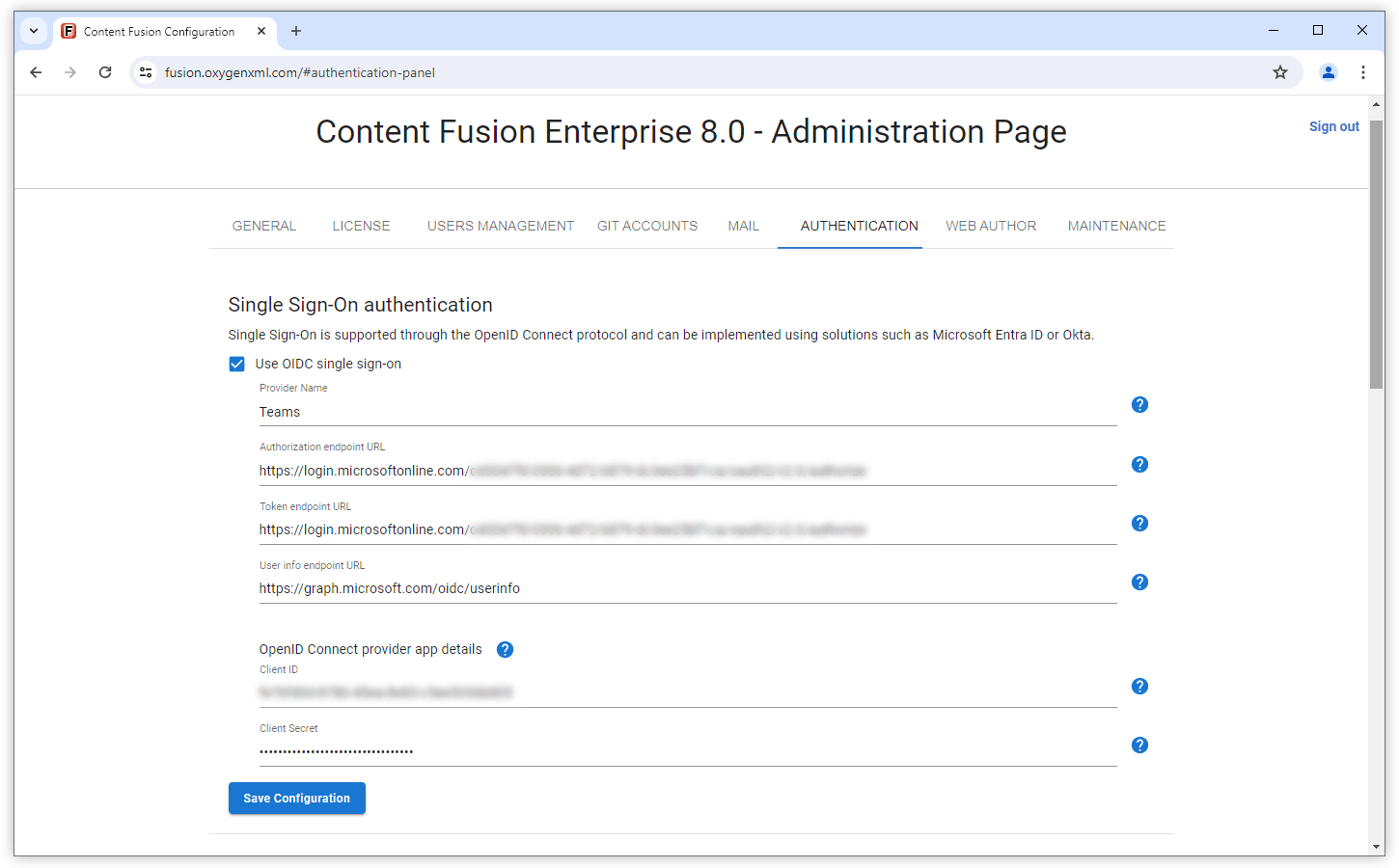
OpenID Connect Single Sign-on
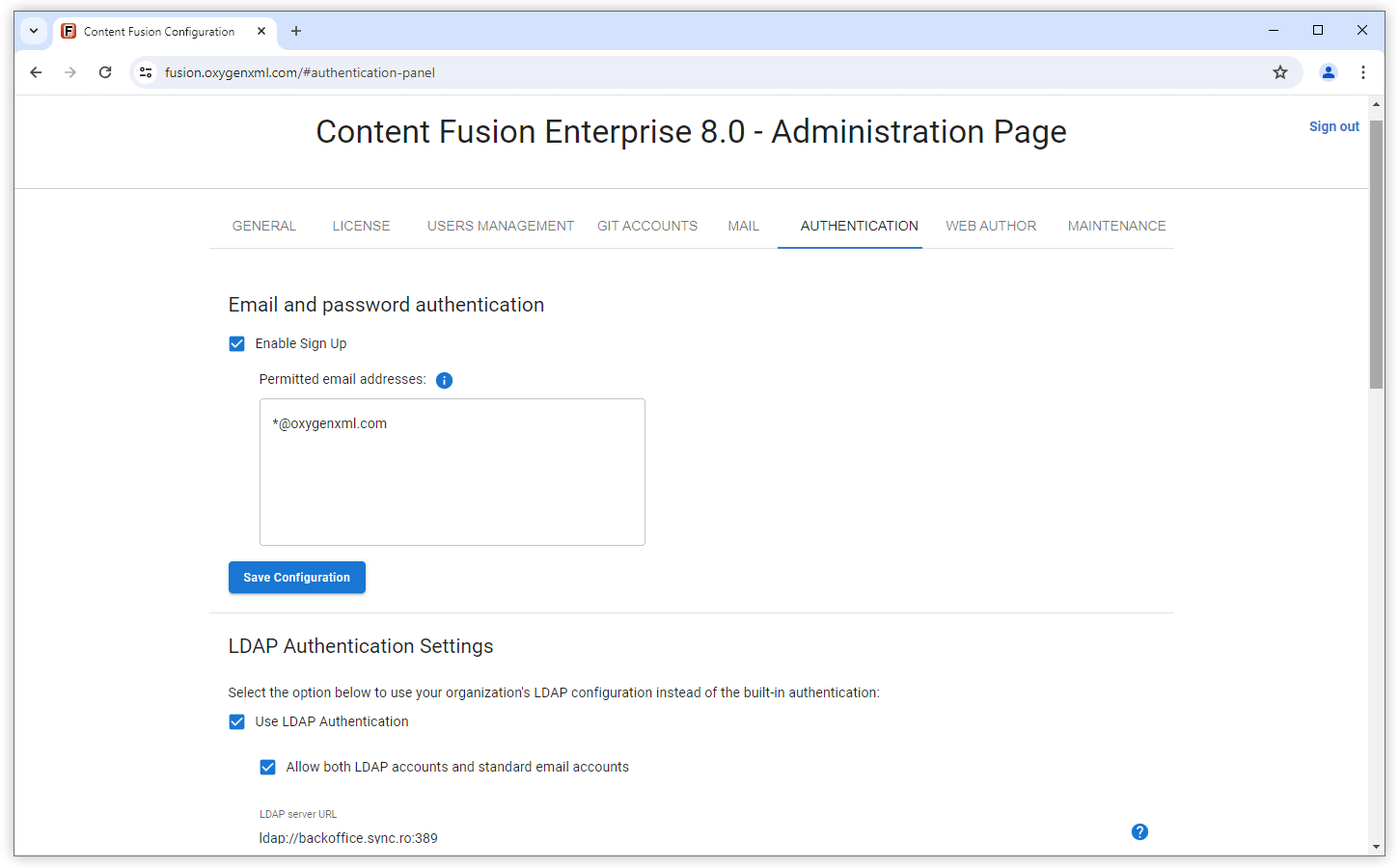
Control Email and Password Signups
Customization
Custom AI Actions and Tool Functions
Updated Web Author Visual Editor
Content Security Policy Enabled by Default for the Editor
What's New in Oxygen Content Fusion 7.1
Version 7.1 of Oxygen Content Fusion builds on the projects concept introduced in the previous version by enhancing its functionality and offering even more capabilities.
This release provides various new ways to manage files and folders in the workspace, new side views were added to offer search functionality as well as validation for DITA XML projects, and you now have the possibility of comparing the differences between XML files in source mode, while the diff and merge support now also works for Markdown and other text files. Additionally, various improvements were implemented to continue to streamline the process of working with review tasks and to continue to enhance the authoring experience.
Workspace File Management
Rename, Move, and Copy Files or Folders with Automatic Reference Updates
It is important to note that when working with DITA XML projects, the files or folders that are renamed or moved have their references (links, content references, image references) automatically updated, saving you time since you do not need to update the references manually and preventing validation issues. The references to the modified files (and from these files to other files) are automatically updated so that the overall project remains valid without any broken links.
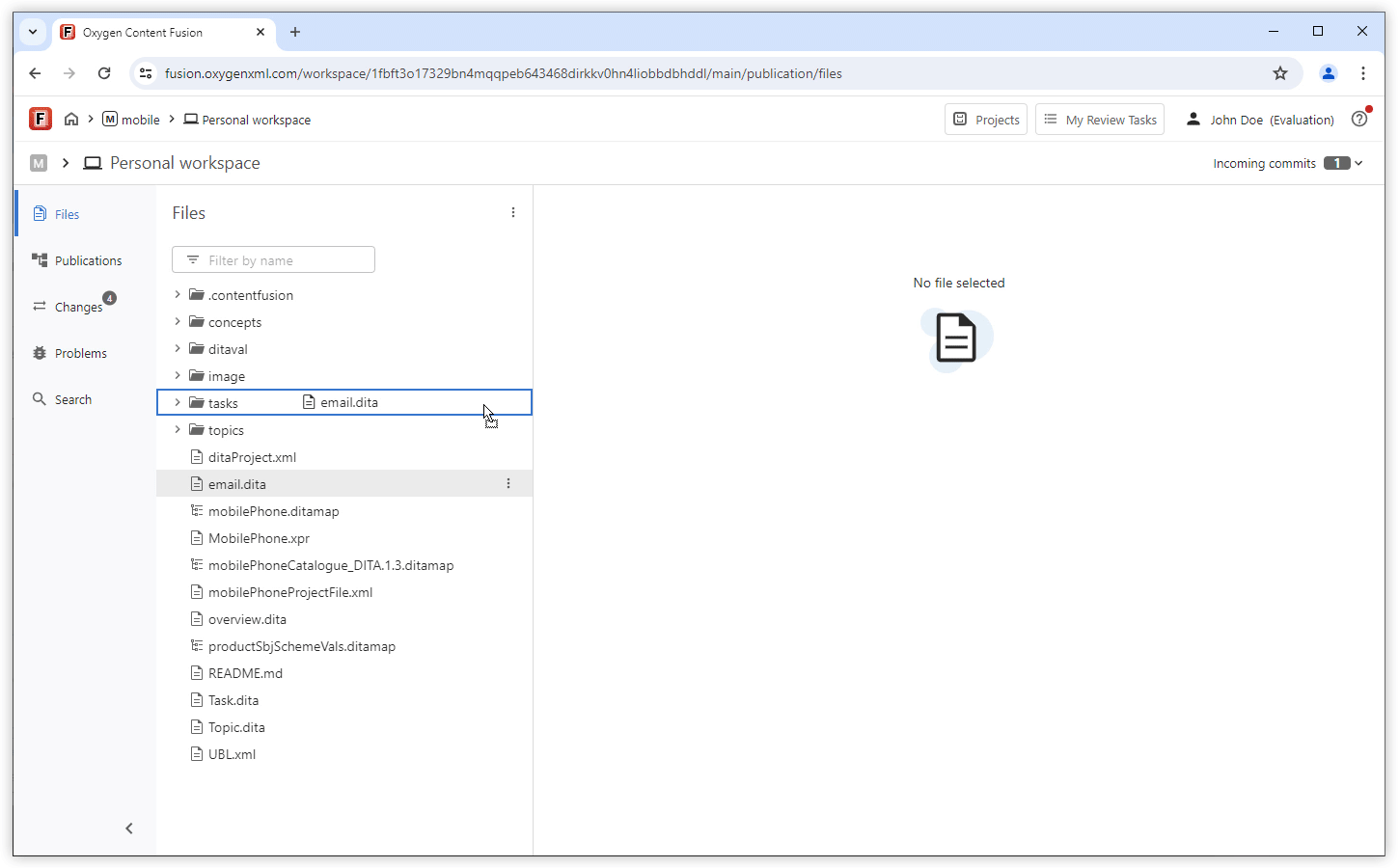
Upload Existing Content to Workspace
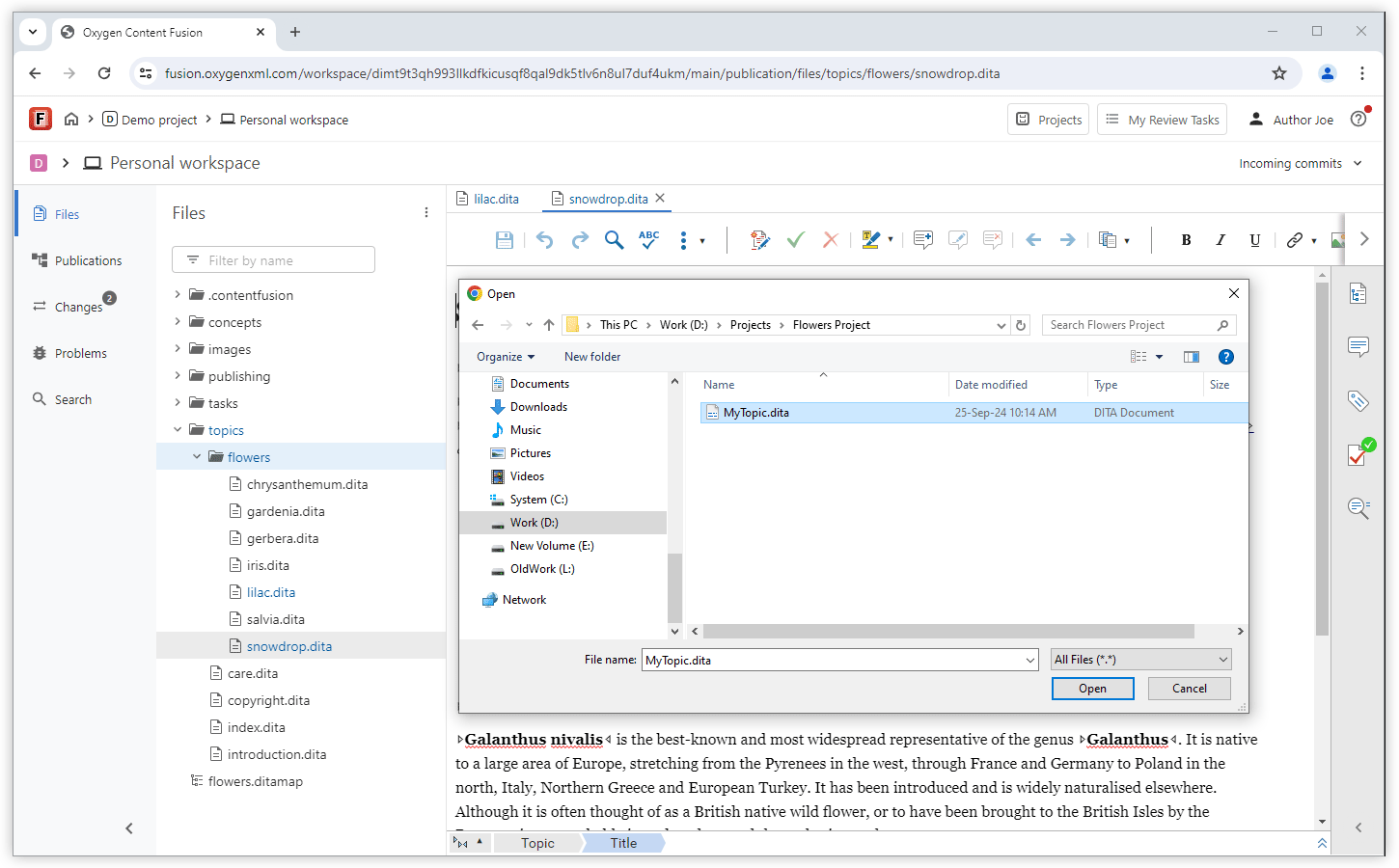
Personal Workspace
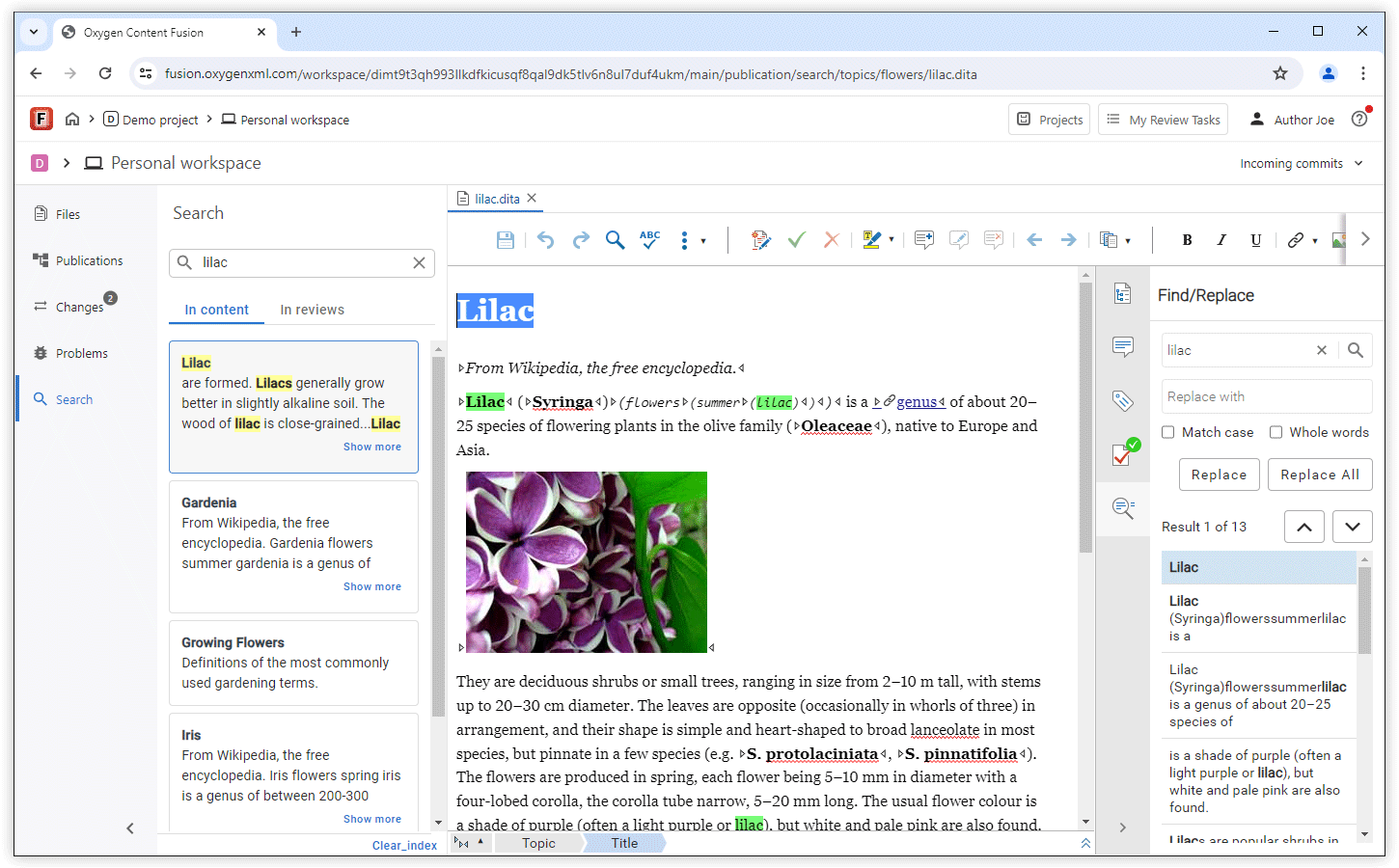
Search for Content in Your Workspace
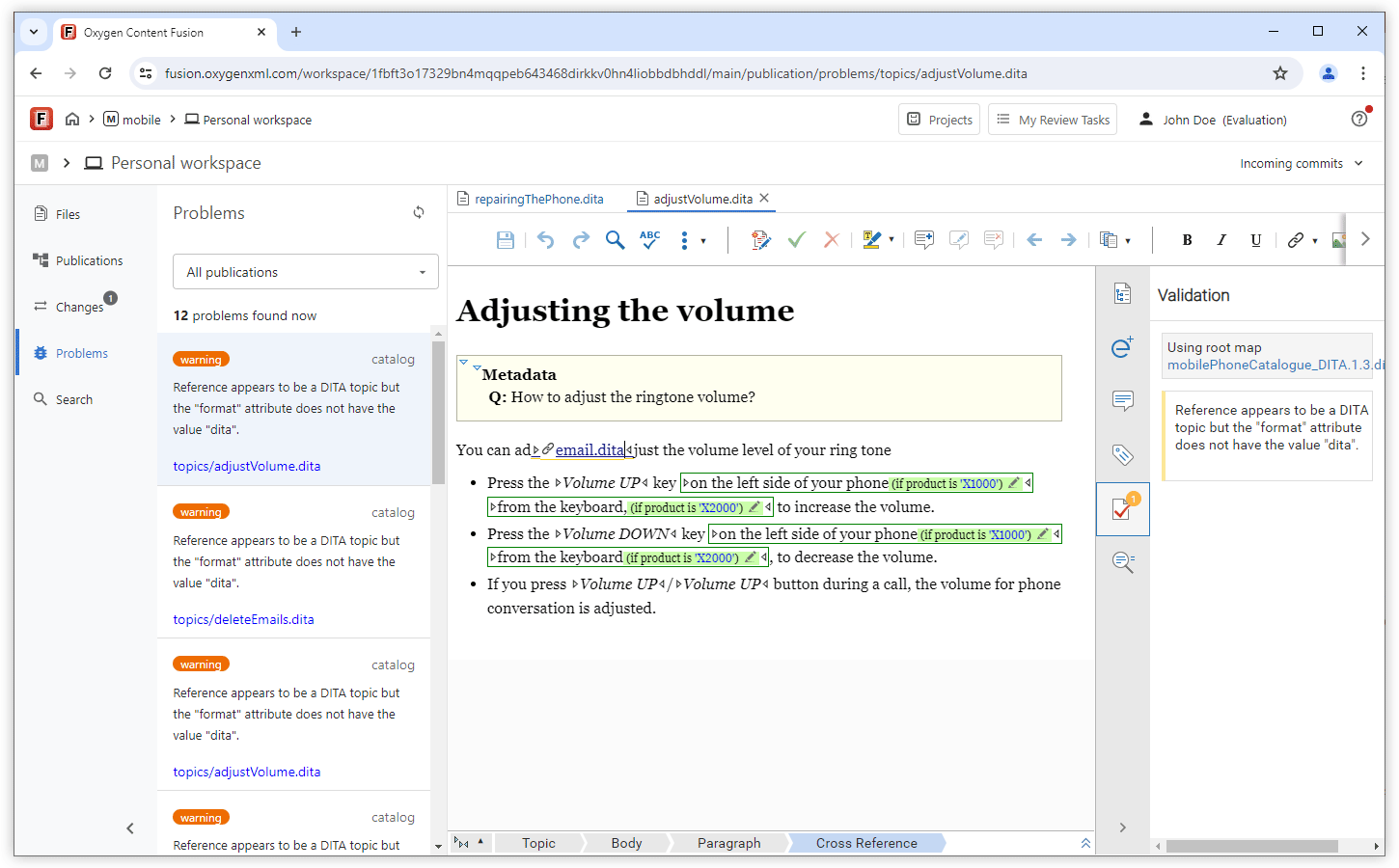
Entire Project Validation
Git-Friendly Publications Management
The main benefit of this functionality is that you can perform multiple related operations (such as adding a publication, creating the DITA Map, and adding initial topics) and push them in the repository with a single commit. You can also customize the commit message according to your preference.
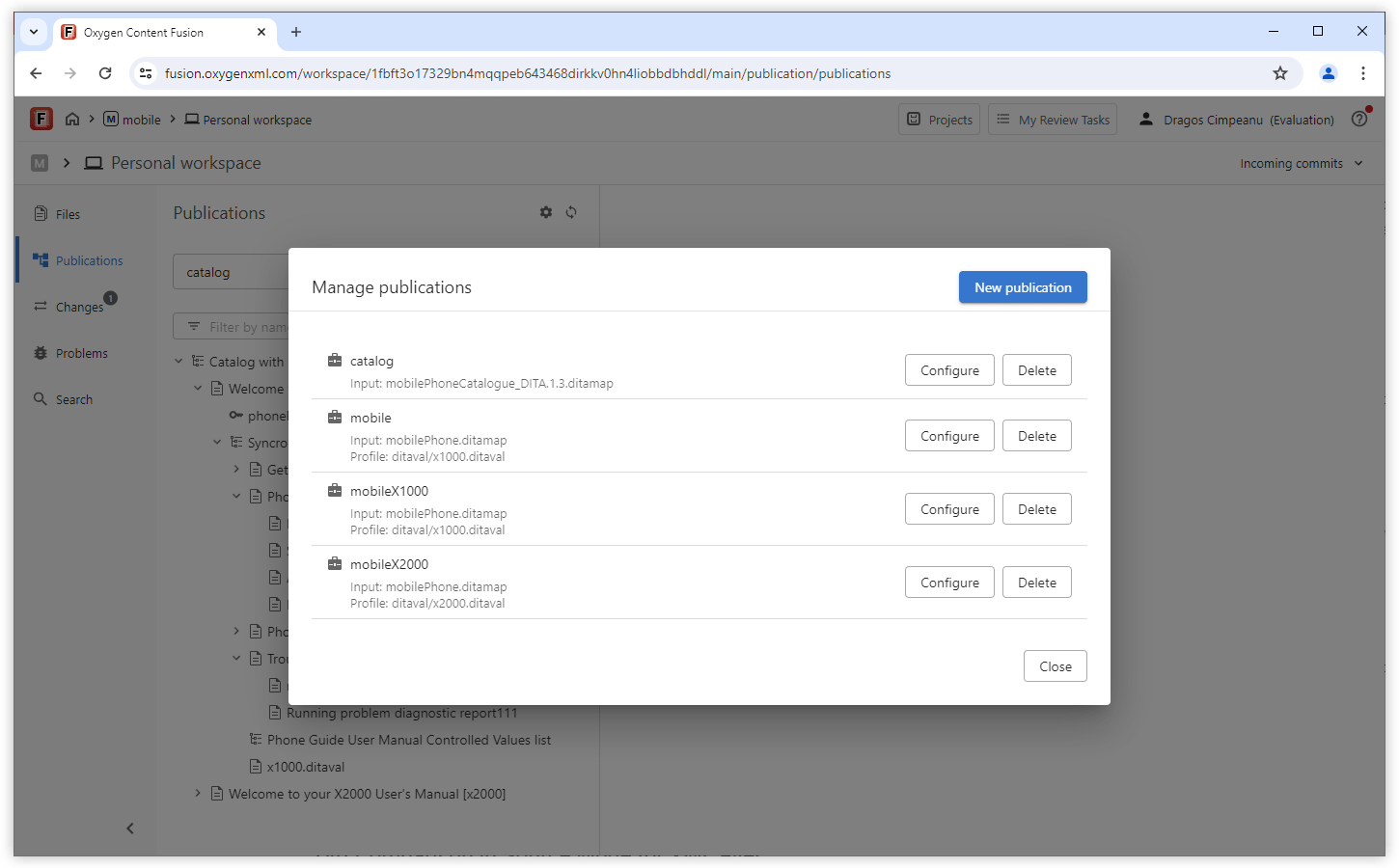
Ability to Work With Multiple Editor Tabs
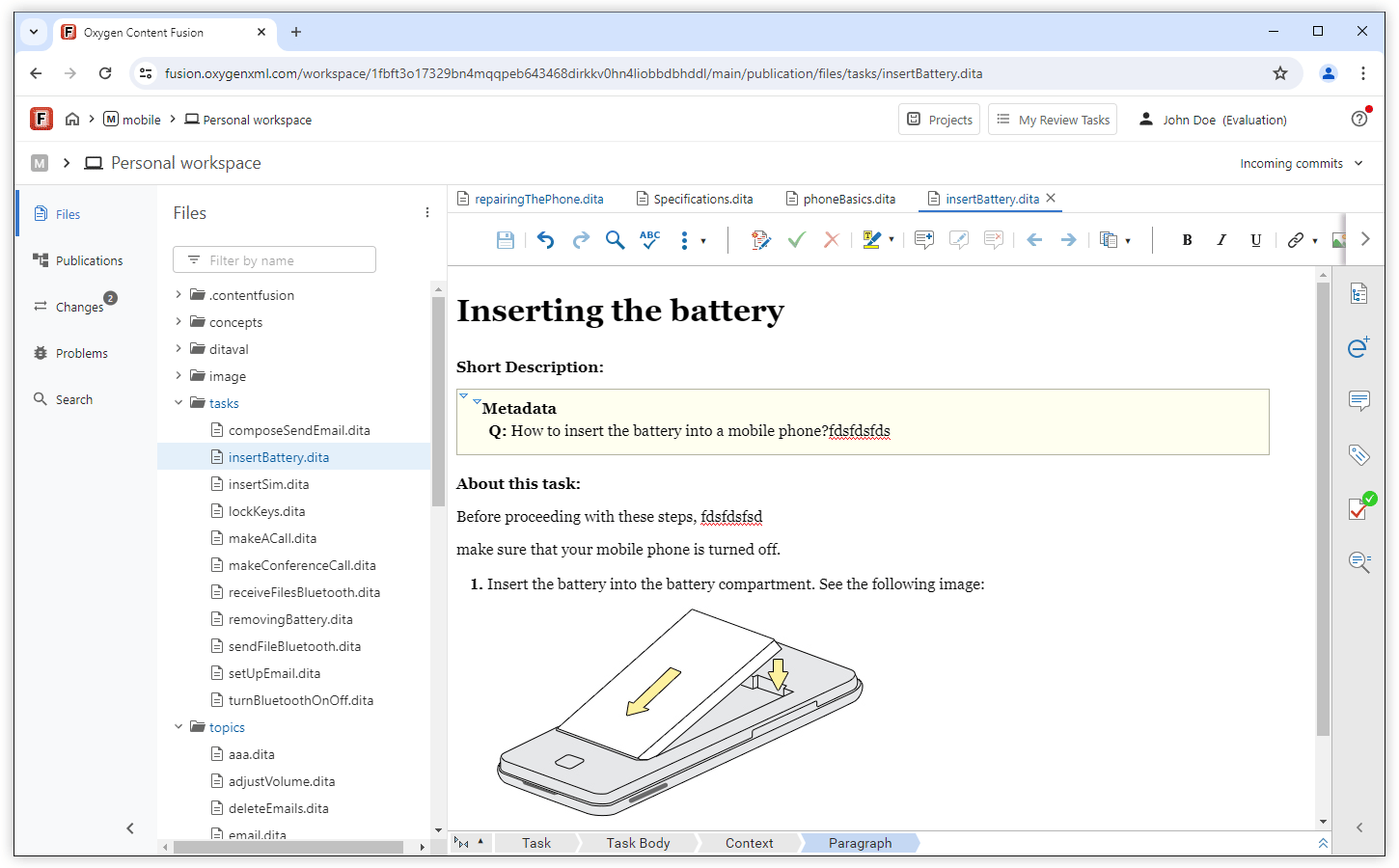
Discard All Changes in Your Workspace
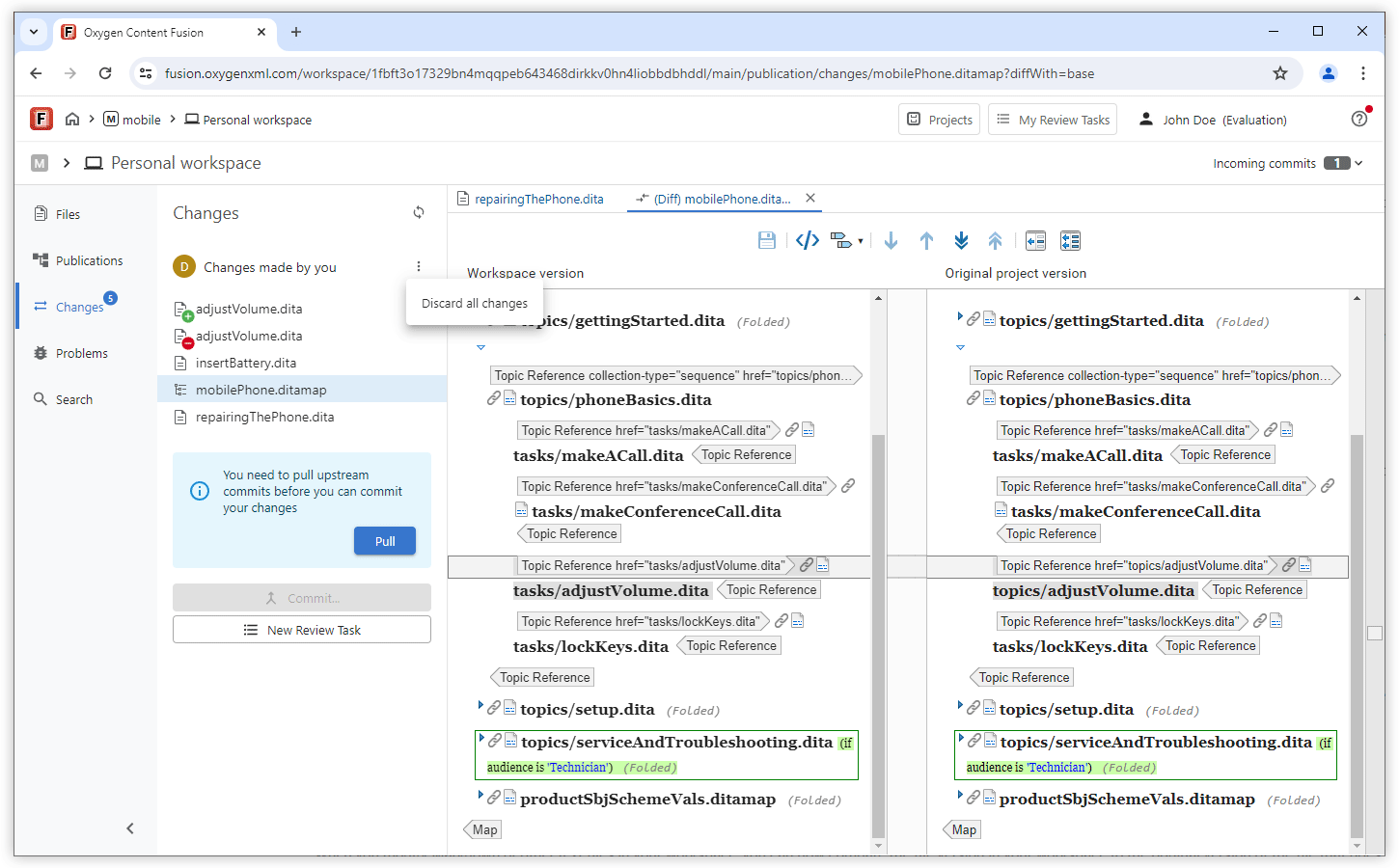
File Comparison
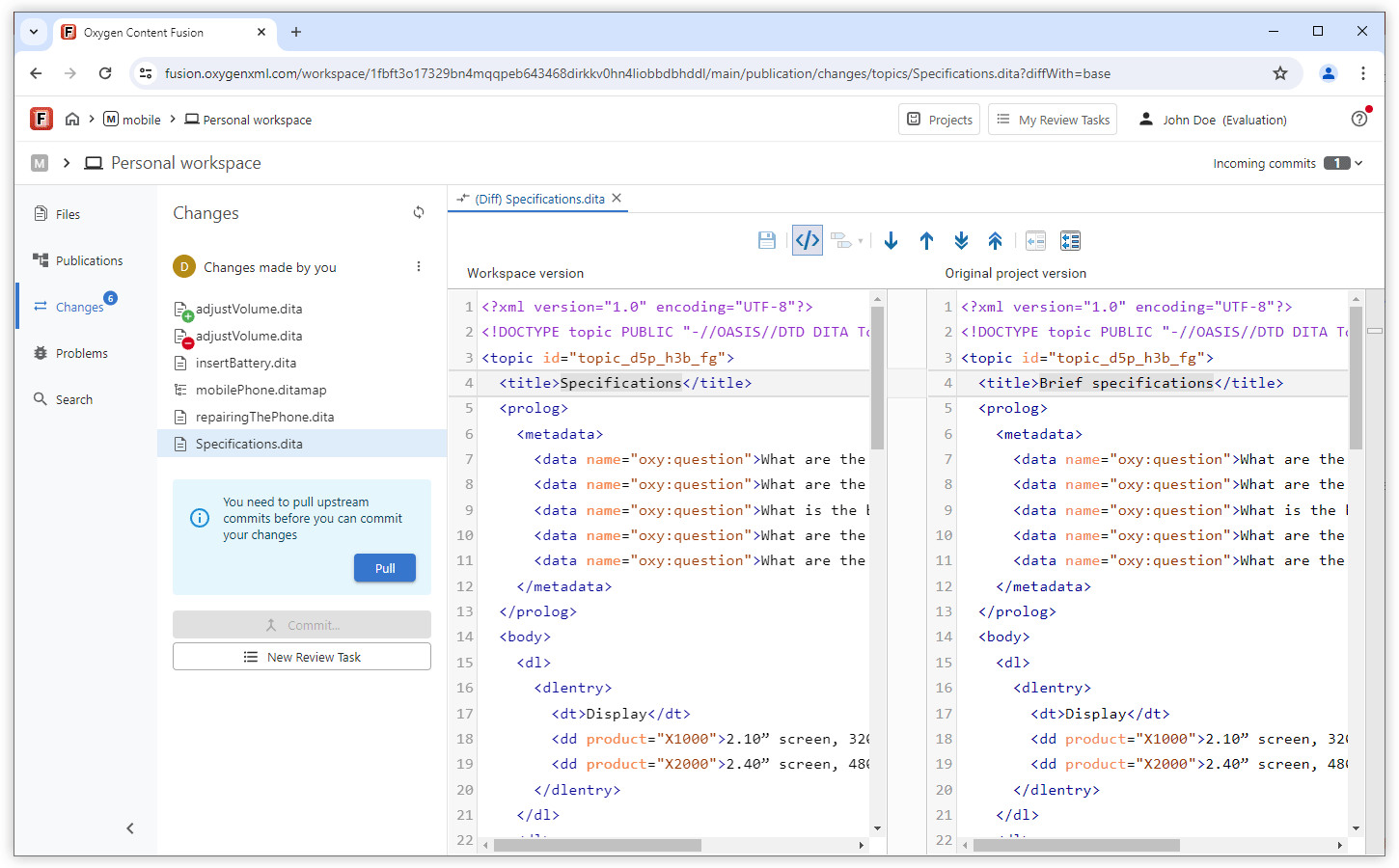
Diff Comparison in Source Mode for XML Files
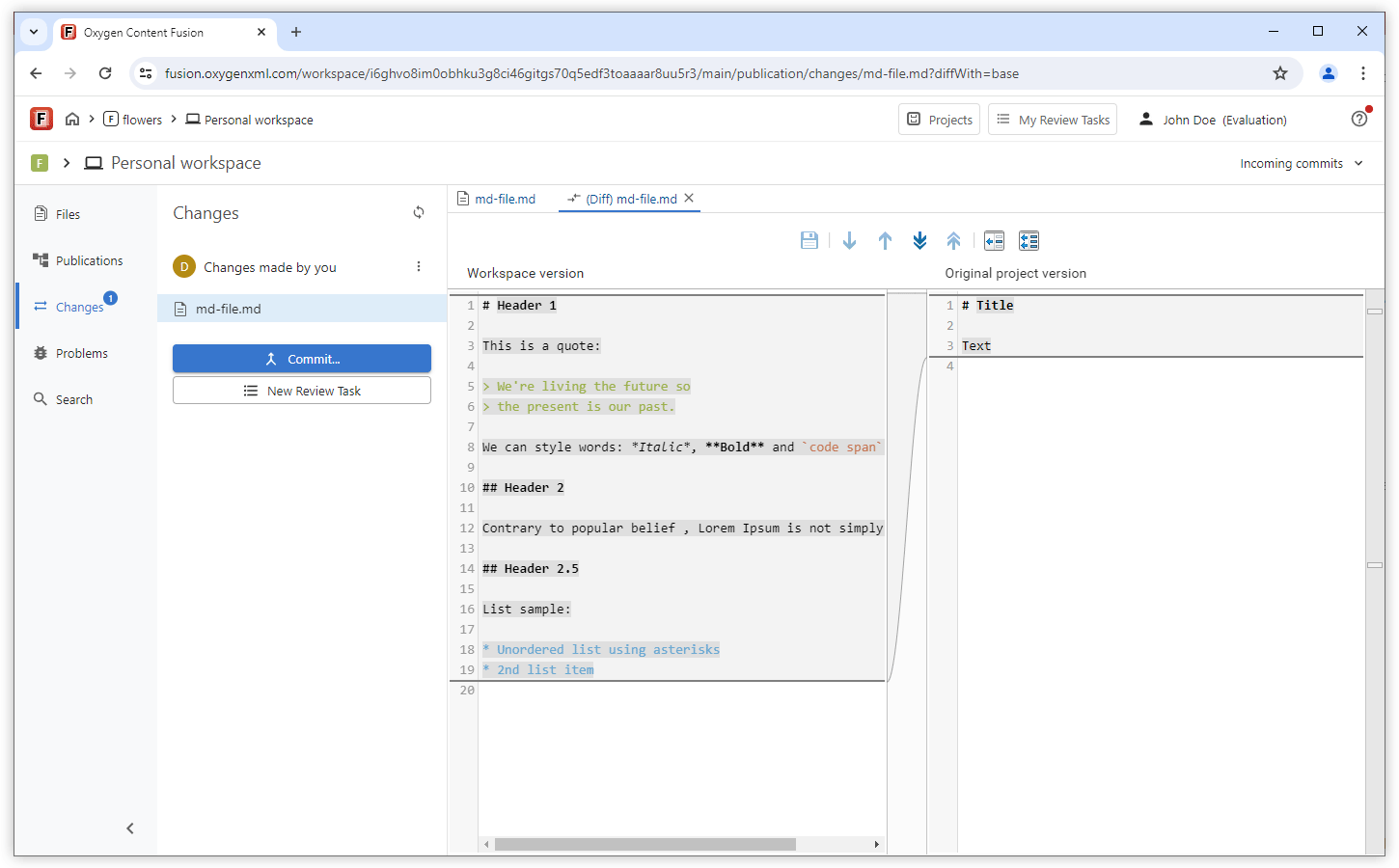
Diff and Merge Support for Markdown and Other Text Files
Review Tasks
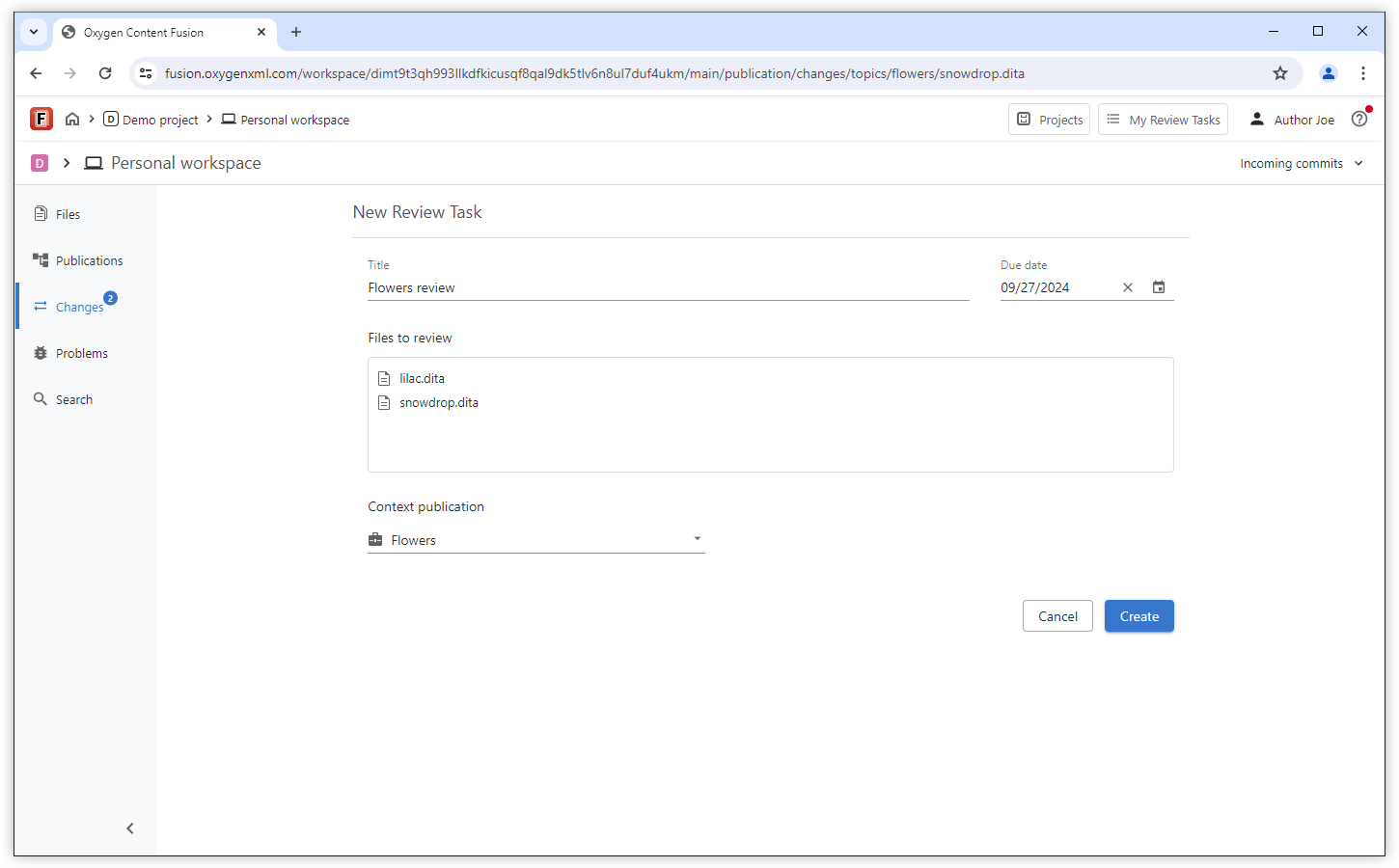
Create a Review Task with Changes Made in Your Personal Workspace
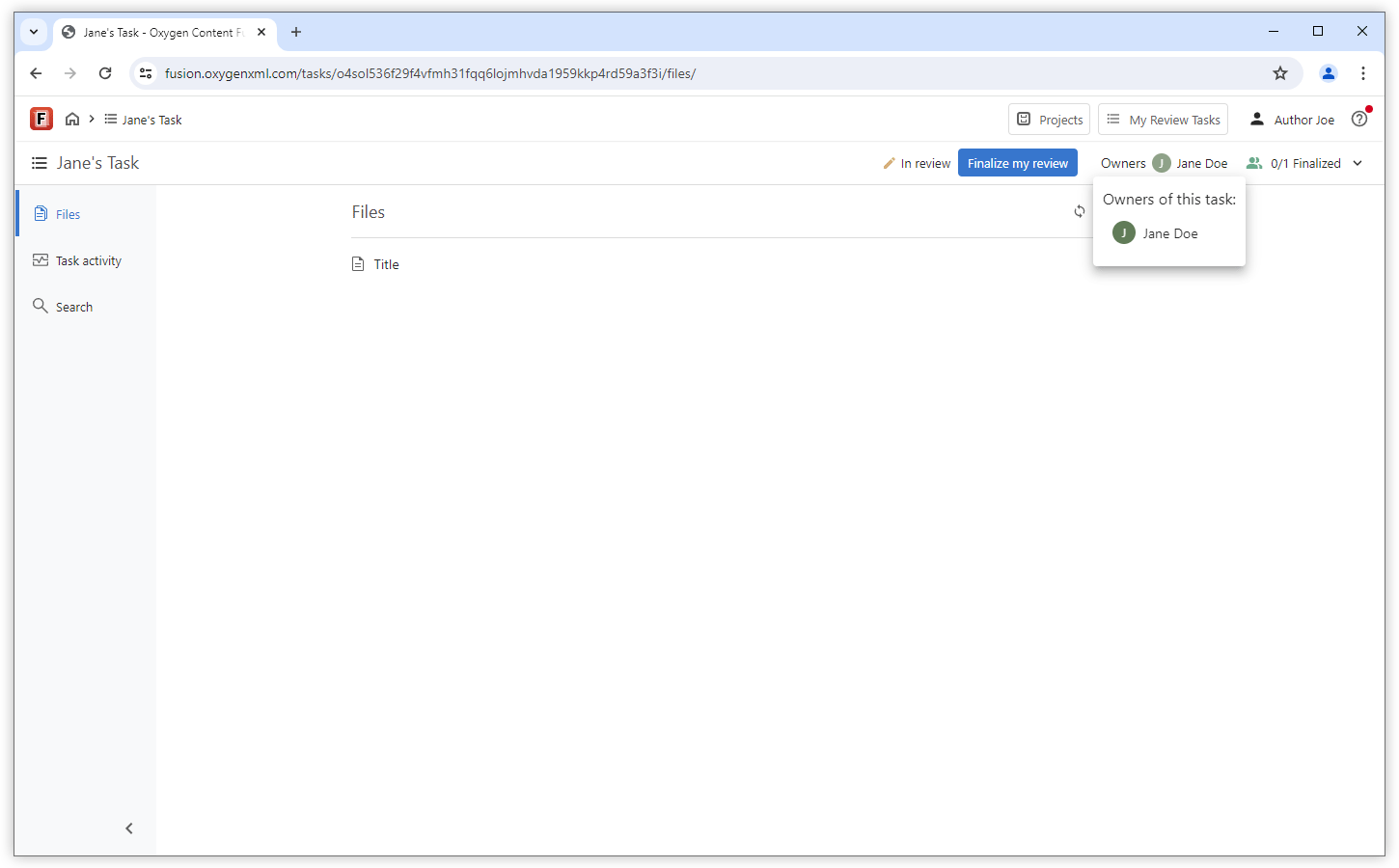
Task Owners Displayed in Upper Stripe
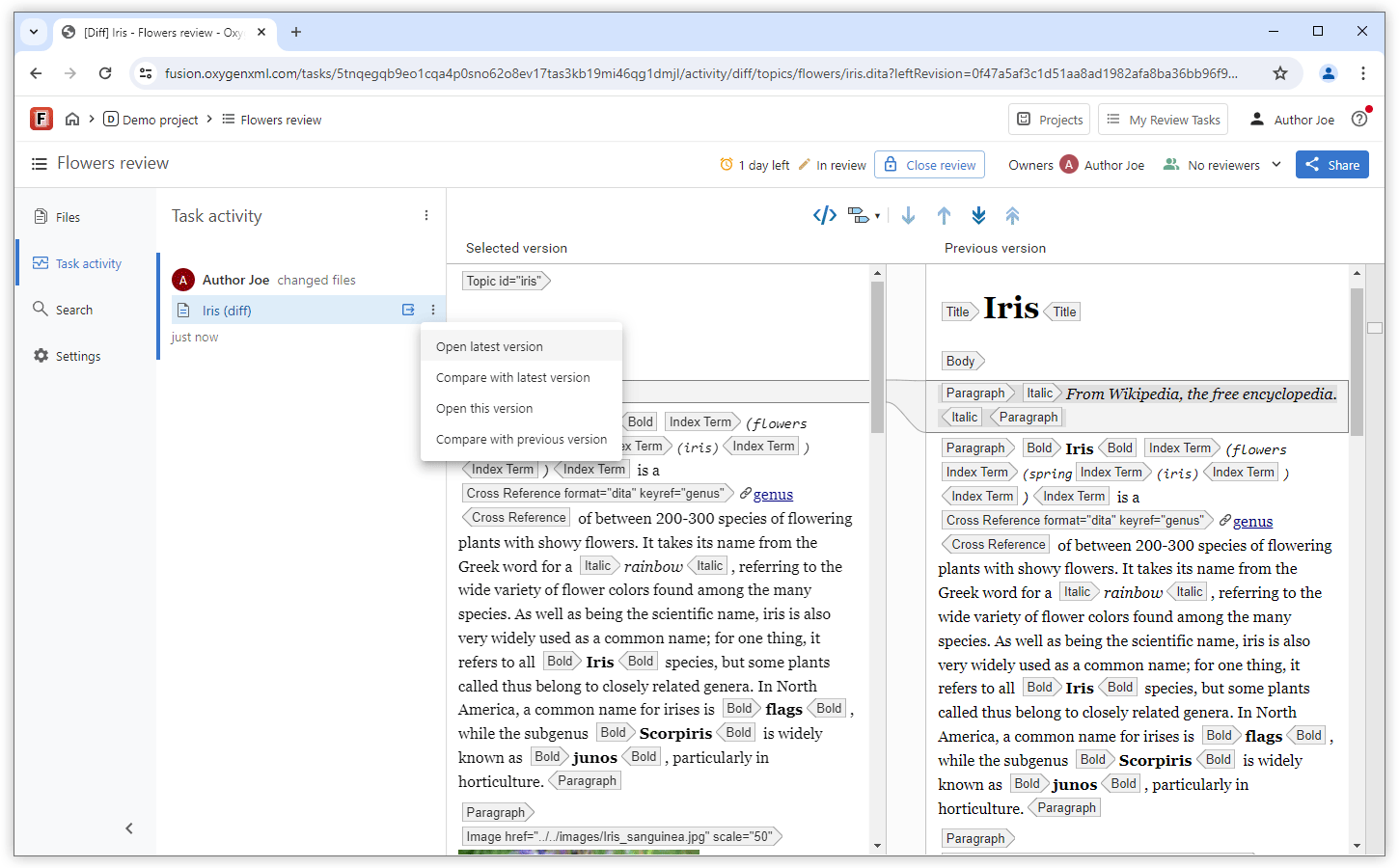
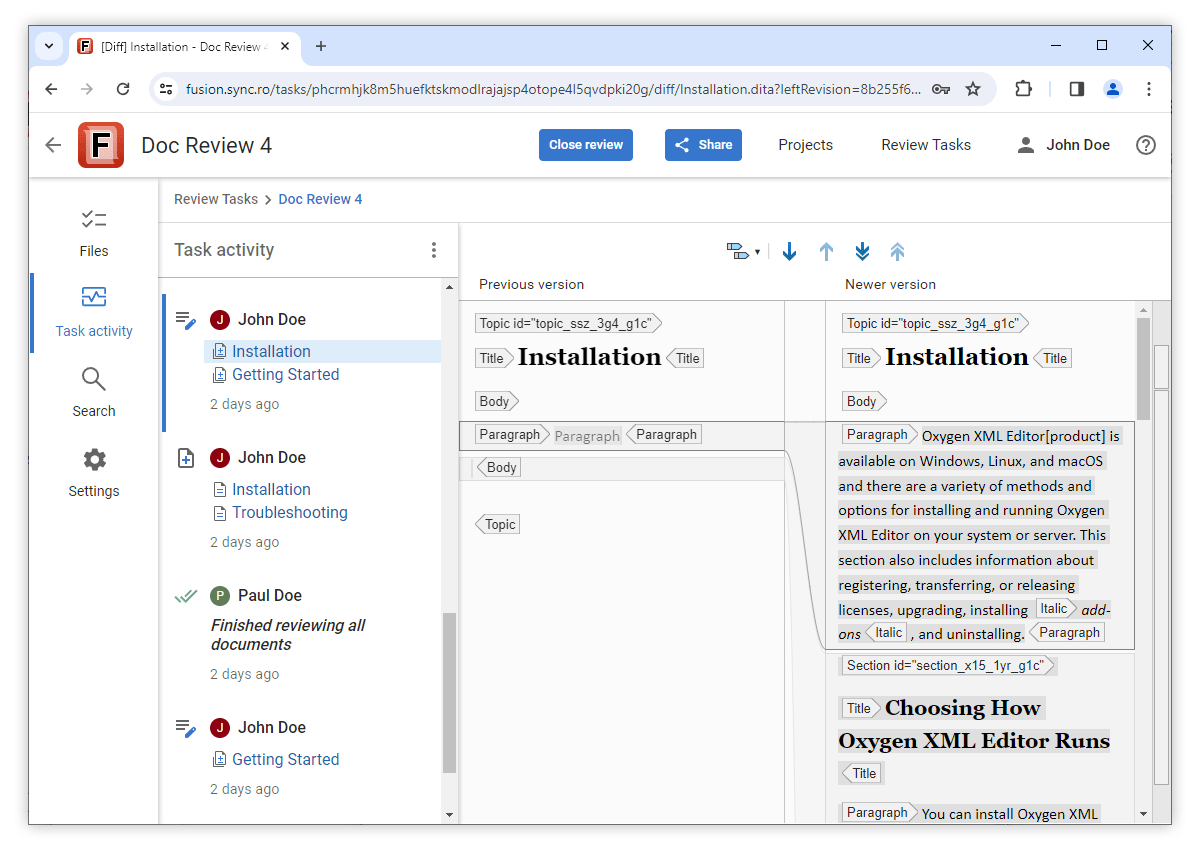
Open and Compare Versions Directly from the Task Activity Page
Authoring
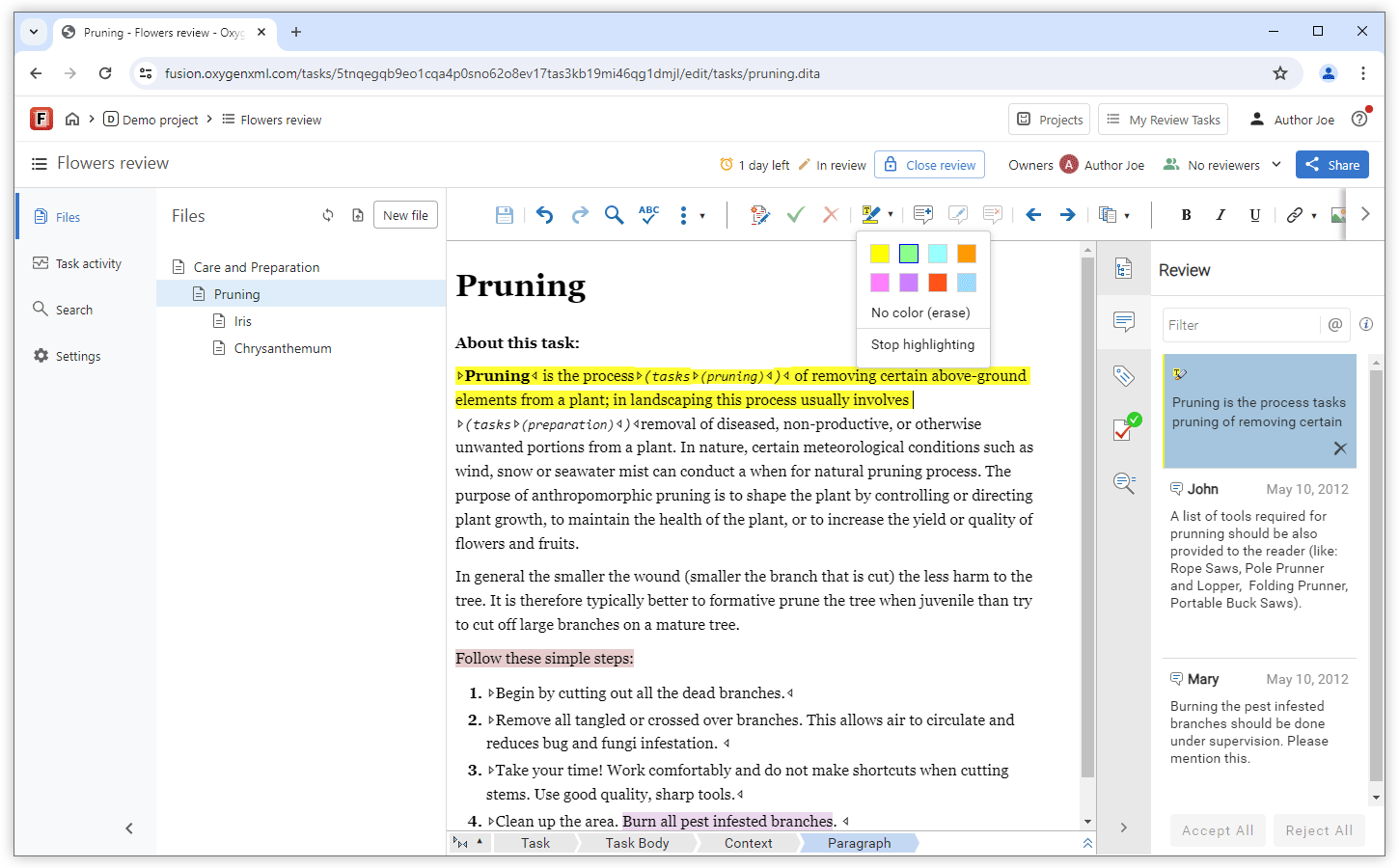
Color Highlights
Edit DITA Map with Topic Content Expanded
Insert Links and Topic References Using Drag and Drop
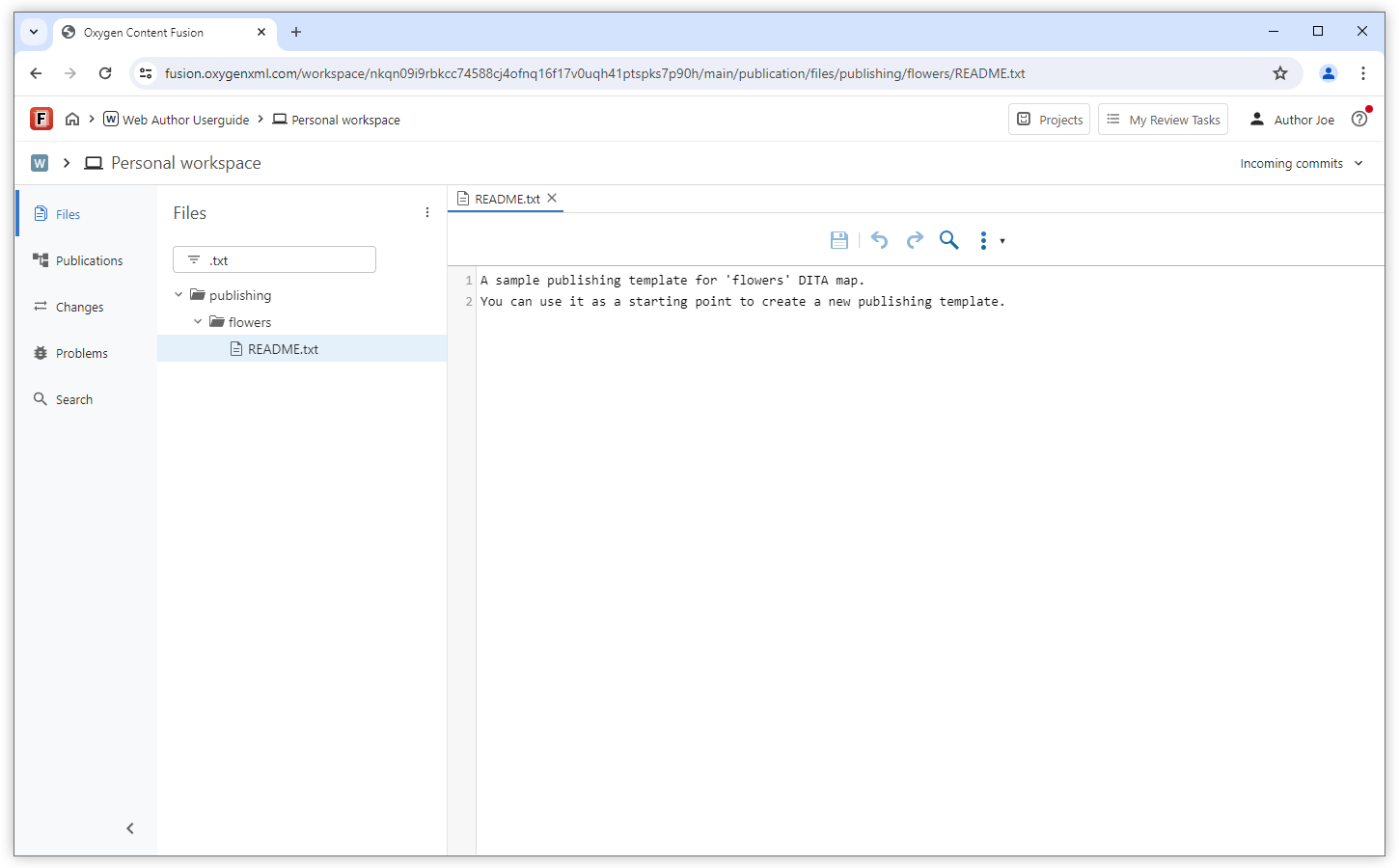
Simple Text Editor
Chinese IME Support
Publishing
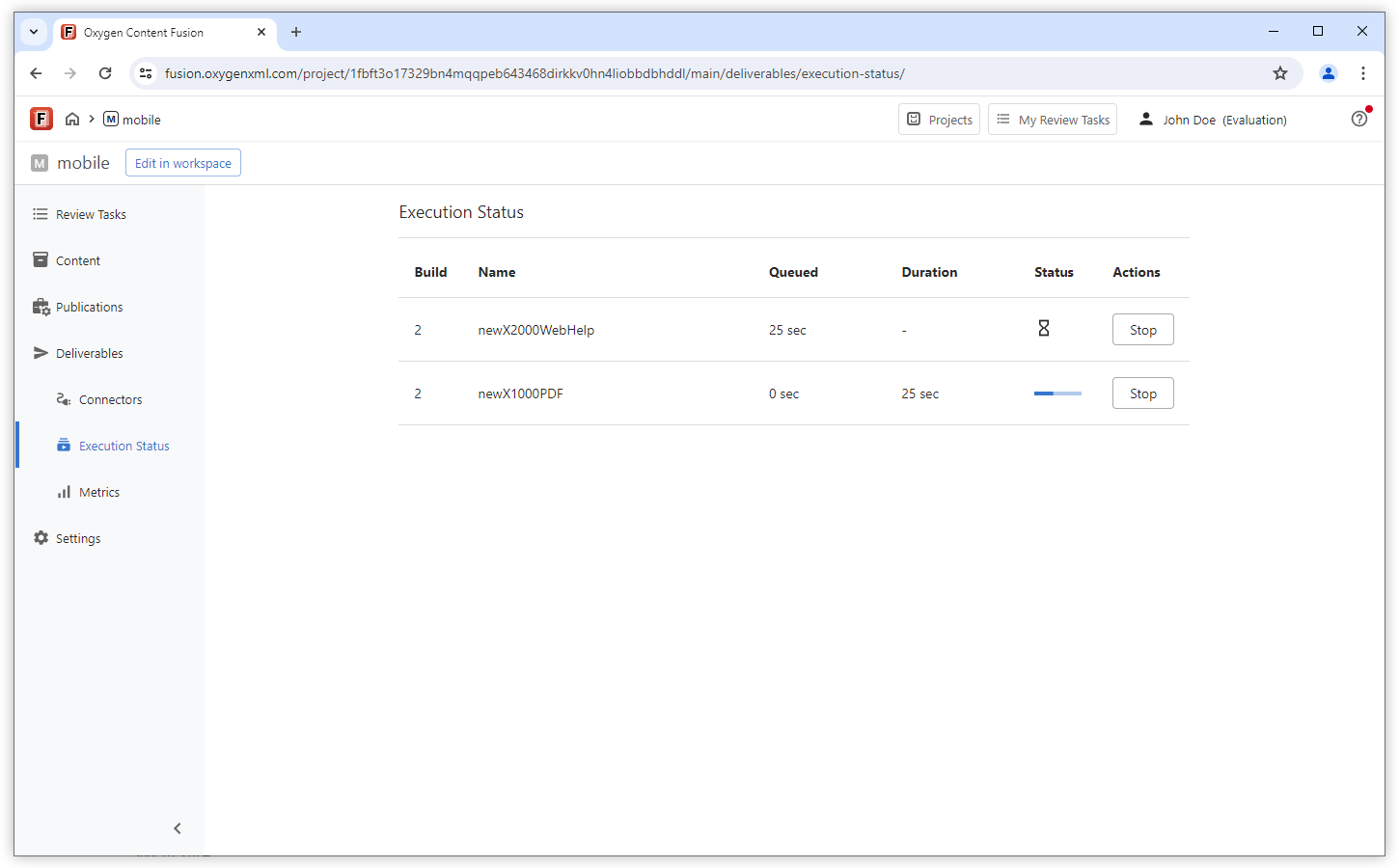
Project Execution Status View
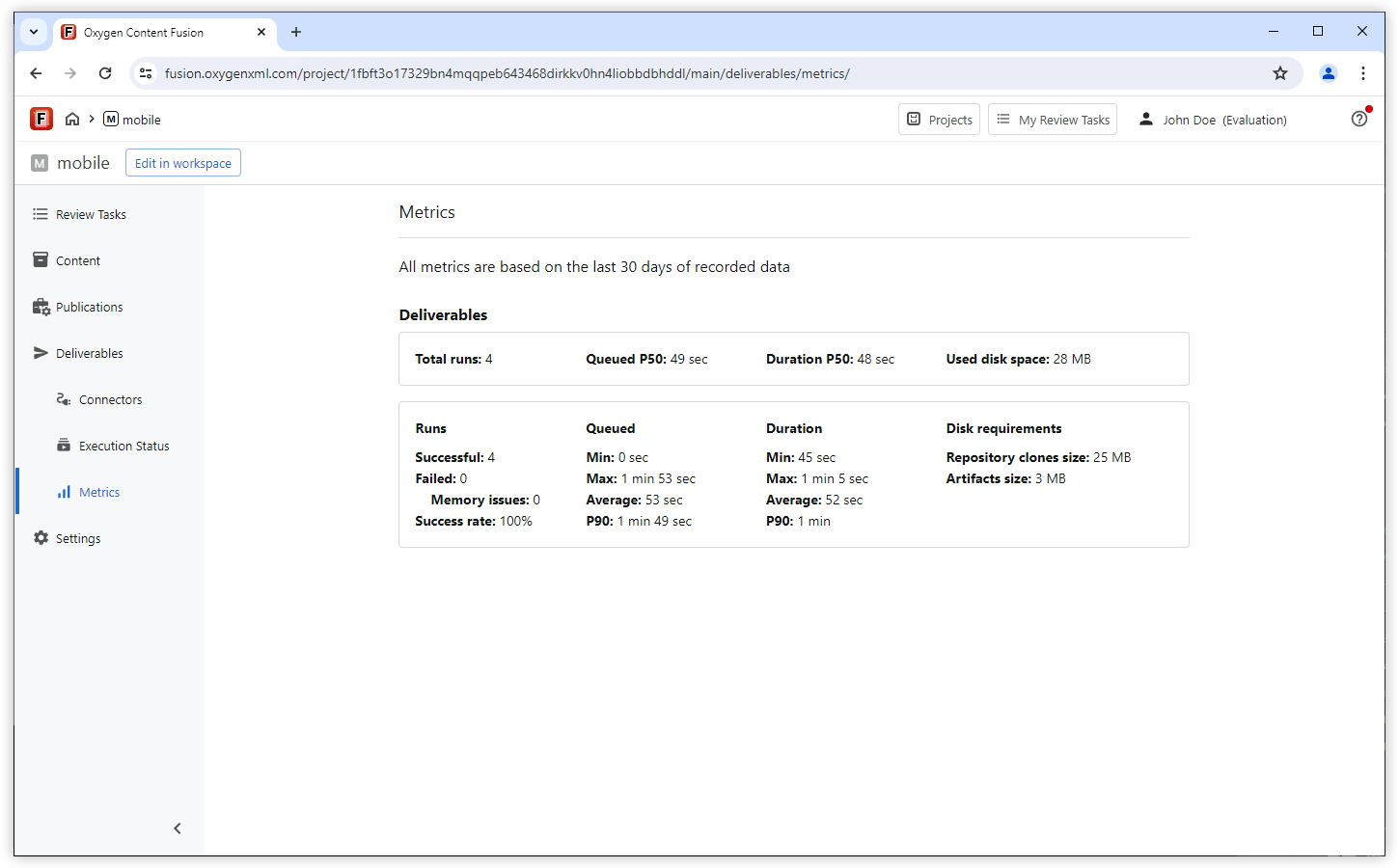
Project Metrics View
What's New in Oxygen Content Fusion 7.0
Oxygen Content Fusion version 7.0 enhances the project support by introducing a personal authoring workspace where you can make changes across multiple files and once you are happy with the results, you can commit them directly to the repository to share them with your team. The dedicated Changes side-view enables you to preview and adjust changes before committing. An XML-aware conflict resolution tool helps you pull changes from the repository, detects conflicts, suggests automated solutions, and also allows merging content manually for more complex scenarios. Along with the powerful editing features for XML documents, the built-in Web Author allows you to edit Markdown files inside the authoring workspace providing syntax preview and toolbar actions to insert common structures.
The workspace feature includes a Publications side-view for easy browsing of a publication's DITA map. Users can open the map in a specialized DITA map editor to modify the structure using toolbar or contextual menu actions. The intuitive interface supports drag and drop, copy/paste, and various other actions for organizing topics. The editor also supports advanced DITA features such as profiling attributes, key definitions, and map references.
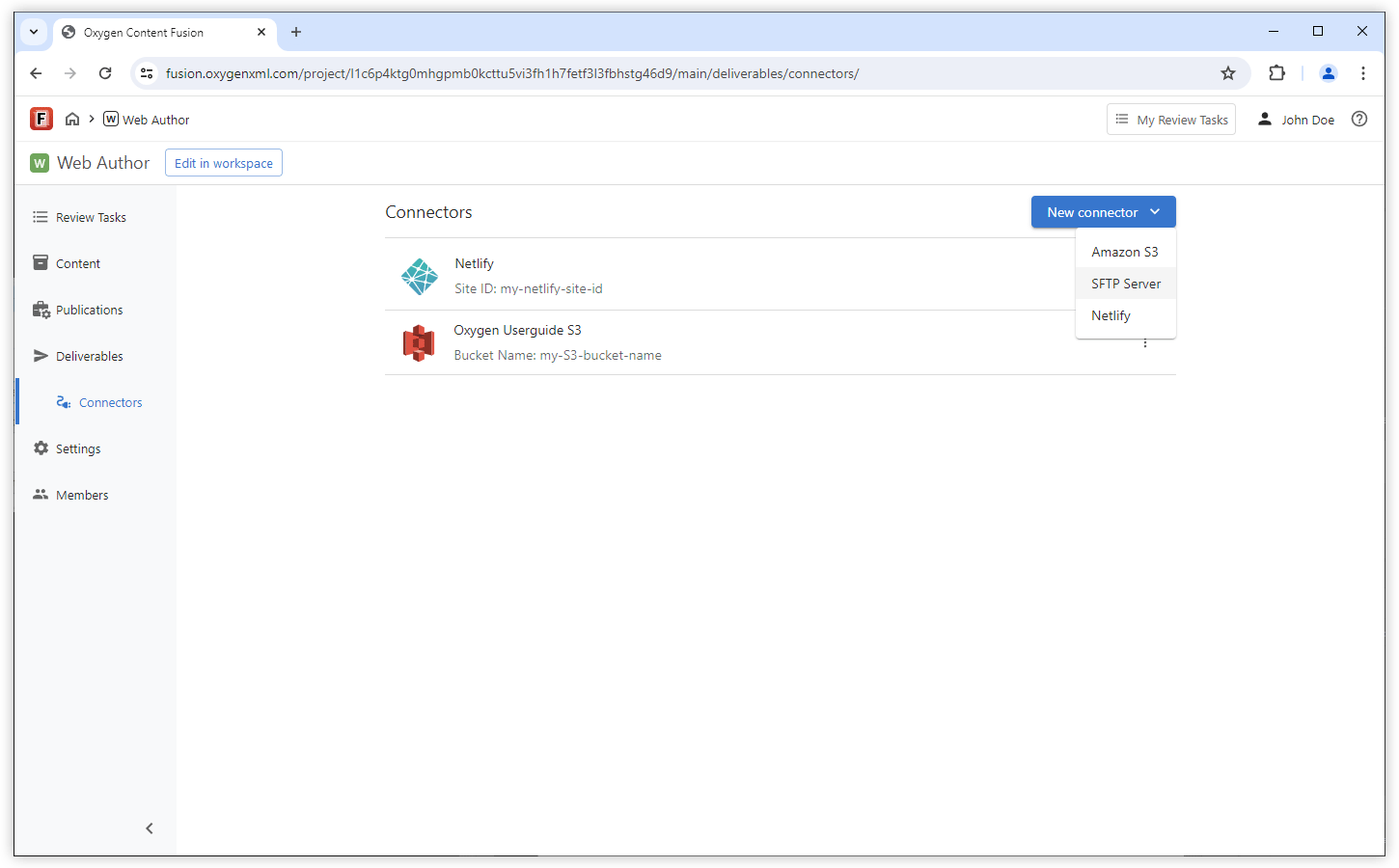
Continuous Deployment for the output is now possible as version 7.0 adds support for publishing connectors to enable uploading output to various platforms such as Amazon S3, Netlify, or servers with SFTP protocol. The output can be configured to include an "Edit Online" link in each topic that sends authors to their personal workspace where they can make changes to the source of that topic. When used in conjunction with automated builds, these changes will be live as soon as the build finishes.
Authoring Workspace
File Management
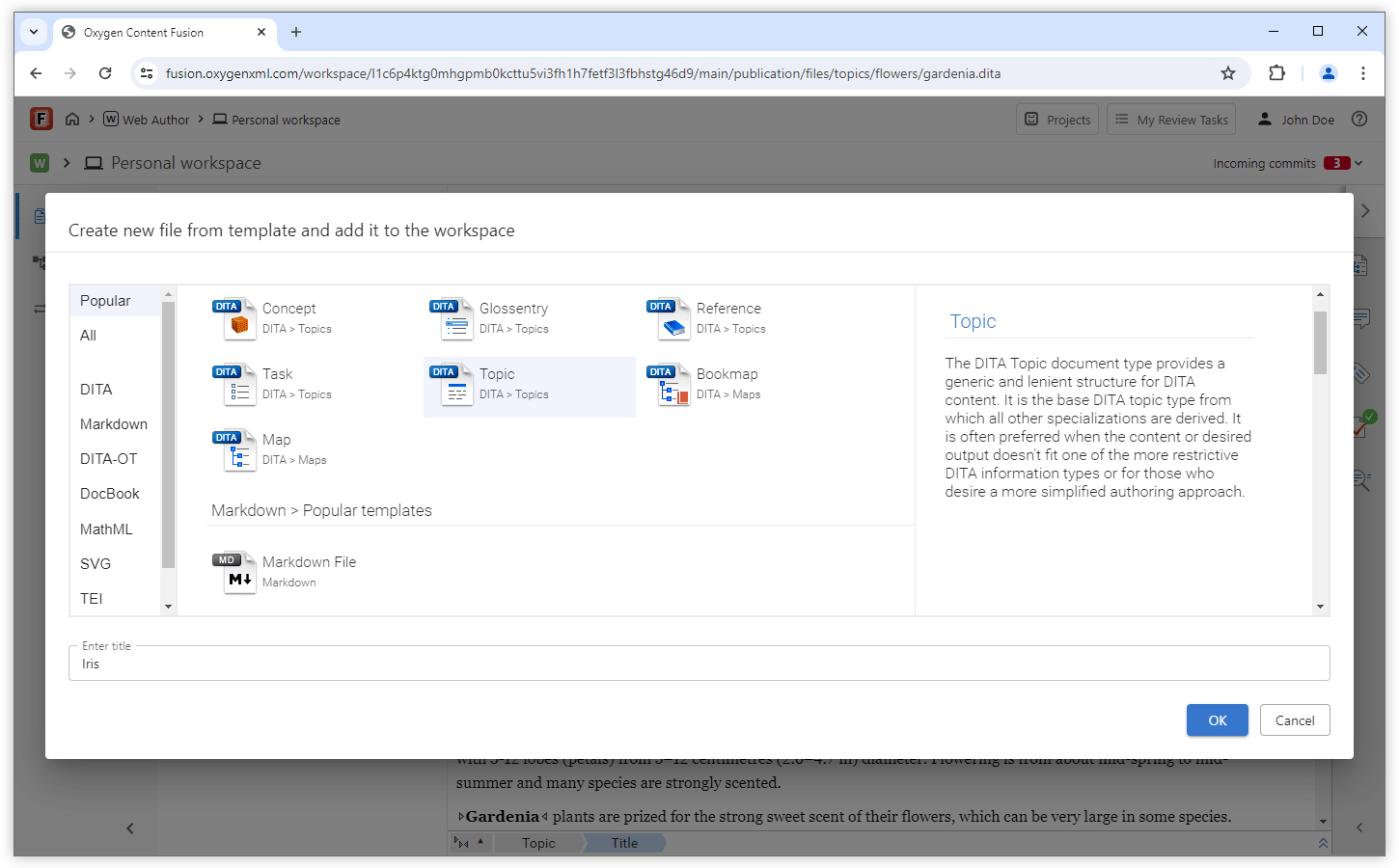
Commit Multiple Files at Once
You can make changes to multiple files and commit them together at once. This makes the process of modifying content within a project similarly to using a local Git client. For example, you could create a topic and link it in the DITA map (thus making modifications to multiple files) and commit the changes on a single commit.
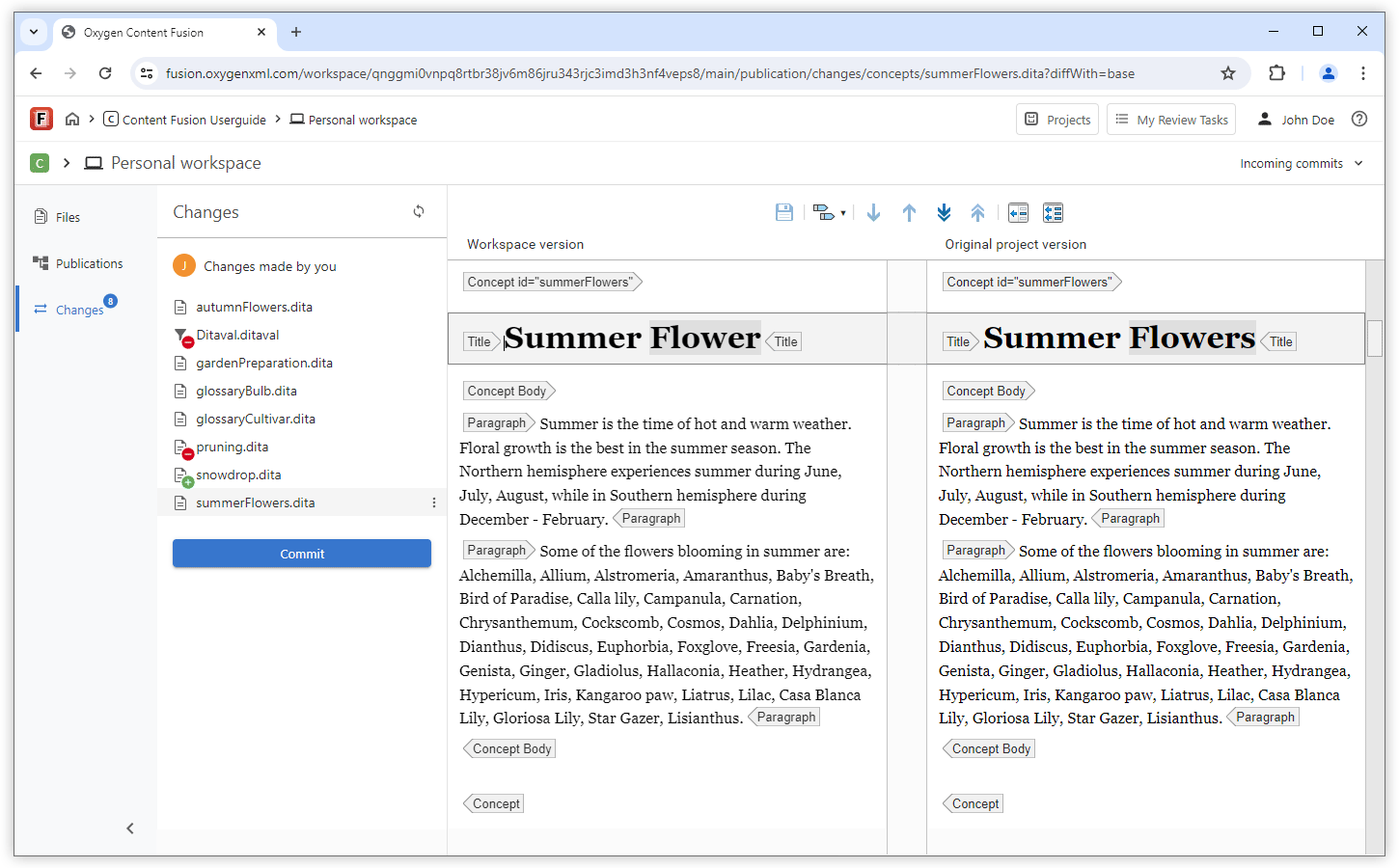
Preview Changes Before Committing
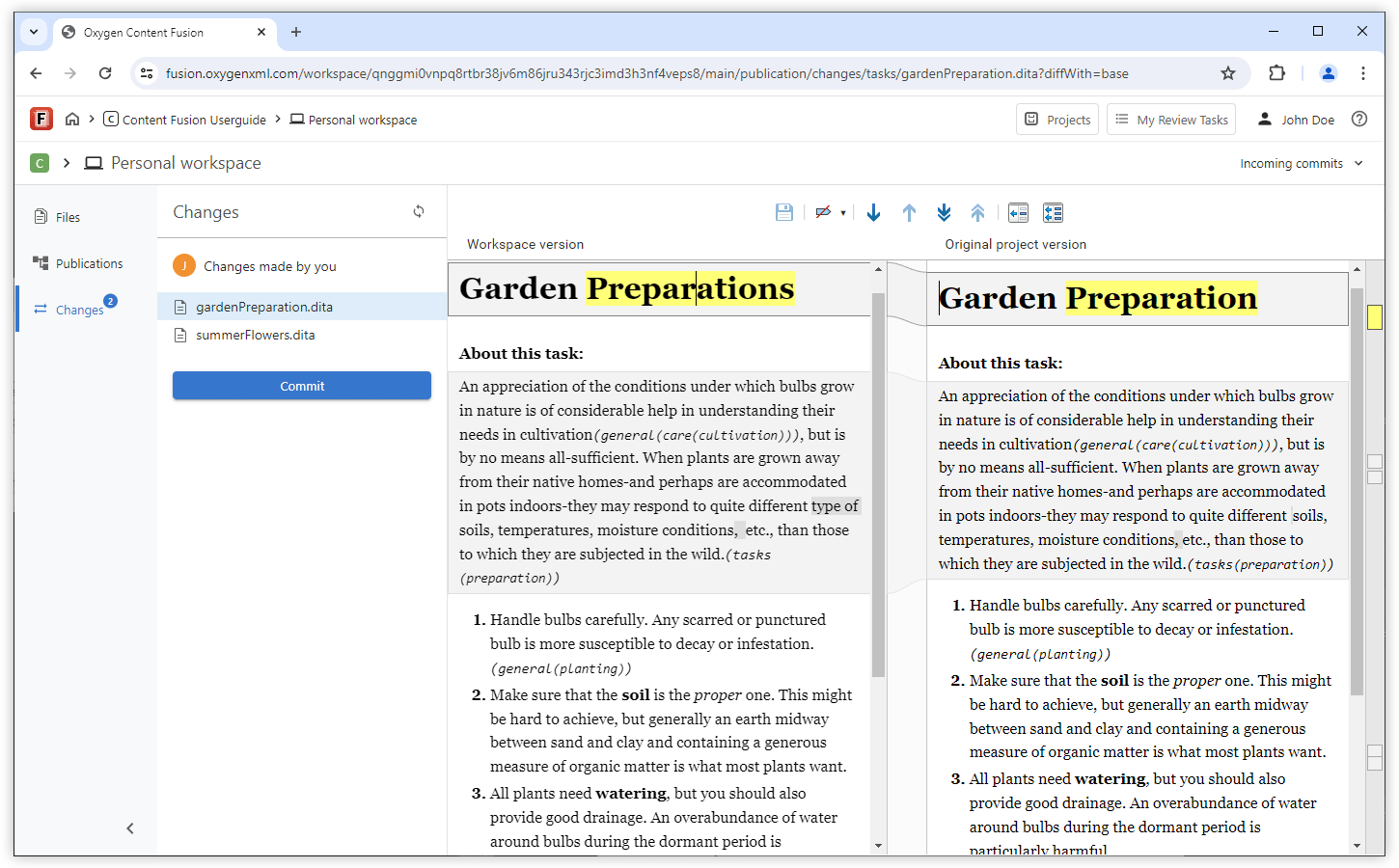
Easily Browse Map Content in a Publications Side-View
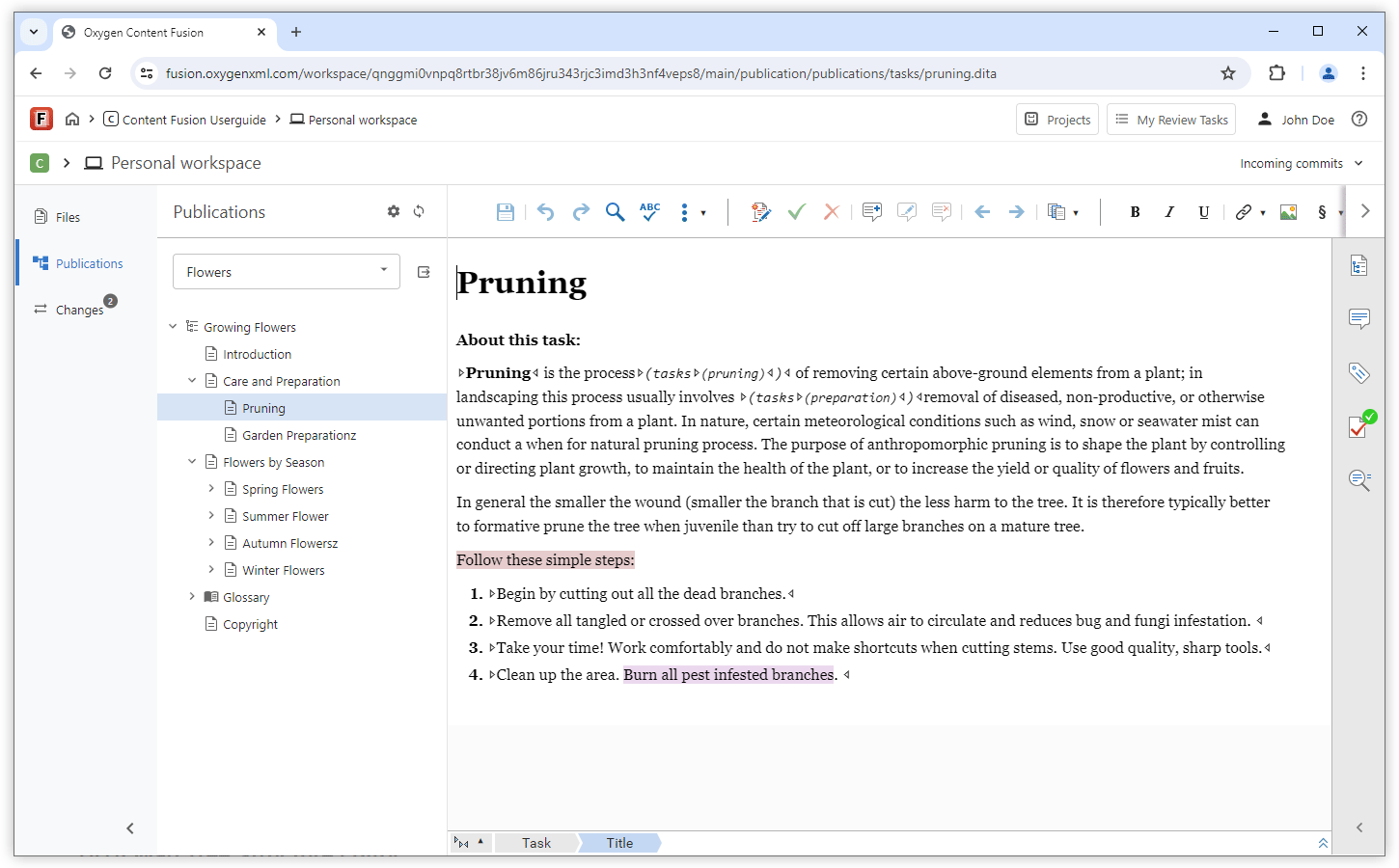
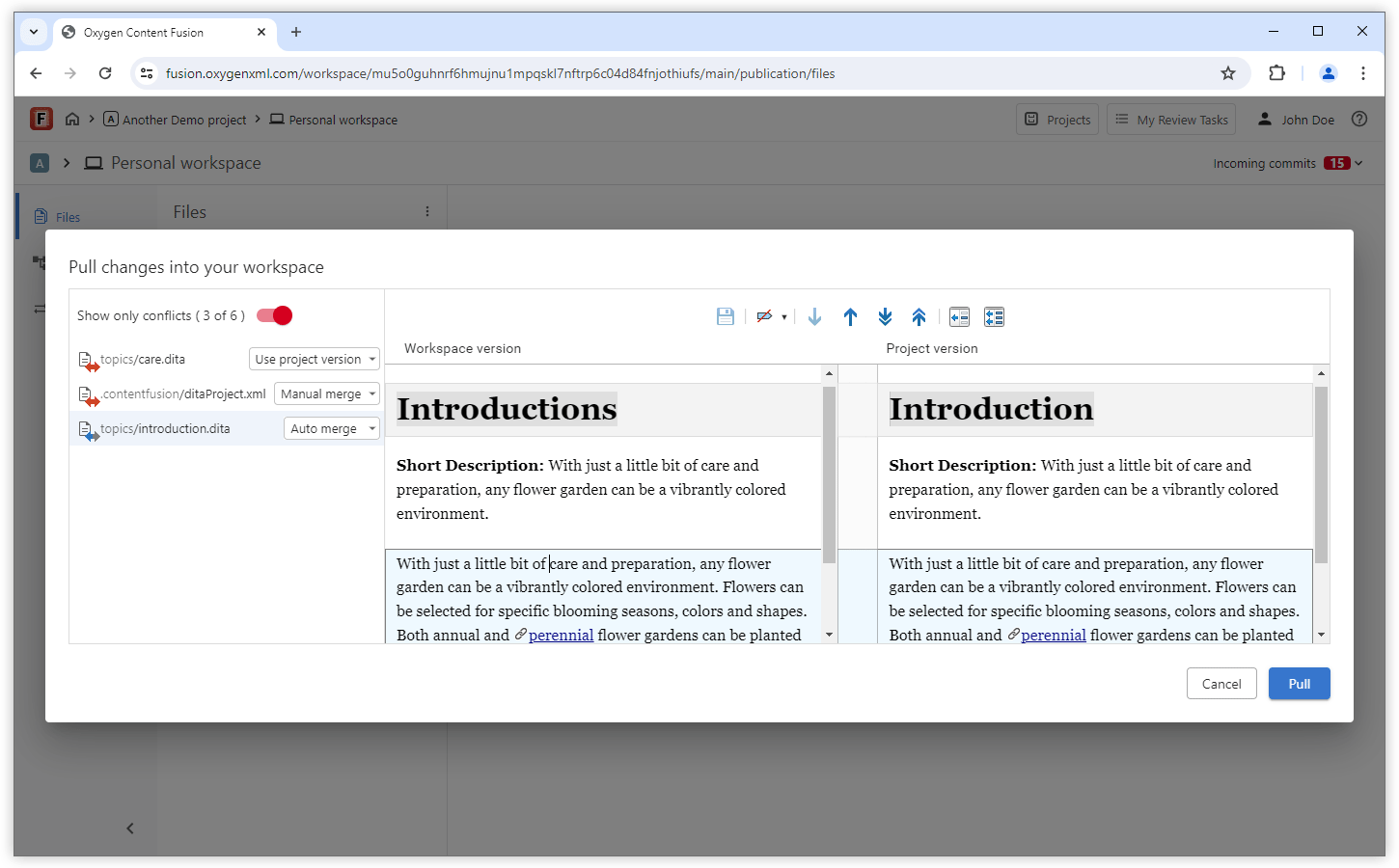
XML-aware Conflict Resolution Tool
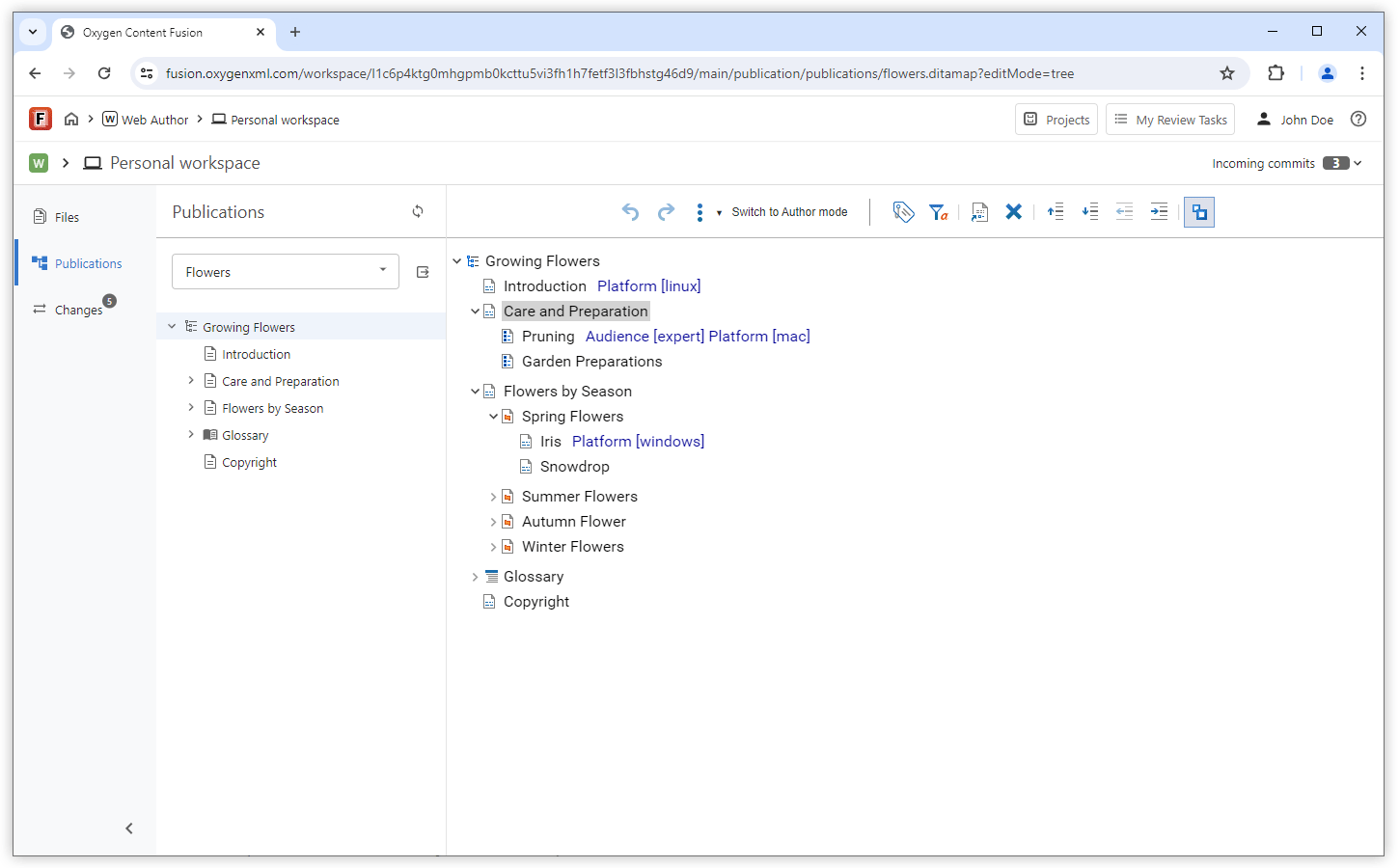
DITA Map Tree Structure Editor
Easily Organize Topics Inside a DITA Map
View Profiling Attributes Inline
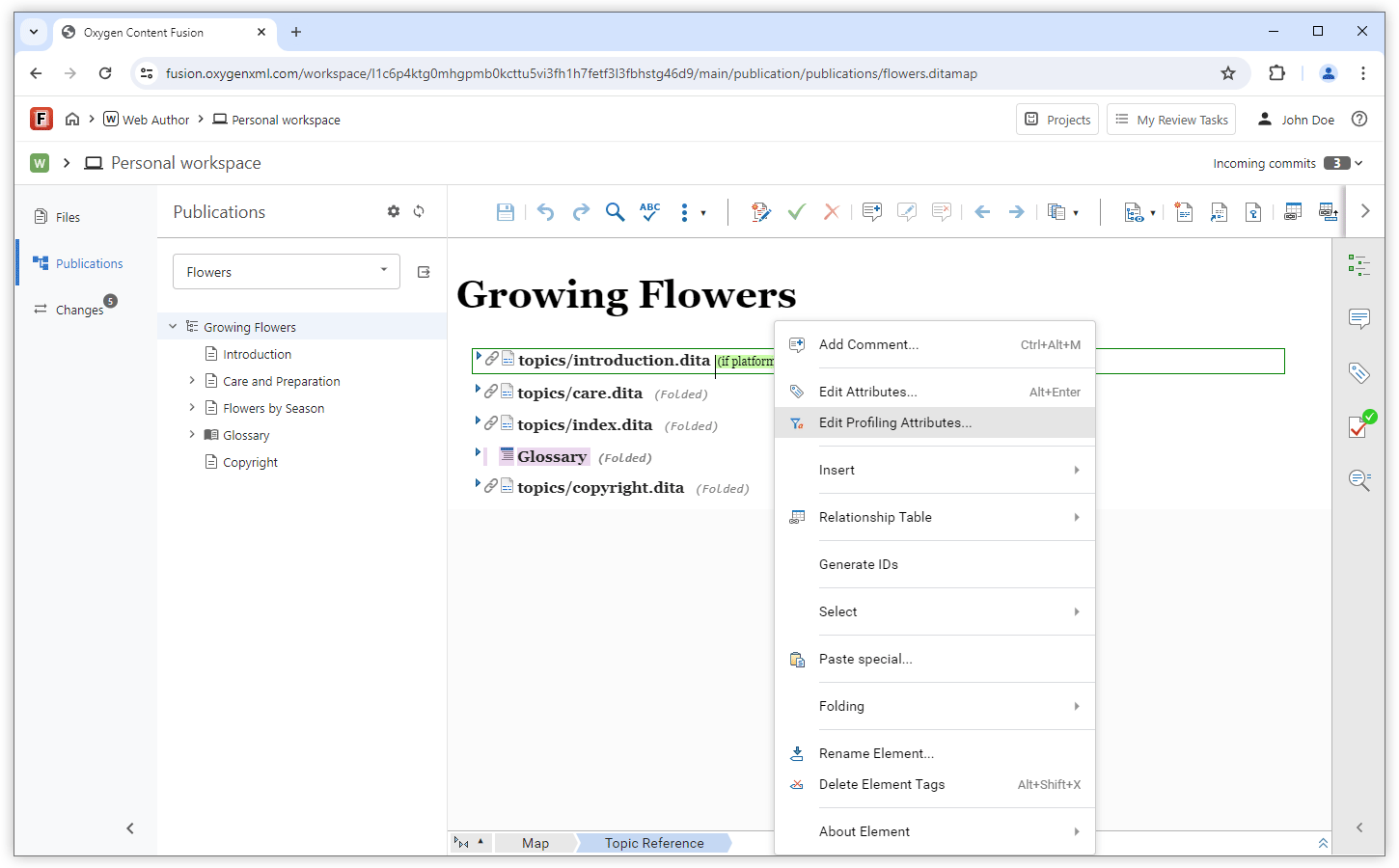
Edit Profiling Attributes
The contextual menu now includes an Edit Profiling Attributes action that allows you to modify the values of profiling attributes for the current DITA XML element. You can configure the proposed attribute values using a subject scheme map referenced in the DITA map, or by exporting them from the Attributes and Condition Sets preferences page in the Oxygen desktop version (these exported values can then be used as imposed options in the embedded web-based editor).
Create Variables (Defined as DITA Key Definitions)
Publishing
Publishing Connectors
Generate Links to Edit in Workspace
Markdown Support
Markdown Editor Inside the Personal Workspace
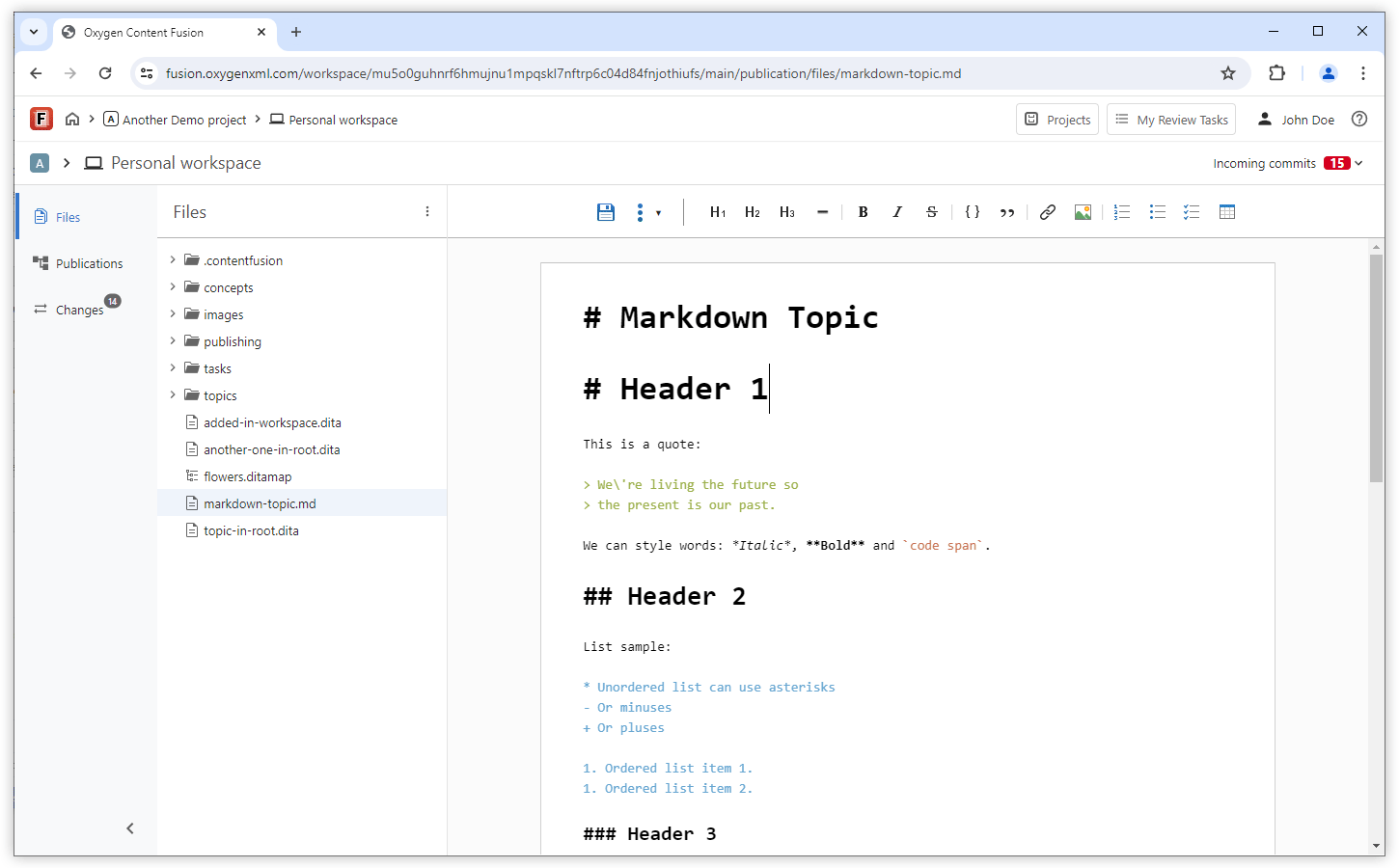
Markdown Publishing
What's New in Oxygen Content Fusion 6.2
Oxygen Content Fusion version 6.2 continues to streamline and refine the process of working with review tasks and implements various user requests for additional features and productivity enhancements.
One big focus for this release was to redesign parts of the interface to prioritize productivity (for example, navigation controls are now more accessible) and to provide access to more information to users within the most commonly used pages, pop-up windows, and other components. The list of review tasks can now be filtered to easily find a particular task and task management actions are now available directly from the task list. Users also now have access to an action in the Task Activity stream to see what changes were made to a particular file.
Content Fusion's visual editor was updated to integrate the latest changes implemented in Oxygen XML Web Author 26.1.0. Some of the interesting new features added for the visual editor include the ability for DITA users to easily switch profiling conditions and choose whether to hide the excluded content or show it as grayed out, and the Outline pane also now distinguishes nodes filtered by a DITAVAL file. The Unicode support was improved to better support surrogate characters (e.g. emoji characters) and the text mode is now available as read-only mode for concurrent editing sessions. When Markdown content is pasted within DITA, DocBook, TEI, or XHTML documents, it is automatically converted to the target vocabulary by the smart paste functionality. Additionally, the Split action now automatically inserts required first child elements.
If users develop customizations for the Web Author visual editor, the new CSS Inspector lets them see the styles of the selected element, the process of uploading a framework now includes validation to keep customized frameworks error-free, a new URL parameter can control whether content excluded by a DITAVAL filter is shown as grayed out or hidden, and a new API is available to add a toolbar in a side view.
User Interface
UI Redesigned to Prioritize Productivity
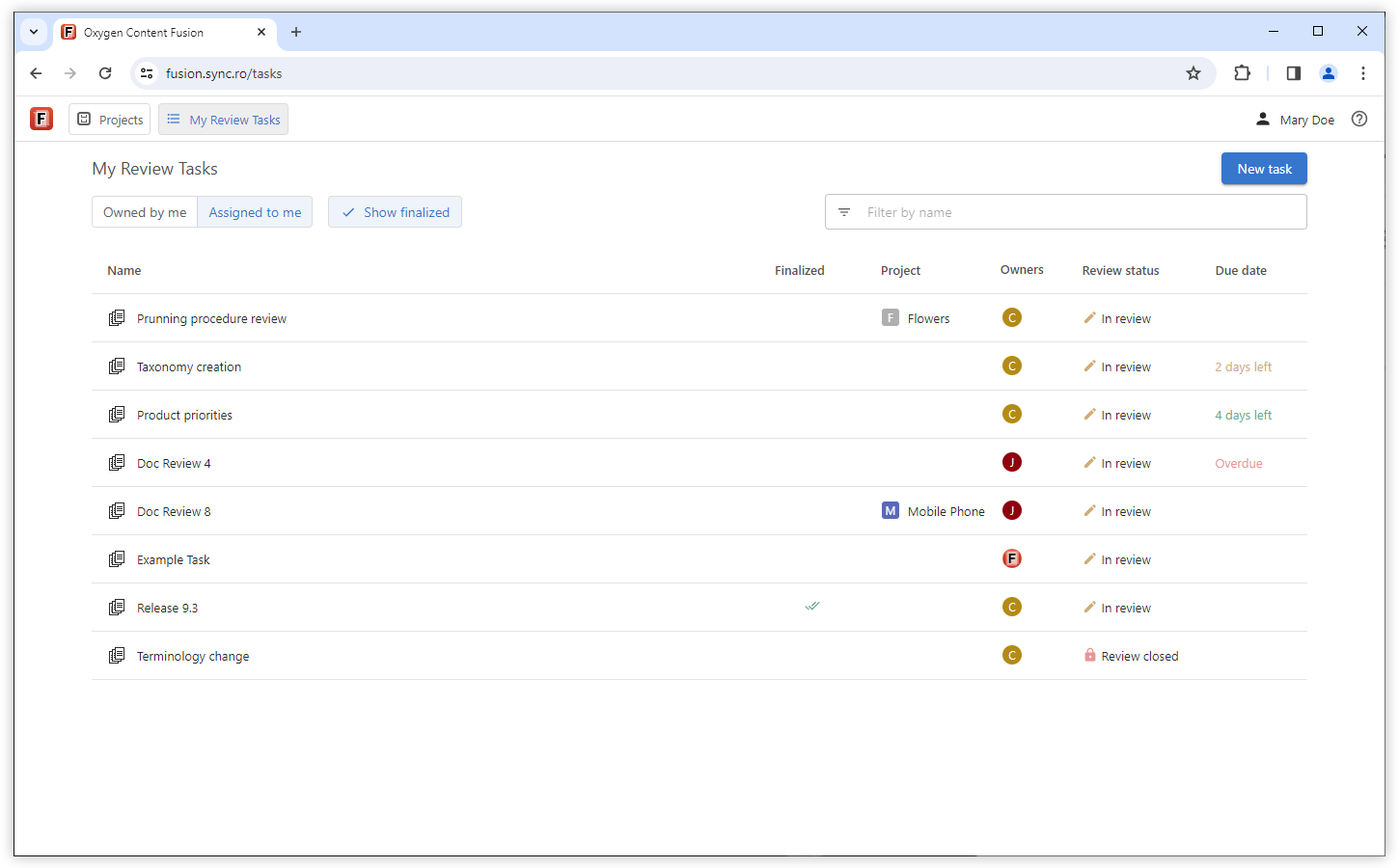
Improved Navigation
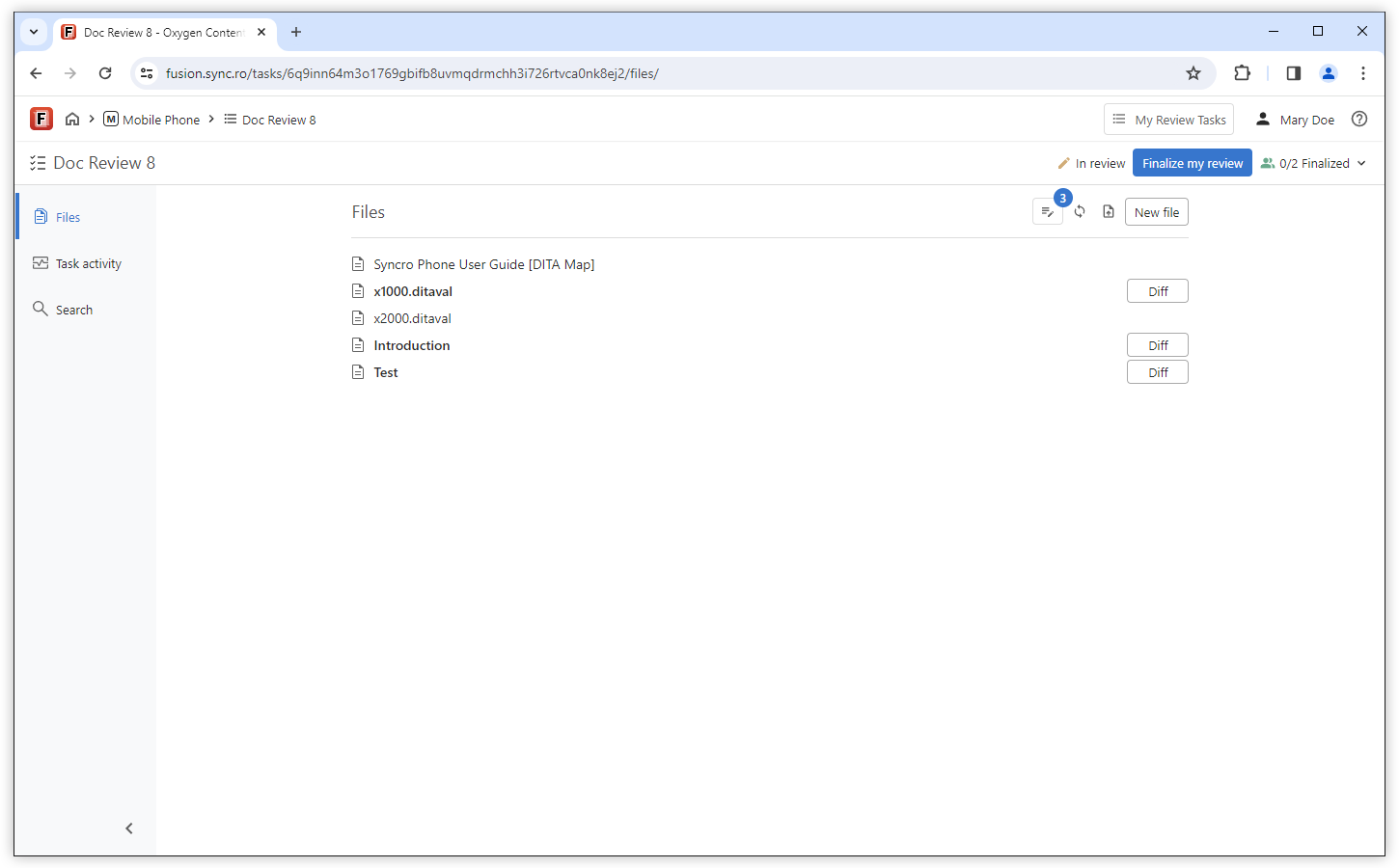
Review Tasks
Filter Review Tasks by Name

Manage Tasks Directly from the Tasks List
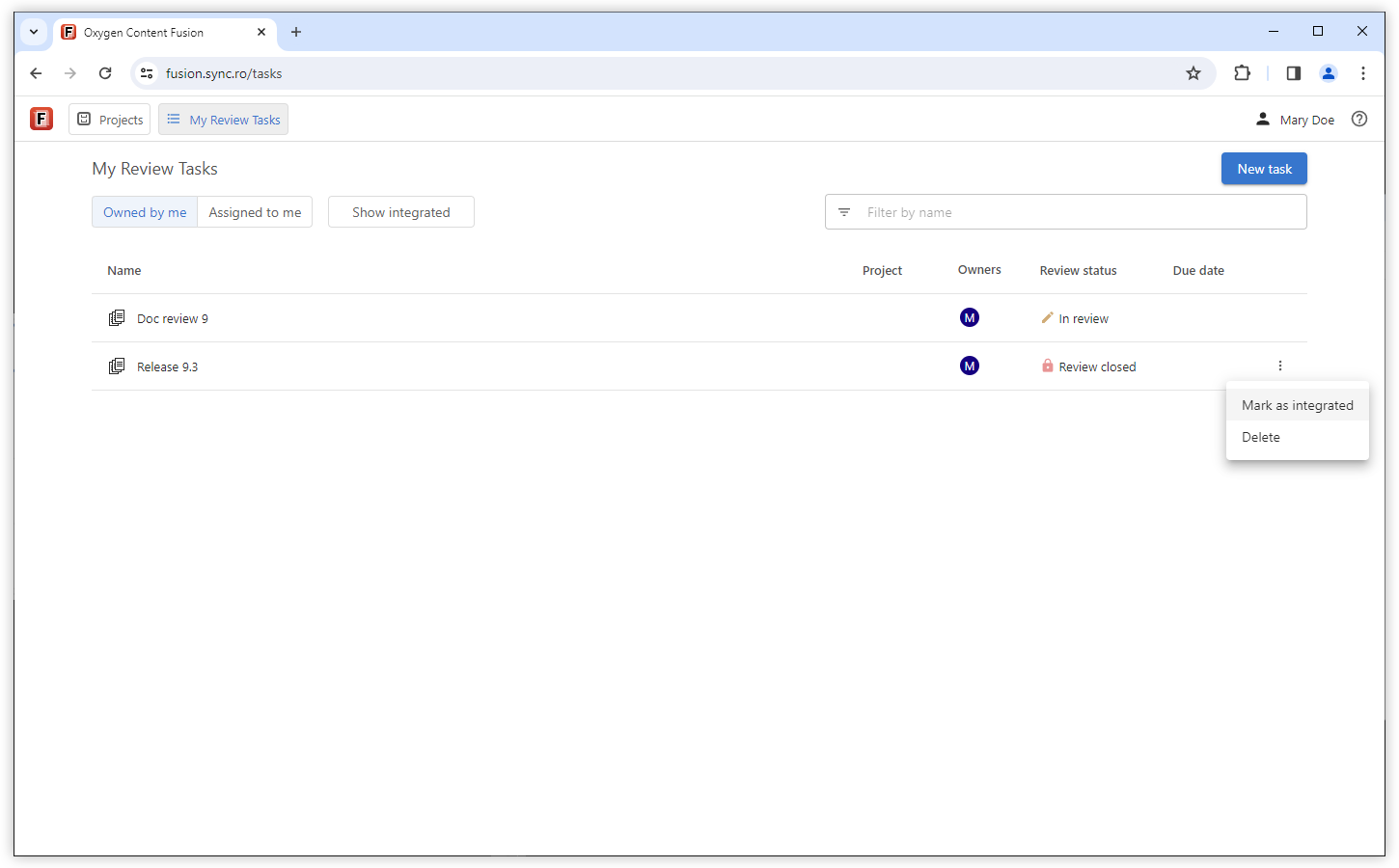
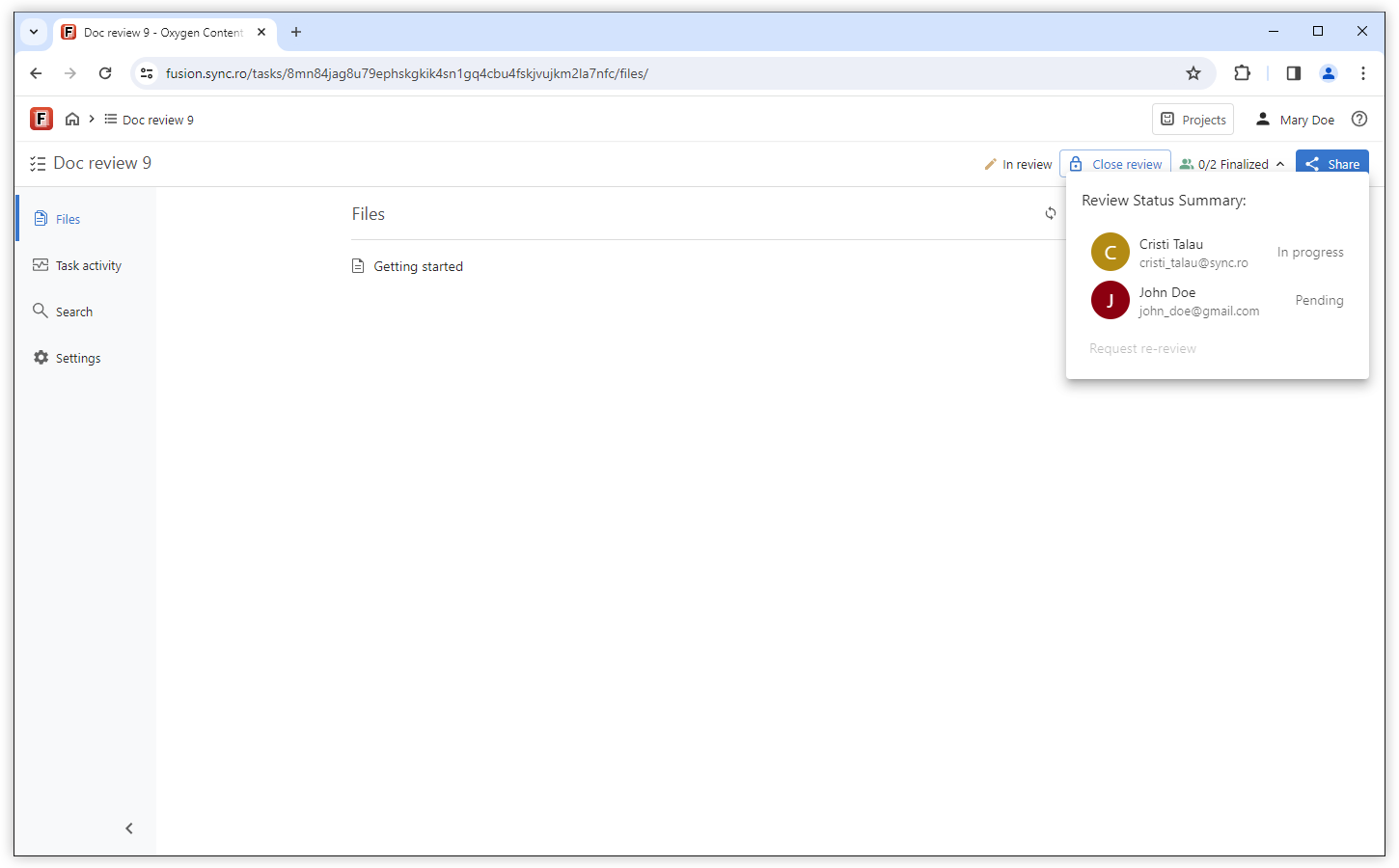
Reviewers on Non-accessed Tasks are Marked as Pending
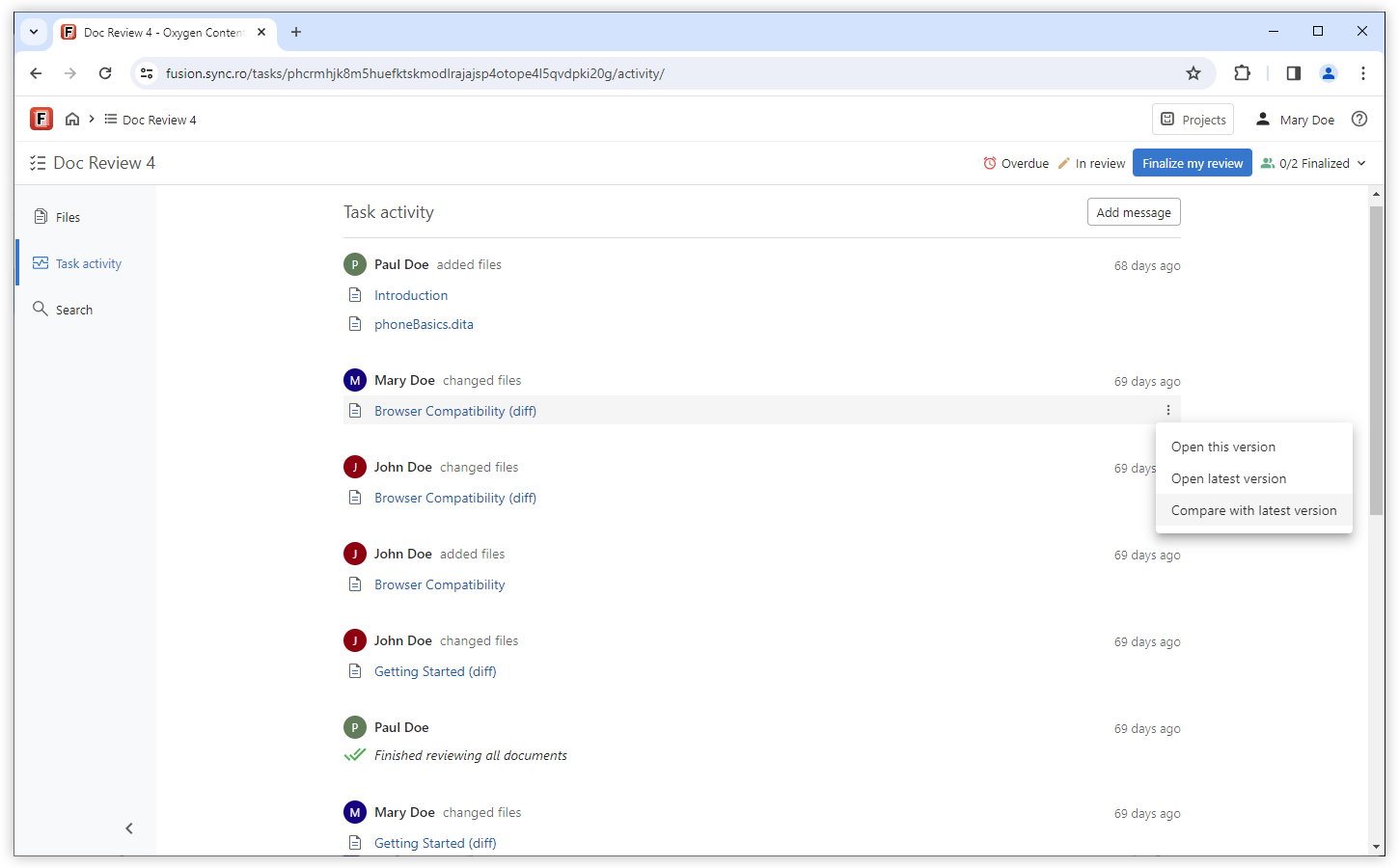
Compare a File with its Latest Version from the Task Activity Stream
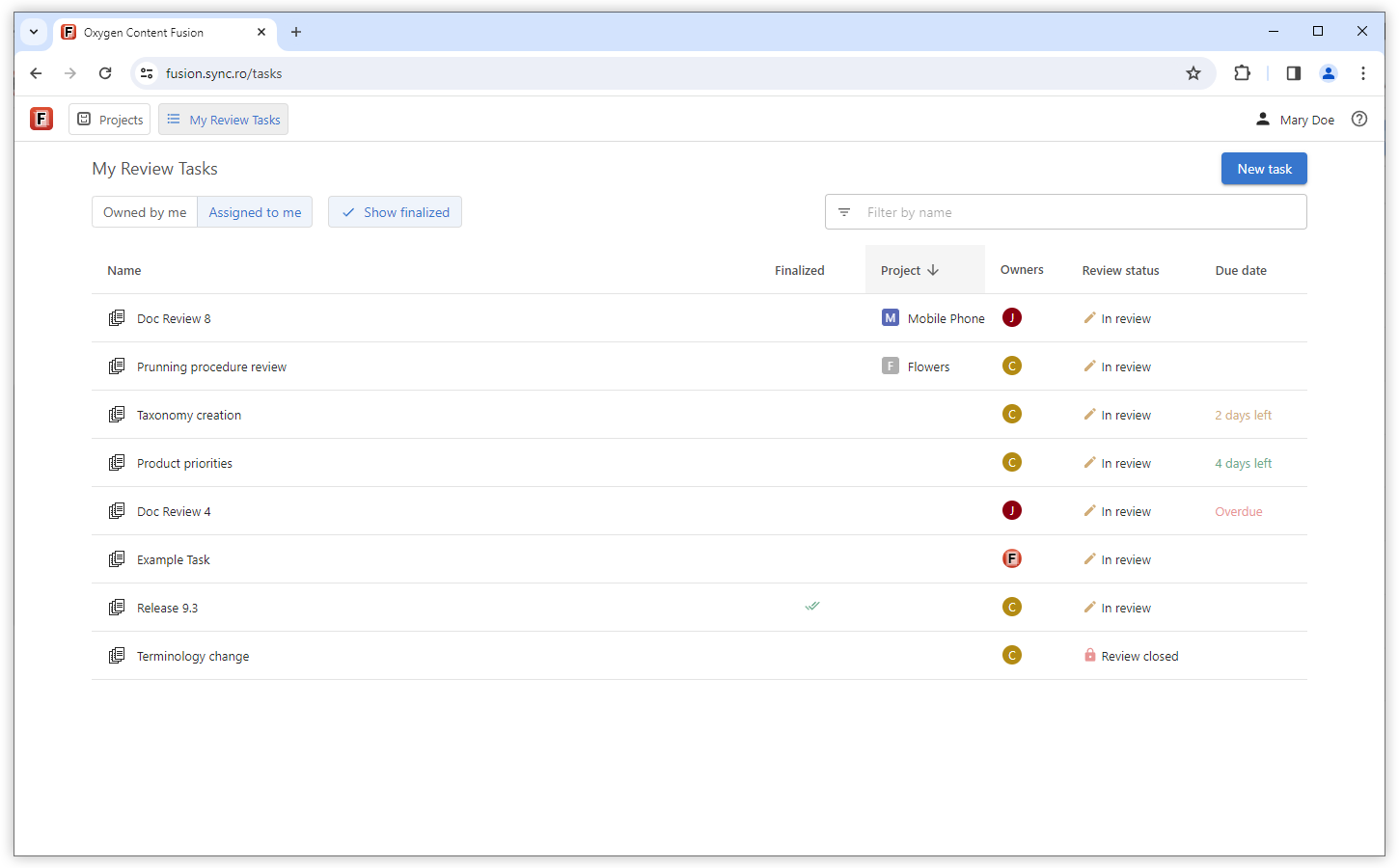
My Review Tasks List Presents Originating Project
Administration
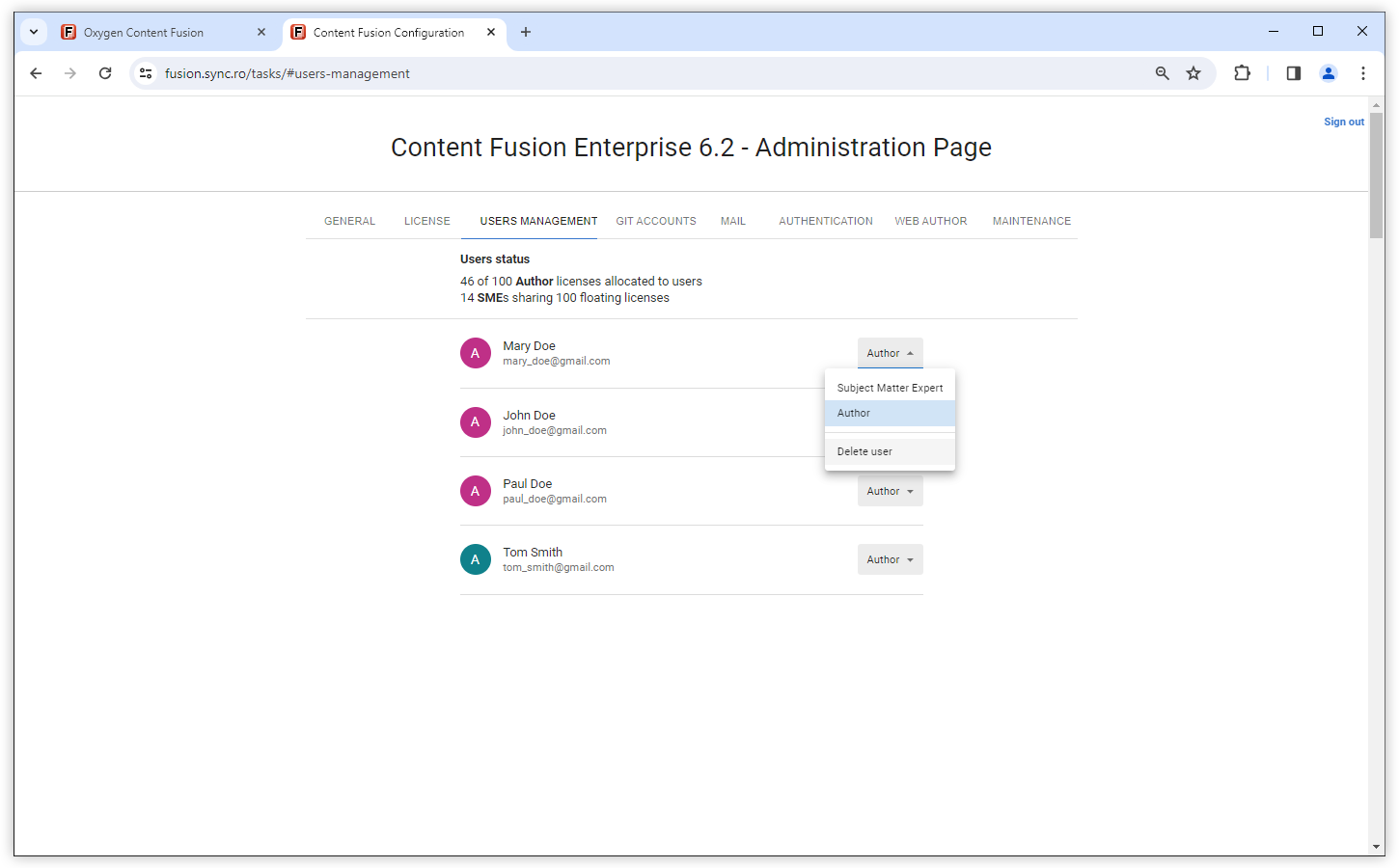
Delete Users from Administration Page
Web Author Visual Editor
Focus on a Deliverable by Only Showing Content That is Not Excluded by a DITAVAL filter
Outline Pane Distinguishes Nodes Filtered by DITAVAL
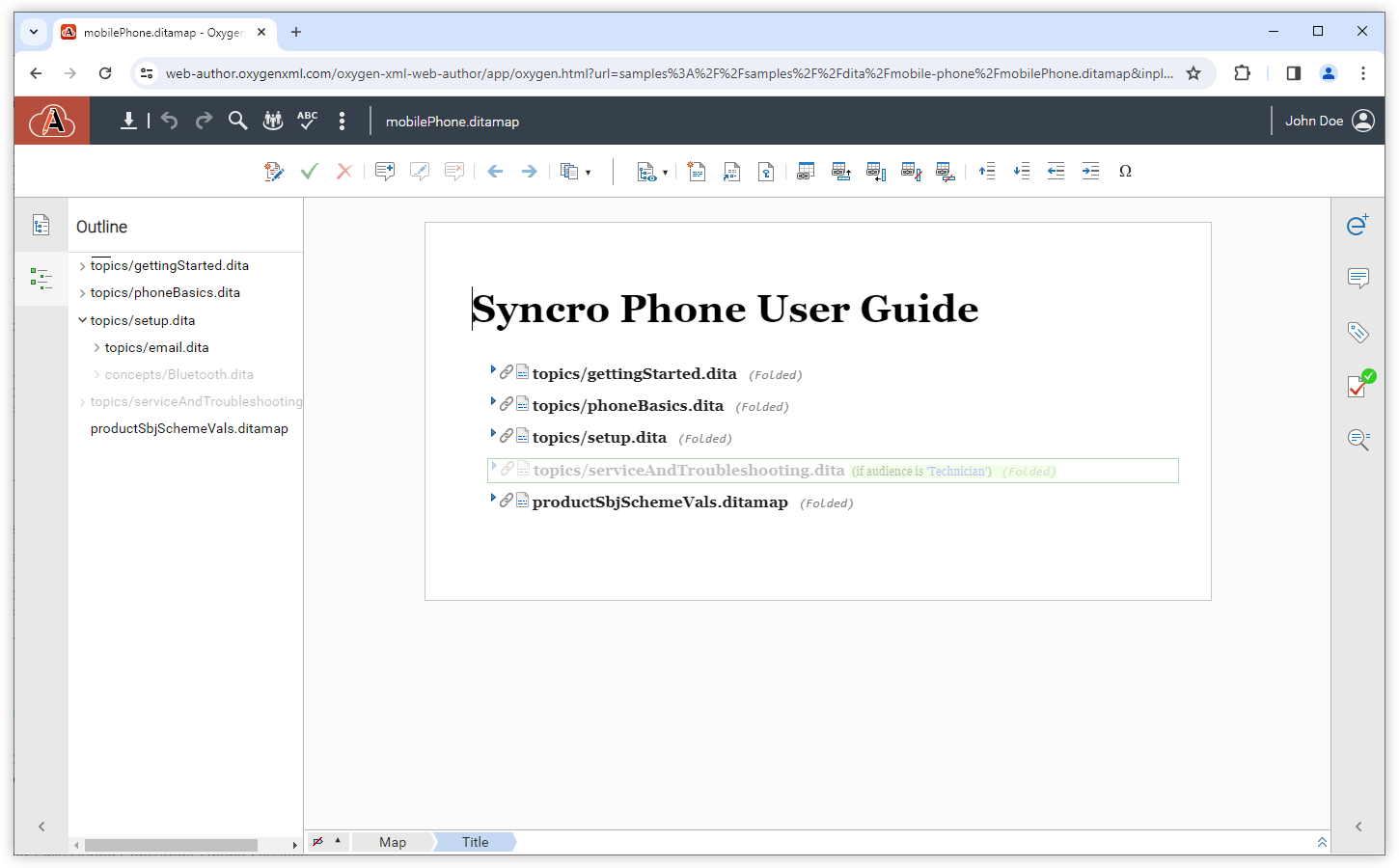
Read-only Text Mode View is Available on Tasks With Concurrent Editing Enabled
Smart Paste Markdown Content
Emojis Supported in Document Content
Split Action in Content Completion Automatically Inserts Required Child Element
Web Author Customization and Integration
CSS Inspector Pane
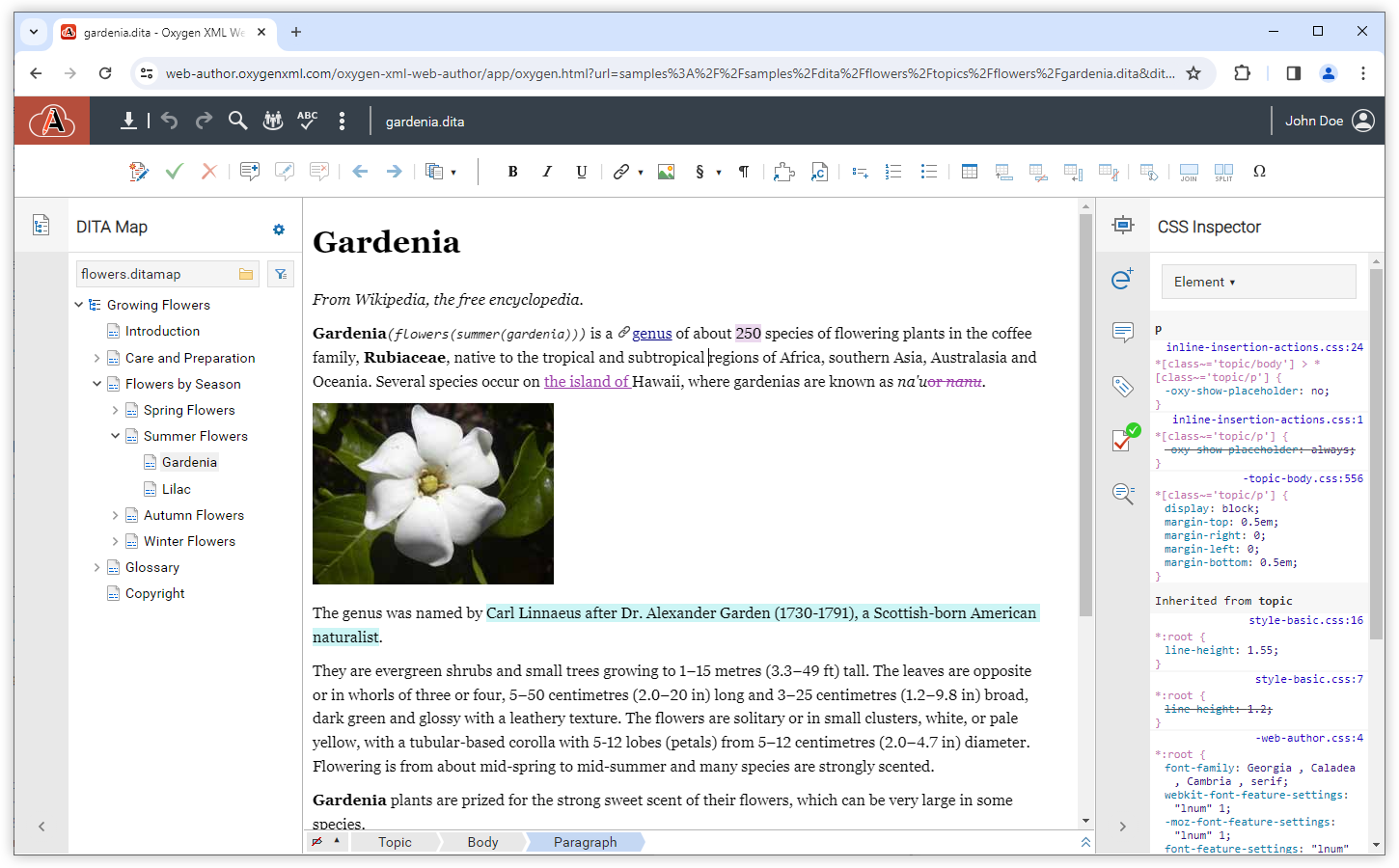
Framework Validation
Add a Toolbar in a Side View
getToolbarDescriptor method defines the structure of the toolbar,
while the getToolbarActionsMap method creates an actions map that
contains the custom actions that will be made available in the toolbar.What's New in Oxygen Content Fusion 6.1
Oxygen Content Fusion version 6.1 continues to streamline and refine the process of working with review tasks and implements various user requests for additional features and security enhancements.
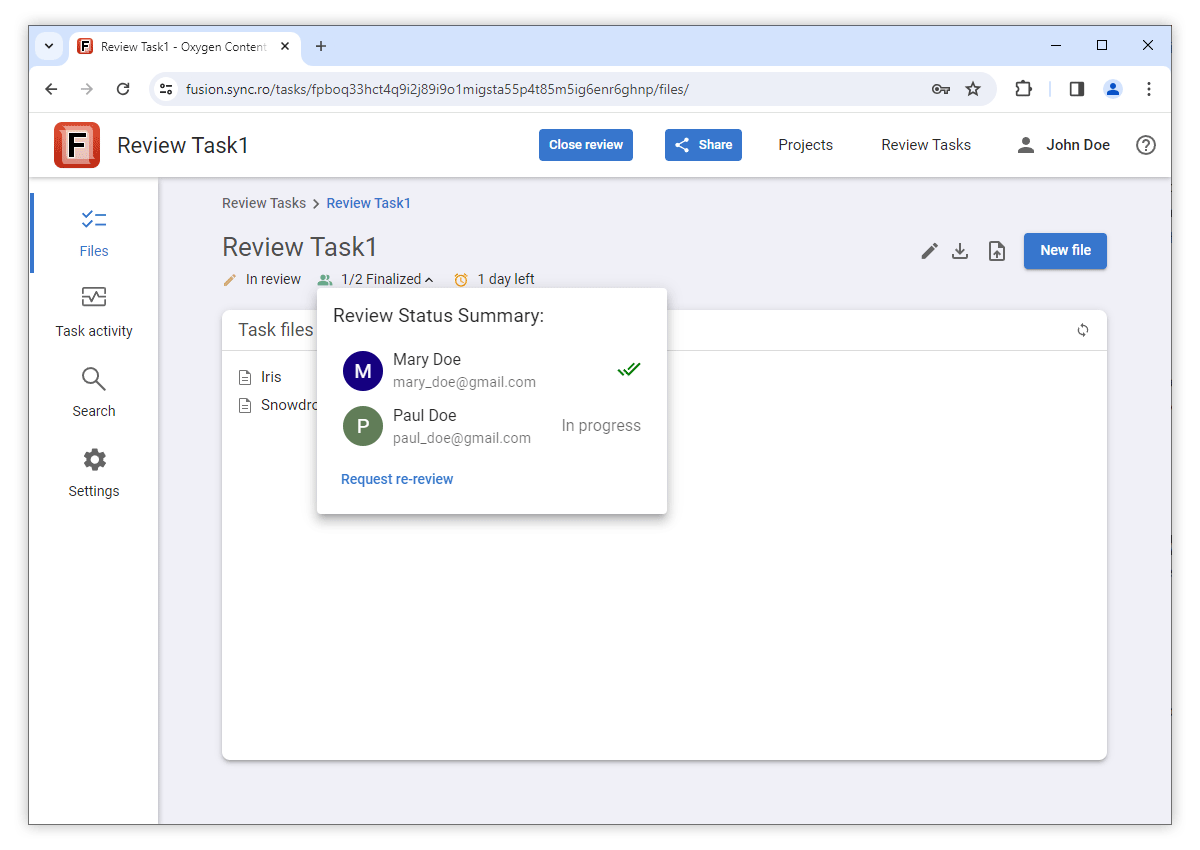
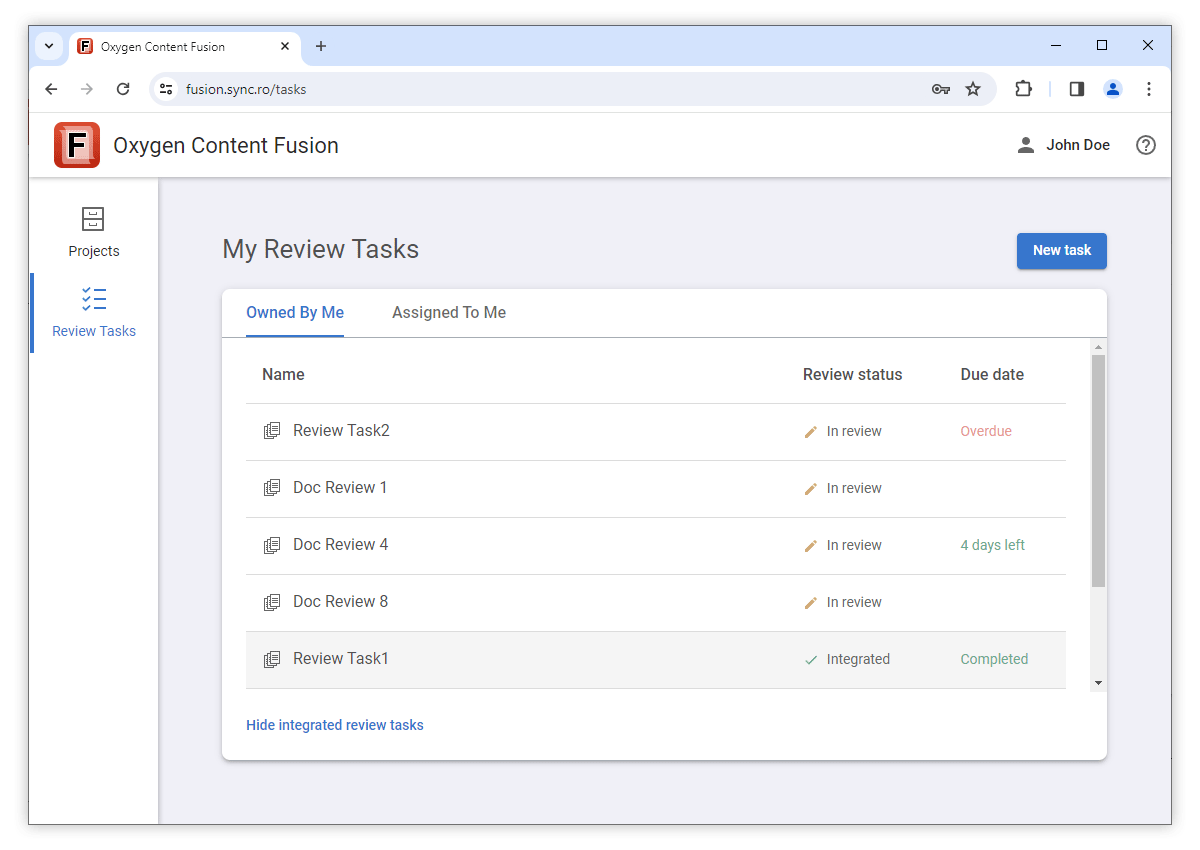
Improvements to the review task process include the ability to set a due date for review tasks, task owners have new options to limit the type of editing that reviewers can do on a task, request a re-review after the review has been finalized, and the review status for each reviewer on a task can now be seen from the various pages within a task. Tasks can be marked as integrated to hide them from the default view, reviewers have now the ability to create new files or upload files to a task, and various interface enhancements were implemented to streamline the overall workflow and offer more in-place information. The main security enhancement provides the ability to configure Content Fusion to use an OpenID Connect provider for SSO authentication.
Authentication
Single Sign On Support Using OpenID Connect
Review Tasks
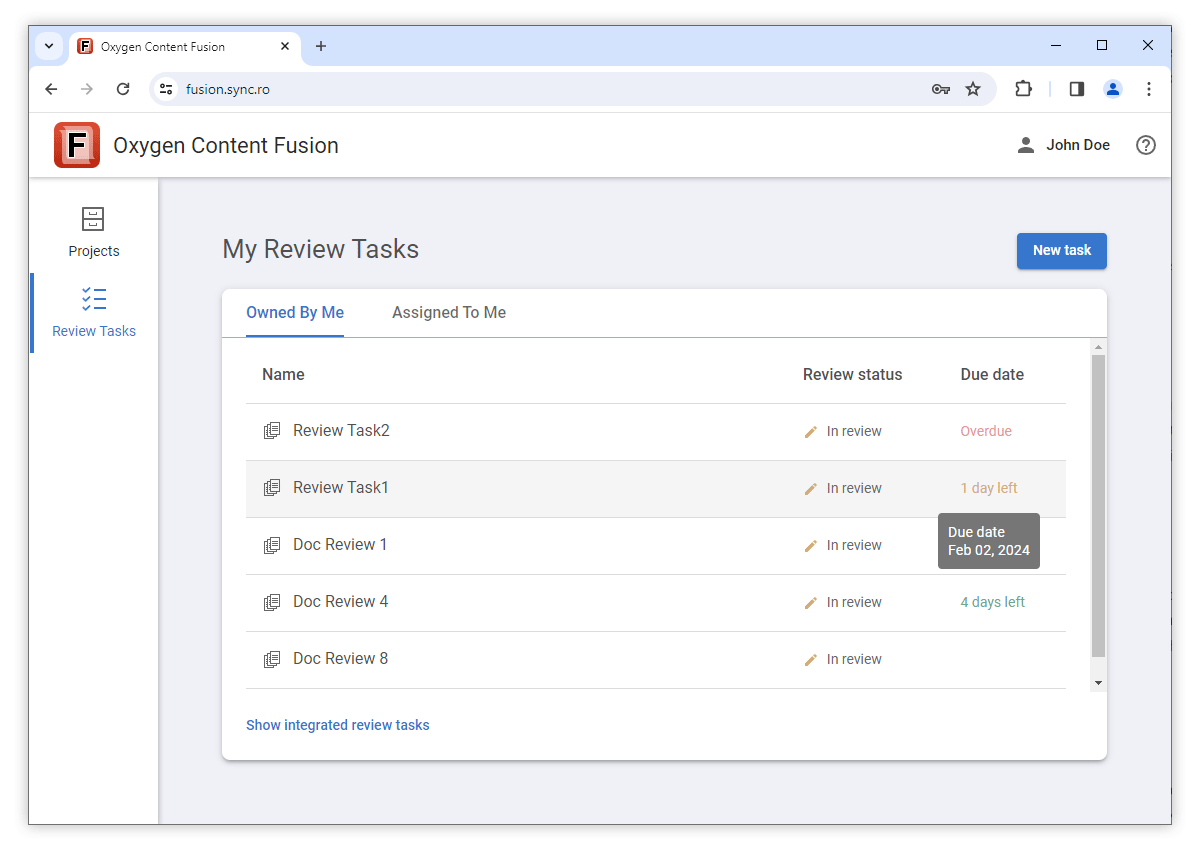
Due Date for Review Tasks
Comment-only Reviewers Edit Mode
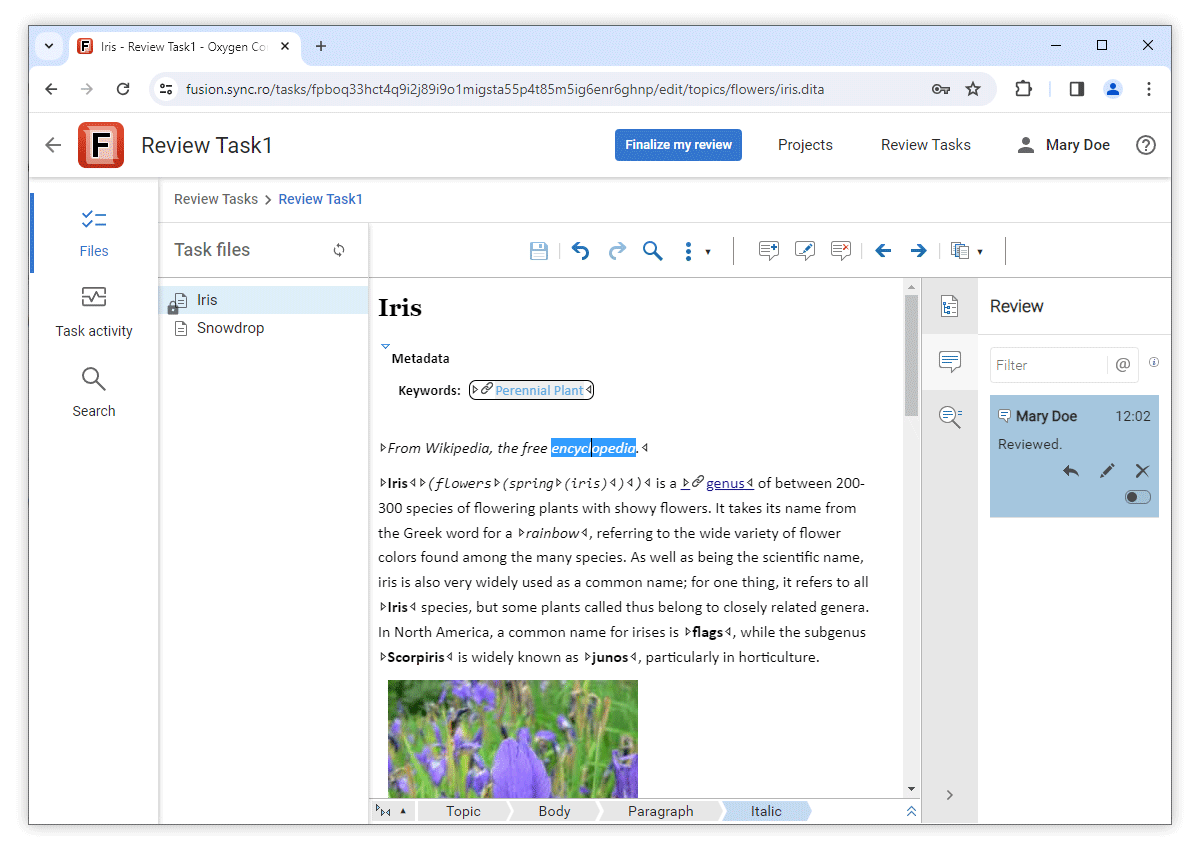
Option to Request Re-review
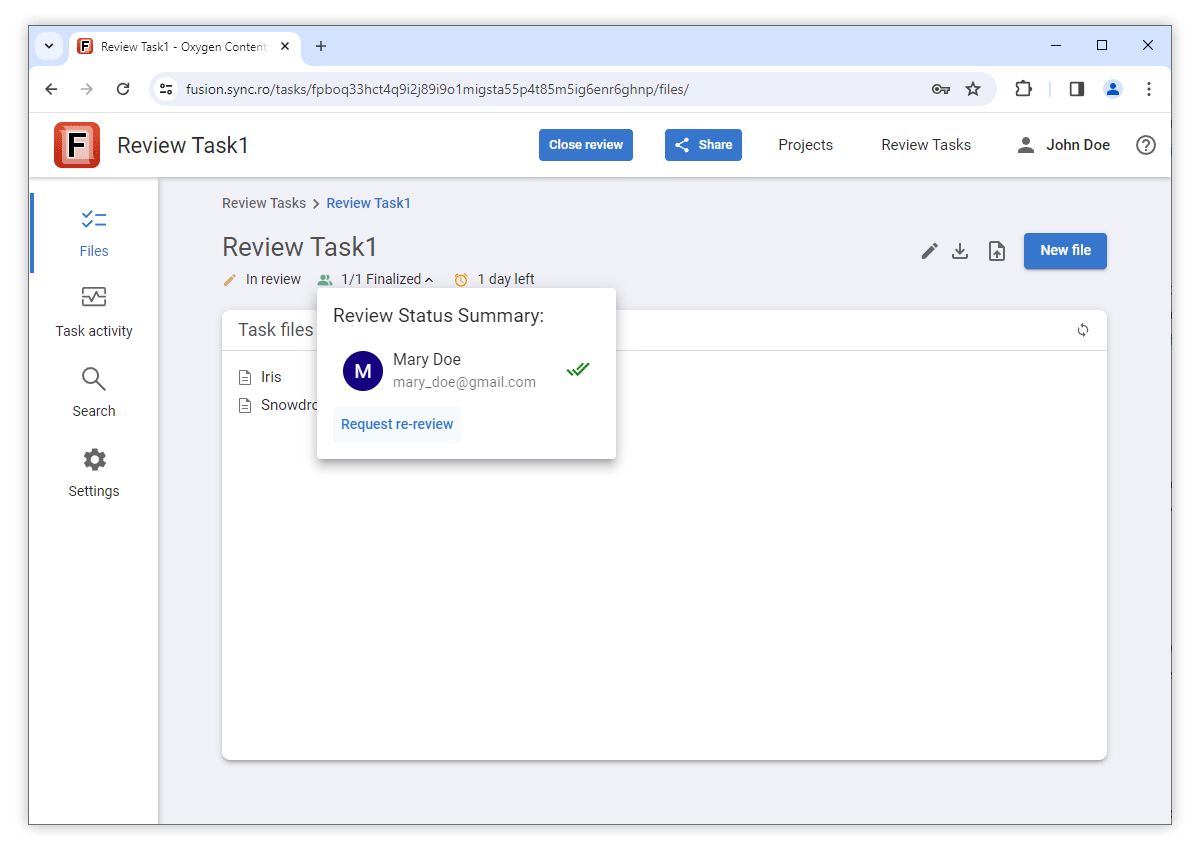
Better Control of the Finalized Review Status
When a user marks a review task as Finalized, it remains in that review state even when other collaborators make changes to documents within the task. The Finalized state will change to In progress for that particular user only if they make changes to the task documents, or if a task owner either re-opens the task or requests a re-review of the task.
Review Status Information
Integrated Review Status
Upload Files to a Review Task
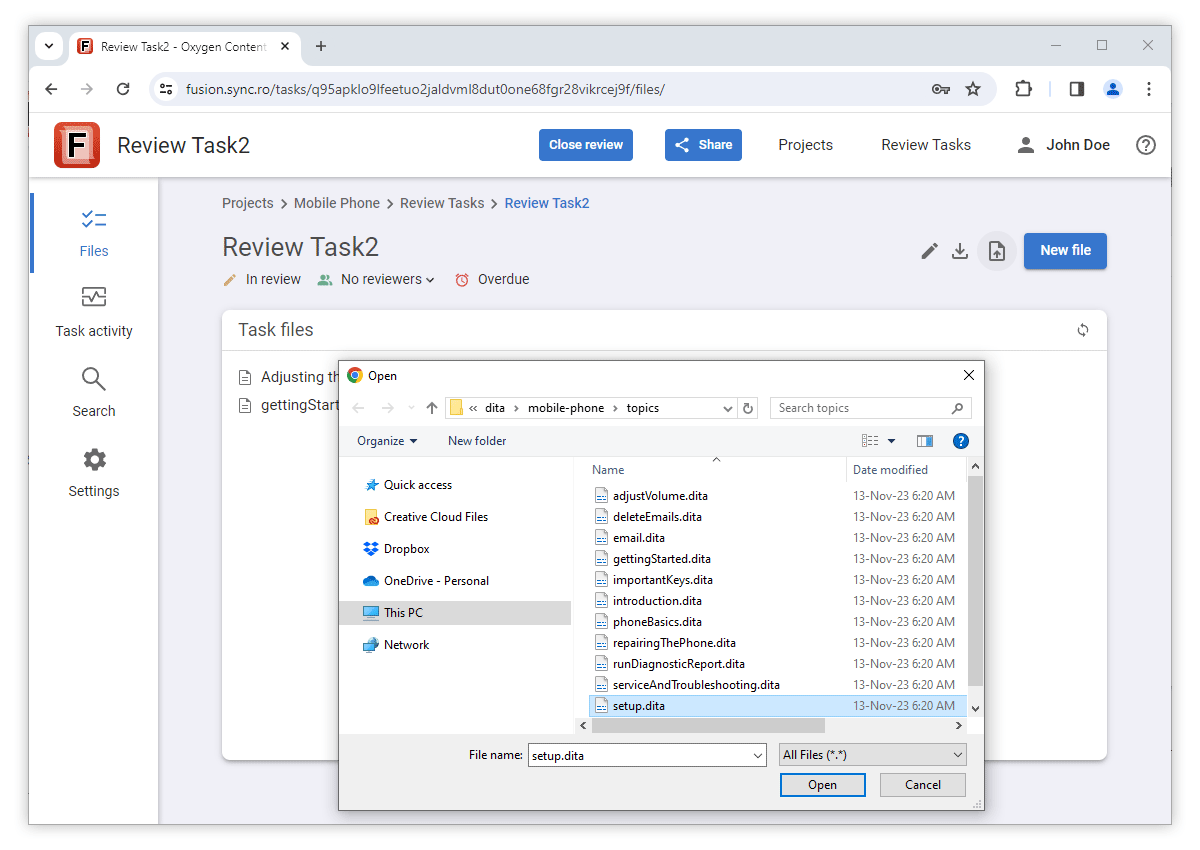
Reviewers Can Now Create New Files in a Review Task
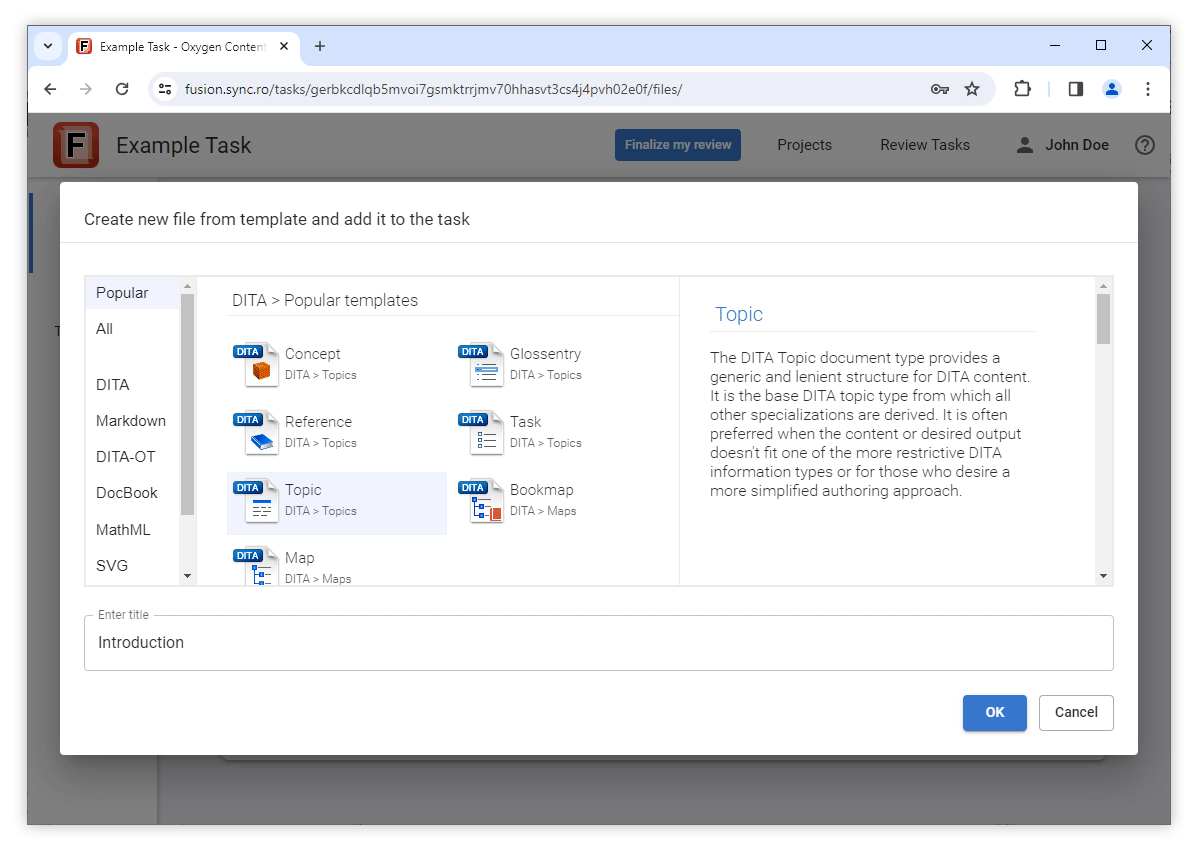
Show Document Titles for Review Tasks Created From a Project
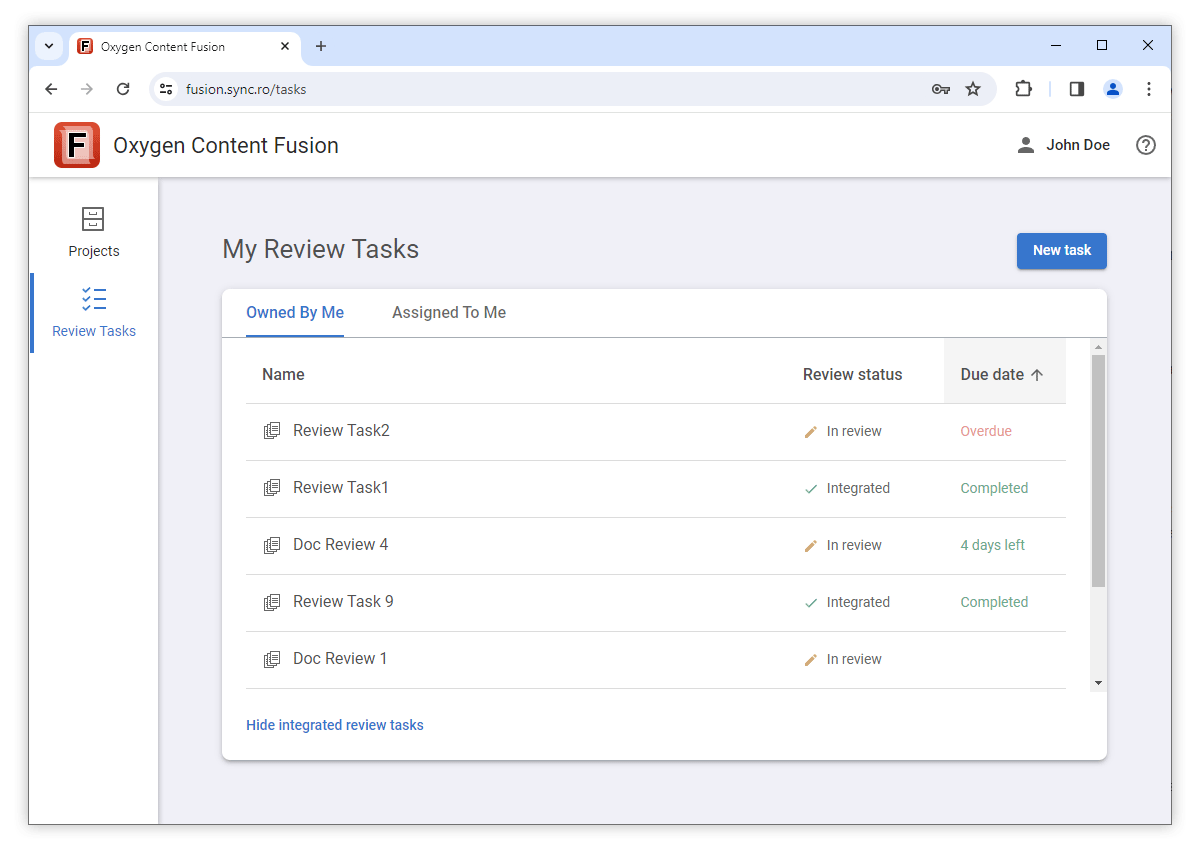
List of Review Tasks is Sortable
Track Task Evolution in Task Activity
Security
Improved TLS Security
TLS_ECDHE_RSA_WITH_AES_256_CBC_SHA384 weak cipher is no
longer accepted.What's New in Oxygen Content Fusion 6.0
Oxygen Content Fusion 6.0 introduces a lot of interesting and substantial improvements for the online collaboration platform designed to improve the DITA documentation review and publishing processes.
One of the most interesting new features added in this version is the new Projects feature, which allows you to manage a DITA project hosted in a Git repository while maintaining full compatibility with existing workflows and tools. Authors can create review tasks inside a project and reviewers' feedback is tracked on a dedicated branch in the Git repository. New publishing features help authors build WebHelp and PDF outputs and the Oxygen Styles Basket has been integrated to make it very easy to customize the output using CSS styling. Review task owners can now close a review task to prevent others from making changes while integrating the reviewers' feedback. Numerous enhancements were also made to the Content Fusion user interface to make navigation easier and workflows more efficient. Bug fixes and security enhancements were also implemented, and various internal components were updated.
Projects
Manage DITA Projects Hosted in Git Repositories
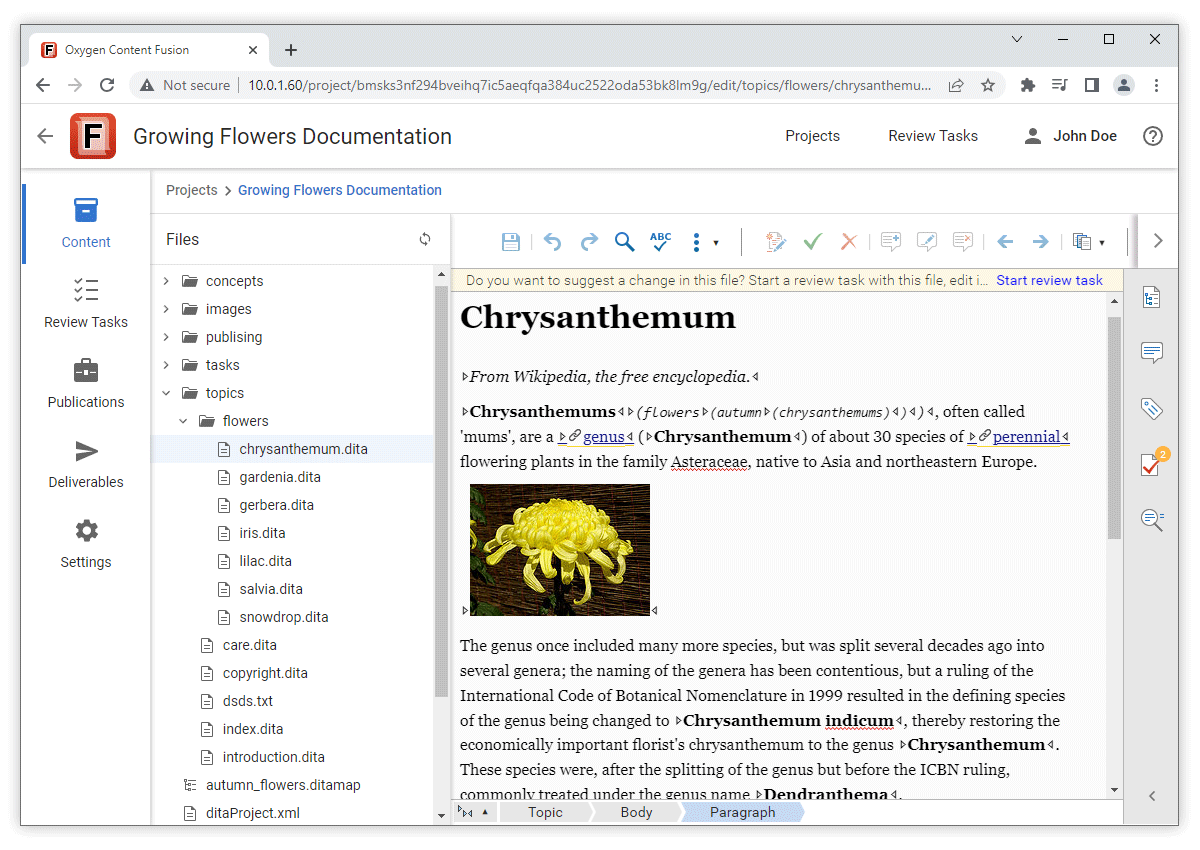
Compatibility with Existing Workflows and Tools
Create and Merge Review Tasks Inside Projects
A Content Fusion project has a default branch in the Content Fusion repository that mirrors the corresponding Git branch from the upstream remote repository. This allows authors to create review tasks inside a Content Fusion project quickly and using a minimum amount of storage, review tasks being just additional branches in the Content Fusion local repository. All authors that have access to the project are able to see all the review tasks created within that project.
After closing a review task that was created within a project, the task owner has access to an action to integrate the changes into the project's default branch using the built-in file comparison/merge tool. This tool allows you to visually spot the differences and choose which changes to merge.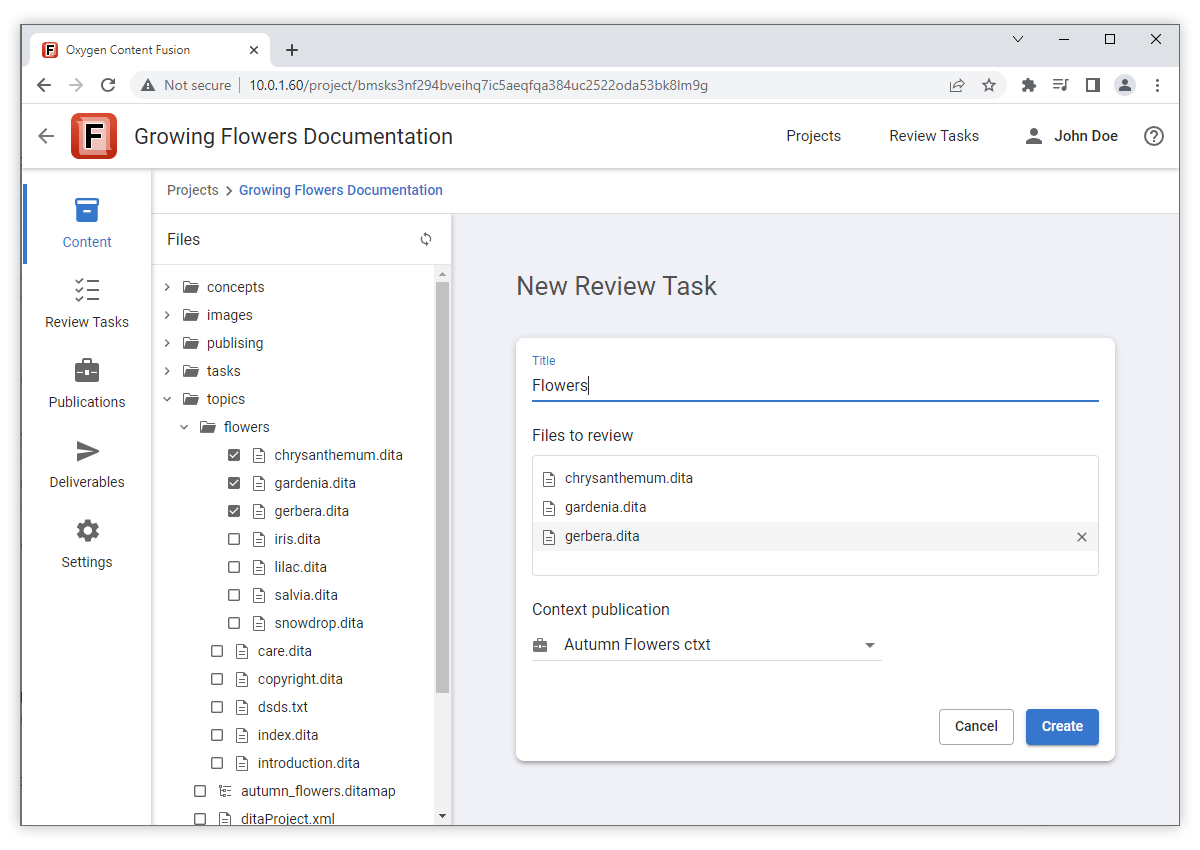
Feedback Tracked in Git Repository
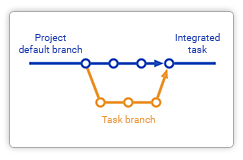
Private Projects
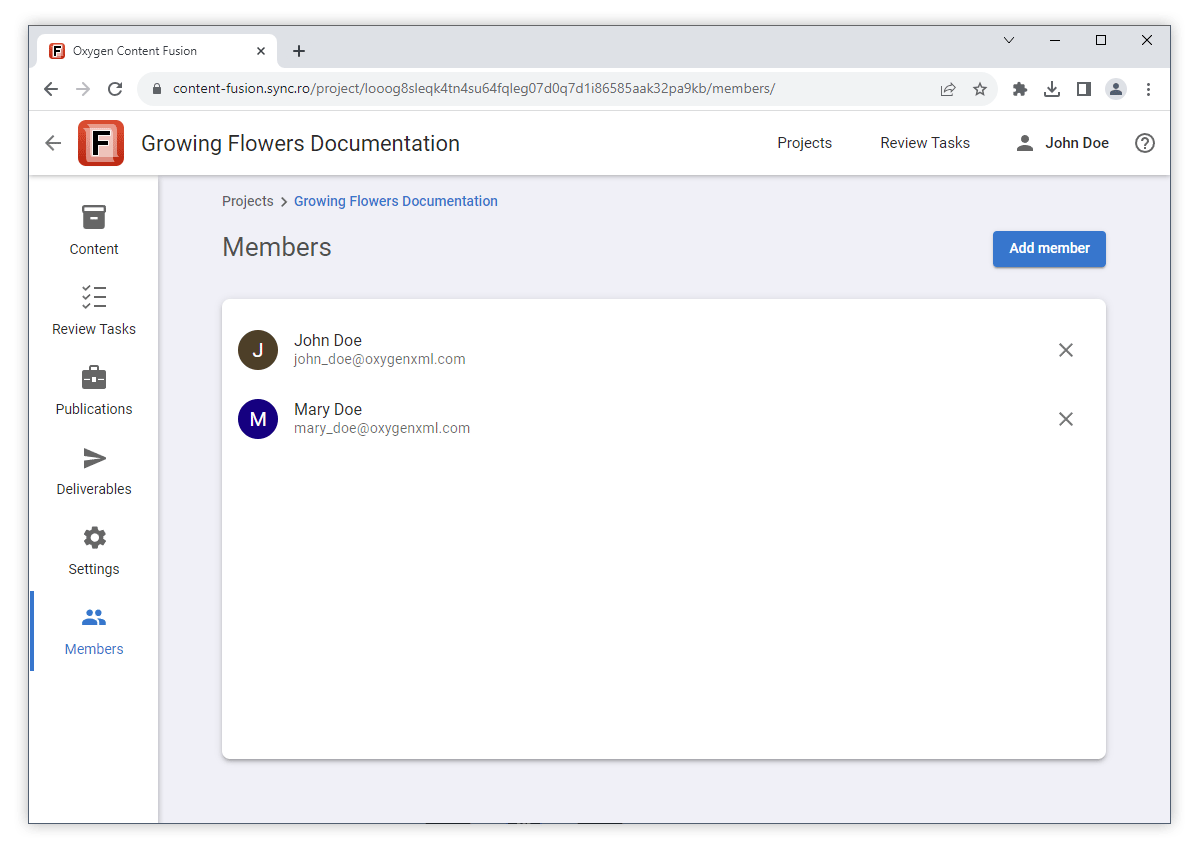
Publishing
Build WebHelp and PDF Deliverables
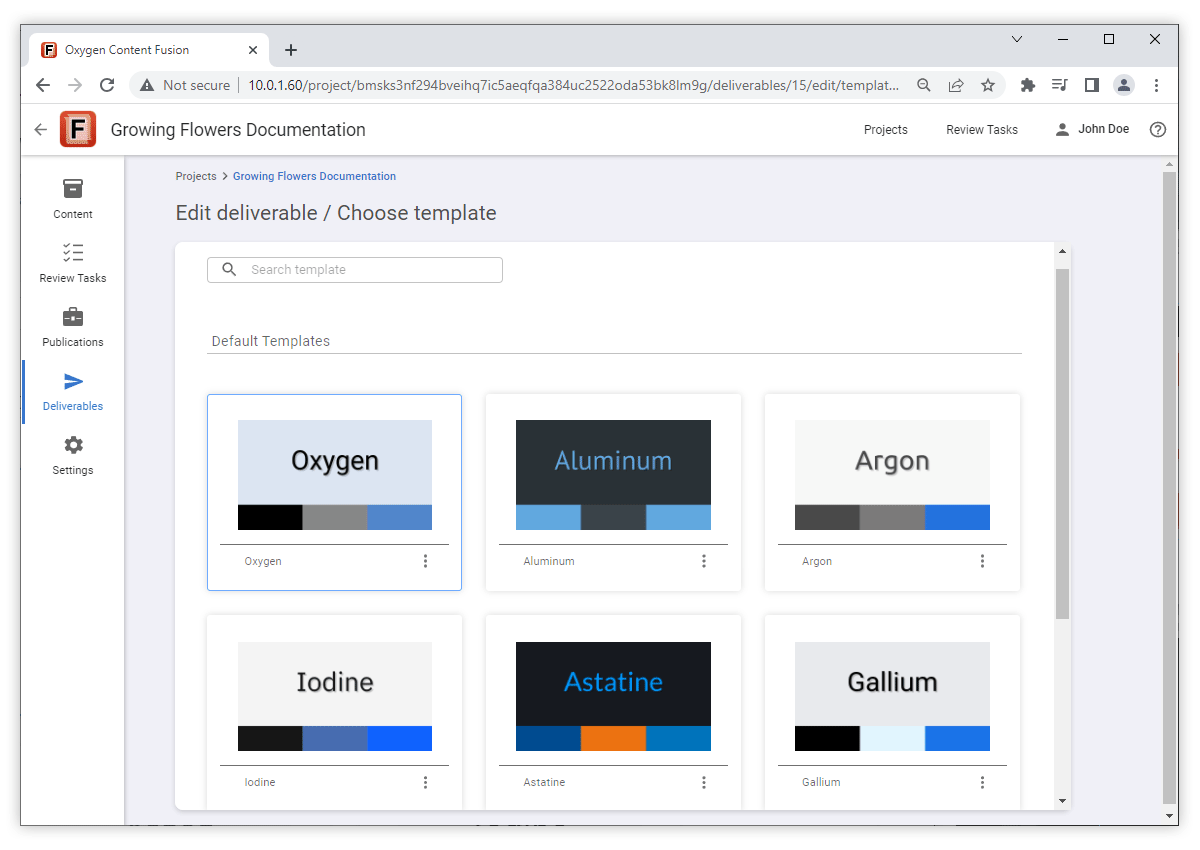
Built-In Publishing Templates
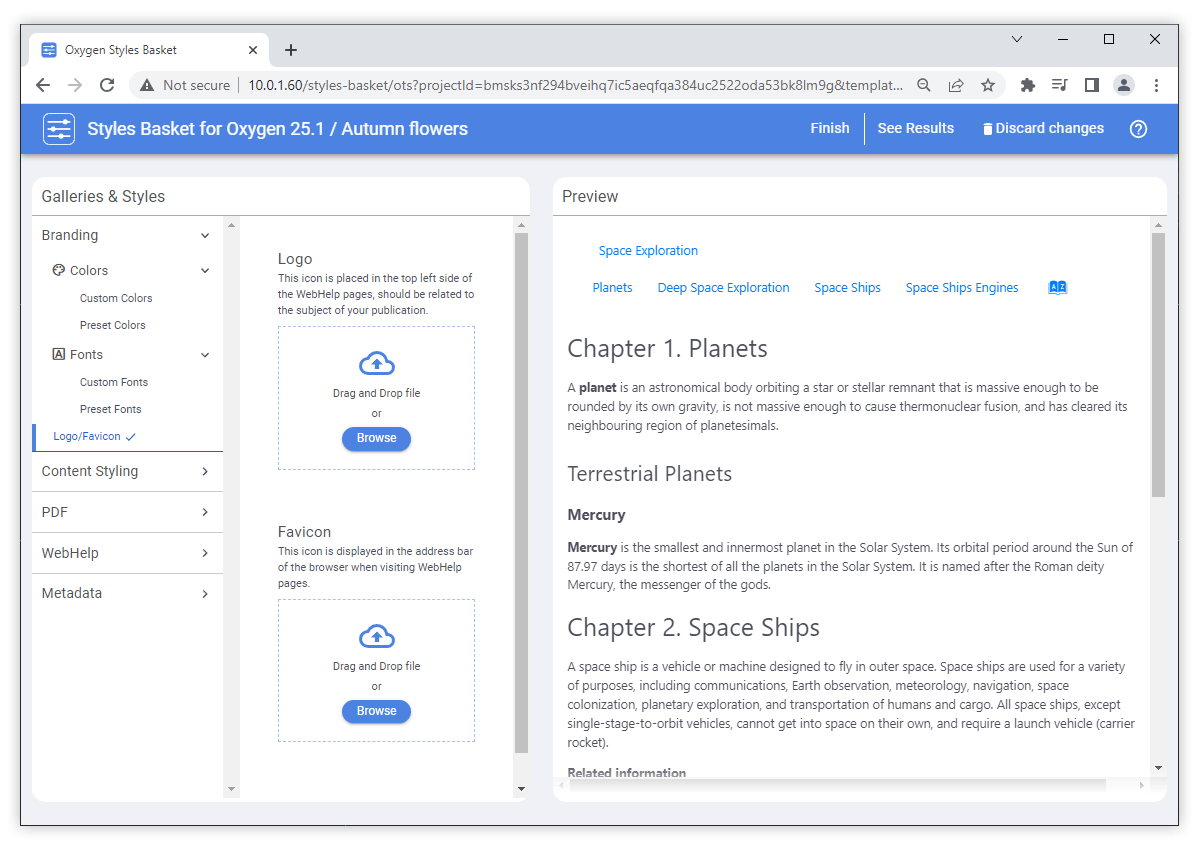
Oxygen Styles Basket Integration
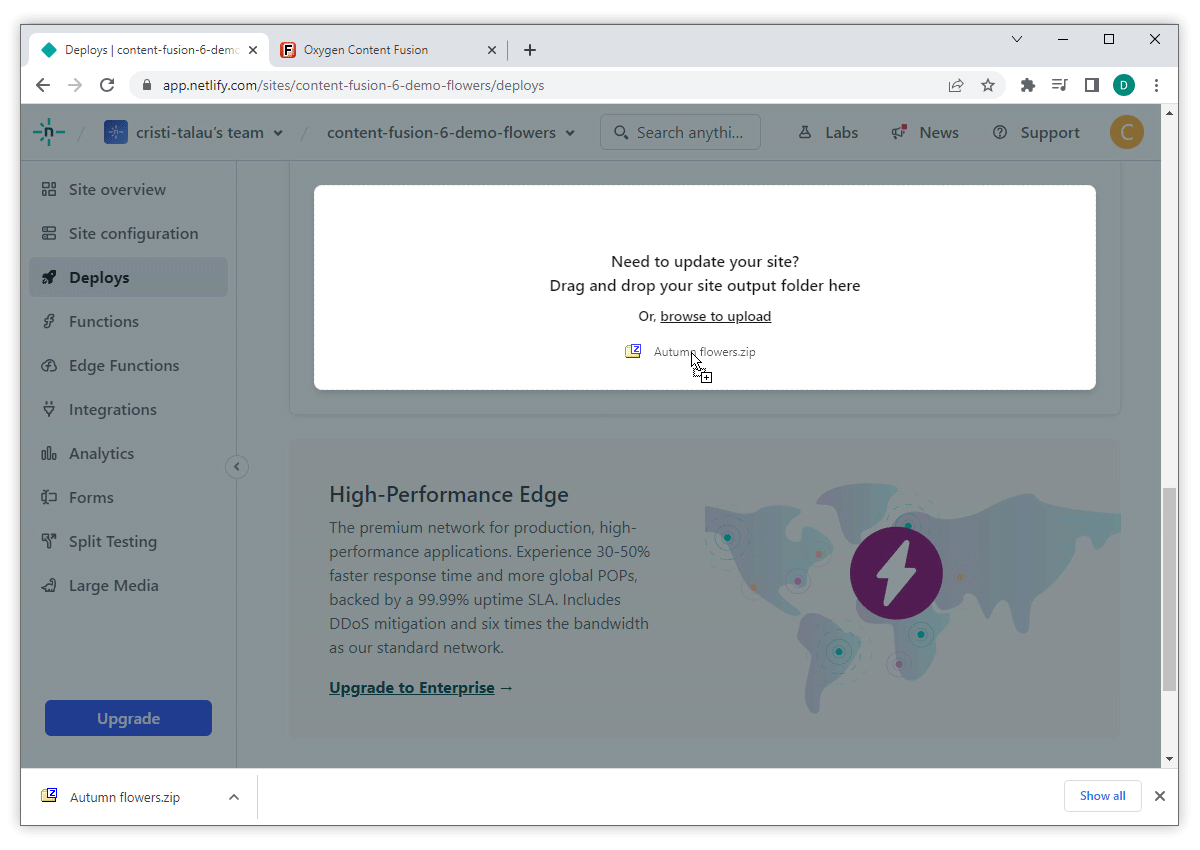
Deploy Deliverables on a Hosting Platform
User Interface Enhancements
New Navigation Features
Review Task Workflow Improvements
Uninterrupted Integration of Reviewer's Feedback
During the review process, you now have the ability to integrate changes into your documentation project undisturbed. To facilitate this workflow, we have introduced the Close Review button. This feature enables you to lock the task, preventing reviewers from making changes. It allows you to focus on addressing previously received feedback and making the necessary modifications without interruptions, ensuring a seamless integration of changes into your Content Fusion project. Should you require additional input or feedback, you can easily reopen the review, making the task editable to receive further suggestions.
Visual Editor
Updated Oxygen XML Web Author
Markdown Support
Licensing and User Roles
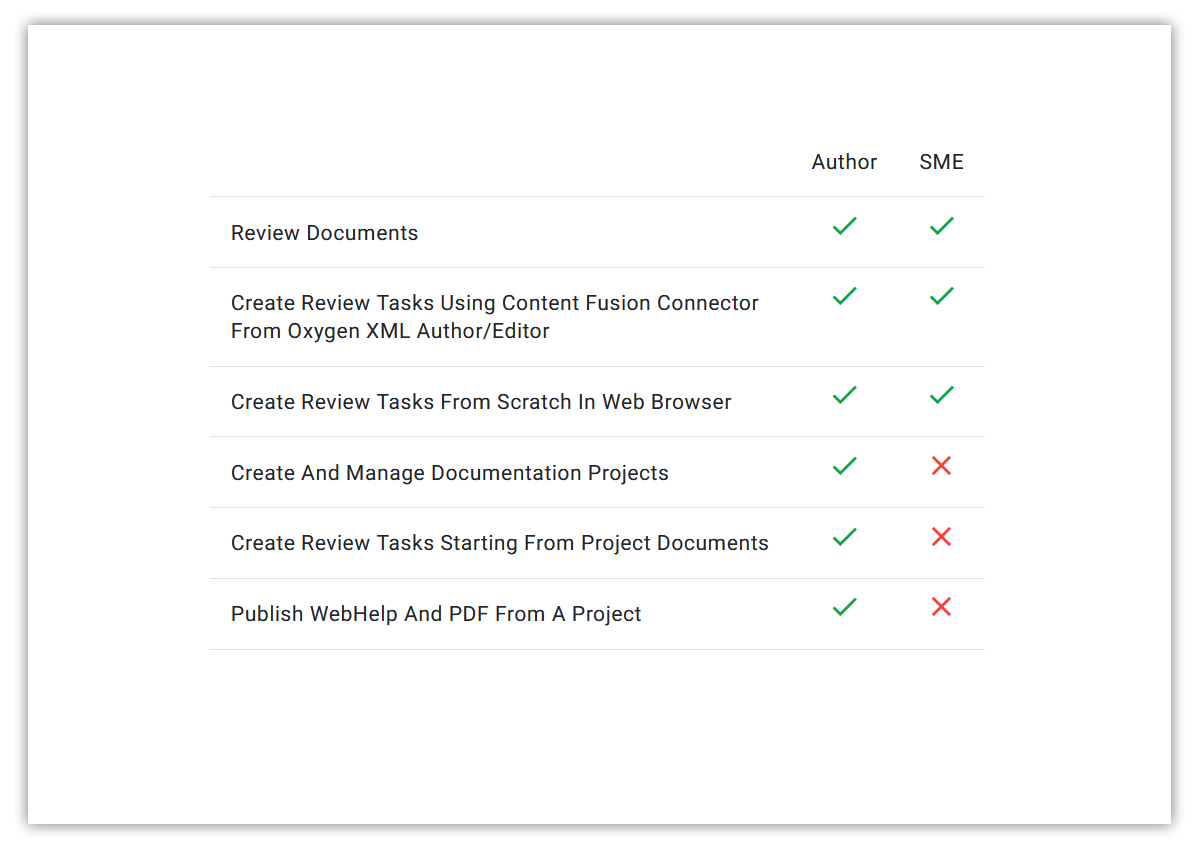
New Licensing Model Based on User Roles
Component Updates
Apache Shiro 1.12
Transport Layer Security v1.3 Support
What's New in Oxygen Content Fusion 5.1
Version 5.1 of Oxygen Content Fusion is a minor release for the innovative collaboration platform that is designed to improve any documentation review process. The main focus of this release was to integrate the latest changes brought by Oxygen XML Web Author version 25.1.0 into Content Fusion's visual editor and to enhance the security of the platform.
Visual Editor
IME Support Improved
Precise Presentation for the Surround Differences in the File Comparison Tool
<bold> tag and the comparison tool will only
highlight the additional tags.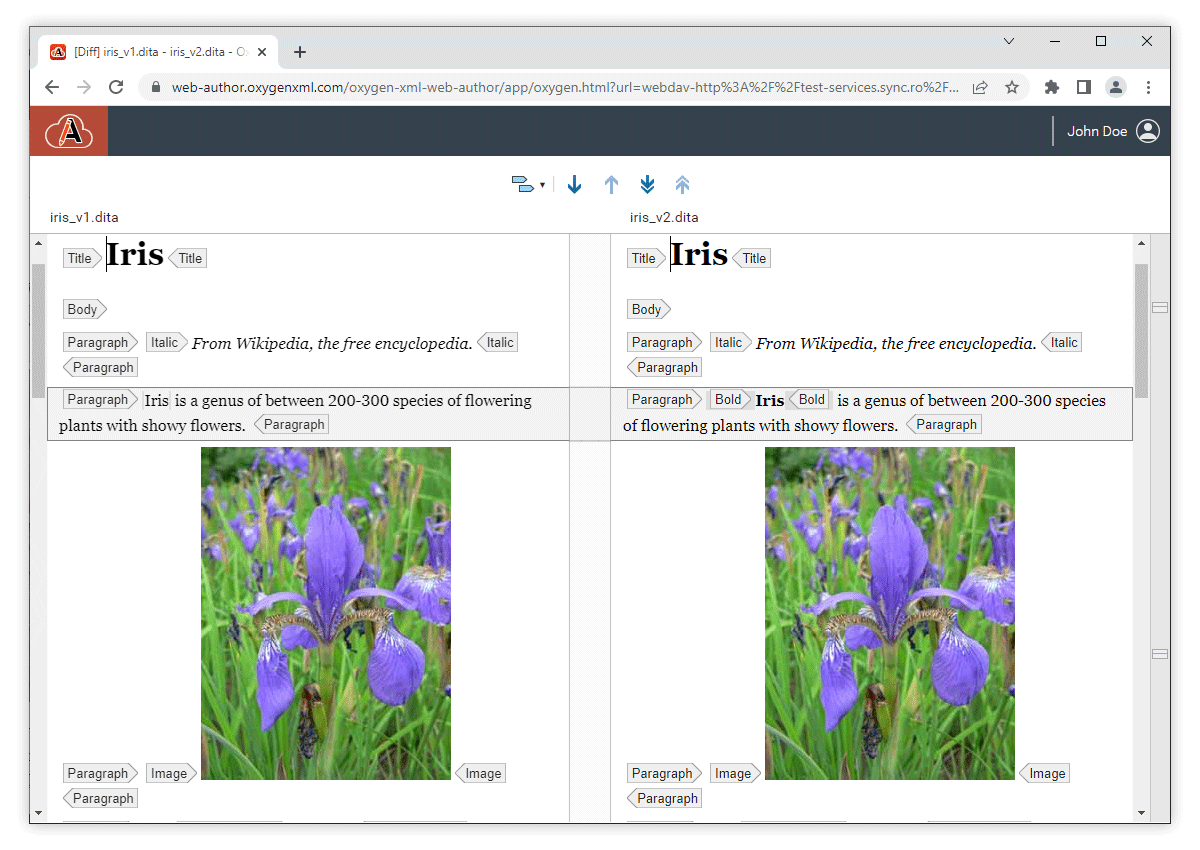
Order Block Elements With Keyboard Shortcuts
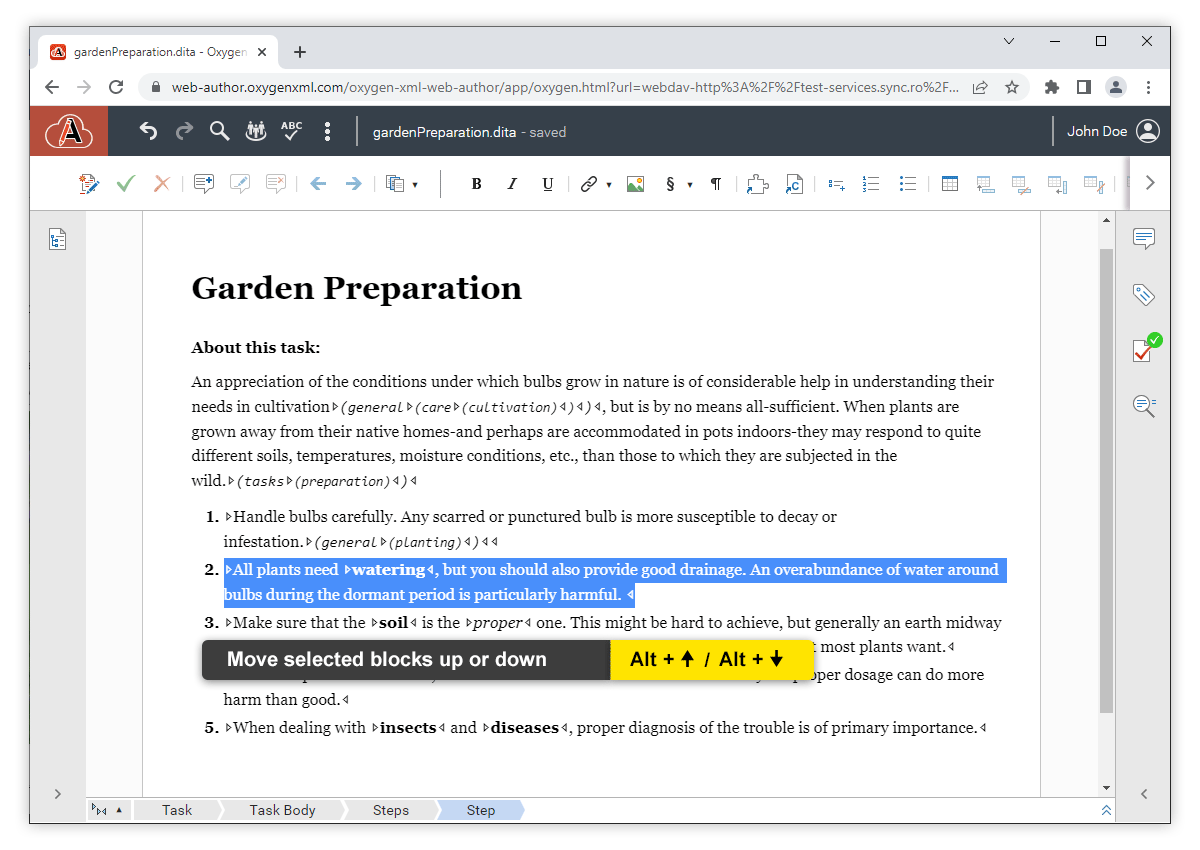
Image Maps Now Support Images Referenced Using Keyrefs
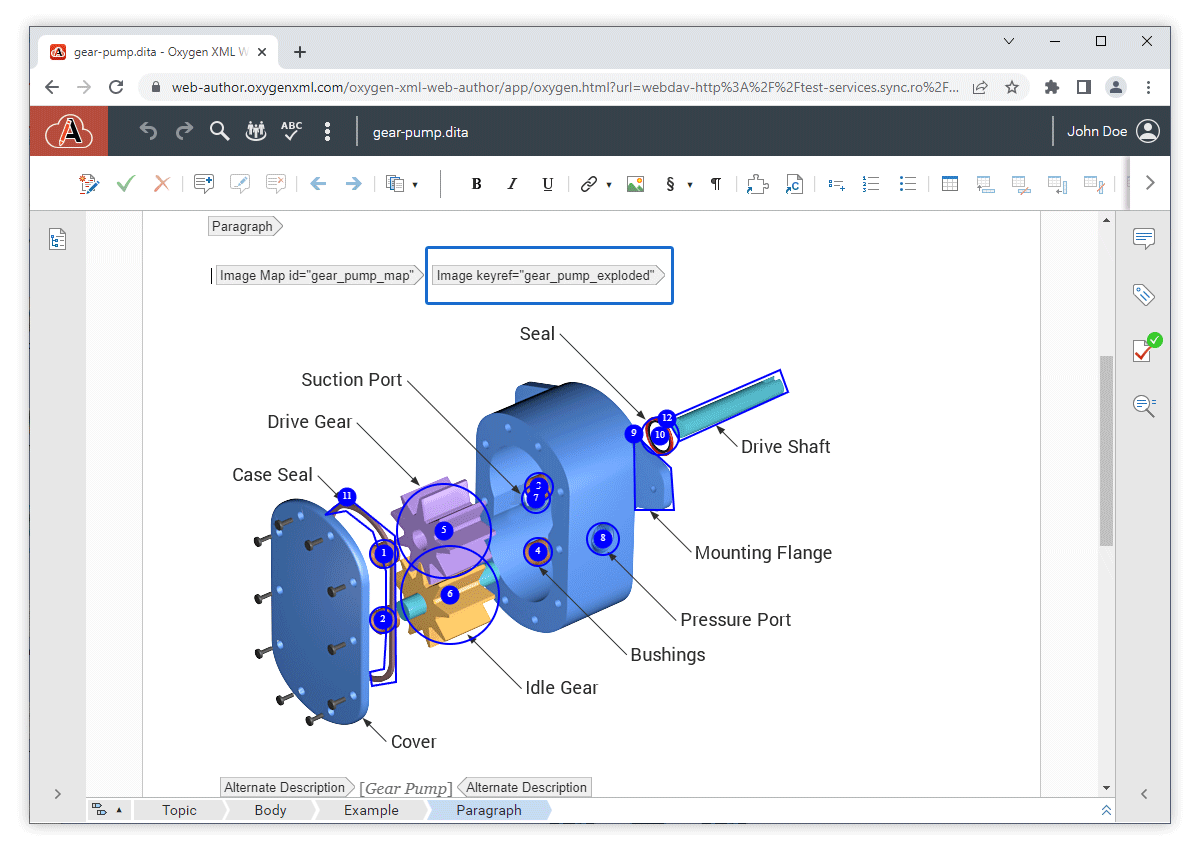
Component Updates
Deprecated Protocols (TLSv1 and TLSv1.1) Disabled
Third-Party Libraries Updated to Help Reduce Security Risks
Bug Fixes and Enhancements
What's New in Oxygen Content Fusion 5.0
Version 5.0 of Oxygen Content Fusion is the latest release for the innovative collaboration platform that is designed to improve any documentation review process.
Some of the most interesting new features added in this version include a new Search side-view that enables searches throughout all files in a task, various user interface improvements, the ability to mention other collaborators in comments, actions in Oxygen XML Editor/Author to open a task's files or the context map specified for a task, and other enhancements designed to improve the user experience.
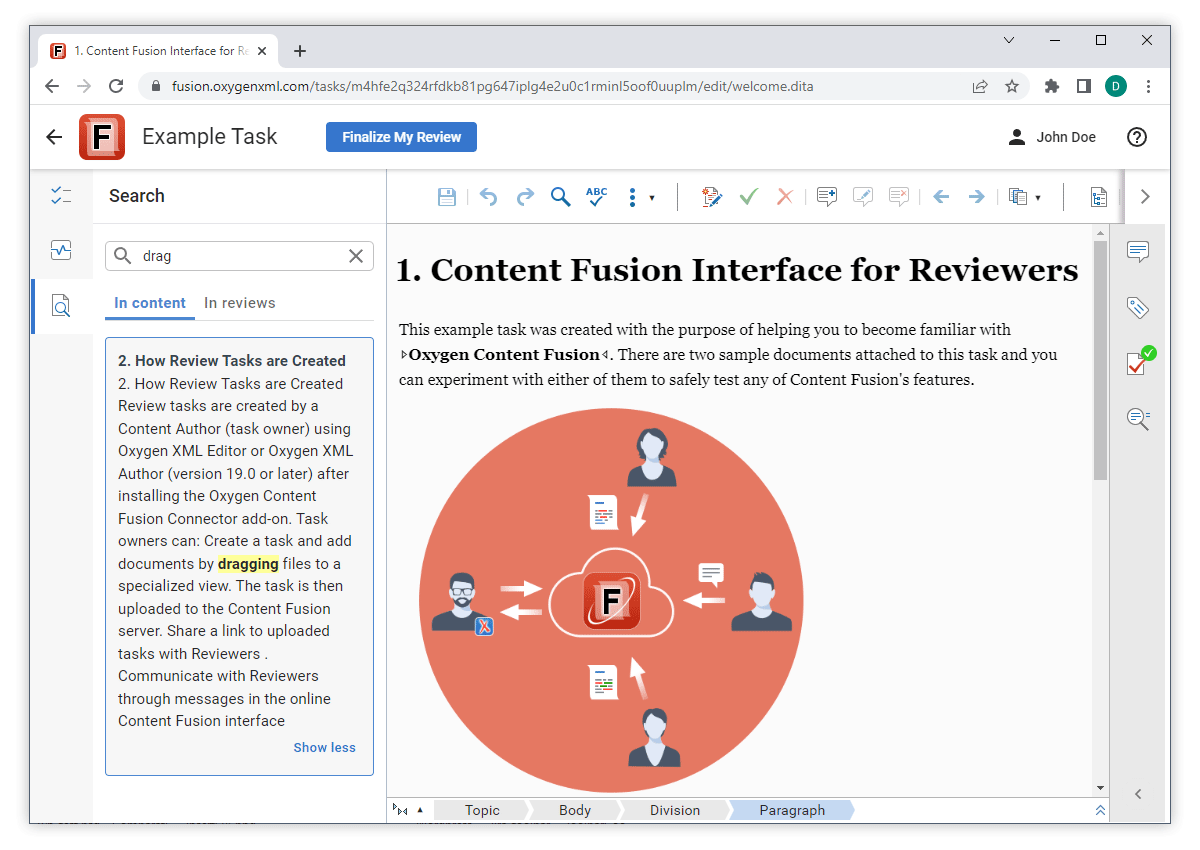
Full Text Search
Search all Files in Review Task
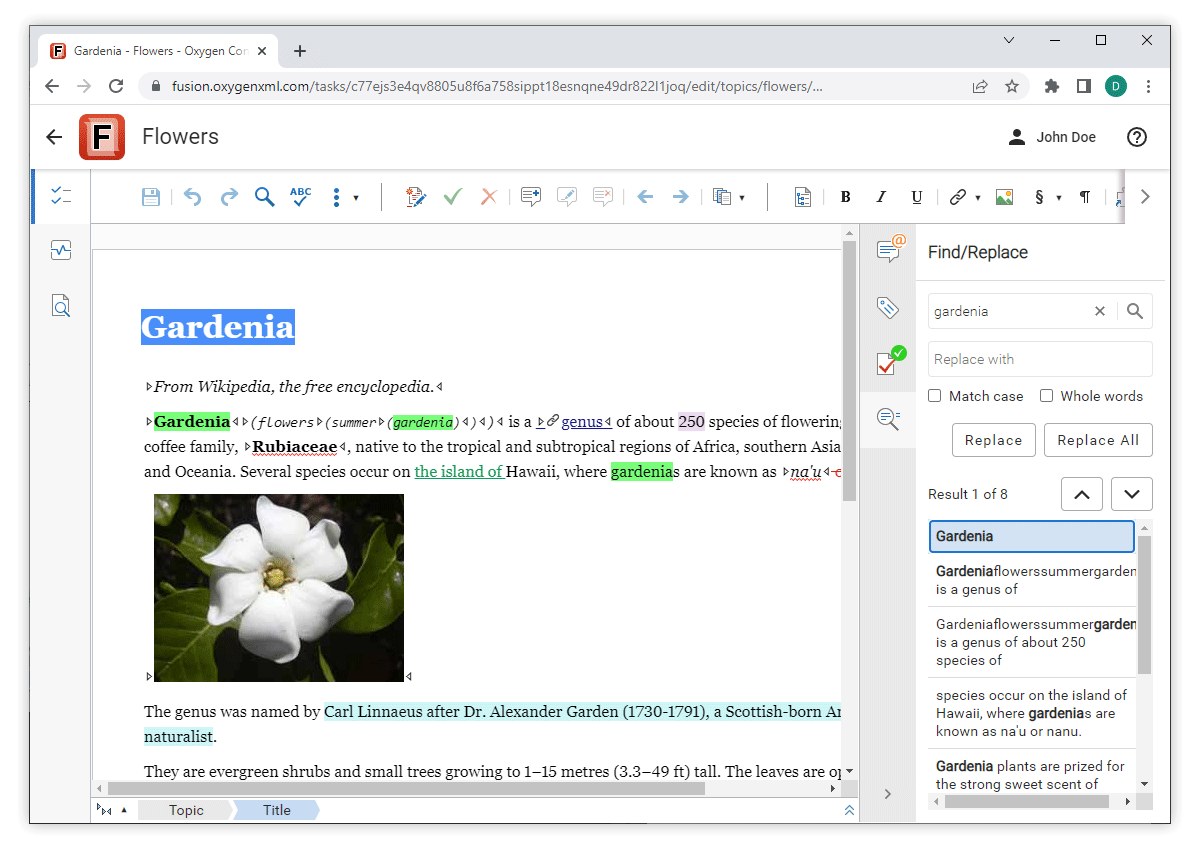
Find/Replace Side View
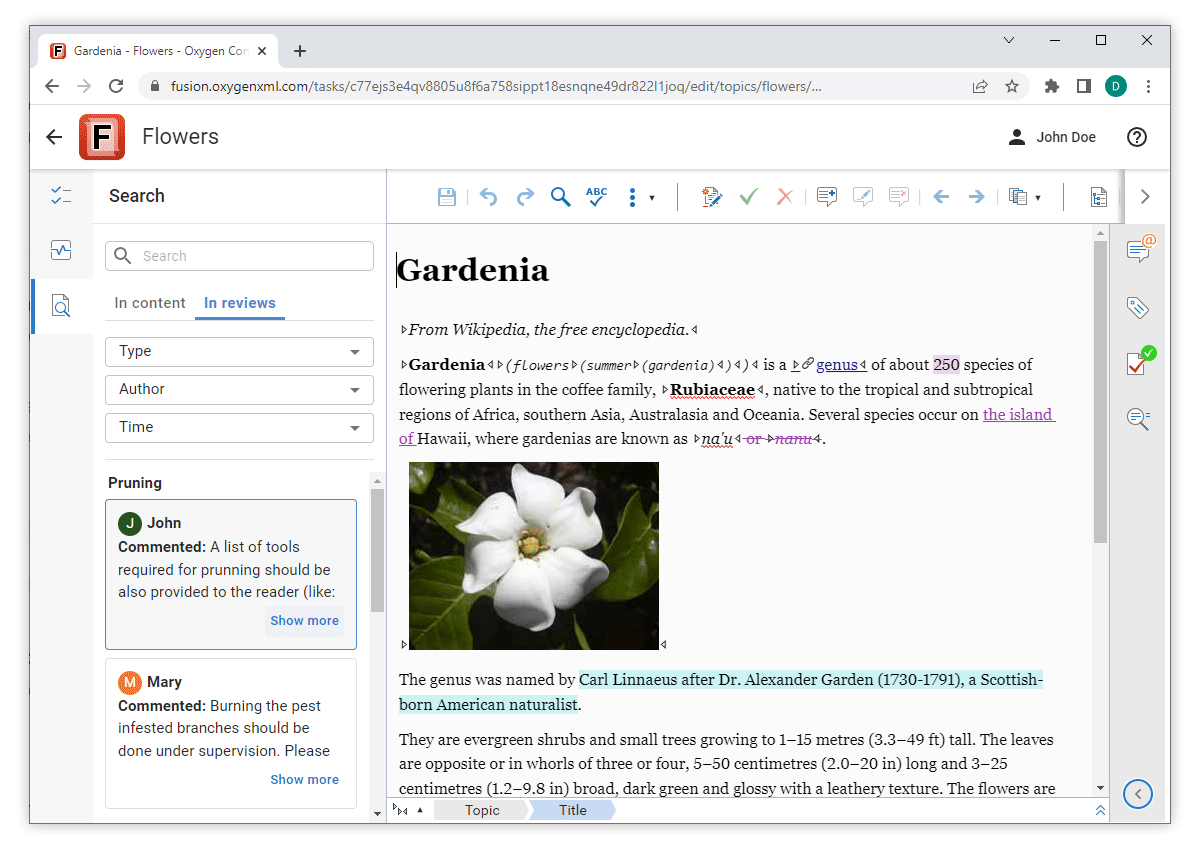
Review
View Comments and Tracked Changes Throughout the Entire Task
Mentions Supported Inside Comments
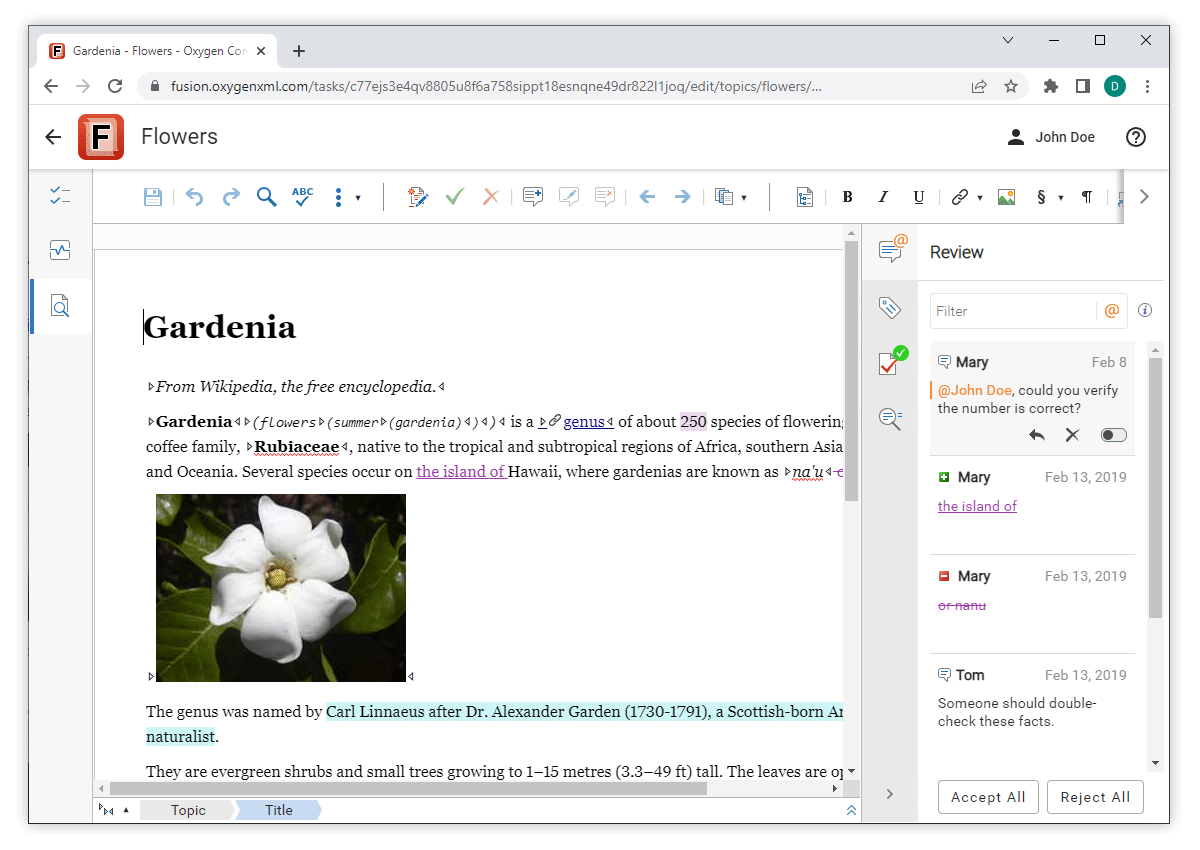
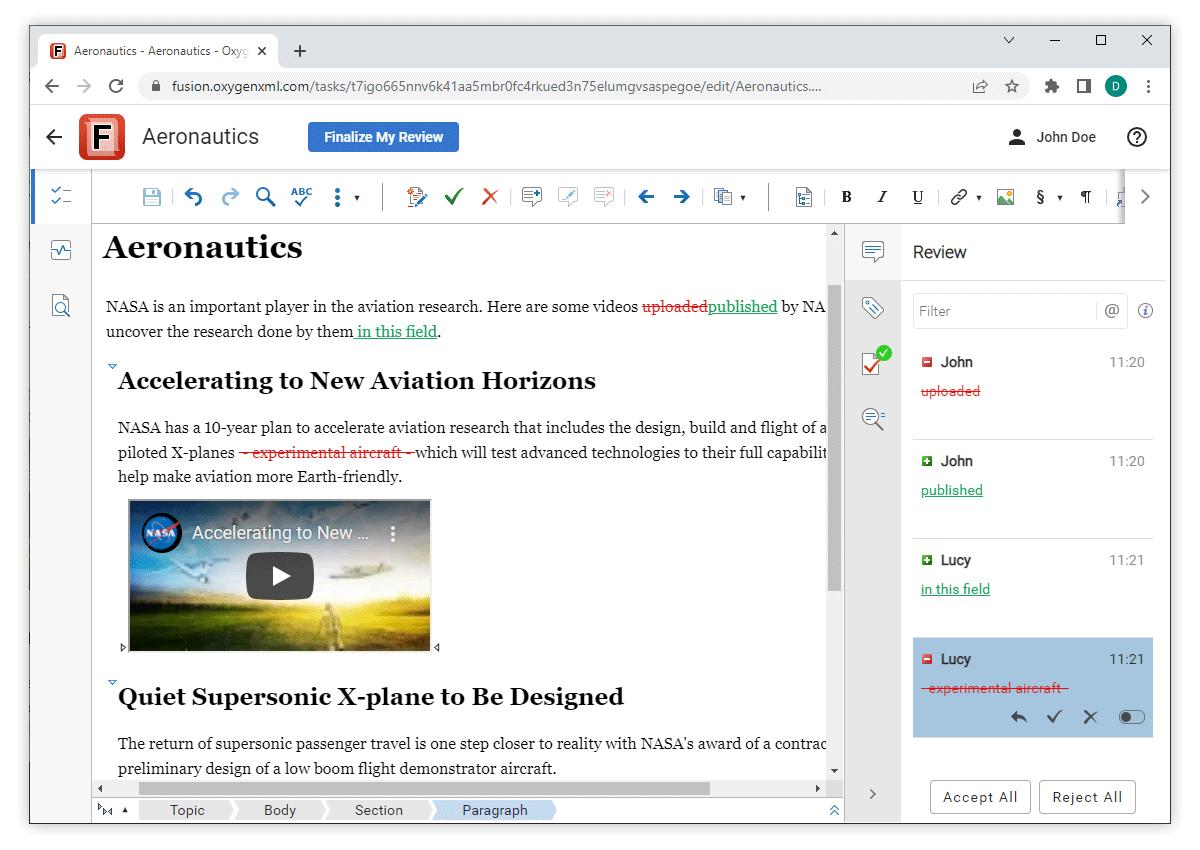
Review Tasks Created in the Browser Have Change Tracking Disabled by Default
Control Change Tracking Colors
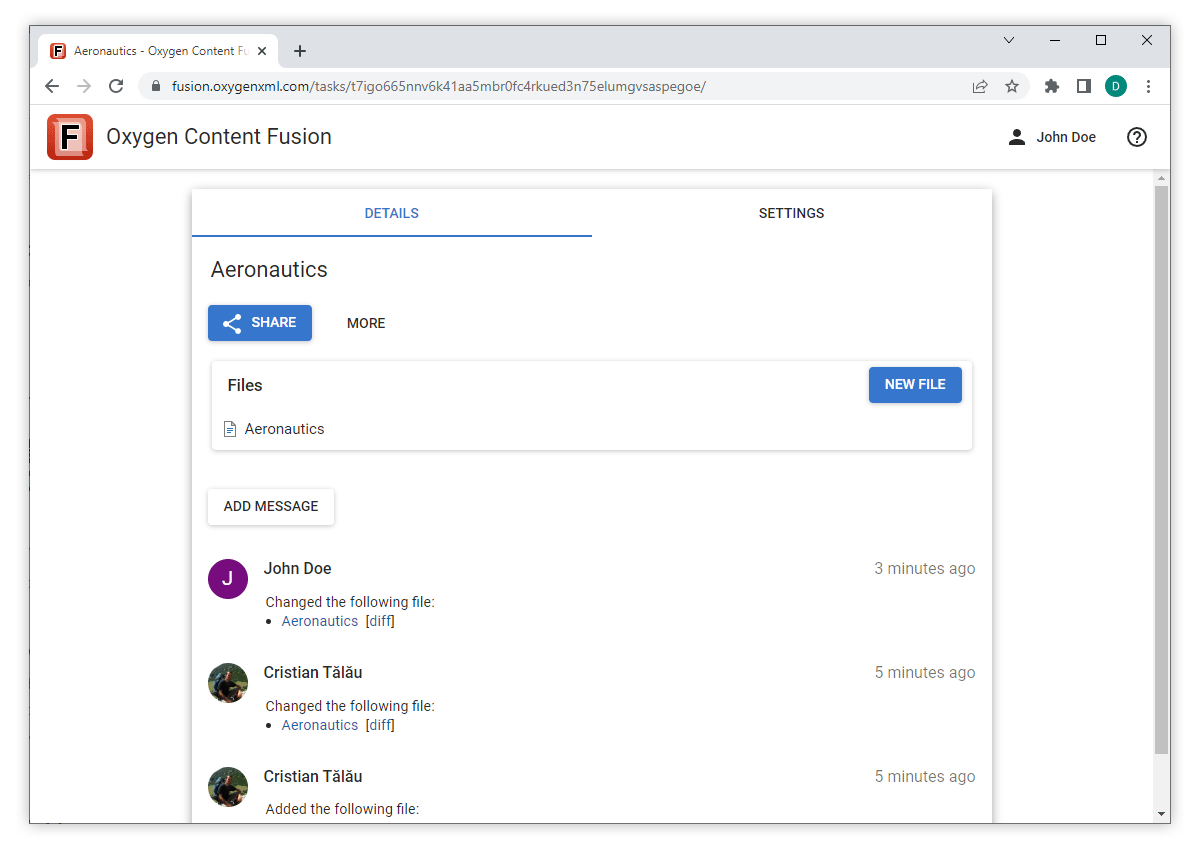
User Interface Design Improvements
Color Theme Modernized
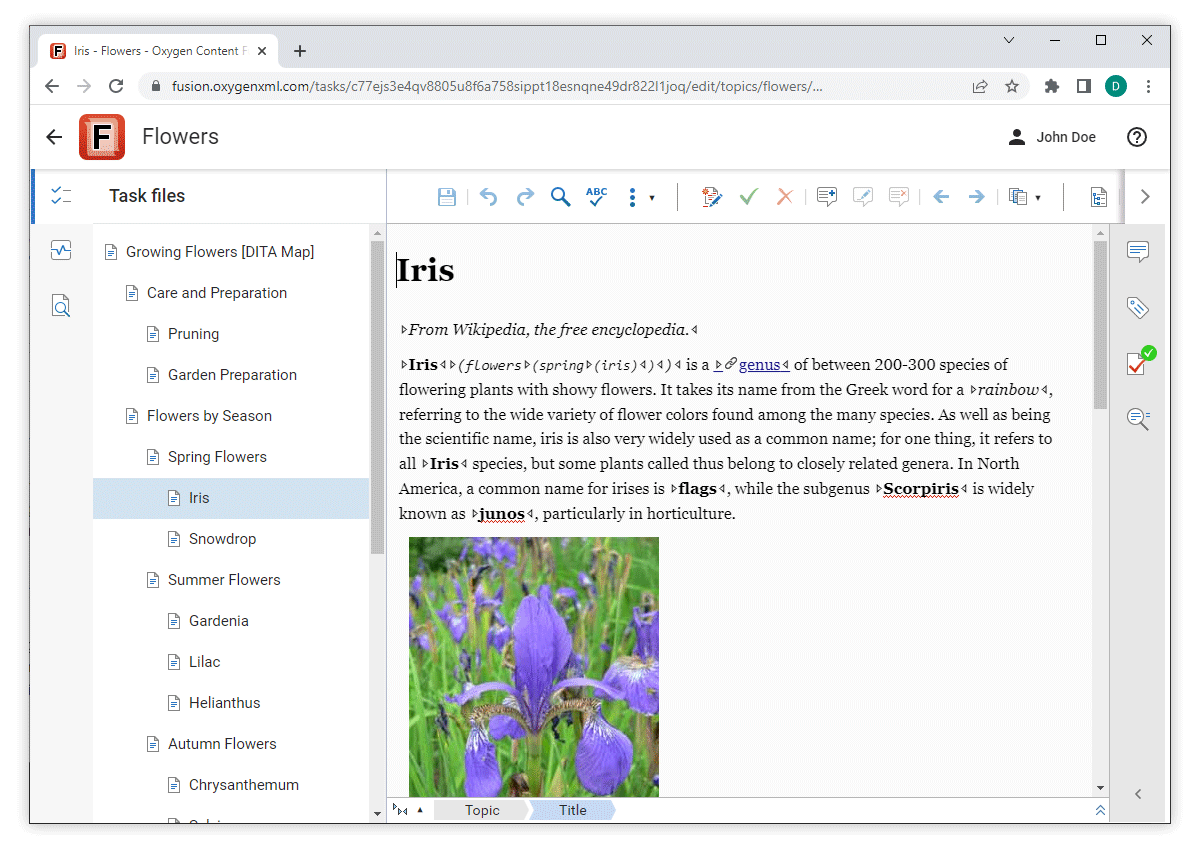
Side Views Reorganized
Visual Editor
Updated Oxygen XML Web Author
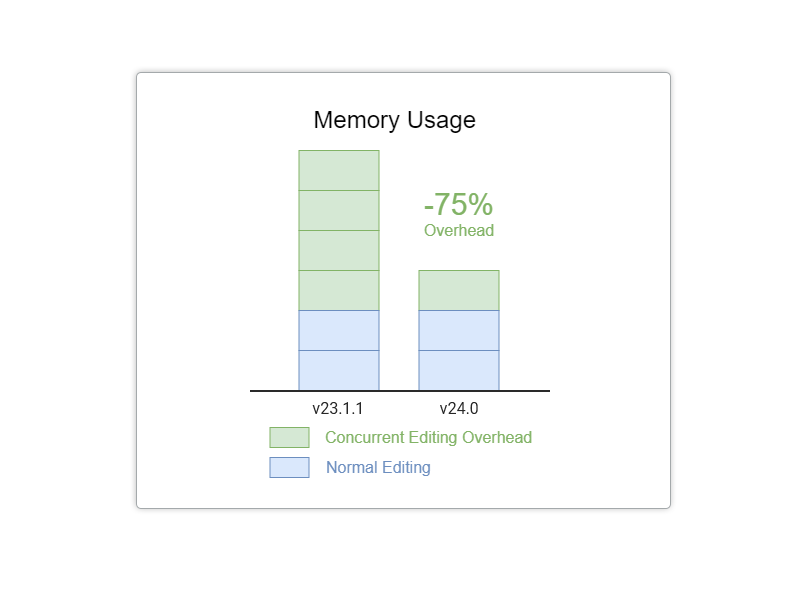
Concurrent Editing Support Optimized
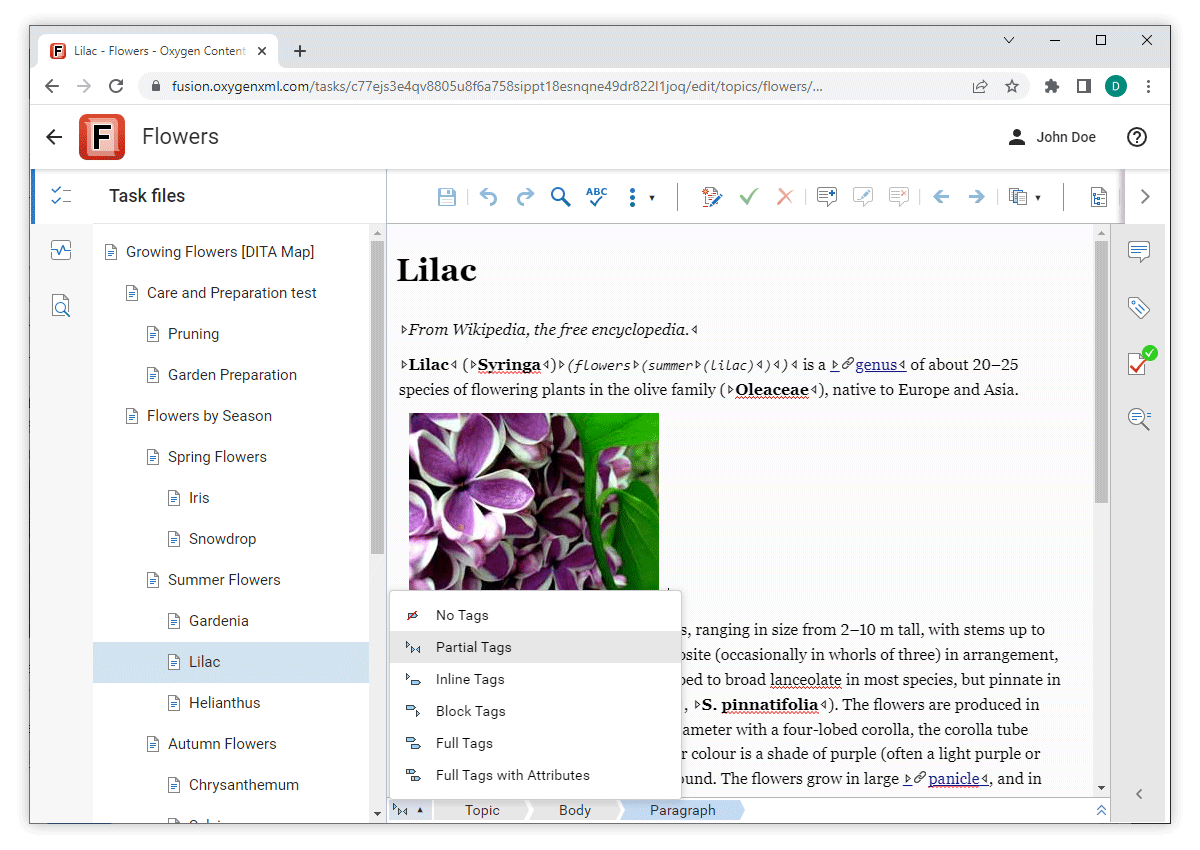
Tags Display Mode Switcher
EXF Files Now Supported When Uploading Frameworks
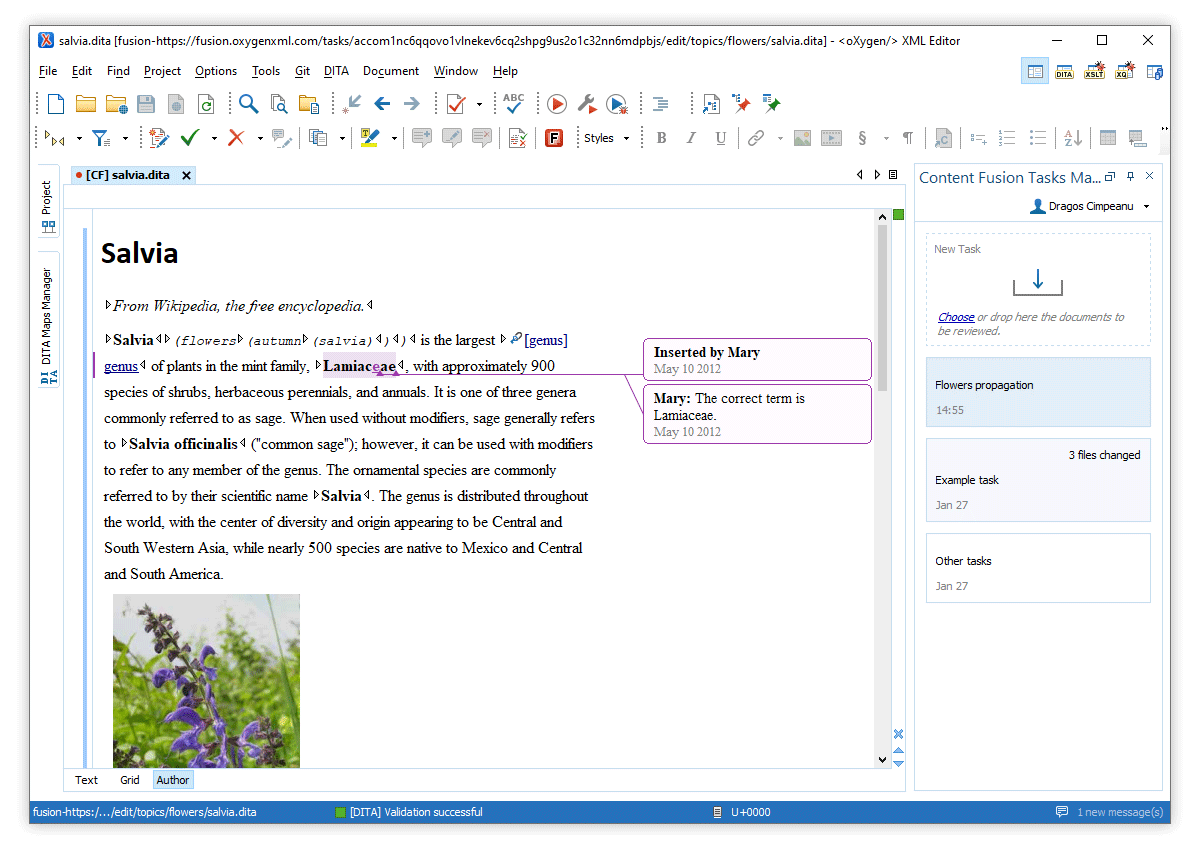
Editing Content Fusion Files in Oxygen XML Editor/Author
Open Files from a Review Task
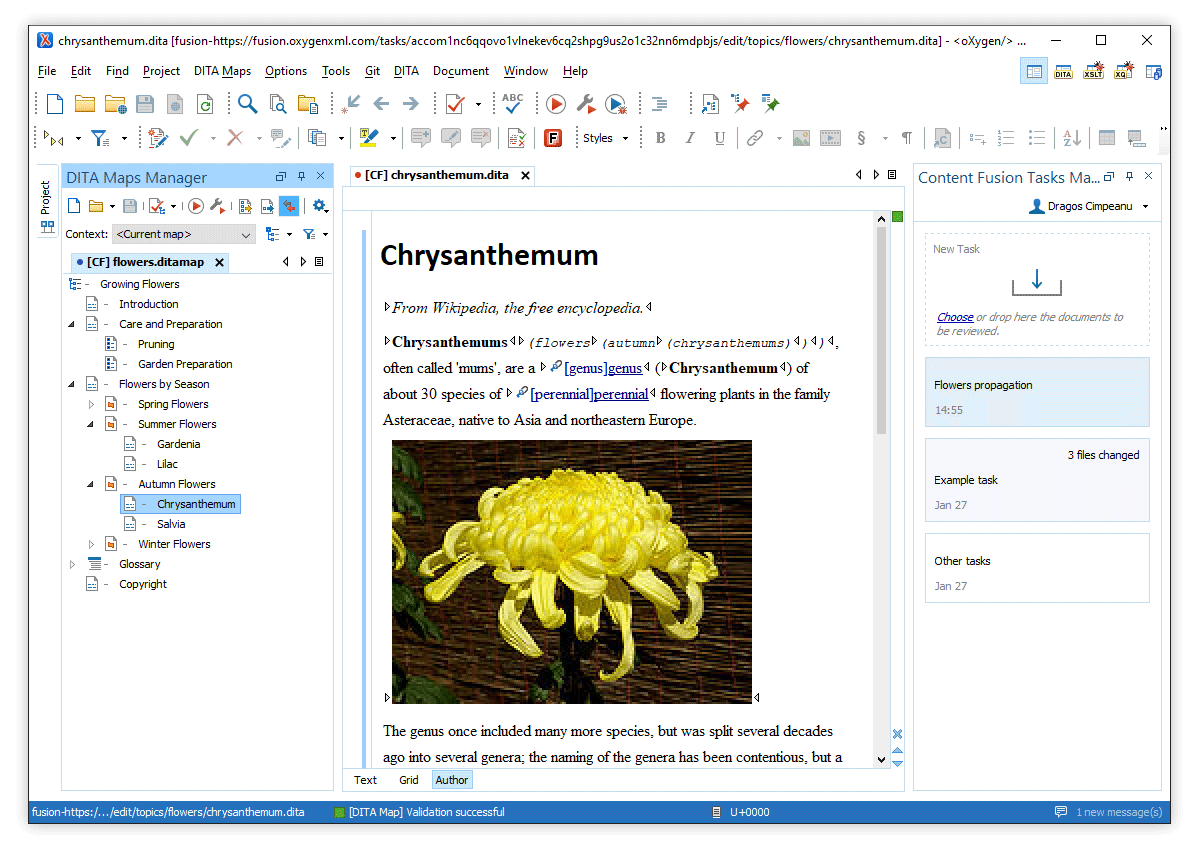
Edit Context DITA Map for a Review Task
Deprecations
AWS and VMware Installation Kits Deprecated
Component Updates
Ubuntu 20.04.2
Docker 20.10.9
Docker-compose 1.29.2
License Server 24.1
What's New in Oxygen Content Fusion 4.1
Version 4.1 of Oxygen Content Fusion is the latest maintenance release for the innovative collaboration platform that is designed to improve any documentation review process. The main focus for this release was to improve the very popular Concurrent Editing feature that was introduced in the most recent major release and we are very happy to announce that the feature in no longer in the BETA stage. Numerous bug fixes and security improvements were also implemented for this release.
Concurrent Editing
Concurrent Editing Passed the BETA Phase
Visual Editor
Updated Oxygen XML Web Author
Other
Security Improvements and Bug Fixes
What's New in Oxygen Content Fusion 4.0
Version 4.0 of Oxygen Content Fusion is the latest release for the innovative collaboration platform that is designed to improve any documentation review process.
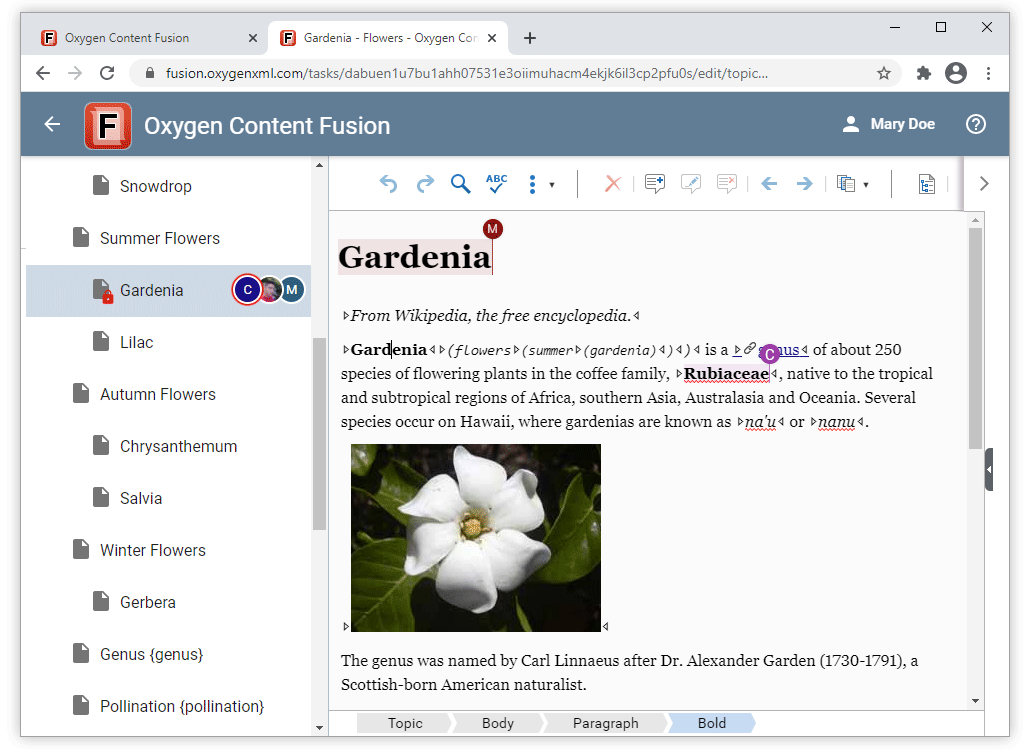
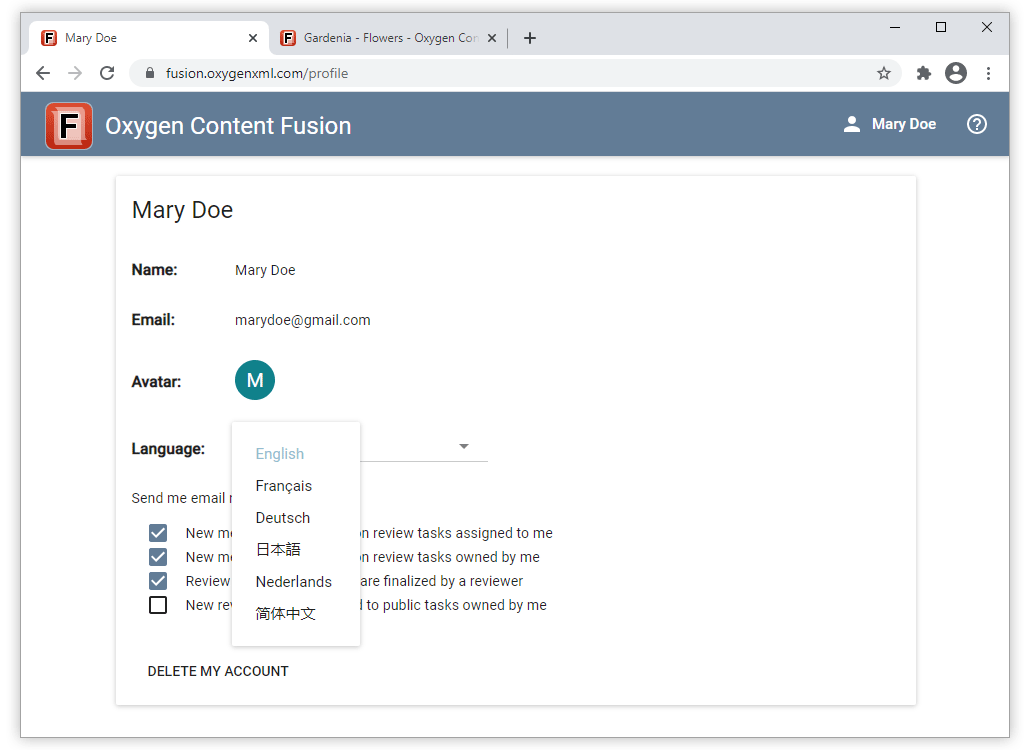
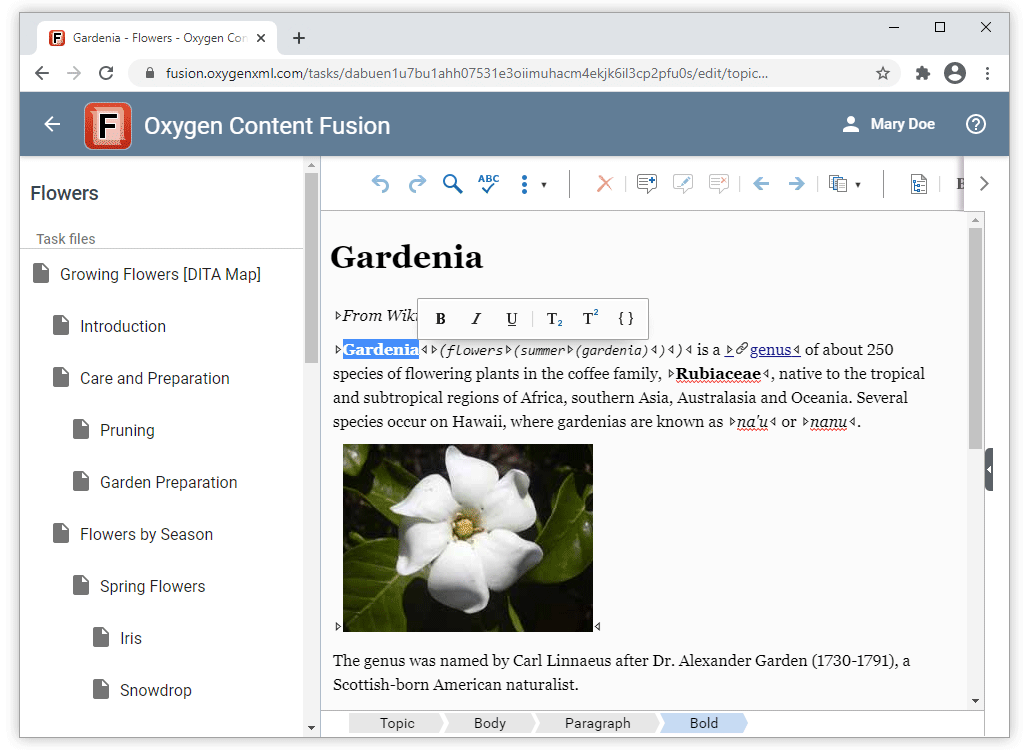
Some of the most interesting improvements added in this version include the ability for collaborative teams to edit and review content concurrently, a new dynamic floating toolbar gives you easier access to the most common editing and styling actions, the language can now be changed for the entire user interface, and more.
Concurrent Editing
Concurrent Editing Support
Localization
Change the UI Language
Visual Editor
Updated Oxygen XML Web Author
Floating Toolbar Provides Quicker Access to Common Editing Actions
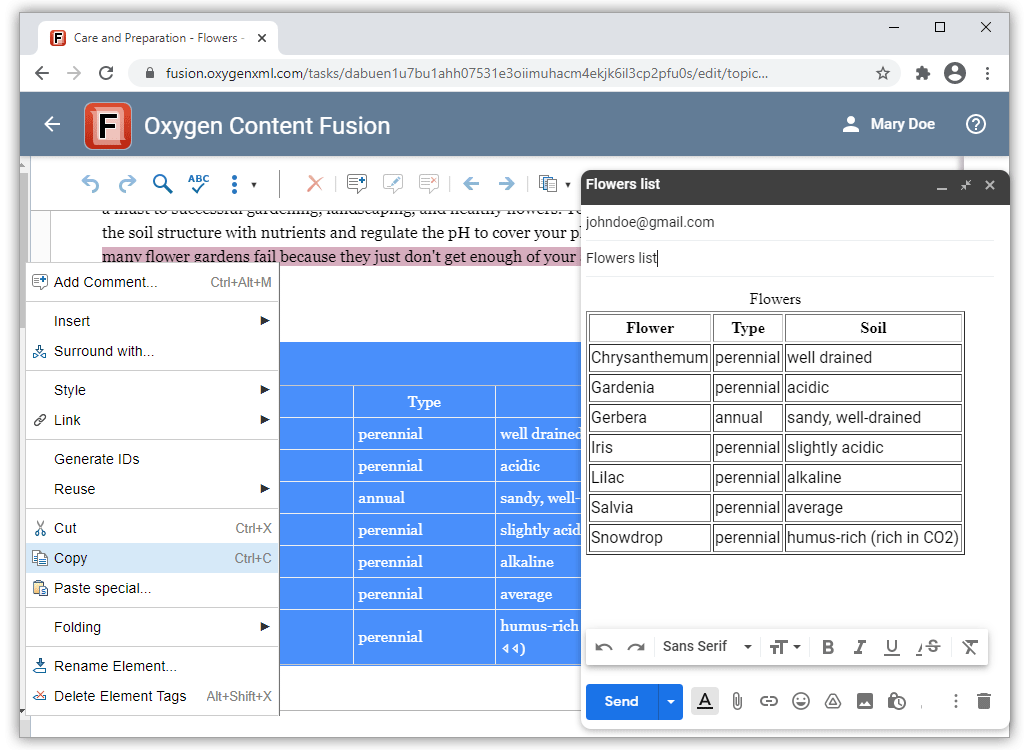
Copy Content and Paste as HTML
Ctrl+Click to Open Links
Outline Pane Moved to the Right Side of the UI
Search Performance Optimized
Component Updates
Ubuntu 20.04
What's New in Oxygen Content Fusion 3.0
Version 3.0 of Oxygen Content Fusion is the latest major release for the collaboration platform that is designed to improve any documentation review process.
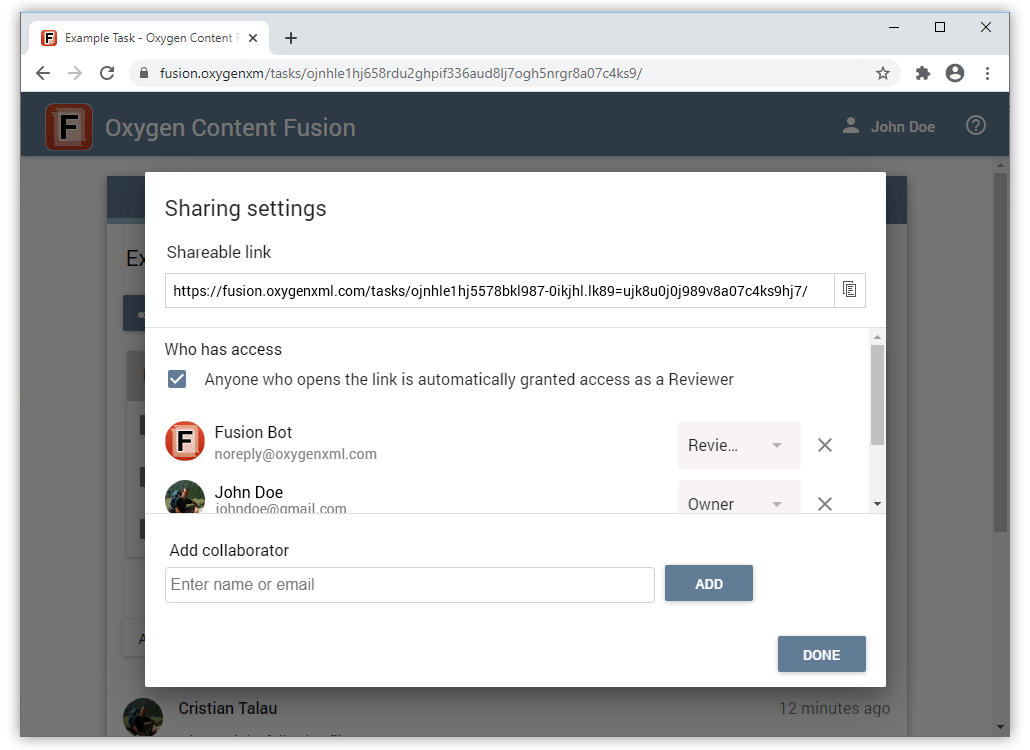
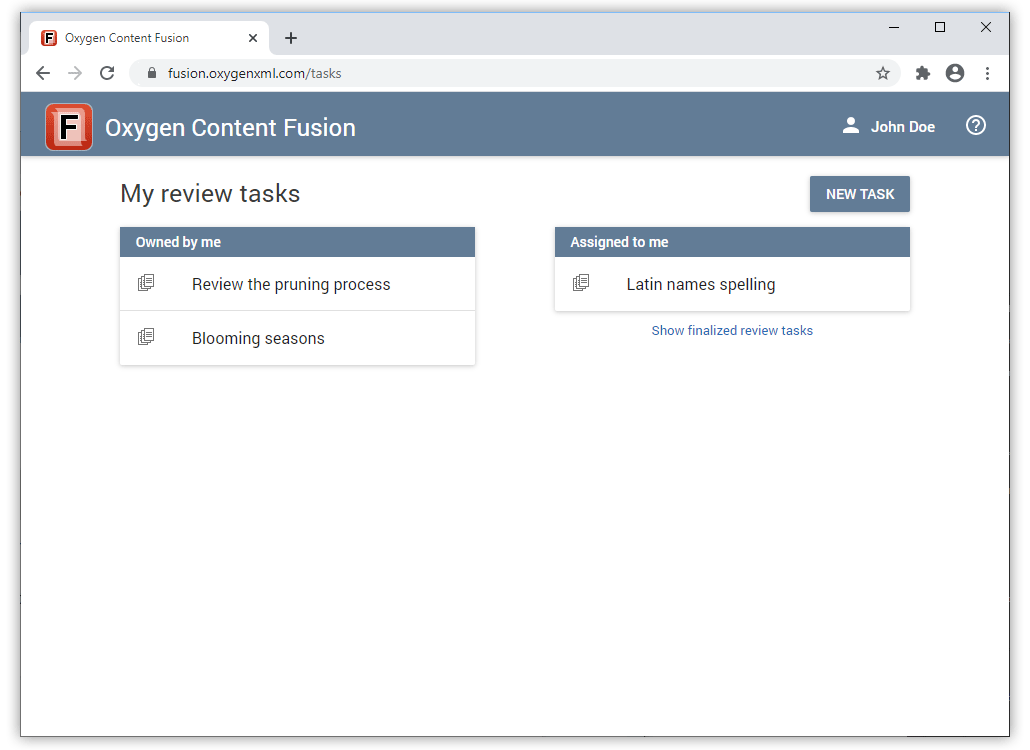
Important improvements added in this version include the ability to view changes in a side-by-side visual diff tool, better control over which collaborators have access to a task, the possibility to download the task content as a Git repository and inspecting the change history, an updated visual editor based on the latest version of Oxygen XML Web Author, and more.
Review History
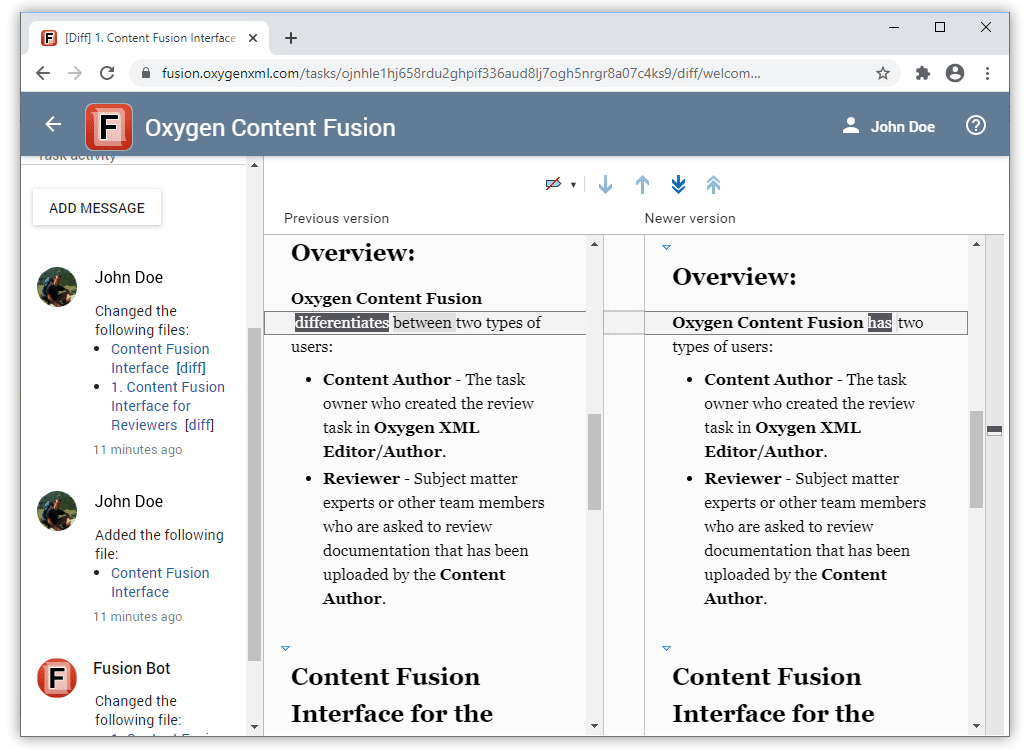
Inspect History Using Git Tools
Securely Assign Tasks to Specific Collaborators
Redesigned Task List
Updated Oxygen XML Web Author
What's New in Oxygen Content Fusion 2.0
Version 2.0 of Oxygen Content Fusion is the latest major release for the innovative collaboration tool that is designed to improve any documentation review process.
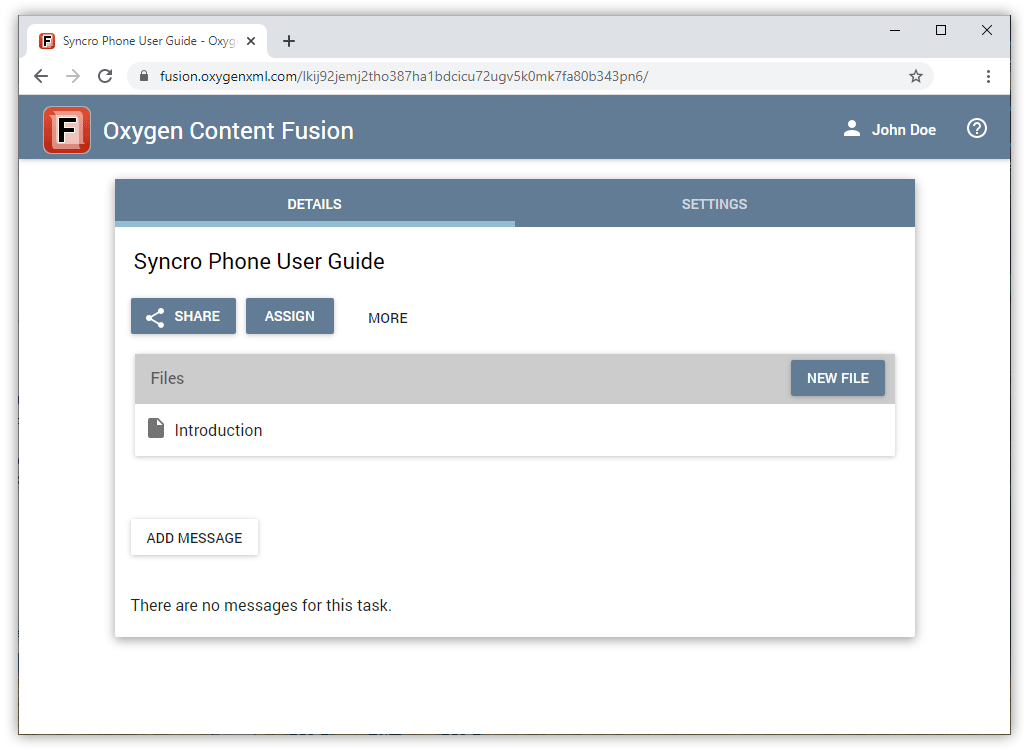
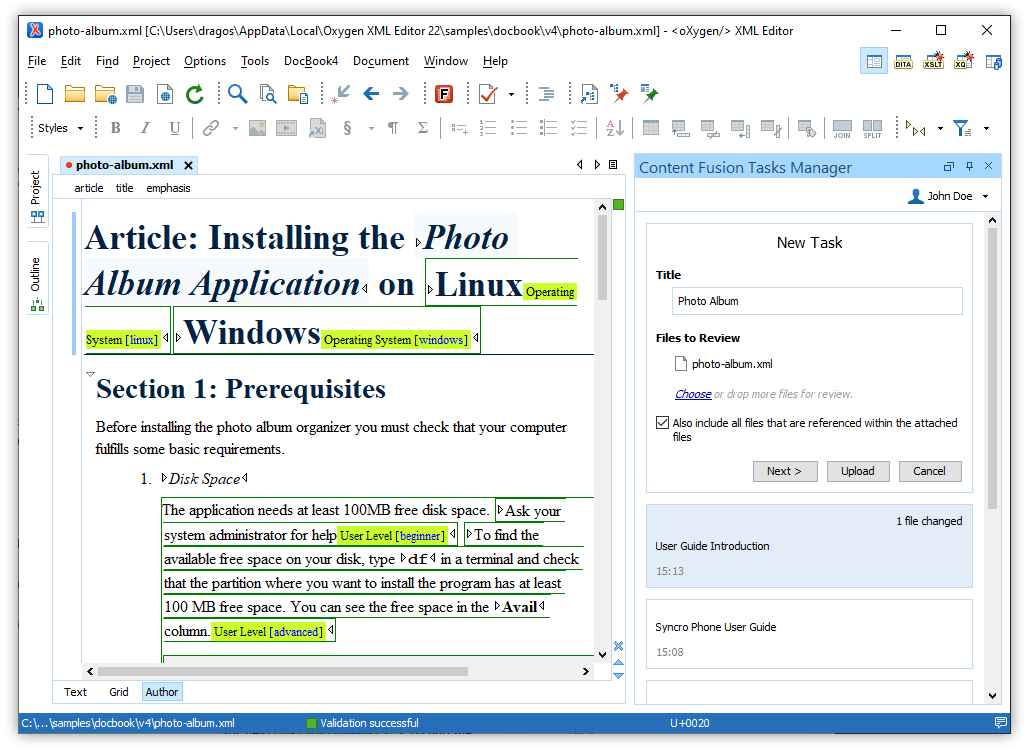
Some examples of improvements added in this version include the ability to create new tasks and files directly in the Content Fusion browser interface, a DITAVAL file can now be attached to a task so that content is filtered based upon its defined conditional profiling attribute values, a new option is available for non-DITA file types to automatically include files that are referenced within files attached to a task, various security improvements were added, and more.
Content Fusion
Create a New Task Directly in the Browser Interface
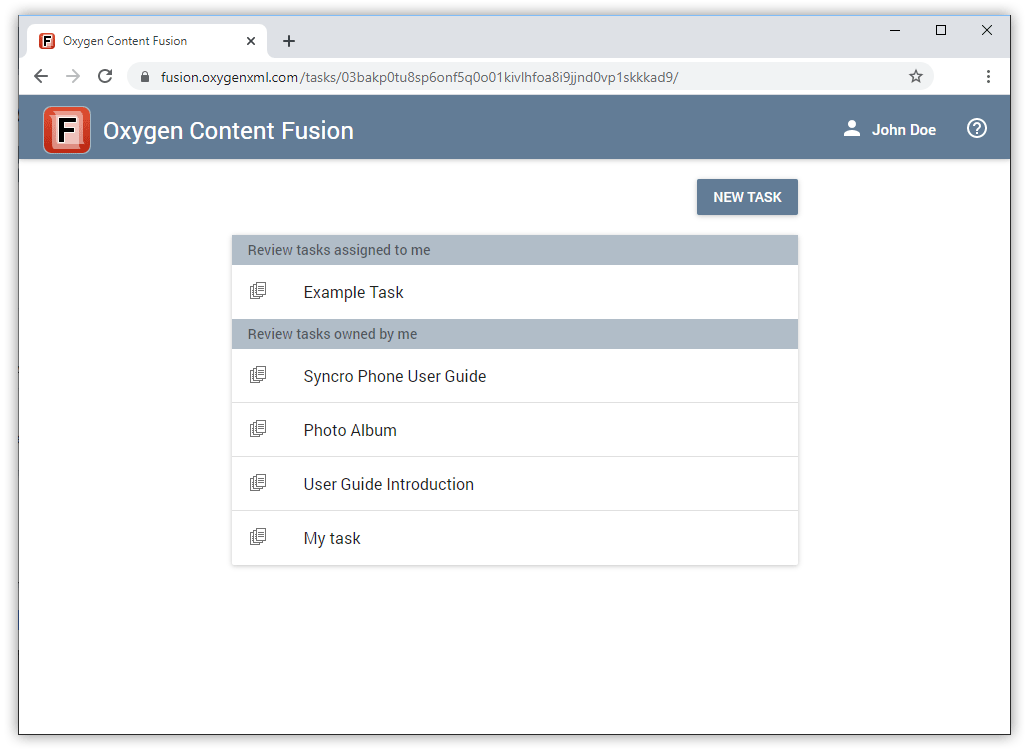
Create a New File Directly in the Browser Interface
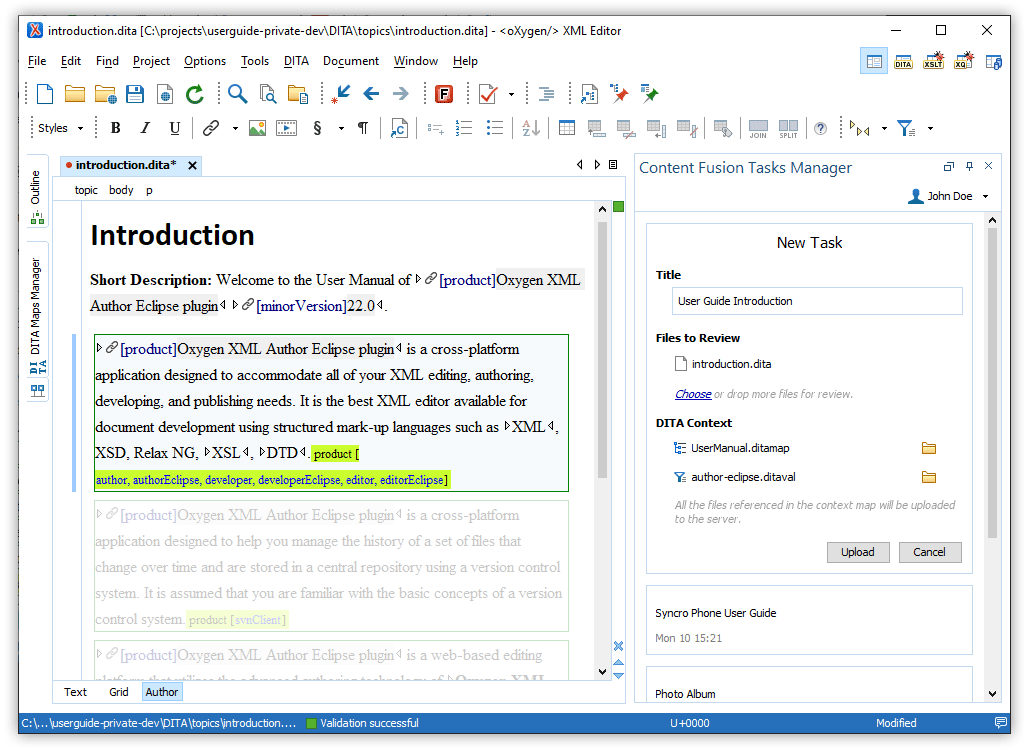
Filter Content in Uploaded Files Based on a DITAVAL File
Option to Detect Files Referenced in Attached Non-DITA Files
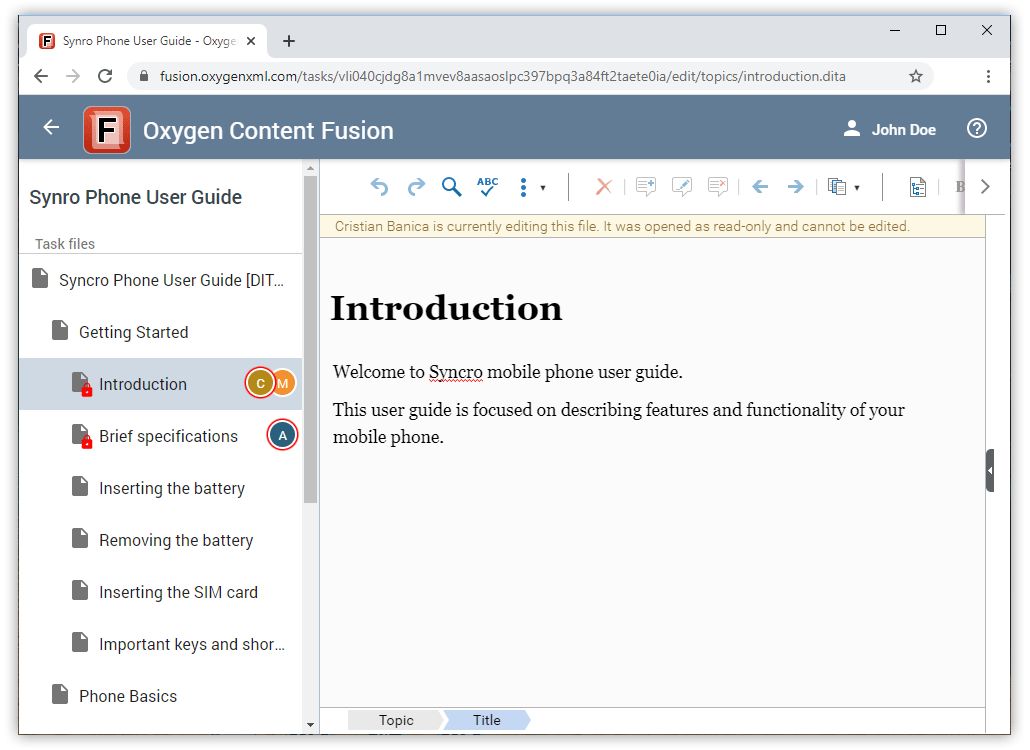
See Avatars for All Users Who Have the Current Document Open
Configure Authentication to Accept Only LDAP Accounts
Component Updates
Oxygen XML Web Author 22.0
Docker 19.03.4
What's New in Oxygen Content Fusion 1.1
The release of Version 1.1 of Oxygen Content Fusion adds various new features and improvements to the innovative collaboration tool for any XML documentation review process. Oxygen Content Fusion has a connector add-on that comes bundled with Oxygen XML Author and Oxygen XML Editor. To fully take advantage of all of the benefits and features, your organization will need an Oxygen Content Fusion Enterprise Server. For more information, see the Content Fusion website.
Some highlights of the new features and improvements in version 1.1 include the ability to restore Content Fusion data from backup, the possibility of upgrading your version of Content Fusion Enterprise, a new feature that allows you to add owners to an existing task, options for customizing term lists for the spell checker or AutoCorrect feature, and much more.
The built-in web-based editor now benefits from an improved design, the Review panel now has a better filtering mechanism and comment threads are rendered so that it is easier to identify groups of comments. Also, when a DITA map is open, you have the ability to choose from several new display modes, including a mode to display the map with all the topic content expanded.