
Oxygen AI Positron 8.2 for Content Fusion
Version 8.2 of Oxygen AI Positron for Content Fusion enhances AI-assisted authoring for Oxygen Content Fusion users with a broad set of new capabilities focused on extensibility, richer context, and improved control. The most important addition is support for skills (based on Anthropic Agent Skills), enabling teams to tailor the assistant with reusable modules for specialized tasks, integrations, and repeatable workflows. To help users get started quickly, a set of built-in skills is also available for adding review comments, translating XML content while preserving structure, and performing persona-based analysis.
Another important feature displays files created or modified by the AI directly in the chat area, where you can review the changes. This release also expands the AI experience with the new Personas chat mode, smarter awareness of changes in the current editing context, and support for analyzing binary resources such as images, PDF, Word, Excel, and PowerPoint files without manually attaching them first. Additional usability enhancements include a new context window size indicator, support for attaching Excel documents, and access to referenced SVG images.
Oxygen AI Positron for Content Fusion
Select the LLM Model Directly from the Chat View

Extend AI Capabilities Using Skills

Built-in AI Skills
- Add review comments to your document.
- Translate XML content into another language while preserving markup and technical elements.
- Apply structured persona-based analysis to evaluate a task through multiple audience perspectives.
Load Actions, Skills, and Project Context from Content Fusion Projects
ai-positron-actions
folder in the project root (or in .contentfusion/ai-positron-actions), AI
Positron automatically loads custom actions and skills from it. If the folder also
contains an ai-context.md file, its contents are automatically used as
the project context prompt for new chats. Updates to these resources are applied when you
start a new chat.Claude Models with Adaptive Thinking

Personas Chat Mode
Smarter AI Awareness of Changes in Your Working Context
Binary Resource Insights
Context Window Size Indicator

Easily Review AI-Modified Files

Attach Excel Documents
xlsx) documents in the AI Positron
chat view to provide additional context for your conversation with the AI.Analyze Referenced SVG Images
Image References Expanded in Selected Content
Configure Reasoning Effort Level for Microsoft Azure Connections
Support for Claude Deployments in Microsoft Azure Connections
Edit Markdown Documents While Vibe Writing
Oxygen AI Positron 8.1 for Content Fusion
Version 8.1 of Oxygen AI Positron Assistant for Content Fusion introduces support for the latest OpenAI GPT-5.2 models, ensuring state-of-the-art AI assistance for web-based XML editing. The new Planner chat mode enables users to coordinate large-scale, multi-step changes directly from the web interface.
Users can now create custom chat modes and actions tailored to their workflows. Improved image handling and smarter document attachment processing further streamline collaborative authoring and review in distributed teams.
Oxygen AI Positron for Content Fusion
OpenAI GPT-5.2 Models Available
Optimized Token Consumption for AI Prompts and Tools
New Planner Chat Mode for Resource Consuming Tasks
The newly-introduced Planner chat mode is available for complex, token-intensive operations (e.g. “Translate all files in the current folder” or “Find all conrefs and replace them with conkeyrefs in userguide.ditamap”).
After being given the prompt, the AI explores your project, proposes a multi-step plan, and, after your approval, delegates each step to the most suitable AI agent. This means large, project-wide changes can be coordinated without hitting LLM context limits, while still showing you the tool calls and results for review.
More Context Information Available in Chat
Documentation and APIs to Create New Chat Modes
"output-action": "agentic" property.
For more details, see Creating Custom Chat ModesTools to List and Invoke AI Agents
List Directory Tool (Available with the Upcoming Content Fusion 9.1)
Control AI Action Visibility
Create AI Actions with Vision Support
"input-type":
            "markup-with-images"
JSON property.
For more details, see markup-with-images.
Generate Image Alternate Text Improvements
Preserve Structure and Styles for Attached Word and PDF Documents
Oxygen AI Positron 8.0 for Content Fusion
For Content Fusion, Oxygen AI Positron 8.0 adds project‑wide search as AI tool, enabling agentic chats modes to explore the project and thus perform better on complex tasks. You get a cleaner chat input with attachments shown as chips, instant context inspection, quick action invocation, and richer tool‑call information.
Uncluttered Chat Input Area
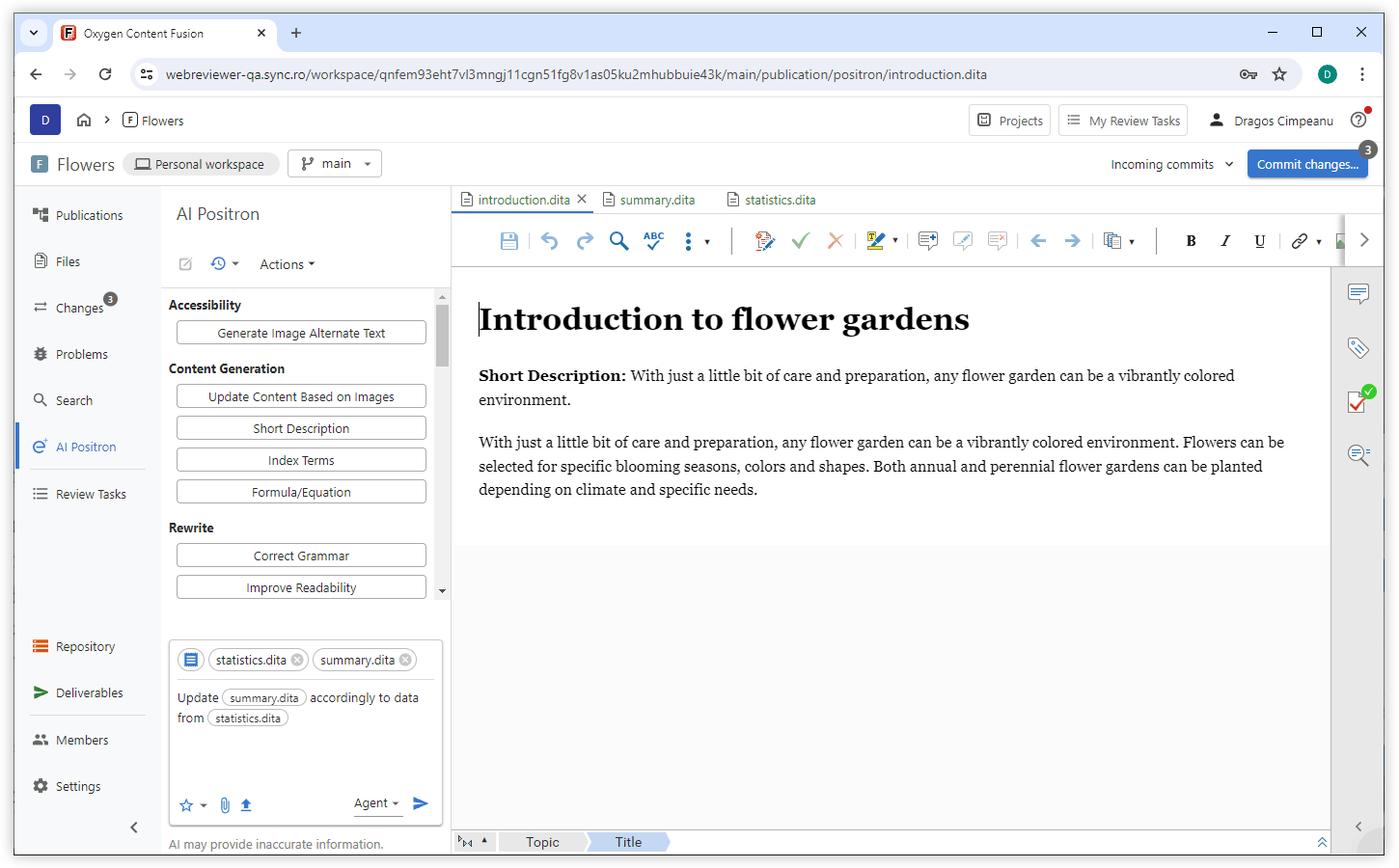
Project-wide Search Tool (Oxygen Content Fusion 9.0 Required)
*.dita), regular expressions, and XPath filters, making searches both
flexible and powerful. By leveraging this tool, the AI can efficiently explore your
project, resulting in improved performance on complex agentic tasks.OpenAI GPT-5.1 Models Available
xAI Grok 4 Fast Models Available
Claude Sonnet 4.5 Model Available
Claude Haiku 4.5 Model Available
Inspect Chat Context
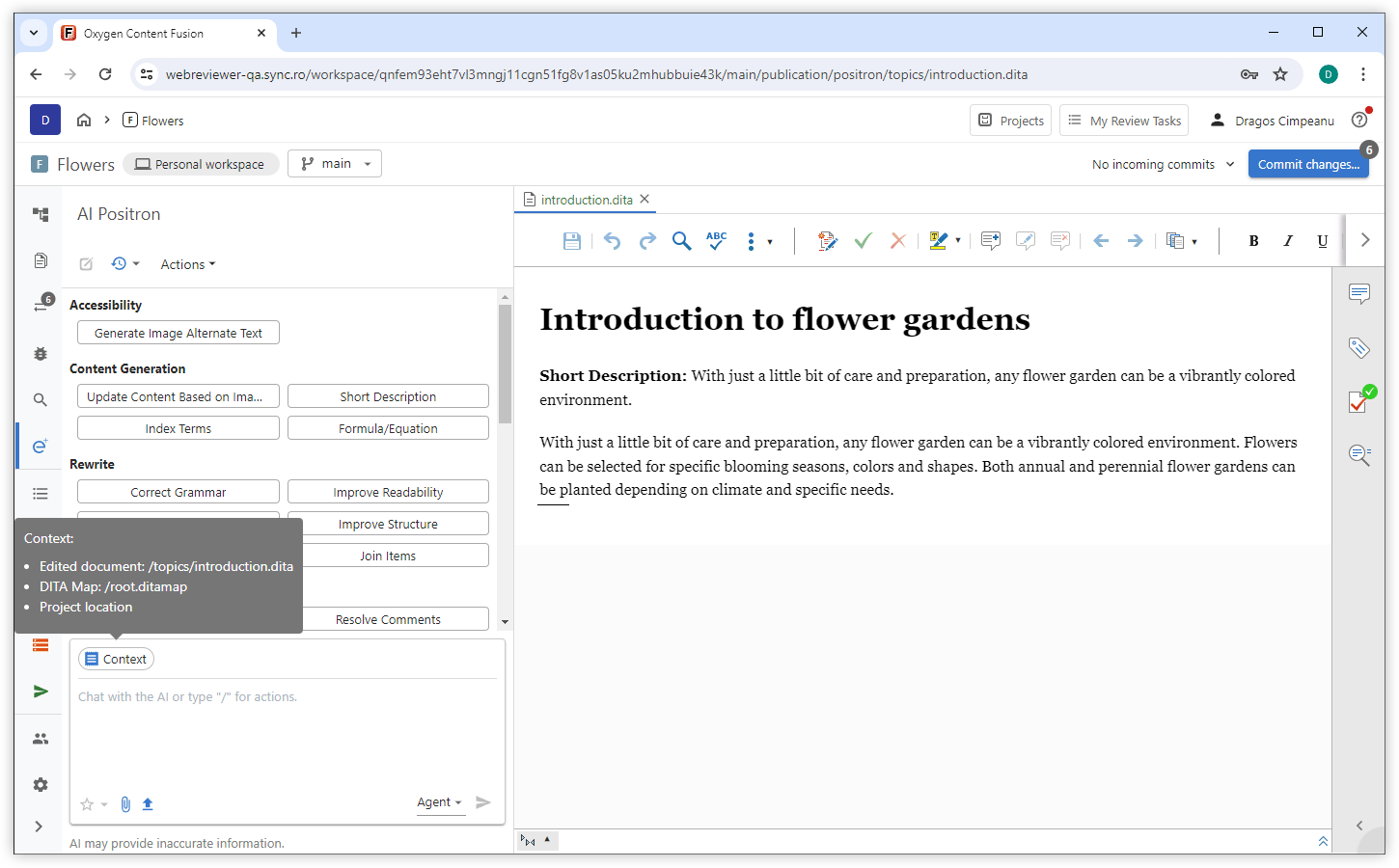
Invoke AI Actions with Keyboard Shortcut
Edit Document Tool
Easier Access to Tool Call Details
Custom Actions Prioritized
Improved Tool Names and Descriptions
Oxygen AI Positron 7.0
Starting with version 7.0, the Oxygen AI Positron Assistant for Content Fusion now offers support for OpenAI's GPT-5 models and introduces multiple chat modes (Agent, DITA Agent, and Ask) to cater to diverse project needs. Users can manage attachments with visual chips, ensuring easy review and removal. Automatic fixes for validation issues in AI-generated content maintain document validity, while the ability to reference AI actions in chat prompts streamlines complex tasks. Improved handling of Word (.docx) attachments ensures accurate AI responses by preserving document structure and context.
Oxygen AI Positron Assistant for Web Author and Content Fusion
OpenAI GPT-5 Models Available
Multiple Chat Modes
You can now choose between three chat modes in the Chat view:
- Agent - Discuss your project, set goals, or give instructions. The AI proposes changes and you are required to review and approve them.
- DITA Agent - Specially tuned for DITA-specific projects, provide goals or instructions and let the AI explore your project and apply project-wide changes with your approval.
- Ask - Get answers and explanations from the AI. This read-only mode uses search tools when needed and does not change your files.
All modes automatically use your current context (project location, current document and type, and the DITA map in scope), so you don’t need to include this information in your prompts.
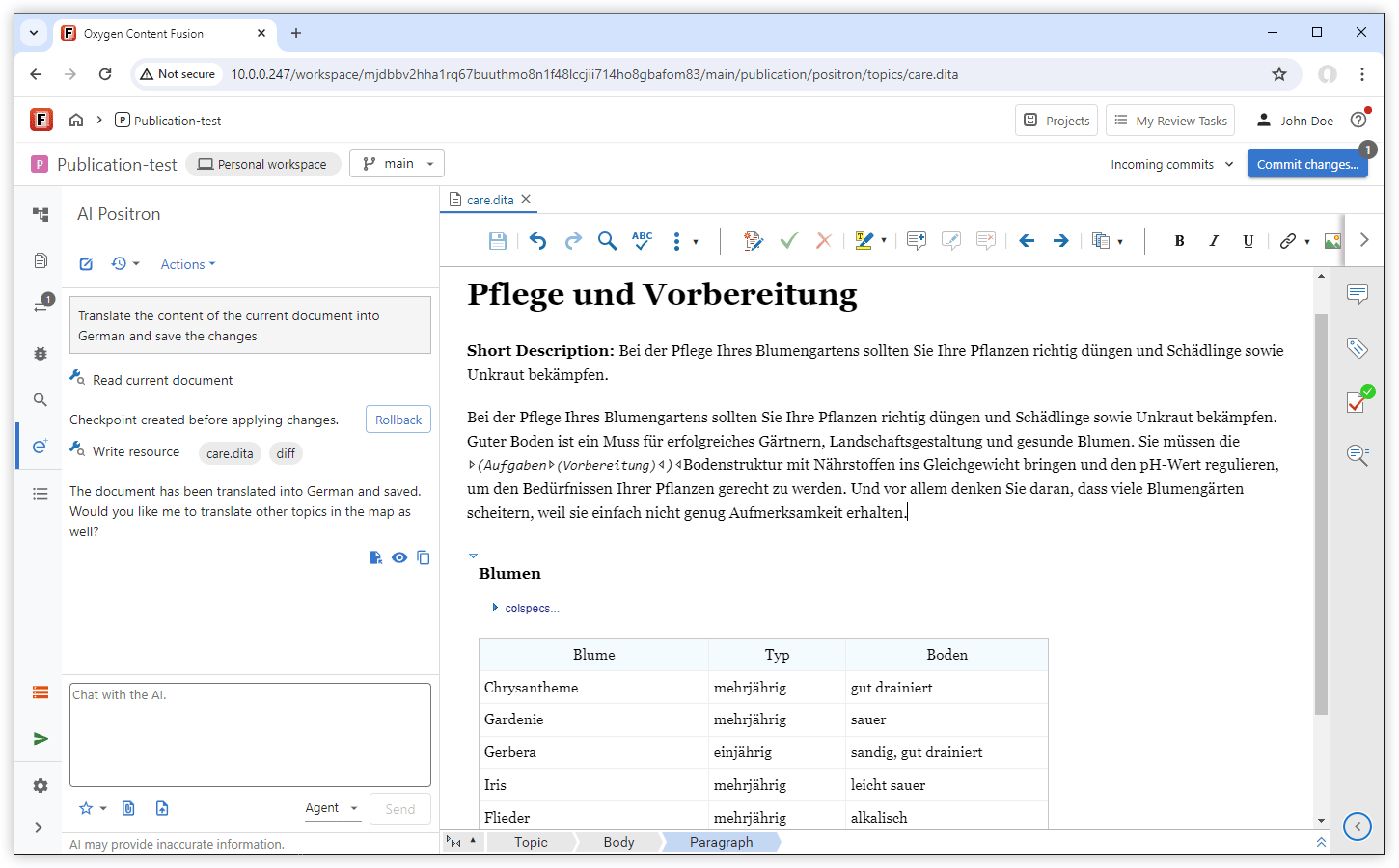
Manage Attachments with Visual Chips
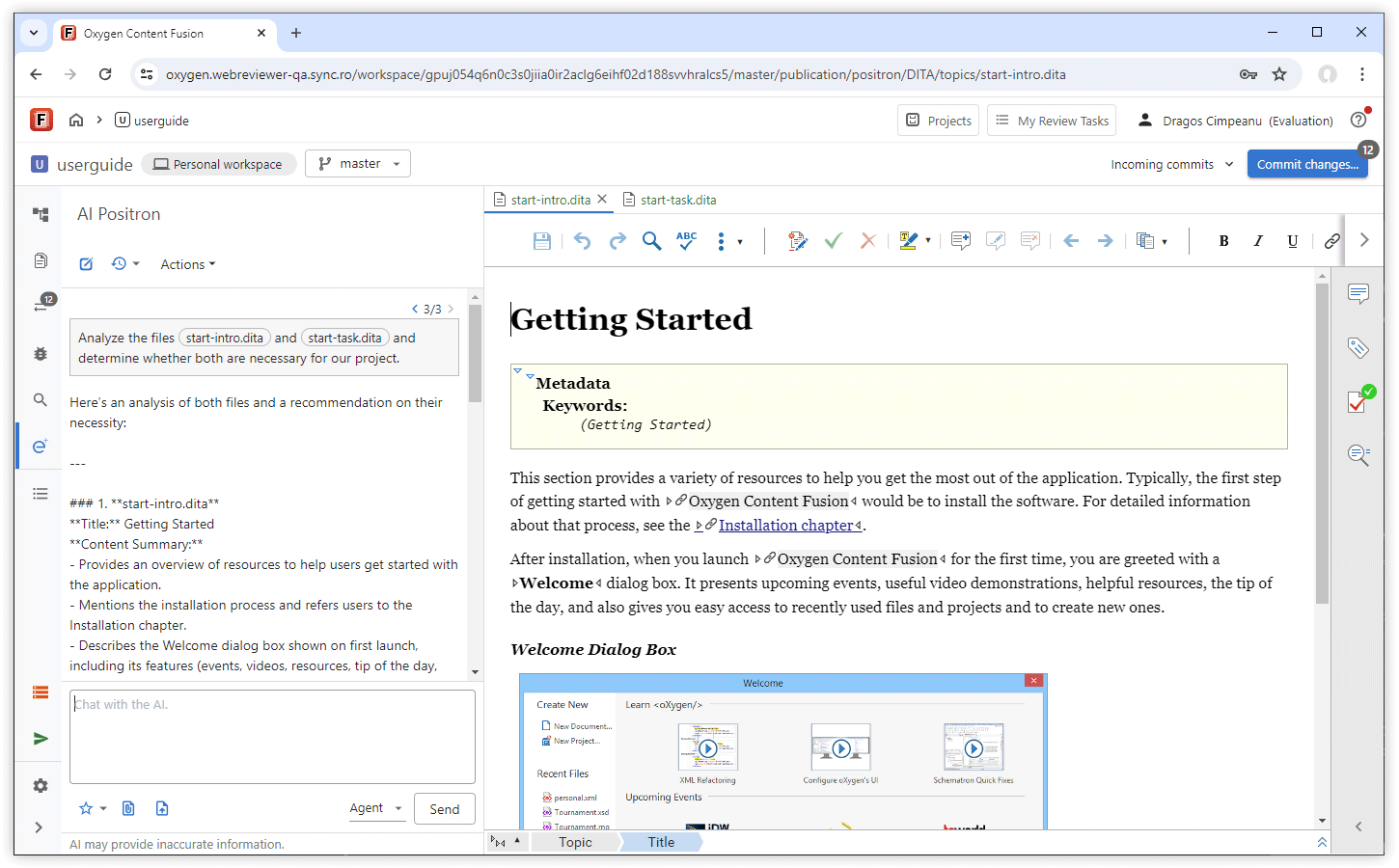
Automatic Fixes for Validation Issues in AI-Generated Content
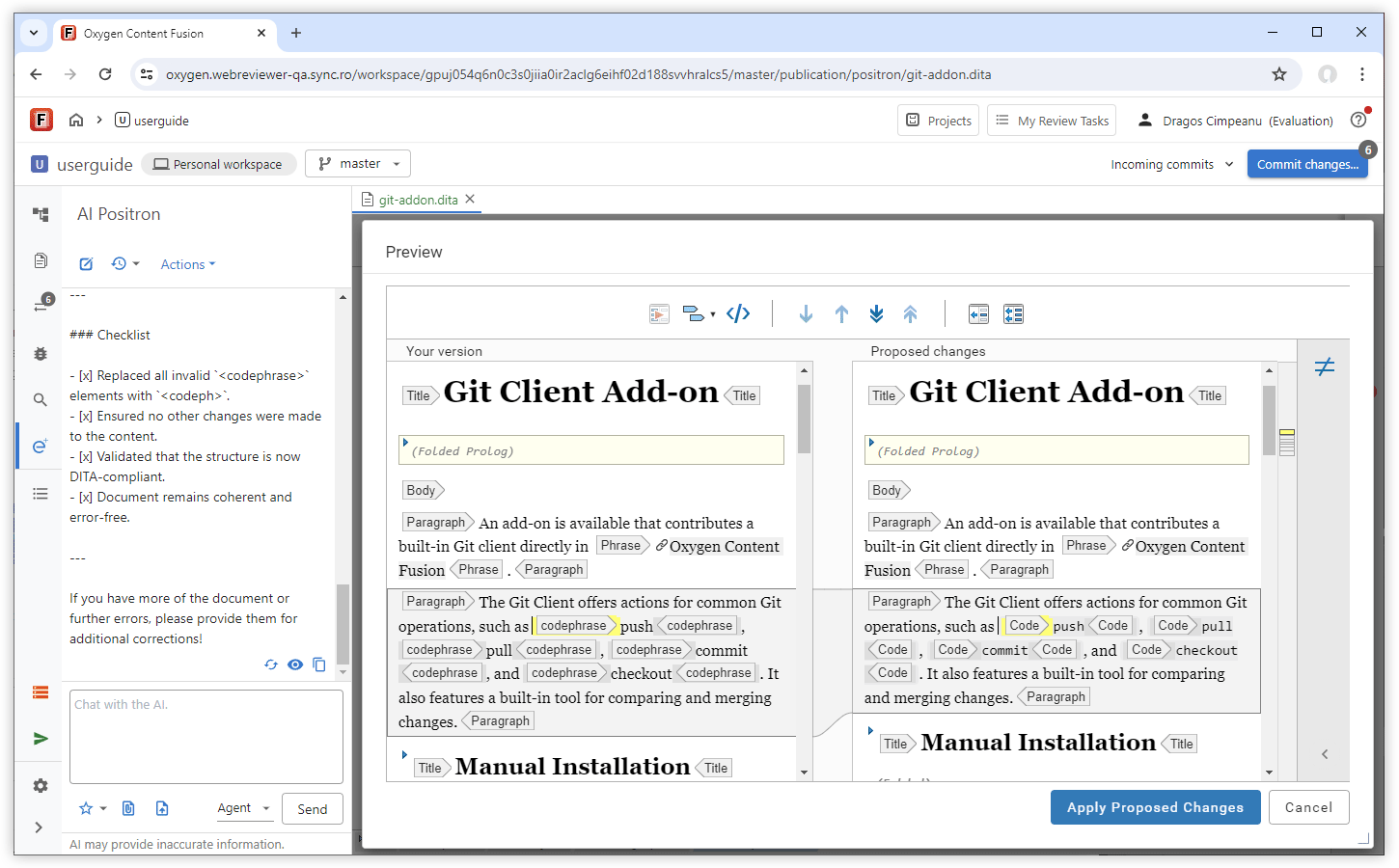
Refer AI Actions in Chat Prompts
Invoke correct grammar on the current
            document and save the updated content
. This approach streamlines your workflow
by letting you quickly apply changes or transformations in one place.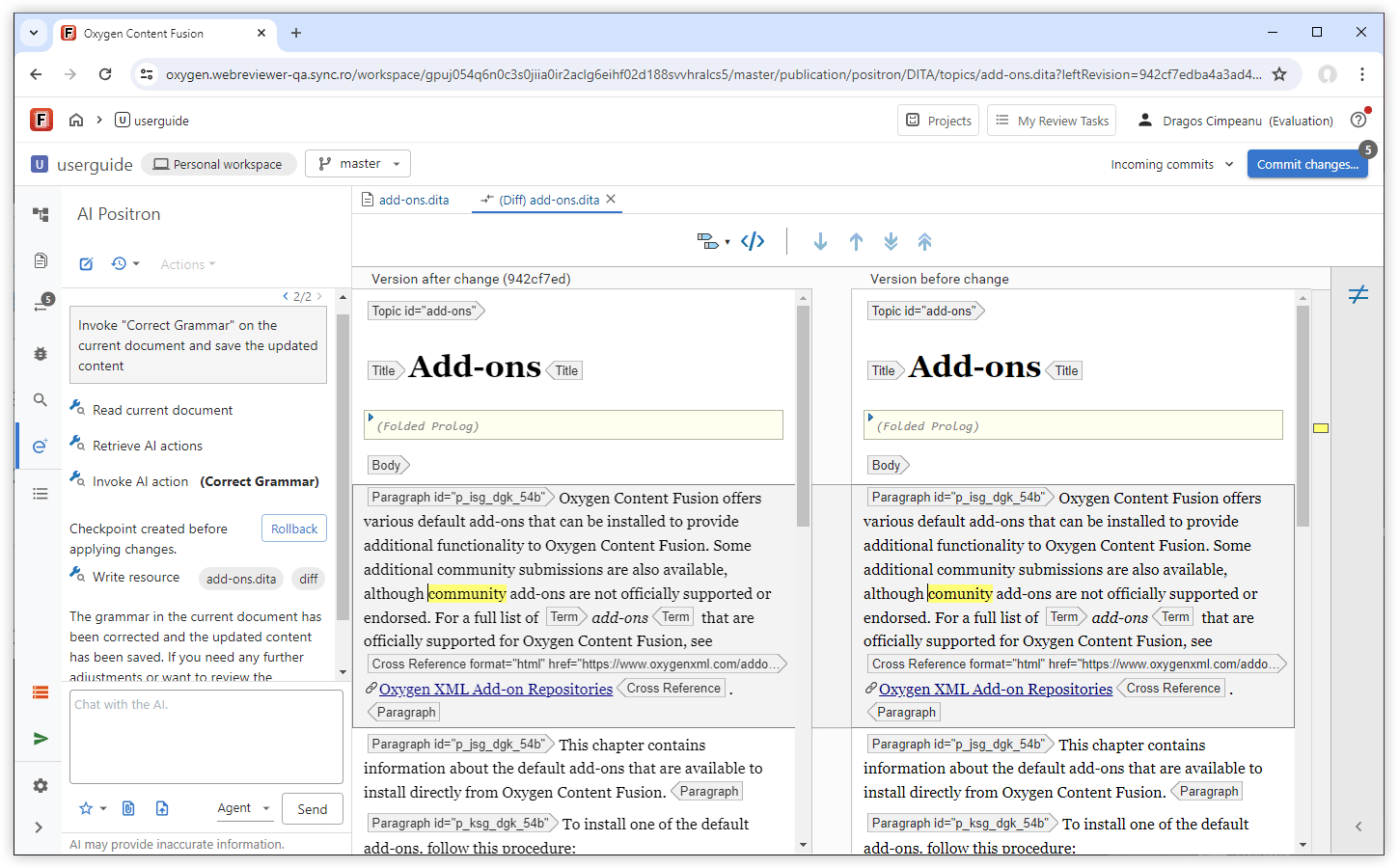
Improved Word (.docx) Attachment Handling
Oxygen AI Positron 6.0
All Oxygen AI Positron Assistant 6.0 distributions feature the advanced GPT-4.1 OpenAI model as default. All AI action prompts were reviewed and improved for better quality, consistency, and reuse. The users of the Enterprise distribution benefit from new connectors for Google Gemini and Vertex AI, as well as enhanced Microsoft Azure OpenAI integration and simplified configuration.
In addition to the core updates, Oxygen AI Positron Assistant for Web Author and Content Fusion allows file attachments to AI conversations, persistent chat content across editors, and, for Content Fusion users, chat history retention. Prompts can be saved to favorites after invocation and the interface is enhanced with improved function call information and smart scroll for easier review of long conversations.
Oxygen AI Positron Assistant for Web Author and Content Fusion
Default OpenAI Model Updated to GPT-4.1
Improved All AI Action Prompts
Attach Files to the Conversation Using Drag/Drop or Copy/Paste
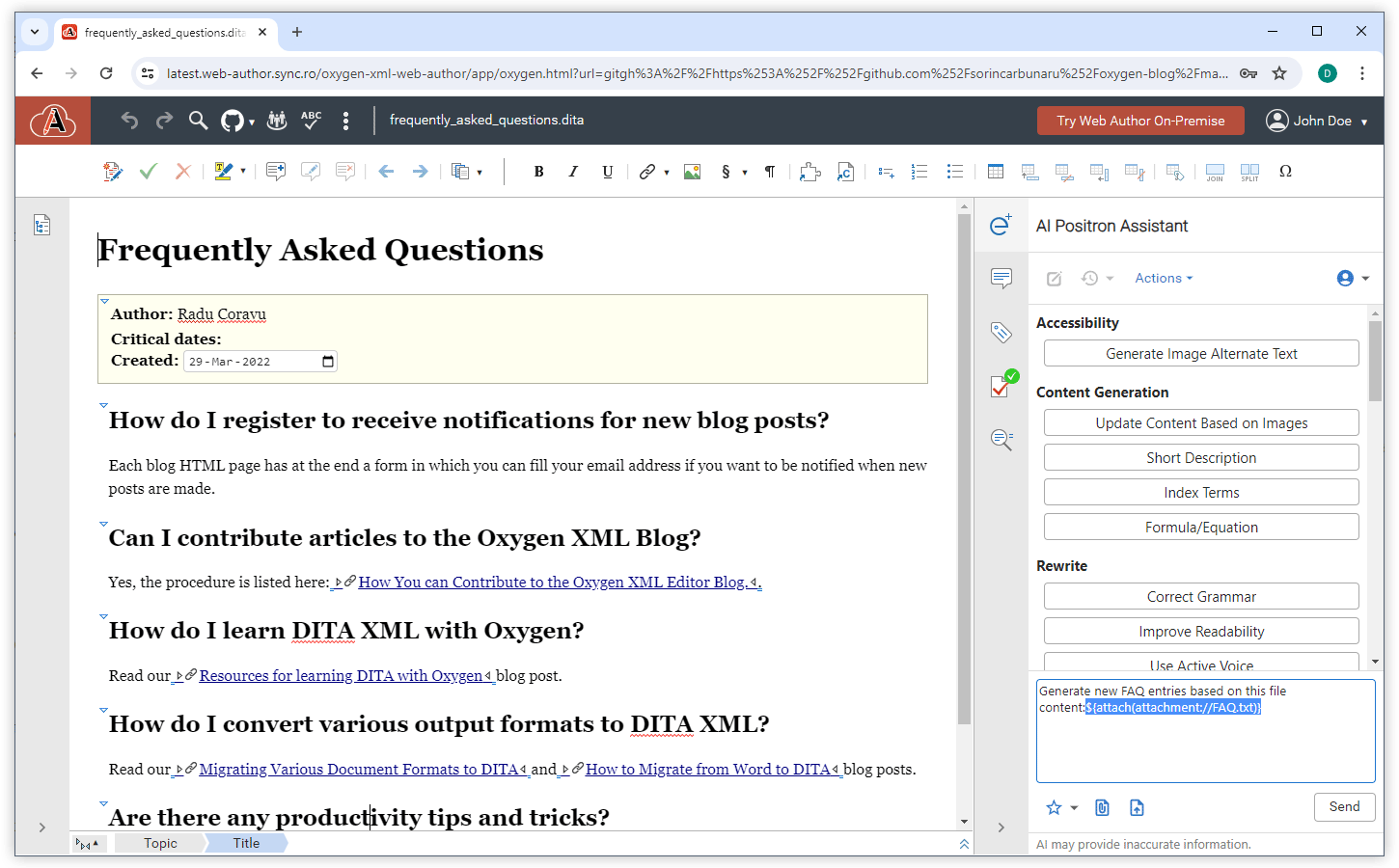
Persistent Chat Across Editors
Persistent AI Positron Chat History in Content Fusion
Compact AI Message Presentation
Improved Function Call Information
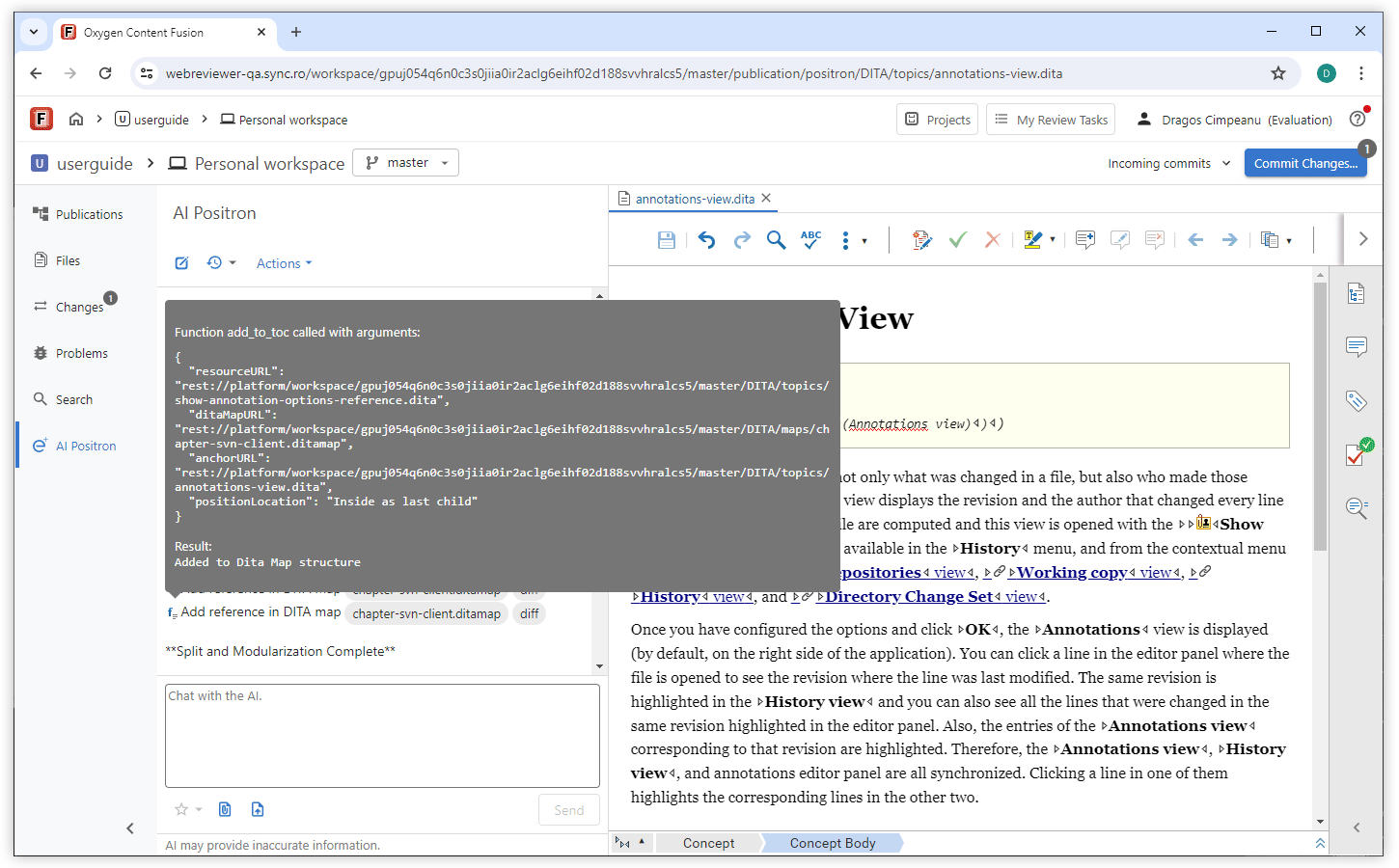
Save Prompt to Favorites After Invocation
Smart Scroll
New AI Connector for Google Gemini
New AI Connector for the Vertex AI Service
Simplified Microsoft Azure OpenAI Configuration
Oxygen AI Positron Assistant 5.0
The Oxygen AI Positron Assistant 5.0 release focuses on enhancing your AI-driven content authoring workflows. You can attach Word, PowerPoint, and PDF files for multi-format content sourcing, providing richer context for the AI and improving the accuracy and relevance of responses. You can also integrate with xAI Grok or other custom AI services through specialized connectors, expanding your options for advanced AI engines.
Additional refinements include translated AI action labels for a localized user experience. These enhancements streamline the AI-assisted creative process, enabling more powerful, context-aware content authoring and editing experiences.
Oxygen AI Positron Assistant for Web Author and Content Fusion
AI-based DITA Conversion, Analysis, and Update Tools
Attach Word, Powerpoint, and PDF Files
Reasoning Models in AI Positron Service
Integration with xAI Grok
Quickly Find AI Actions
Distribute or Filter AI Actions via Plugins and Frameworks
Reference Prompt Files in AI Actions
New AI Custom Connector Add-on
Translated AI Actions
GPT-3.5 Turbo Model Removed
Oxygen AI Positron Assistant 4.1
Web Author
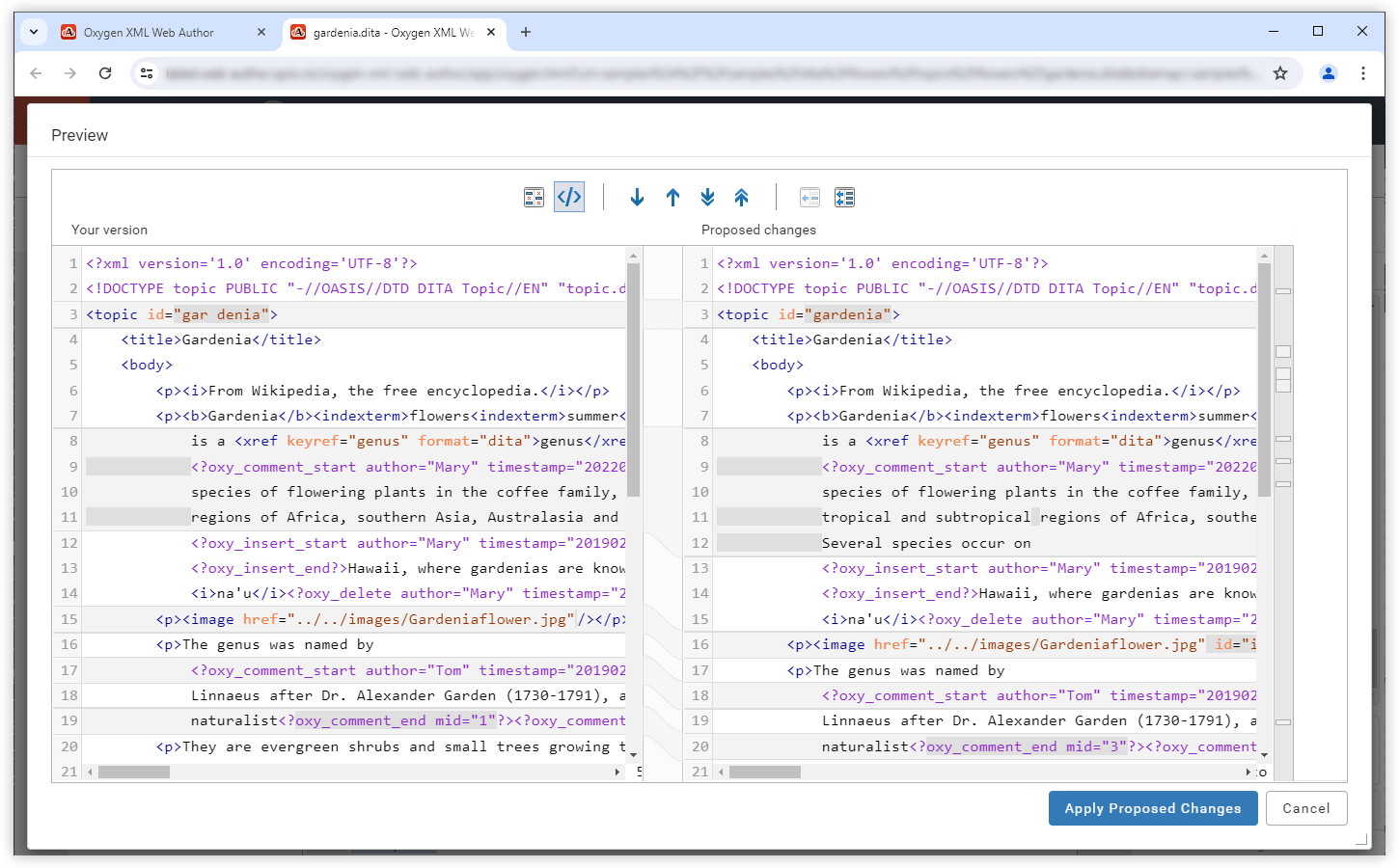
Fix Validation Problems
Attach Local Files
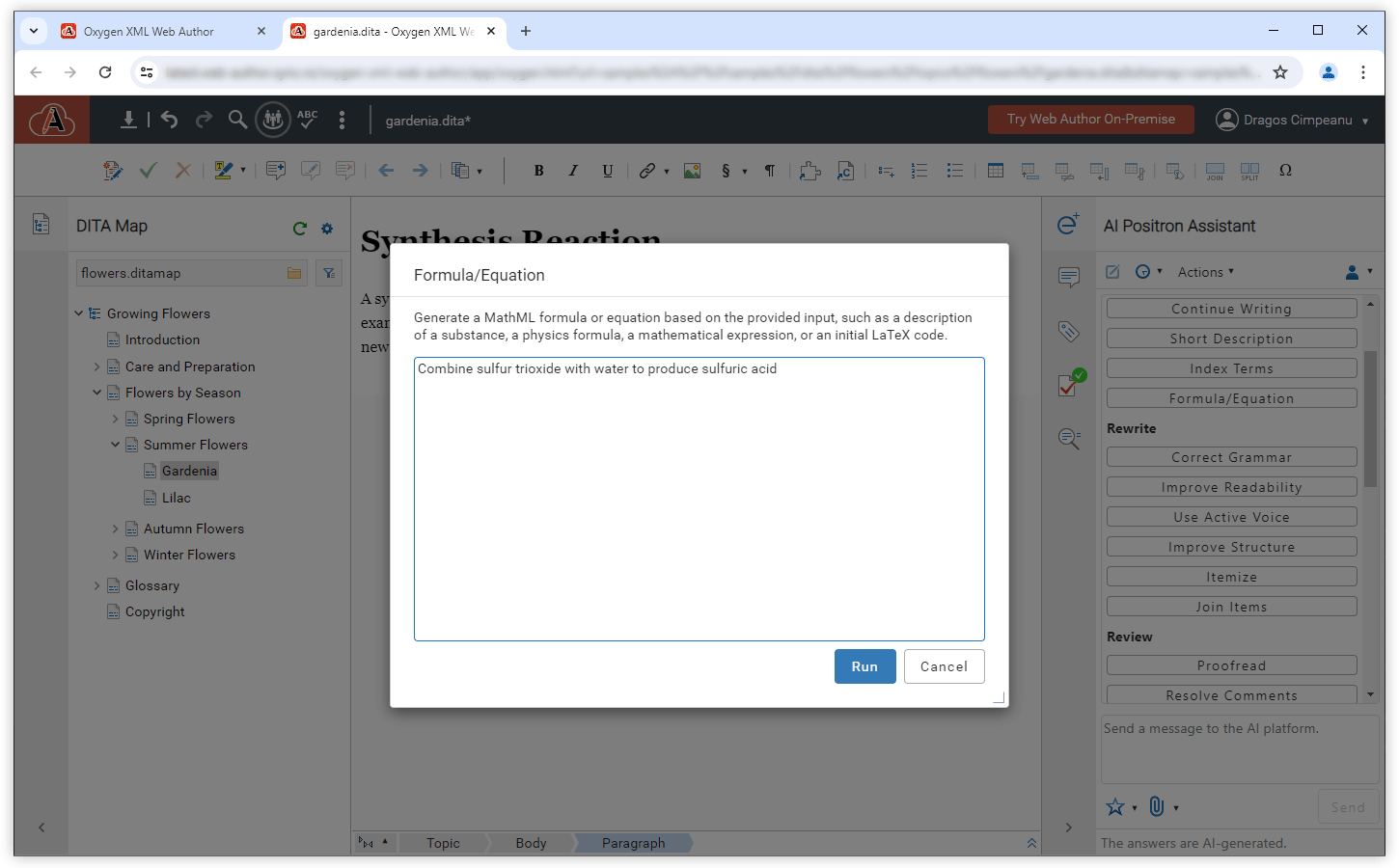
AI-based MathML Generation
New AI Tool Function
validate_document_content, that validates a document,
ensuring that the generated content is valid. In case of errors, it offers the opportunity
to automatically correct the detected problems.Notification for Unchanged Content
Oxygen AI Positron Assistant 4.0
Web Author
Attach Image, XML, or Text File to a Chat
Document Type Sent to AI for Context
Intuitive Identification of XML Content in Markdown
```xml marker. This type of response is now detected and
the block of XML code can be inserted or previewed.Expand DITA Topic Draft
Split Large DITA Topics
New AI tool functions
get_content_for_document_url- Retrieves the content of a certain document.get_current_editor_file_location- Retrieves the location (URL) of the current file that is open in the editor.get_related_content_from_webhelp- Accesses the search functionality provided by the Oxygen Feedback product when a connection to Oxygen Feedback is defined in the preferences page.save_document- Saves the document at the specified path within the project and writes content to it. If a resource already exists at the specified URL, the content of the document is overridden with the new content.
Oxygen AI Positron Assistant 3.0
Web Author
Edit Messages Sent to AI
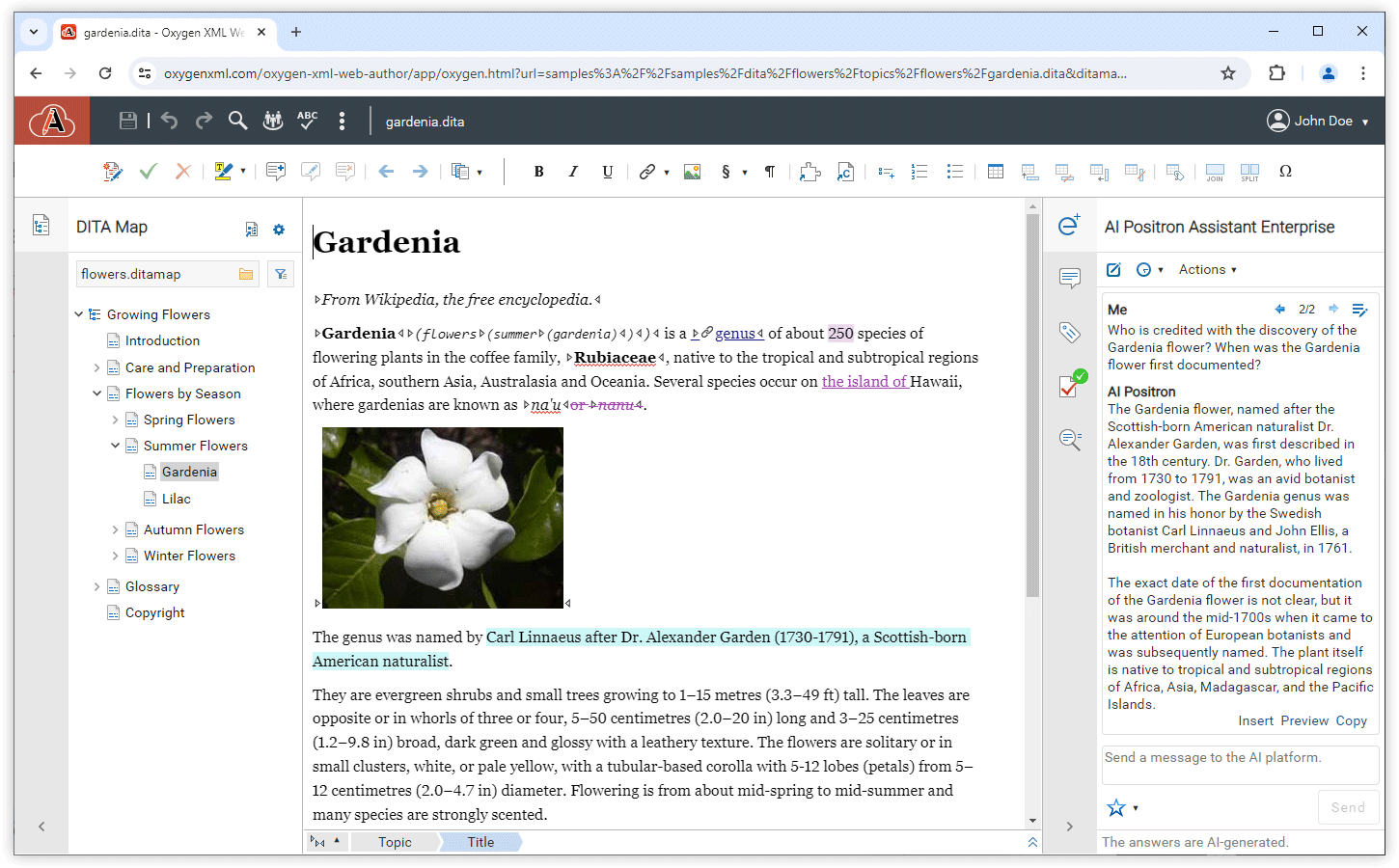
Selected Content Sent to AI for Context
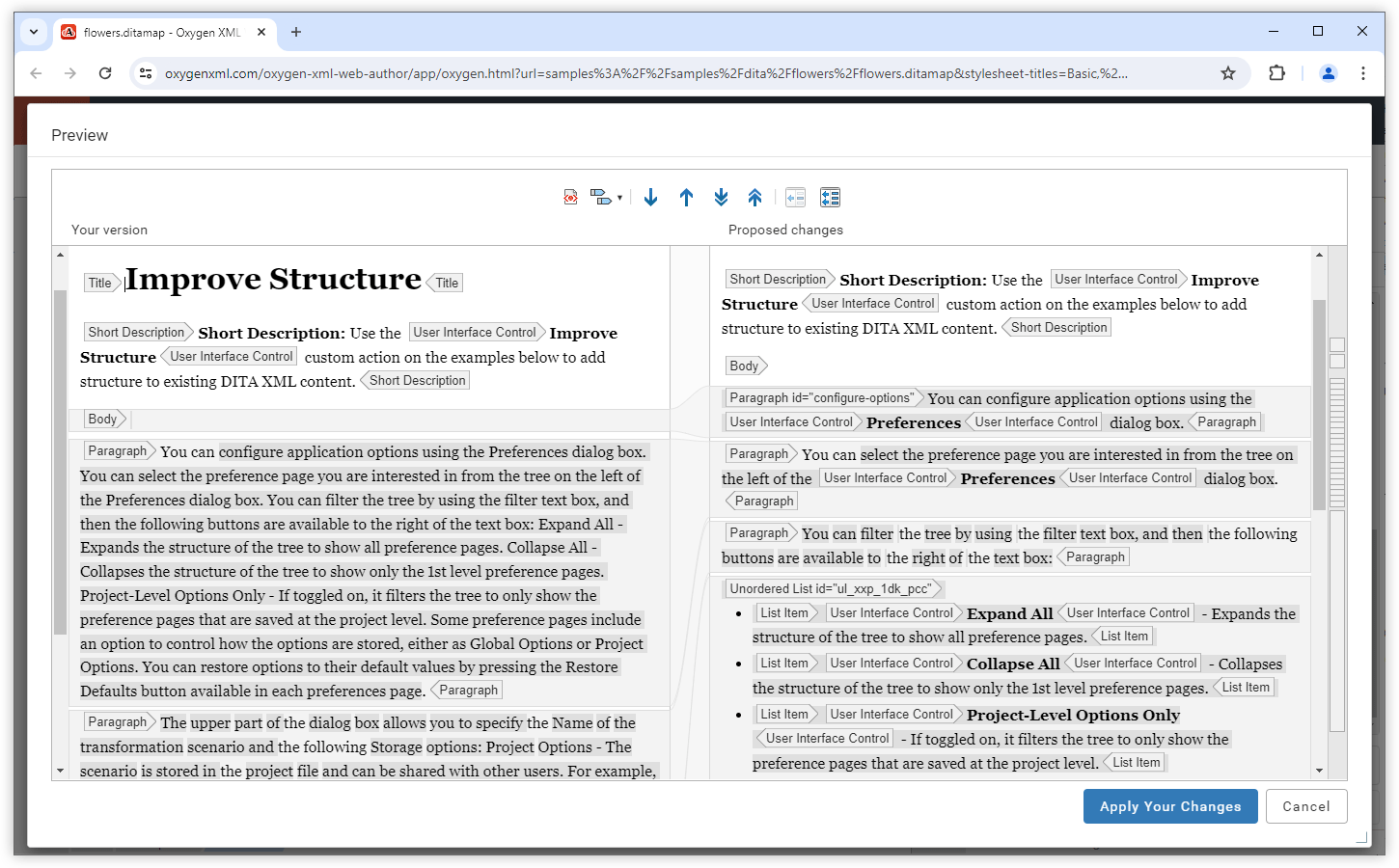
Improve Structure Action
Proofread Action
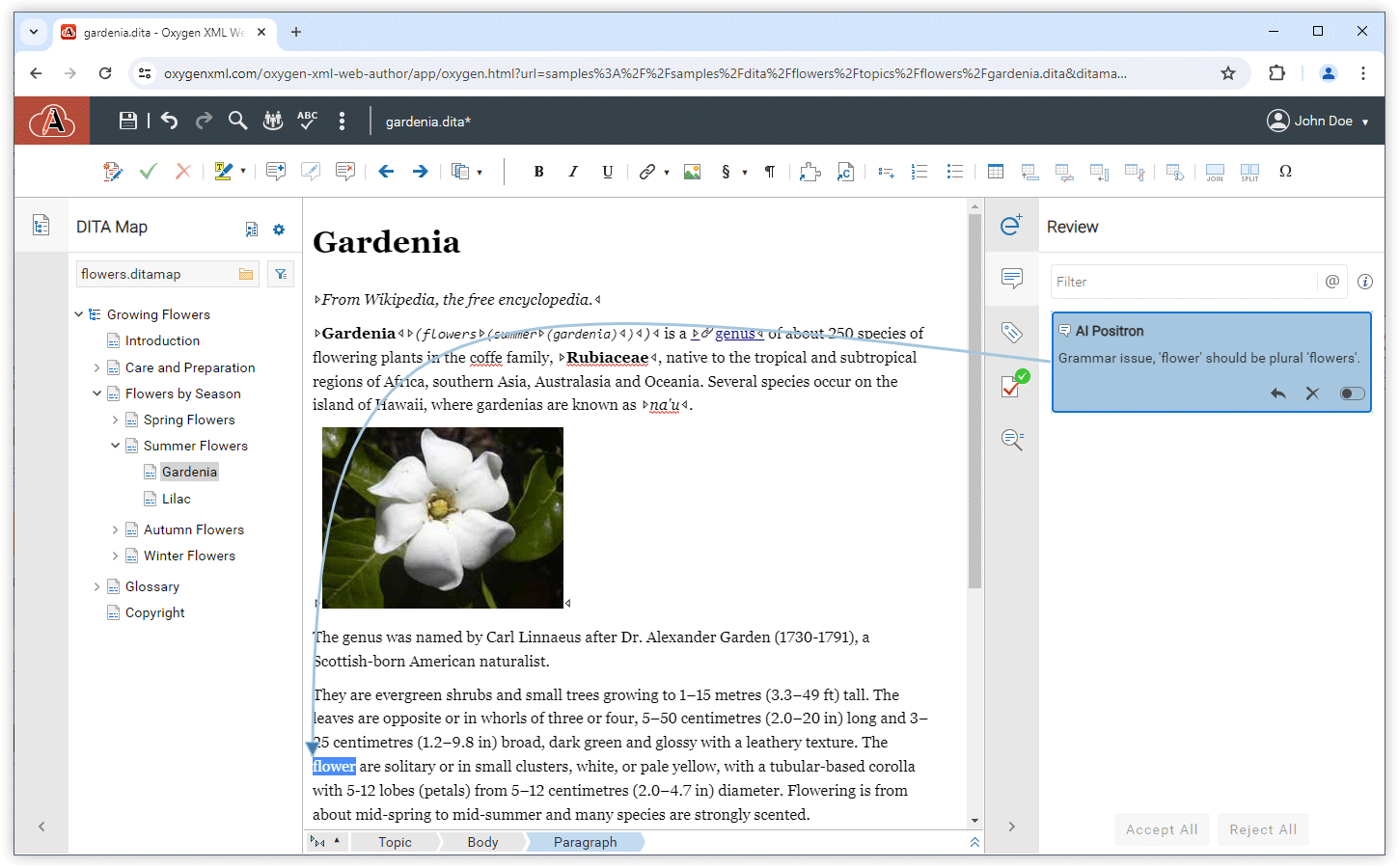
Resolve Comments Action
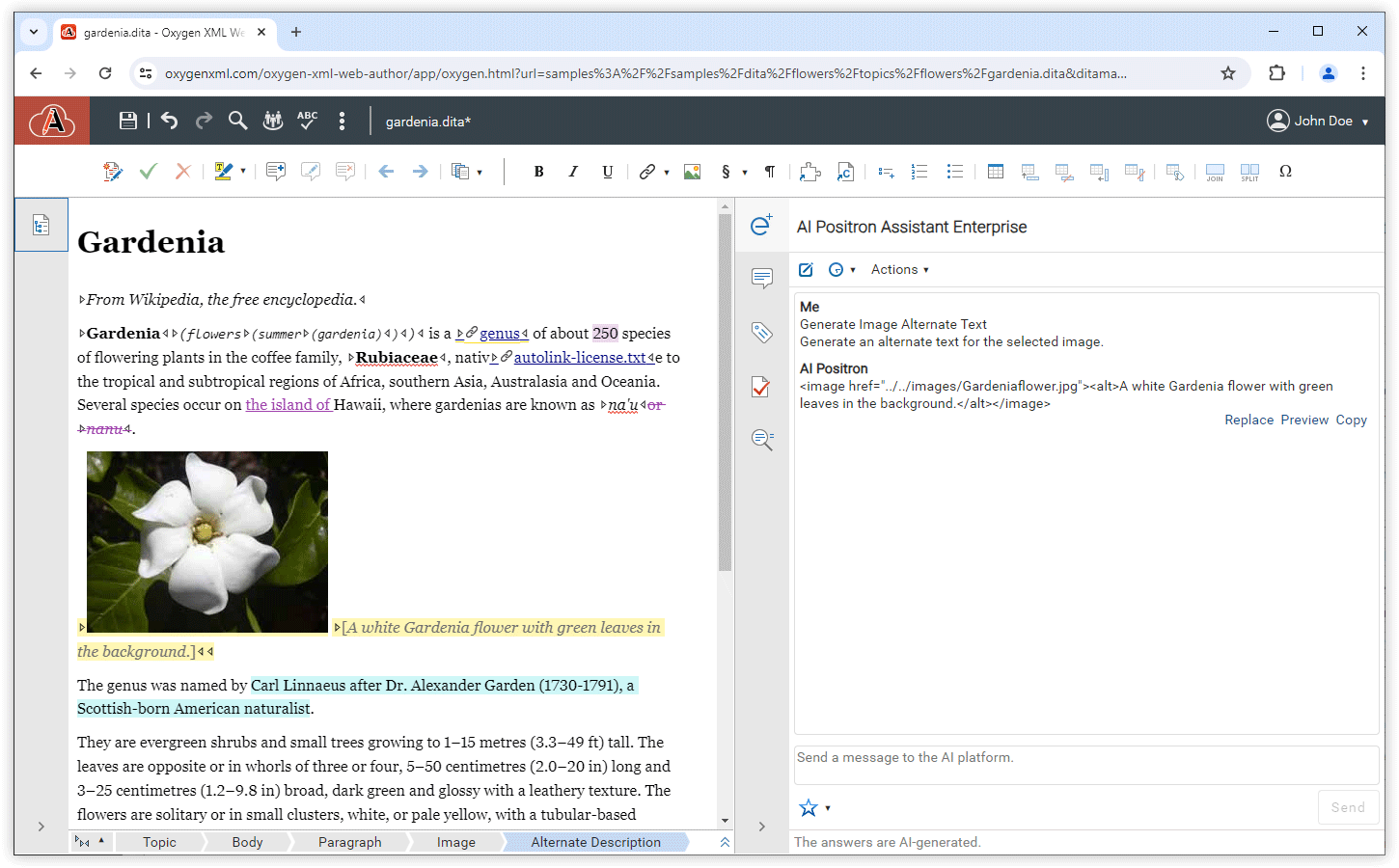
Generate Image Alternate Text AI Action
Function Calls
get_current_document_plain_text_content- Obtains all text without markup from the current document open in the editor.get_current_document_marked_up_content- Obtains all text with markup from the current document open in the editor.get_text_around_caret- Obtains size-limited content around the current cursor location within the document open in the editor.