
Oxygen AI Positron 8.2 for Eclipse
Oxygen AI Positron for Eclipse 8.2 introduces the skills mechanism (based on the Anthropic Agent Skills), which makes it possible to extend the assistant with reusable task-specific modules for automation, integrations, and organization-specific workflows. To help users get started quickly, the release also includes several built-in skills for review comments, XML translation, performing persona-based analysis, and even consulting the AI Positron user guide automatically.
The chat experience has been significantly improved with better awareness of changes in the active file or selected content, and easier access to richer context through support for binary resource analysis, Excel attachments, and SVG images.
Oxygen AI Positron for Eclipse
Extend AI Capabilities Using Skills
Built-in AI Skills
- Add review comments to your document.
- Translate XML content into another language while preserving markup and technical elements.
- Apply structured persona-based analysis to evaluate a task through multiple audience perspectives.
- Get help with AI Positron features by automatically reading the user guide documentation.
Claude Models with Adaptive Thinking
Smarter AI Awareness of Changes in Your Working Context
Binary Resource Insights
Attach Excel Documents
xlsx) documents in the AI Positron
chat view to provide additional context for your conversation with the AI.Analyze Referenced SVG Images
Support for Claude Deployments in Microsoft Azure Connections
Configure Multiple Action, Agent, and Skill Folders
Oxygen AI Positron for Eclipse 8.1
Version 8.1 of Oxygen AI Positron Assistant for Eclipse brings the latest AI-powered authoring enhancements to users of Oxygen XML tools within the Eclipse environment. This release includes support for OpenAI GPT-5.2 models, enhanced context awareness, and smarter handling of document attachments further boost productivity.
OpenAI GPT-5.2 Models Available
Optimized Token Consumption for AI Prompts and Tools
More Context Information Available in Chat
The AI chat now automatically includes additional information about your environment and editing context, such as the Oxygen application version, operating system details, current date, and caret or selection data (Oxygen 28.1 or newer). Having richer contextual information leads to higher-quality AI responses.
Control AI Action Visibility
Create AI Actions with Vision Support
"input-type":
            "markup-with-images"
JSON
property. This helps you include images only when they are relevant for the AI
response.
For more details, see markup-with-images.
Generate Image Alternate Text Improvements
Preserve Structure and Styles for Attached Word and PDF Documents
Oxygen AI Positron for Eclipse 8.0
Oxygen AI Positron 8.0 for the Eclipse distribution adds a dedicated AWS Bedrock connector and new AI model options (OpenAI GPT-5.1, Claude Sonnet 4.5, Claude Haiku 4.5, and xAI Grok 4 Fast) allowing you to choose the right balance between quality and speed for your tasks.
Development moves faster with smarter, project-specific prompts and the AI can now make targeted changes with the edit_document tool.
New Dedicated Connector: AWS Bedrock
Smarter AI Context Prompt Setup
Edit Document Tool
Generate Code Improvements (Oxygen 28.0 Required)
OpenAI GPT-5.1 Models Available
xAI Grok 4 Fast Models Available
Claude Sonnet 4.5 Model Available
Claude Haiku 4.5 Model Available
Improved Tool Names and Descriptions
Custom Actions Prioritized
Oxygen AI Positron 7.0
The latest release of the Oxygen AI Positron Assistant for Eclipse users, the Oxygen AI Positron Assistant now supports the latest OpenAI GPT-5 models for improved AI-driven interactions. Additionally, enhanced handling of Word (.docx) attachments further improves the user experience.
Oxygen AI Positron Assistant
Support for OpenAI GPT-5 Models
Invoke Tools Defined on Model Context Protocol Servers
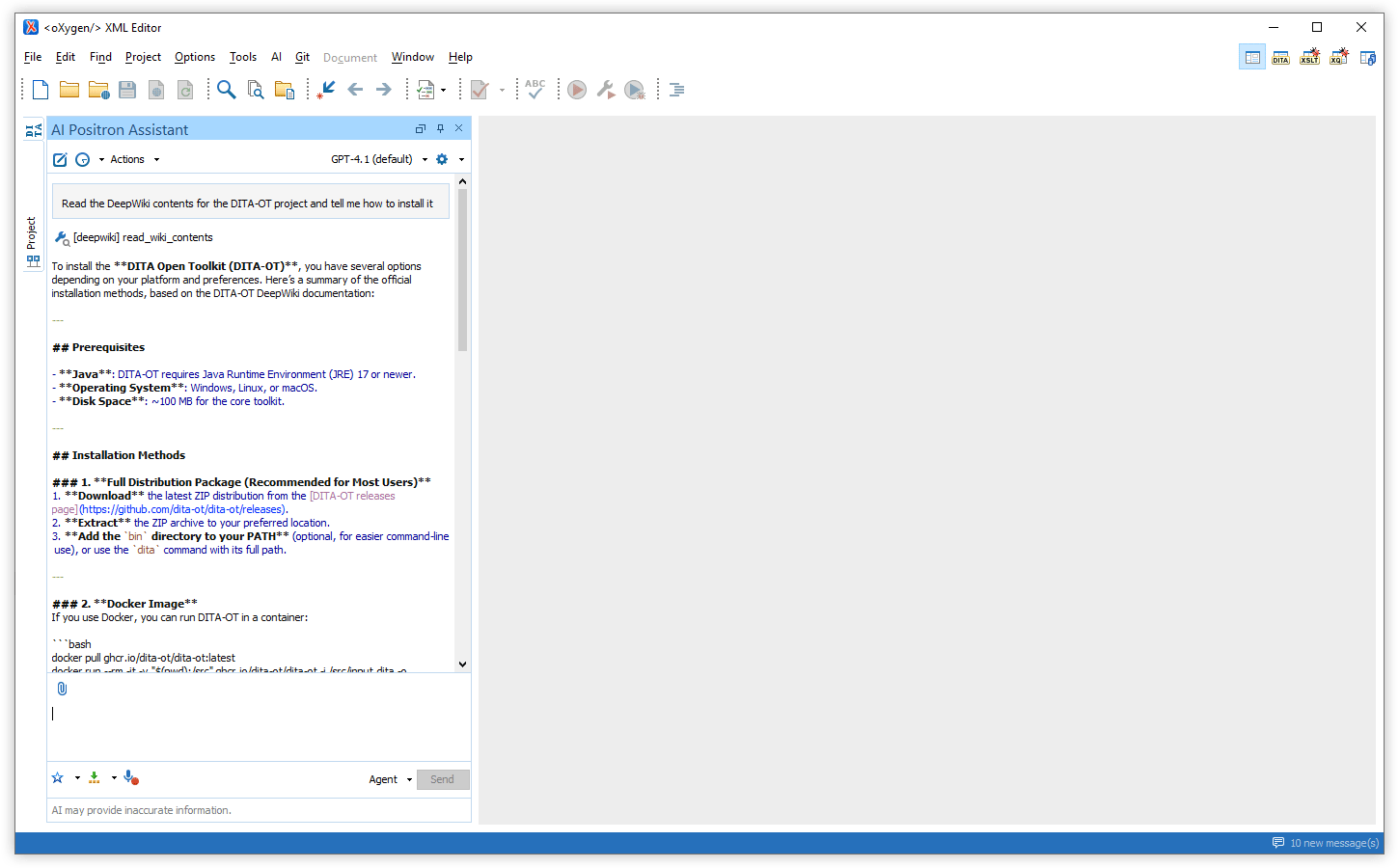
AI-powered Automatic Fixes for Invalid XML Responses
Fix Validation Problems in the Editor with AI Positron Fix
Attach Files to Edited Message Prompts
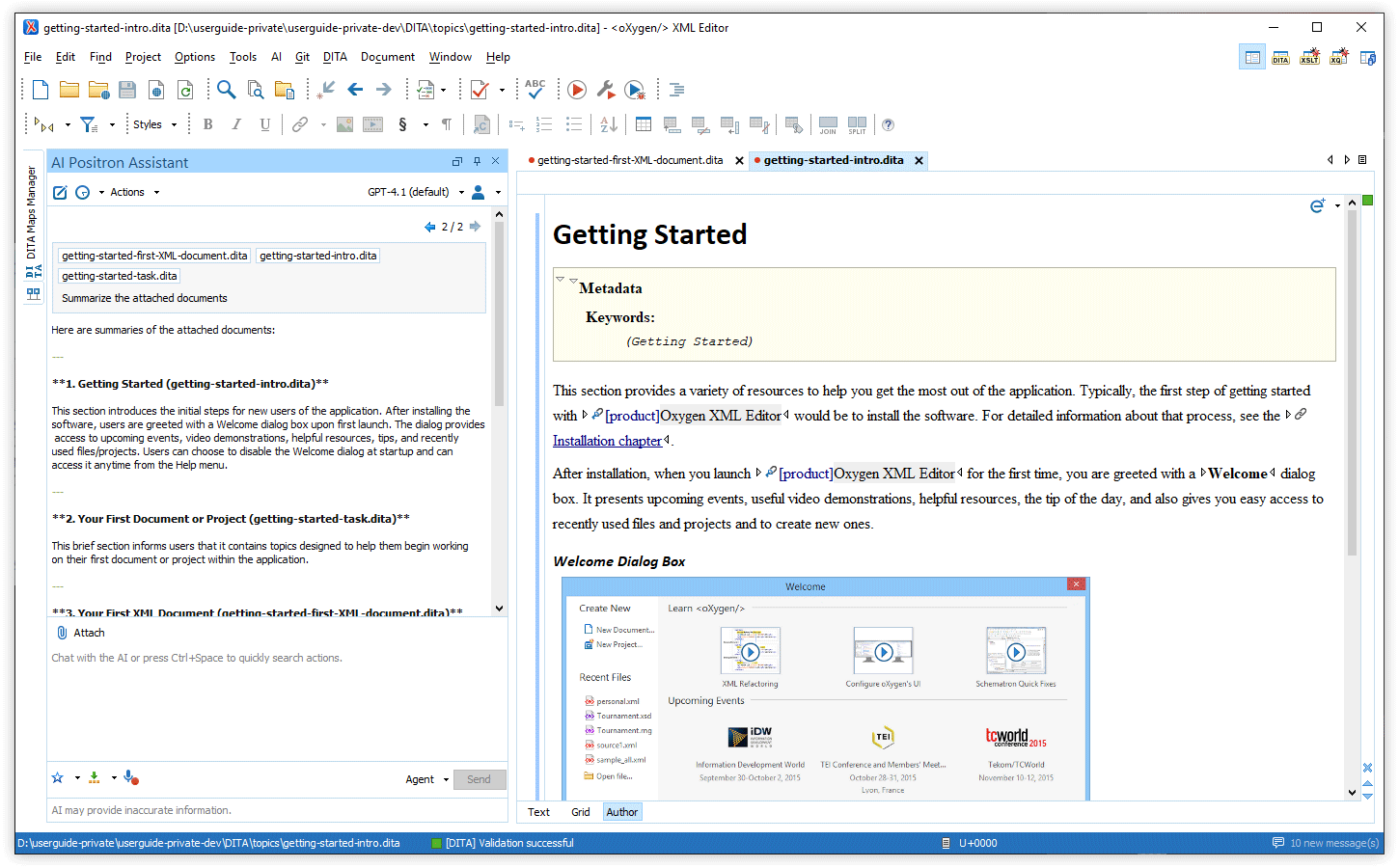
Manage Attachments with Visual Chips
You can now see your attached files as chips in the chat input
area, making it easy to review and remove individual attachments. If you want more
control, you can optionally use @ to reference specific files in your
instructions. Unreferenced attachments are still included automatically at the end of
your message.
Attachments are also displayed as chips in the chat, so you can quickly identify and access files sent to the AI.
Additionally, when you select content in the editor, a chip named
selection appears in the AI Positron chat input area. It represents
your current selection and updates whenever you change it. You can reference it by
typing @selection.
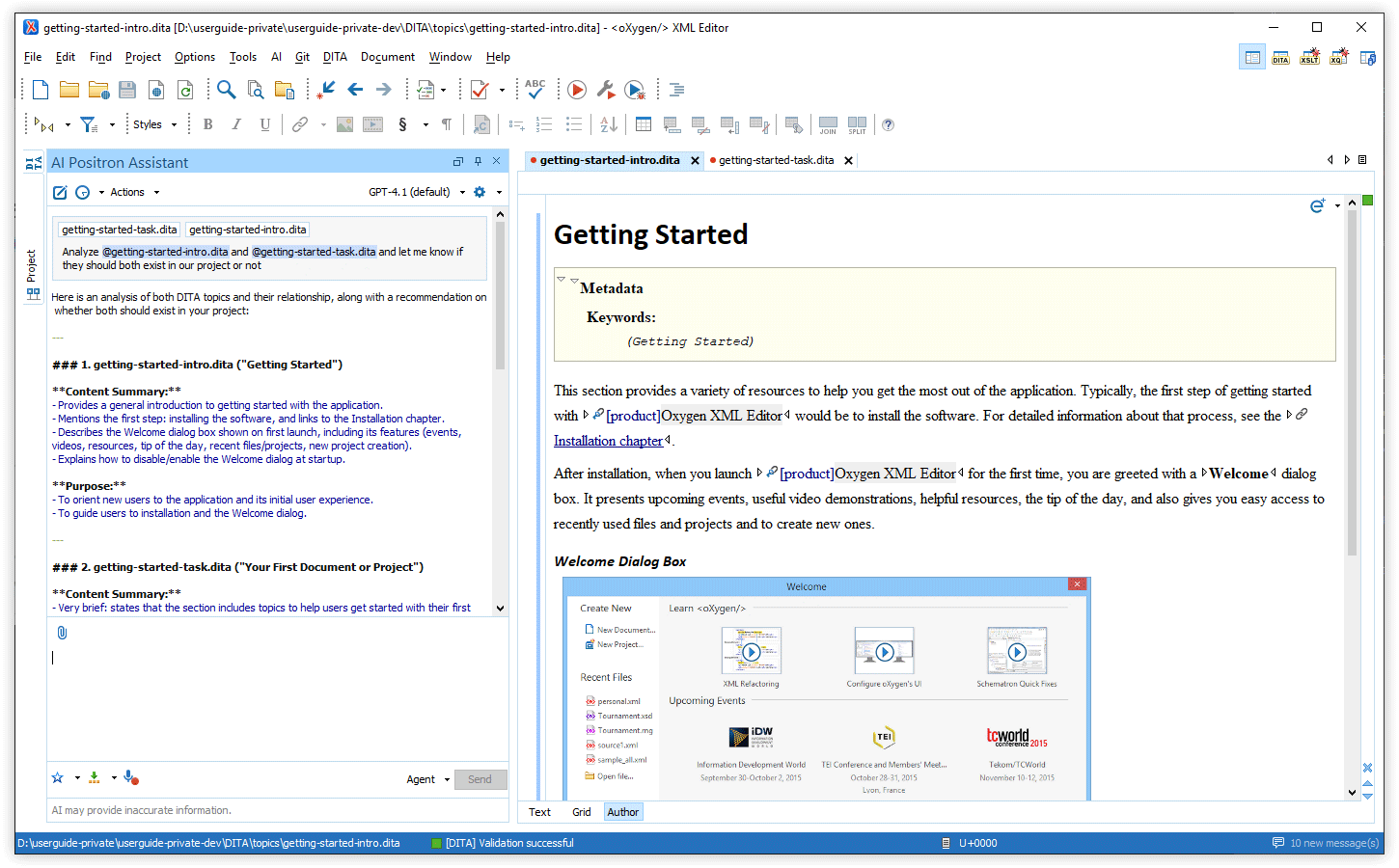
Paste Screenshots into Chat
Multiple Chat Modes
You can now choose between three chat modes in the Chat view:
- Agent - Discuss your project, set goals, or give instructions. The AI proposes changes and you are required to review and approve them.
- DITA Agent - Specially tuned for DITA-specific projects, provide goals or instructions and let the AI explore your project and apply project-wide changes with your approval.
- Ask - Get answers and explanations from the AI. This read-only mode uses search tools when needed and does not change your files.
All modes automatically use your current context (project location, current document and type, and the DITA map in scope), so you don’t need to include this information in your prompts.
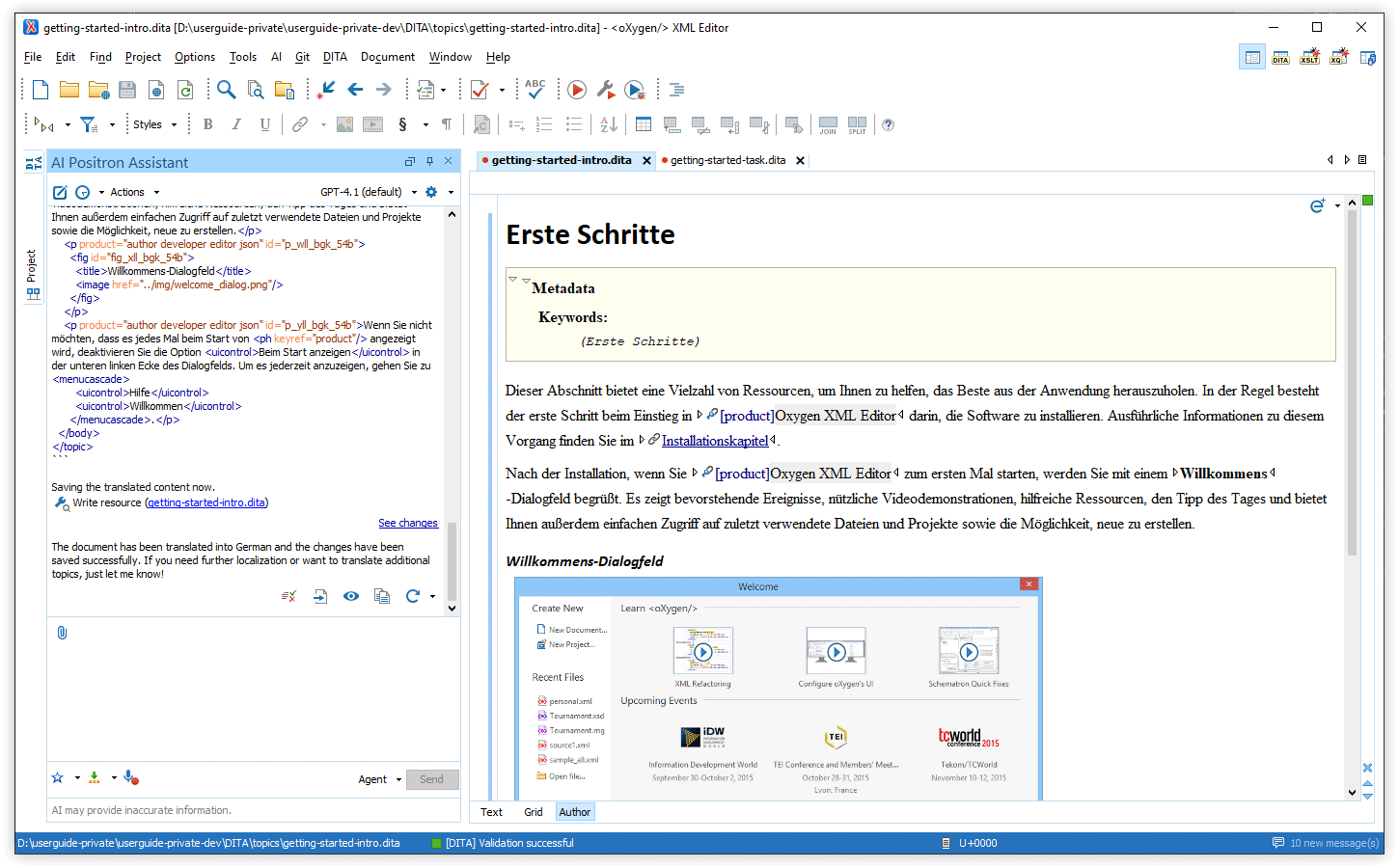
Flexible OAuth2 Configuration via the Positron Custom Connector Add-on
POSITRON_CONNECTOR_AUTH_TOKEN_URL environment variable and set the
OAuth2 scope with POSITRON_CONNECTOR_AUTH_SCOPE. This lets you use
identity providers that require custom token URLs or scopes.Improved Word (.docx) Attachment Handling
Dedicated Connector for xAI Grok
Search In Project Tool
*.dita), regular expressions, and XPath filters, making searches both
flexible and powerful. With this feature, the AI can ground its answers in your project
content.Debug Custom AI Action Prompts
oxygen.ai.positron.development.mode system property with the value of
true in the parent Oxygen application.New XSpec Template for Testing AI Actions
Enhanced Generate Code Experience
Flexible AI Validation and Correction Controls
Oxygen AI Positron Assistant
Support for OpenAI GPT-5 Models
Improved Word (.docx) Attachment Handling
Dedicated Connector for xAI Grok
Enhanced Generate Code Experience
Oxygen AI Positron 6.0
All Oxygen AI Positron Assistant 6.0 distributions feature the advanced GPT-4.1 OpenAI model as default. All AI action prompts were reviewed and improved for better quality, consistency, and reuse. The users of the Enterprise distribution benefit from new connectors for Google Gemini and Vertex AI, as well as enhanced Microsoft Azure OpenAI integration and simplified configuration.
Oxygen AI Positron Assistant for Eclipse now works with a broader range of editors (Java, Python, C/C++, Perl, and plain text), enabling AI-powered code generation and explanation across more file types. It offers a dedicated framework for developing custom AI actions, DITA documentation draft generation from configuration files, and AI-enabled templates for rapid creation of XSLT, XSD, Schematron, JSON Schema, and DTD files. Installation and updates are streamlined with the Eclipse update site support.
Oxygen AI Positron Assistant Enterprise for Eclipse
AI Positron Assistant Now Supports Java, Python, and More Editors
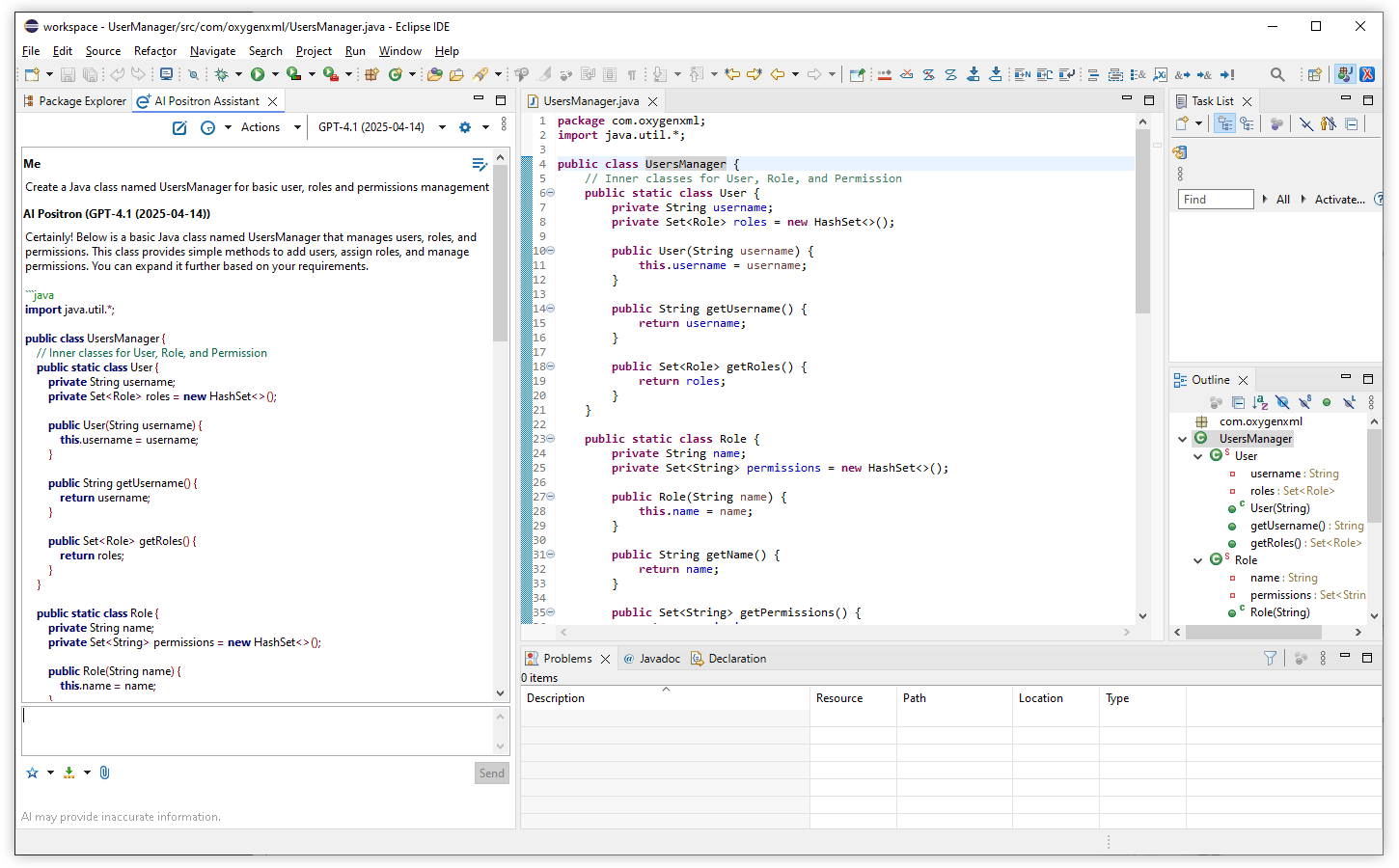
Default OpenAI Model Updated to GPT-4.1
Improved All AI Action Prompts
Develop Custom AI Actions
The Oxygen AI Positron Assistant for Eclipse installs an Oxygen framework that lets you edit your custom AI action descriptor files in both Text and Author mode. The new framework provides new file templates, content completion, validation, and visual editing features such as custom rendering, drop-down menus, and form controls. These tools help you create and manage custom AI actions more efficiently.