• 2027

    8.2
    Version 8.2 - May 5, 2026
  • 8.1
    Version 8.1 - February 10, 2026
  • 2026

    8.0
    Version 8.0 - November 18, 2025
  • 7.0
    Version 7.0 - September 15, 2025
  • 6.0
    Version 6.0 - July 3, 2025
  • 5.0
    Version 5.0 - April 24, 2025
  • 4.1
    Version 4.1 - January 30, 2025
  • 2025

    4.0
    Version 4.0 - November 1, 2024
  • 3.0
    Version 3.0 - September 5, 2024
  • 2.1
    Version 2.1 - June 12, 2024
  • 2.0
    Version 2.0 - April 23, 2024

Oxygen AI Positron 8.2 for Web Author

May 5, 2026

Version 8.2 of Oxygen AI Positron for Web Author enhances AI-assisted authoring for Oxygen XML Web Author users with a broad set of new capabilities focused on extensibility, richer context, and improved control. The most important addition is support for skills (based on Anthropic Agent Skills), enabling teams to tailor the assistant with reusable modules for specialized tasks, integrations, and repeatable workflows. To help users get started quickly, a set of built-in skills is also available for adding review comments, translating XML content while preserving structure, and performing persona-based analysis.

Another important feature displays files created or modified by the AI directly in the chat area, where you can review the changes. This release also expands the AI experience with the new Personas chat mode, smarter awareness of changes in the current editing context, and support for analyzing binary resources such as images, PDF, Word, Excel, and PowerPoint files without manually attaching them first. Additional usability enhancements include a new context window size indicator, support for attaching Excel documents, and access to referenced SVG images.

Oxygen AI Positron for Web Author

Select LLM Model in Chat View

Depending on the configured LLM connection, you can now select the LLM model to use when chatting or invoking AI actions using a drop-down control in the chat box.
Select LLM Model in Chat View

Extend AI Capabilities Using Skills

Define and use skills (based on the Anthropic Agent Skills) to extend the AI agent's capabilities by creating reusable, specialized modules for specific tasks. You can use them for automating repetitive workflows, integrating with external tools and APIs, standardizing best practices, and enabling the assistant to handle domain-specific or proprietary processes. From simple utilities to complex integrations, skills let you customize the AI agent to match your unique business needs and accelerate productivity.
Extend AI Capabilities Using Skills

Built-in AI Skills

Several built-in skills are now available to help when you want the LLM to:
  • Add review comments to your document.
  • Translate XML content into another language while preserving markup and technical elements.
  • Apply structured persona-based analysis to evaluate a task through multiple audience perspectives.

Claude Models with Adaptive Thinking
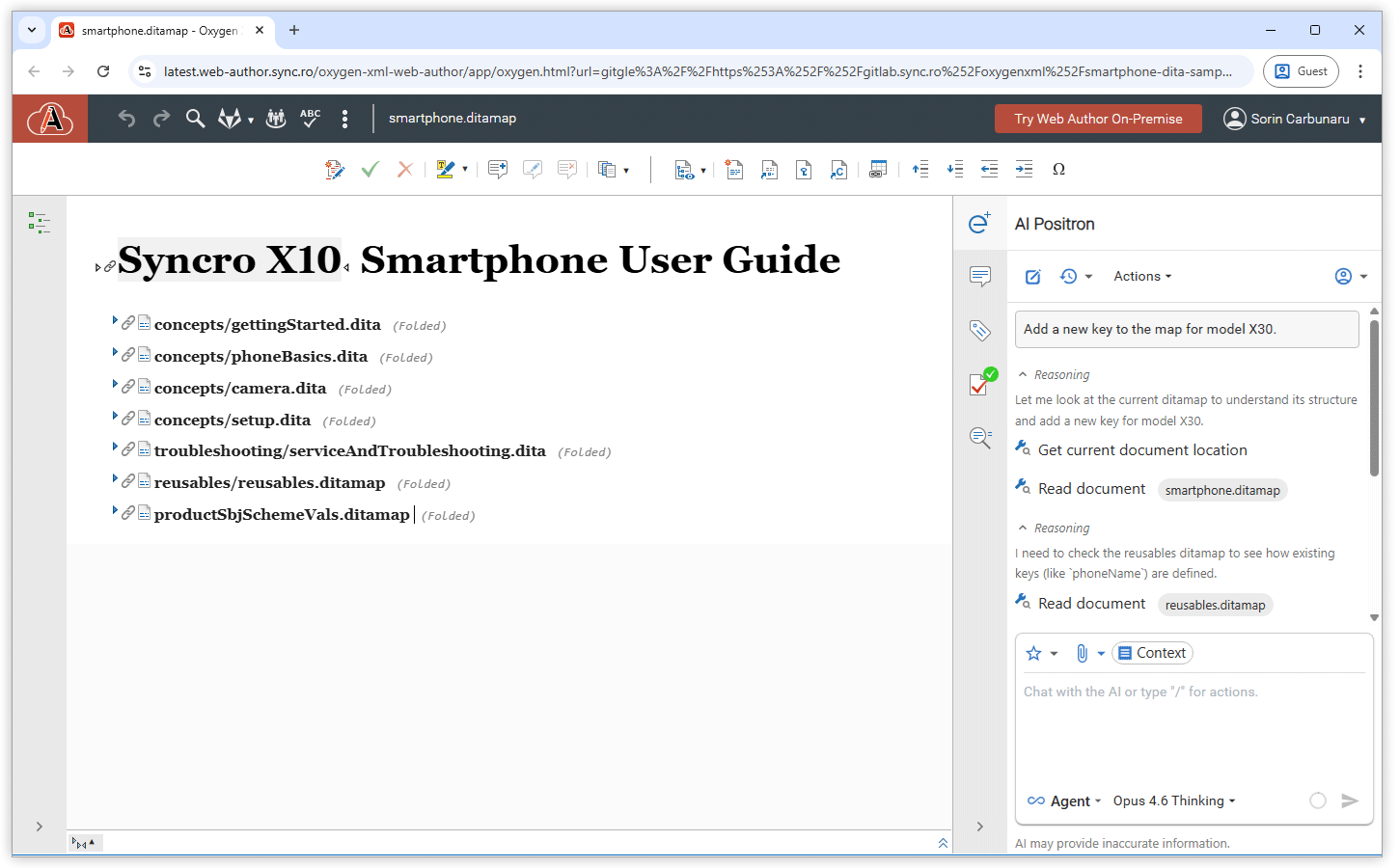
Two new Claude models are available: Claude Sonnet 4.6 Thinking and Claude Opus 4.6 Thinking. These models use adaptive thinking to automatically determine how much reasoning is needed for each request, spending more time thinking through complex problems while responding quickly to simpler queries. When using these models, the chat interface displays a collapsible summary of the model's thinking process in real time. The thinking summary is also preserved and restored when you load conversations from history.
Claude Models with Adaptive Thinking

Personas Chat Mode

You can now use the Personas AI chat mode to review a task from multiple audience perspectives and get a more balanced recommendation. If you do not specify personas, the agent automatically defines 2–4 relevant personas, analyzes the content from their perspectives, identifies conflicting viewpoints, and tries to reach a compromise before providing a final recommendation.

Smarter AI Awareness of Changes in Your Working Context

When you continue a chat after changing the selected content or switching to a different file, the AI can now follow those context changes better and respond based on what you are currently working on. This helps reduce confusion in ongoing conversations and makes follow-up requests feel more accurate and natural.

Binary Resource Insights

You can now ask the AI to analyze binary resources such as images, PDF, Word, Excel, and PowerPoint files without first attaching them in the chat. This makes it easier to generate content based on files in a folder or validate whether referenced images fit the surrounding context.

Context Window Size Indicator

A new indicator in the AI Positron footer gives you visibility into the model's context window size so you can understand how much context is available for your conversation. The indicator includes a breakdown of the total context window and how much of that context is currently in use.
Token Consumption Indicator

Easily Review AI-Modified Files

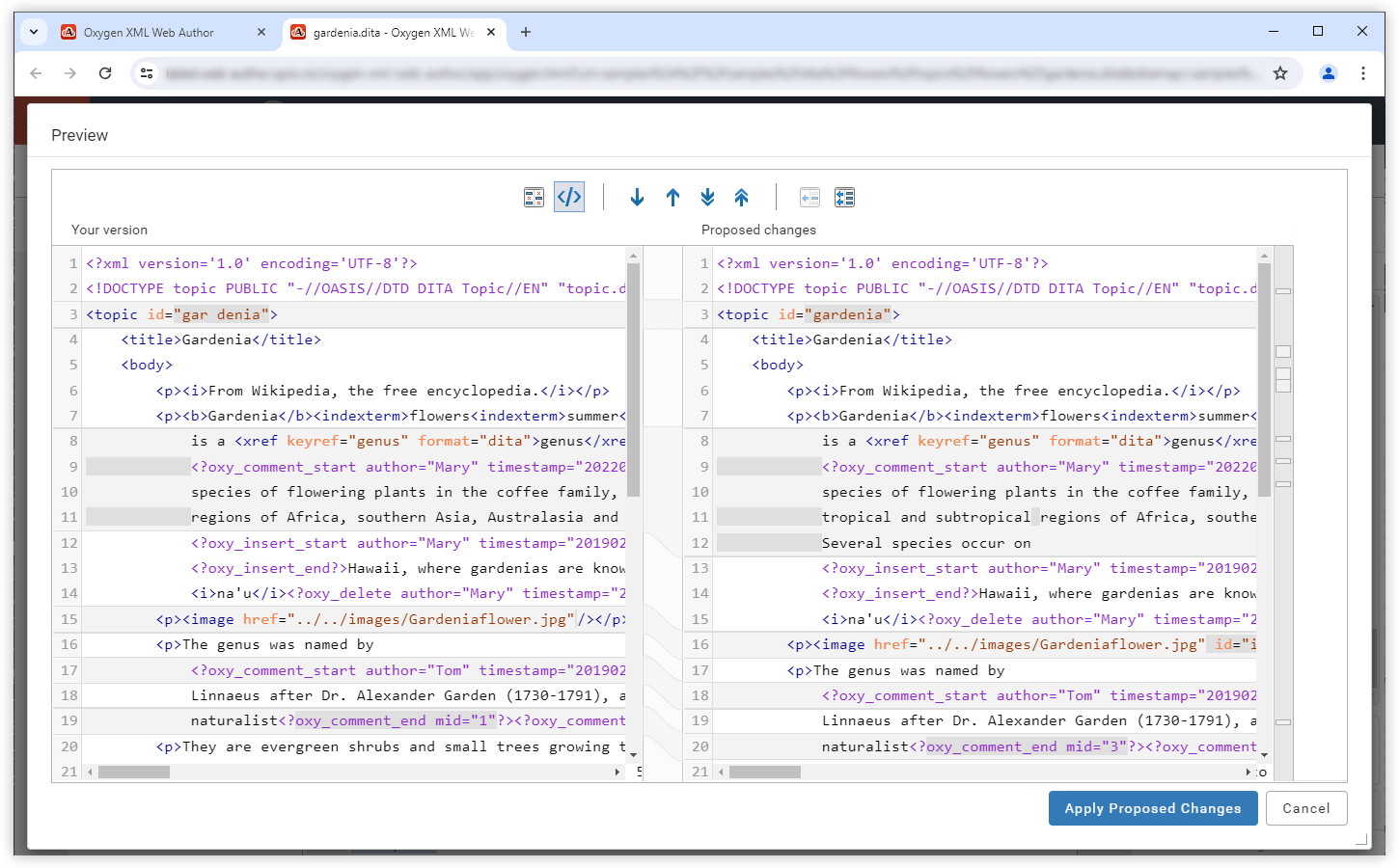
Files created or modified by the AI now appear directly in the chat area, where you can review the changes. You can compare the original content with the AI-updated version or directly open a changed file to make corrections.
Easily Review AI-Modified Files

Attach Excel Documents

You can now attach Excel (xlsx) documents in the AI Positron chat view to provide additional context for your conversation with the AI.

Analyze Referenced SVG Images

When using AI actions such as "Generate image alternate text" or interacting with the AI in the chat, the LLM is now given access to the referenced SVG images (in addition to JPEG and PNG images). This allows the AI to provide feedback based on the SVG image content.

Image References Expanded in Selected Content

When you select content that includes image references in the visual editor, the referenced images are included along with the text. This allows you to ask the AI agent to review the text and images together, for example, to check whether the image and its accompanying text work well together.

Configure Reasoning Effort Level for Microsoft Azure Connections

For Microsoft Azure connections, you can now choose the default reasoning effort level (low, medium, or high) to use when executing actions or chat requests via the new Reasoning Effort parameter.

Support for Claude Deployments in Microsoft Azure Connections

Claude (Anthropic) models hosted on Azure AI Foundry can now be used directly from your Microsoft Azure AI connections.

Edit Markdown Documents While Vibe Writing

When vibe writing, AI Positron can now retrieve content from and modify the current document, whether it is an XML or Markdown document.

Oxygen AI Positron 8.1 for Web Author

February 10, 2026

Version 8.1 of Oxygen AI Positron Assistant for Web Author introduces support for the latest OpenAI GPT-5.2 models, ensuring state-of-the-art AI assistance for web-based XML editing. The new Planner chat mode enables users to coordinate large-scale, multi-step changes directly from the web interface.

Users can now create custom chat modes and actions tailored to their workflows. Improved image handling, and smarter document attachment processing further streamline collaborative authoring and review in distributed teams.

Oxygen AI Positron for Web Author

OpenAI GPT-5.2 Models Available

The flagship GPT-5.2 and GPT-5.2 Thinking models are now available in the list of OpenAI models to choose from.

Optimized Token Consumption for AI Prompts and Tools

The prompts and tools that the AI uses to generate answers have been improved to consume fewer tokens/credits.

New Planner Chat Mode for Resource Consuming Tasks

The newly-introduced Planner chat mode is available for complex, token-intensive operations (e.g. “Translate all files in the current folder” or “Find all conrefs and replace them with conkeyrefs in userguide.ditamap”).

After being given the prompt, the AI explores your project, proposes a multi-step plan, and, after your approval, delegates each step to the most suitable AI agent. This means large, project-wide changes can be coordinated without hitting LLM context limits, while still showing you the tool calls and results for review.

More Context Information Available in Chat

The AI chat now automatically includes additional information about your environment and editing context, such as the Oxygen application version, current date, and caret or selection data (Web Author 28.1 or newer). Having richer contextual information leads to higher-quality AI responses.

Documentation and APIs to Create New Chat Modes

You can now officially define new chat modes by creating new AI actions that contain the "output-action": "agentic" property. For more details, see Creating Custom Chat Modes

Tools to List and Invoke AI Agents

Newly added tools make it possible to create powerful new chat modes to plan complex changes and then use separate agents for each part of the plan. For more details, see AI Positron User Guide: Tools to Invoke AI Actions or Agents.

Control AI Action Visibility

You can now choose whether a defined AI action is visible in the UI or only available to other AI actions as a sub-agent by using the new visibility property. For more details, see AI Positron User Guide: Visibility Property.

Create AI Actions with Vision Support

You can control whether a custom-defined AI action sends both content and referenced images to the LLM by using the "input-type": "markup-with-images" JSON property. For more details, see markup-with-images.

Generate Image Alternate Text Improvements

The Generate Image Alternate Text action can now be used on all images that are referenced within a document at once, while you can still use the action on individual selections as well.

Preserve Structure and Styles for Attached Word and PDF Documents

When attaching Word (.docx) or PDF documents in the chat, their internal structure (headings, lists, tables, code blocks) and styling (bold, italic) are now preserved when being sent to the AI so that it better understands the context of the document.

Oxygen AI Positron 8.0 for Web Author

November 18, 2025

For Web Author, Oxygen AI Positron 8.0 adds AI‑powered new file creation to generate starter documents from a prompt and optional attachments (XML, Markdown, images, or PDFs and Office files). Now, you get a cleaner chat input with attachments shown as chips, instant context inspection, quick action invocation, and richer tool‑call information.

AI-Powered New File Creation (Oxygen XML Web Author 28.0 Required)

When creating a new file in Web Author, you can now provide instructions in an AI prompt field to generate a document with pre-populated content. You can also use drag and drop or copy/paste to attach text files (XML, Markdown), images, or documents (PDF, Word, PowerPoint), to guide the AI in generating content for your new file.
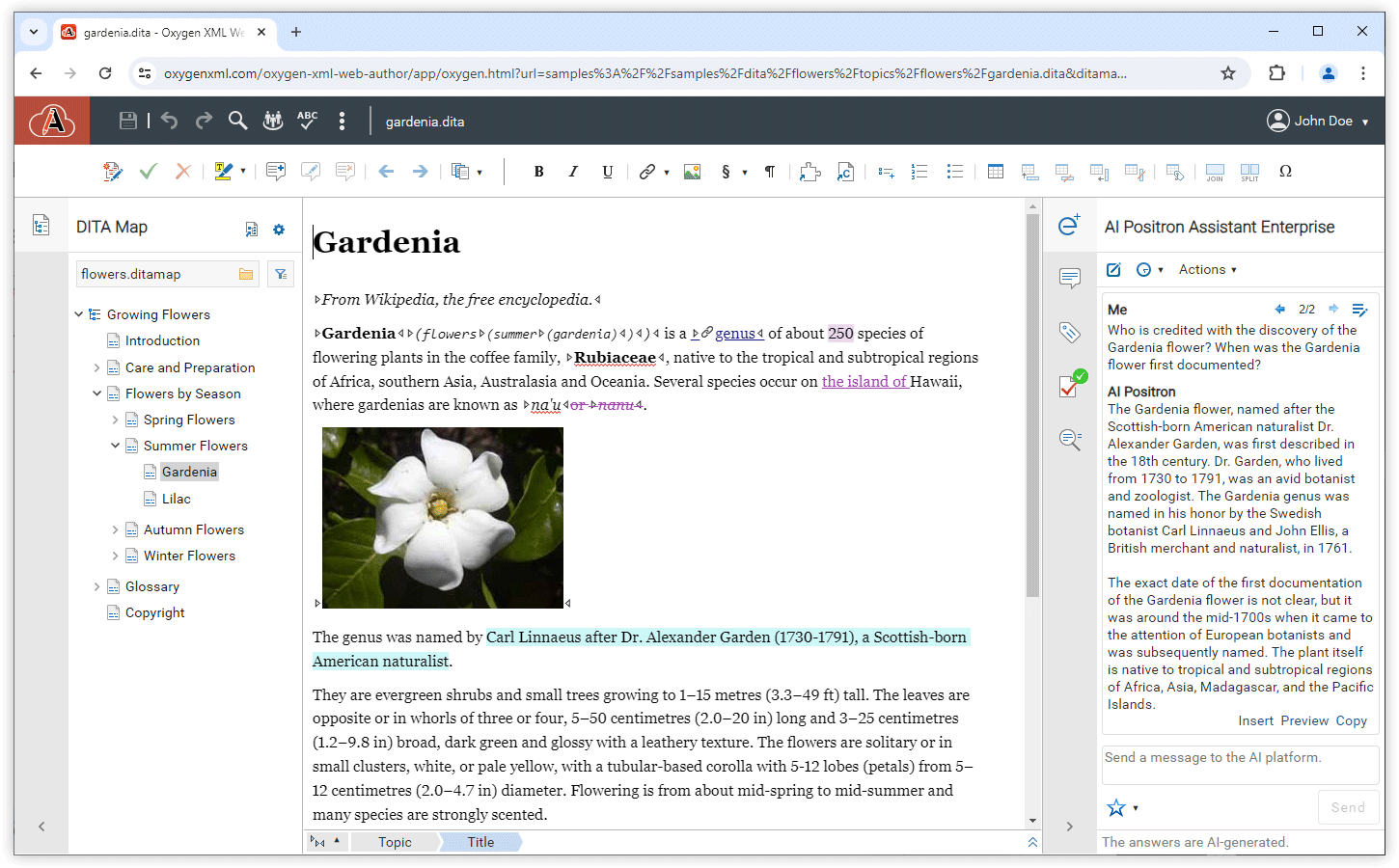
AI-Powered New File Creation

Uncluttered Chat Input Area

Attachments that you add to your conversation to provide additional context are now presented above the chat input area, ensuring that they do not clutter your instructions. You can still reference specific attachments inline within your instructions by using the @ symbol followed by the file name.
Uncluttered Chat Input Area

OpenAI GPT-5.1 Models Available

The flagship GPT-5.1 and GPT-5.1 Thinking models are now available in the list of OpenAI models to choose from.

xAI Grok 4 Fast Models Available

The latest fast models for xAI Grok are available to choose from, including Grok 4 Fast and Grok 4 Fast (Non Reasoning).

Claude Sonnet 4.5 Model Available

The Claude Sonnet 4.5 model (listed as their strongest model for building complex agents) is now available in the list of AI models to choose from.

Claude Haiku 4.5 Model Available

The Claude Haiku 4.5 model (listed as their latest small model) is now available in the list of AI models to choose from.

Inspect Chat Context

You can see the main context information that is sent to the AI for the current chat by hovering over the Context chip that is displayed above the chat input area. This adds clarity about the information the AI has available when processing a request. That information includes the editor selection (if available), edited document location, the DITA map location, and the project location (applicable for the Web Author integration with Git).
Inspect Chat Context

Invoke AI Actions with Keyboard Shortcut

You can quickly invoke AI actions by using the / symbol in an empty chat, then start typing the name of the action. This displays a pop-up menu with a list of available actions that match the text you entered.

Edit Document Tool

When using agentic chat to make changes to topics, small changes (e.g. attribute values, spelling corrections) can be made by the AI engine using the newly available edit_document tool that performs exact string replacements in a specified file.

Easier Access to Tool Call Details

You can now troubleshoot tool calls easier by viewing detailed information about each tool call directly in the Chat view. Simply hover over the tool name to see a summary, or click it to open a dialog box where you can review, copy tool call details, and import or export chats for sharing purposes.

Custom Actions Prioritized

Your custom actions are now displayed before the built-in actions wherever AI actions are shown, so you can access them more quickly.

Improved Tool Names and Descriptions

All the names and descriptions of tools that are available in the chat or AI actions were improved for greater accuracy and relevance. This allows the AI to better decide what tool to call and what parameters to pass, thus improving the agentic AI workflows.

Oxygen AI Positron 7.0

September 15, 2025

Starting with version 7.0, the Oxygen AI Positron Assistant for Web Author now offers support for OpenAI's GPT-5 models and introduces multiple chat modes (Agent, DITA Agent, and Ask) to cater to diverse project needs. Users can manage attachments with visual chips, ensuring easy review and removal. Automatic fixes for validation issues in AI-generated content maintain document validity, while the ability to reference AI actions in chat prompts streamlines complex tasks. Improved handling of Word (.docx) attachments ensures accurate AI responses by preserving document structure and context.

Oxygen AI Positron Assistant for Web Author and Content Fusion

OpenAI GPT-5 Models Available

You now have access to the latest OpenAI GPT-5 (with default or minimal reasoning), GPT-5 Mini, and GPT-5 Nano models, offering more advanced and efficient AI capabilities for your conversations and AI actions. Model configuration can be managed by an administrator in the administration page.

Multiple Chat Modes

You can now choose between three chat modes in the Chat view:

  • Agent - Discuss your project, set goals, or give instructions. The AI proposes changes and you are required to review and approve them.
  • DITA Agent - Specially tuned for DITA-specific projects, provide goals or instructions and let the AI explore your project and apply project-wide changes with your approval.
  • Ask - Get answers and explanations from the AI. This read-only mode uses search tools when needed and does not change your files.

All modes automatically use your current context (project location, current document and type, and the DITA map in scope), so you don’t need to include this information in your prompts.
Multiple Chat Modes

Manage Attachments with Visual Chips

You can now see your attached files as chips in the chat input area, making it easy to review and remove individual attachments.
Manage Attachments with Visual Chips
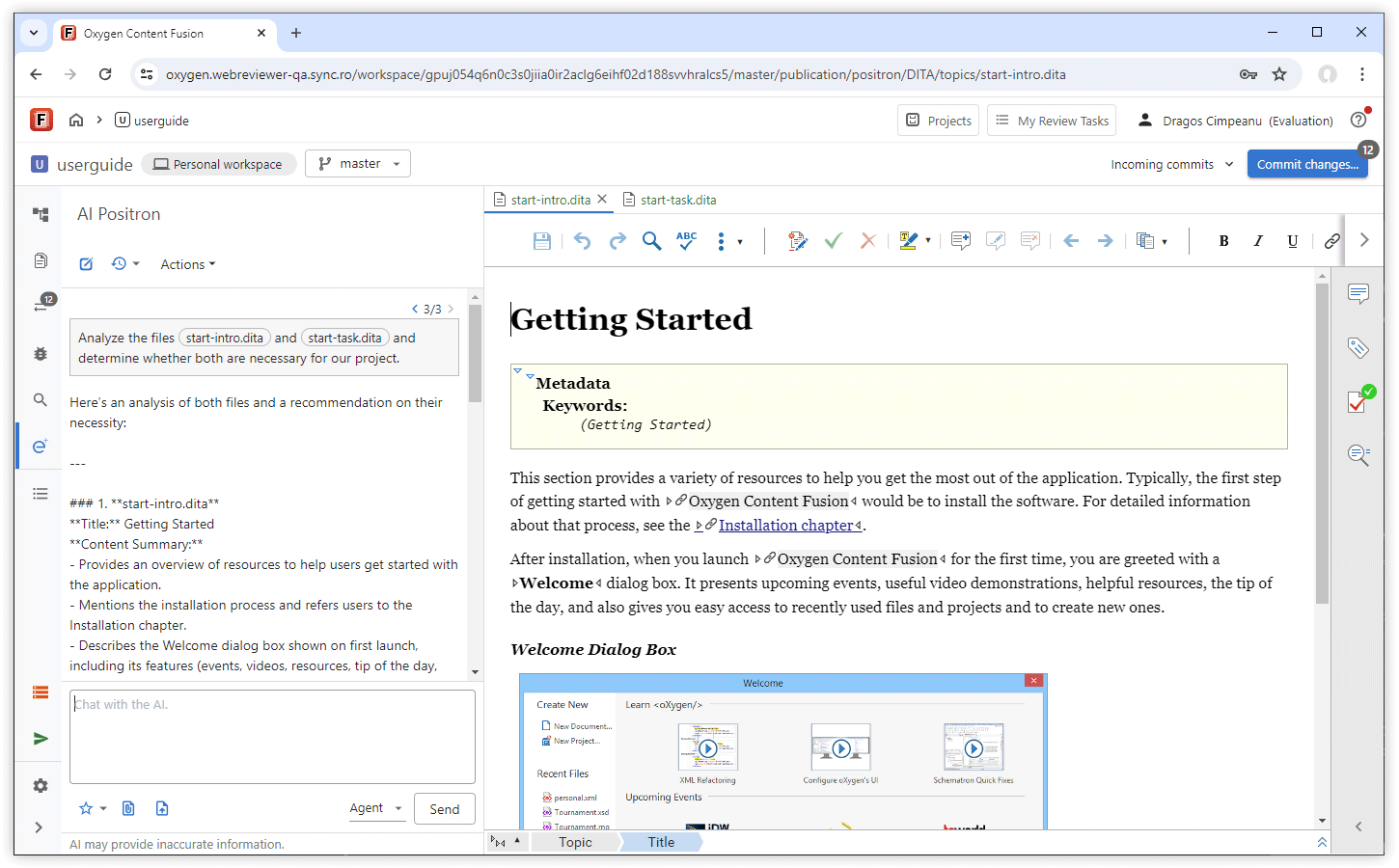
Automatic Fixes for Validation Issues in AI-Generated Content
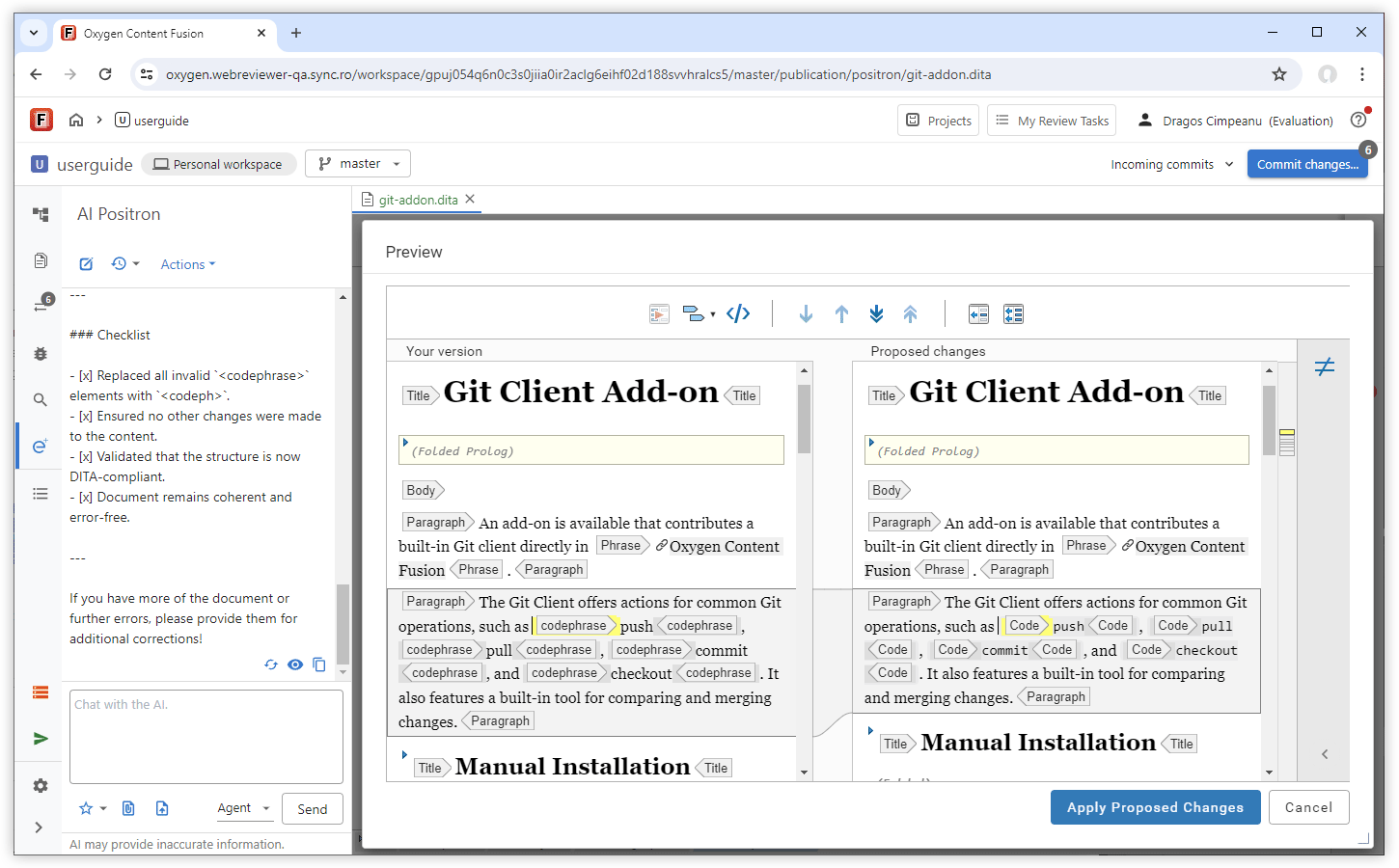
After you insert AI-generated content into a document, you get automatic fixes for detected validation issues when possible, so your document stays valid without the need for manual fixes.
Automatic Fixes for Validation Issues in AI-Generated Conten

Refer AI Actions in Chat Prompts

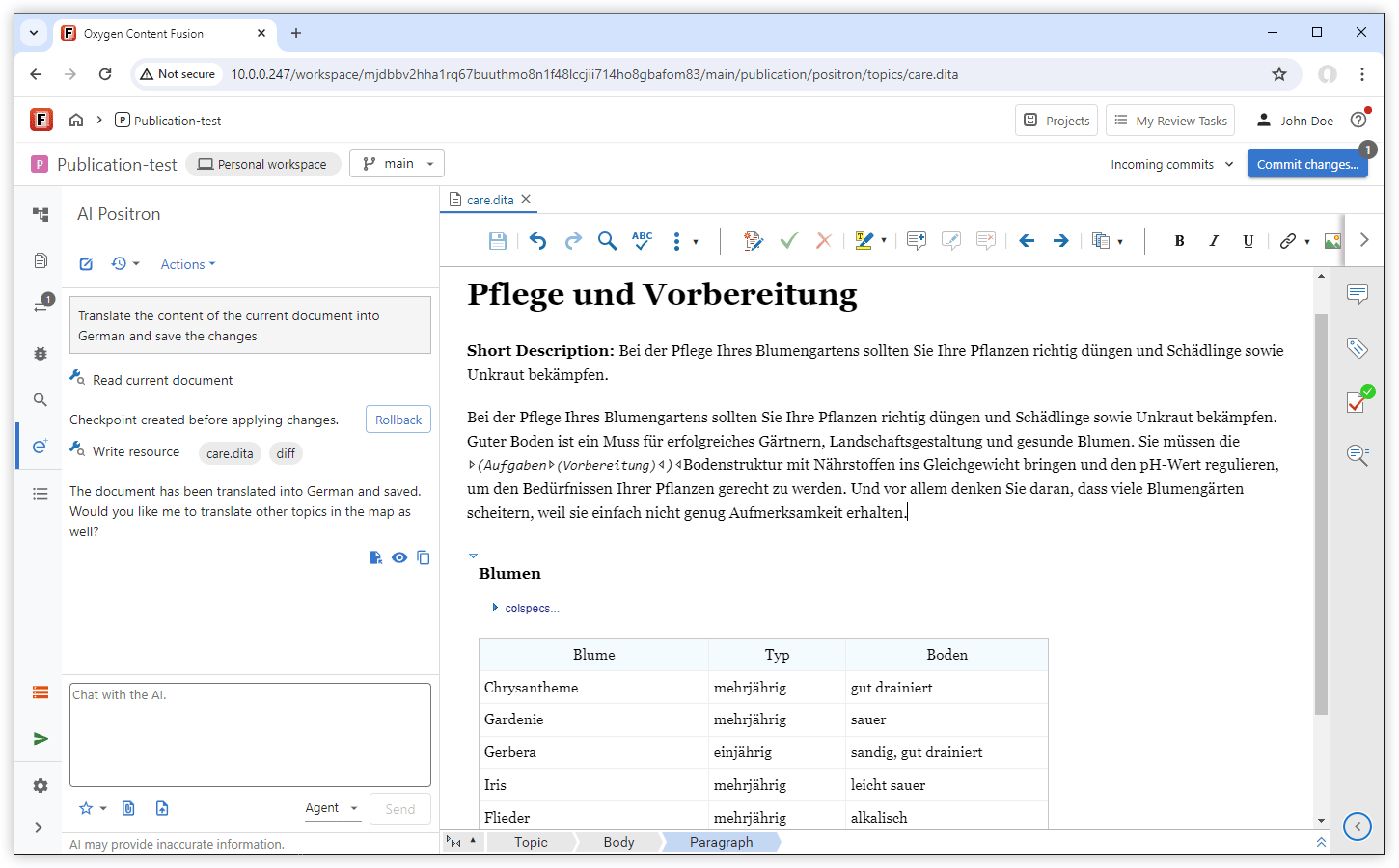
You now have the possibility of providing instructions to the AI to invoke the existing AI actions when performing complex tasks. For example, to correct the grammar and update the current document, you could type: Invoke correct grammar on the current document and save the updated content. This approach streamlines your workflow by letting you quickly apply changes or transformations in one place.
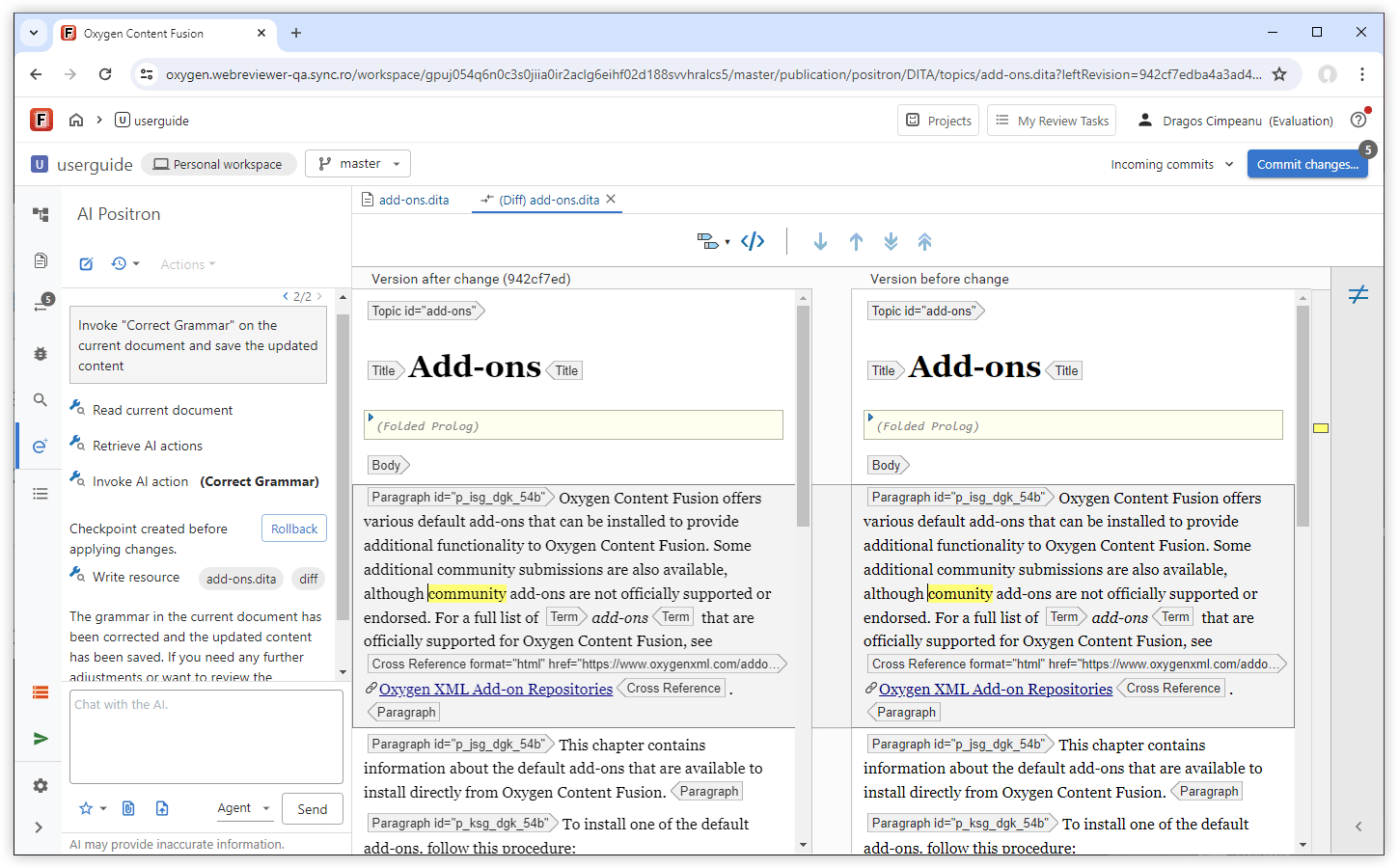
Refer AI Actions in Chat Prompts

Improved Word (.docx) Attachment Handling

When you attach a Word (.docx) file, the text and images are kept in their original order. This preserves the document’s structure and context, so you get more accurate responses.

Oxygen AI Positron 6.0

July 3, 2025

The Oxygen AI Positron Service brings model updates, subscription management for teams, allowing centralized purchase or renewal, and requires AI Positron add-ons version 4 or newer.

In addition to the core updates, Oxygen AI Positron Assistant for Web Author and Content Fusion allows file attachments to AI conversations, persistent chat content across editors, and, for Content Fusion users, chat history retention. Prompts can be saved to favorites after invocation and the interface is enhanced with improved function call information and smart scroll for easier review of long conversations.

Oxygen AI Positron Assistant for Web Author and Content Fusion

Default OpenAI Model Updated to GPT-4.1

The GPT-4.1 model is now the default OpenAI model you use with the AI Positron Assistant. With GPT-4.1, you can process larger documents more quickly and at a lower cost, while receiving more accurate and relevant responses.

Improved All AI Action Prompts

Prompts for all pre-defined AI actions have been optimized for greater accuracy and relevance. They are now developed using the DITA XML standard, enabling content reuse for more consistent prompts that follow similar patterns and structure.

Attach Files to the Conversation Using Drag/Drop or Copy/Paste
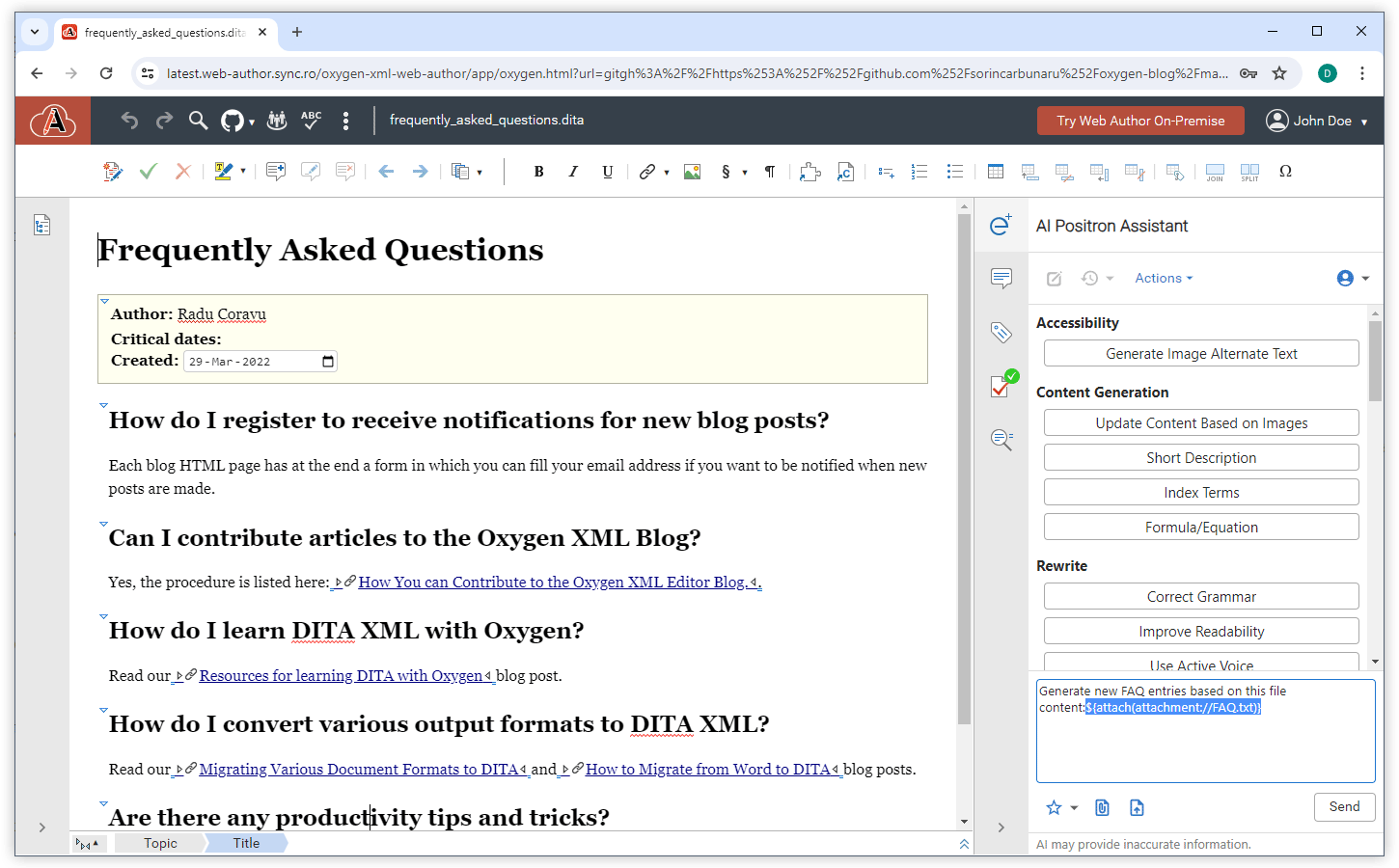
You can now attach files to your AI conversation by dragging them or by copying and pasting them into the chat input area. You can also drag and drop topic references from the DITA Maps view. This makes it faster to share relevant documents and provide context for your AI interactions.
Attach Files to the Conversation Using Drag/Drop or Copy/Paste

Persistent Chat Across Editors

The AI Positron view now keeps your chat content even when you open or close editors. You can continue your conversation as you switch between editors and use chat results while working in different editors.

Persistent AI Positron Chat History in Content Fusion

Your chat history is now preserved even if you log out and return at a later time. This ensures you can seamlessly continue your conversations and access previous chat history whenever you need them.

Compact AI Message Presentation

You now see AI messages in a more compact format, allowing you to view more content at once and reducing scrolling, so you can review conversations more efficiently.

Improved Function Call Information

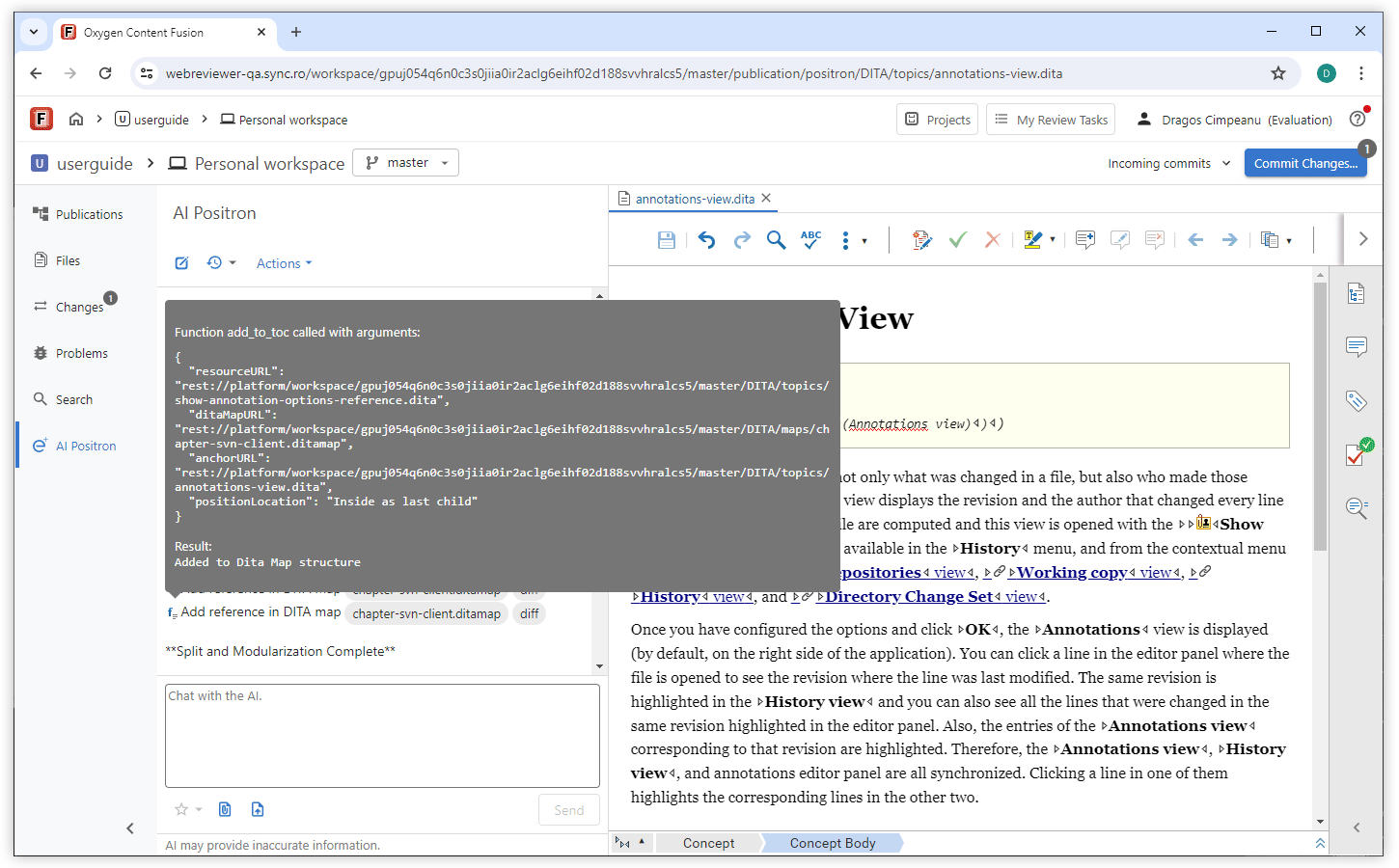
When function calls are used by the AI, you can hover over a function call button to see its details, including key parameters. If the function reads or writes content, you also get the possibility to access the target resource, making it easier to track and review important information.
Improved Function Call Information

Save Prompt to Favorites After Invocation

After you send an AI prompt, you can add it to your favorites, so you only save prompts that work well for you. You can also edit the prompt before saving it.

Smart Scroll

You can now pause automatic scrolling to the end of a reply by manually scrolling up, allowing you to keep your place while reading. Automatic scrolling resumes when you return to the bottom.

New AI Connector for Google Gemini

You can now connect Positron Assistant to your Google Gemini service, enabling direct integration with Gemini-based AI capabilities.

New AI Connector for the Vertex AI Service

Positron Assistant now supports a new connector type for Google Cloud's Vertex AI Service. Simply install the Oxygen AI Positron Vertex AI Connector for Web Author plugin and configure your Vertex AI Service connection in the AI Service Configuration preferences page.

Simplified Microsoft Azure OpenAI Configuration

You no longer need to manage separate Vision-specific settings on the AI Service configuration preference page. This simplifies your Microsoft Azure OpenAI connector configuration by letting you use the base endpoint for image processing.

Oxygen AI Positron Assistant 5.0

April 24, 2025

The Oxygen AI Positron Assistant 5.0 release focuses on enhancing your AI-driven content authoring workflows. You can attach Word, PowerPoint, and PDF files for multi-format content sourcing, providing richer context for the AI and improving the accuracy and relevance of responses. You can also integrate with xAI Grok or other custom AI services through specialized connectors, expanding your options for advanced AI engines.

Additional refinements include translated AI action labels for a localized user experience. These enhancements streamline the AI-assisted creative process, enabling more powerful, context-aware content authoring and editing experiences.

Oxygen AI Positron Assistant for Web Author and Content Fusion

AI-based DITA Conversion, Analysis, and Update Tools

Transform existing documents or DITA topics into various specialized DITA types (Task, Concept, Reference, Troubleshooting, Glossary). Also, an AI-powered analysis action can restructure topics by dynamically splitting the document into parts and applying the conversion to the appropriate topic types for each part.

Attach Word, Powerpoint, and PDF Files

You can now attach Word (docx), PowerPoint (pptx), and PDF documents in the Chat view, allowing you to provide more context to the AI. This enhances the accuracy and relevance of AI responses by utilizing text and images (images are supported for Word and PDF) from these documents.

Reasoning Models in AI Positron Service

You can now access powerful reasoning models from Open AI, o3 , o1, o4-mini, and o3-mini, in the AI Positron Assistant when connecting to Oxygen AI Positron Service. These models help you solve complex problems across various domains, enhancing your problem-solving capabilities.

Integration with xAI Grok

For the AI Positron Assistant Enterprise for Web Author add-on, the OpenAI connector was tested and modified to allow connecting to the xAI Grok AI engine, enhancing integration capabilities.

Quickly Find AI Actions

Search for AI-powered actions using the search field inside the Actions drop-down menu, saving you time by quickly locating the actions you need.

Distribute or Filter AI Actions via Plugins and Frameworks

In Oxygen XML Web Author 27.1 or newer, plugins or frameworks may contain a folder named ai-positron-actions where AI actions are automatically loaded from. A file named excluded-action-ids.txt may also be placed in the same folder to define action IDs (on a line-by-line basis) that should be filtered out from the UI, useful for actions intended to be used in a different context, not directly invoked by the user.

Reference Prompt Files in AI Actions

Use the prompt_ref JSON property to reference external text or Markdown files for prompts, allowing for more flexible AI action configurations.

New AI Custom Connector Add-on

You can now integrate with a custom AI service using the new Oxygen AI Positron Custom Connector add-on. This add-on allows you to connect the Oxygen AI Positron Assistant Enterprise plugin with AI services that expose a REST API, similar to OpenAI's chat-completion API. Unlike the built-in Open AI connector, this add-on supports the OAuth Client Credentials Flow for authentication and gives you more flexibility by letting you set query parameters.

Translated AI Actions

The categories, titles, and descriptions for the AI Positron default actions are now translated into the supported languages available for the user interface.

GPT-3.5 Turbo Model Removed

The GPT-3.5 Turbo AI model was removed since OpenAI recommends use of GPT-4o Mini model instead, that is cheaper, more capable, multimodal, and just as fast.

Oxygen AI Positron Assistant 4.1

January 30, 2025

Web Author

Fix Validation Problems

The new Fix Validation Problems AI action validates the current document and suggests fixes for all identified issues, streamlining both the validation process and the resolution of validation problems, ensuring high-quality content.
Resolve Comments from Contextual Menu

Attach Local Files

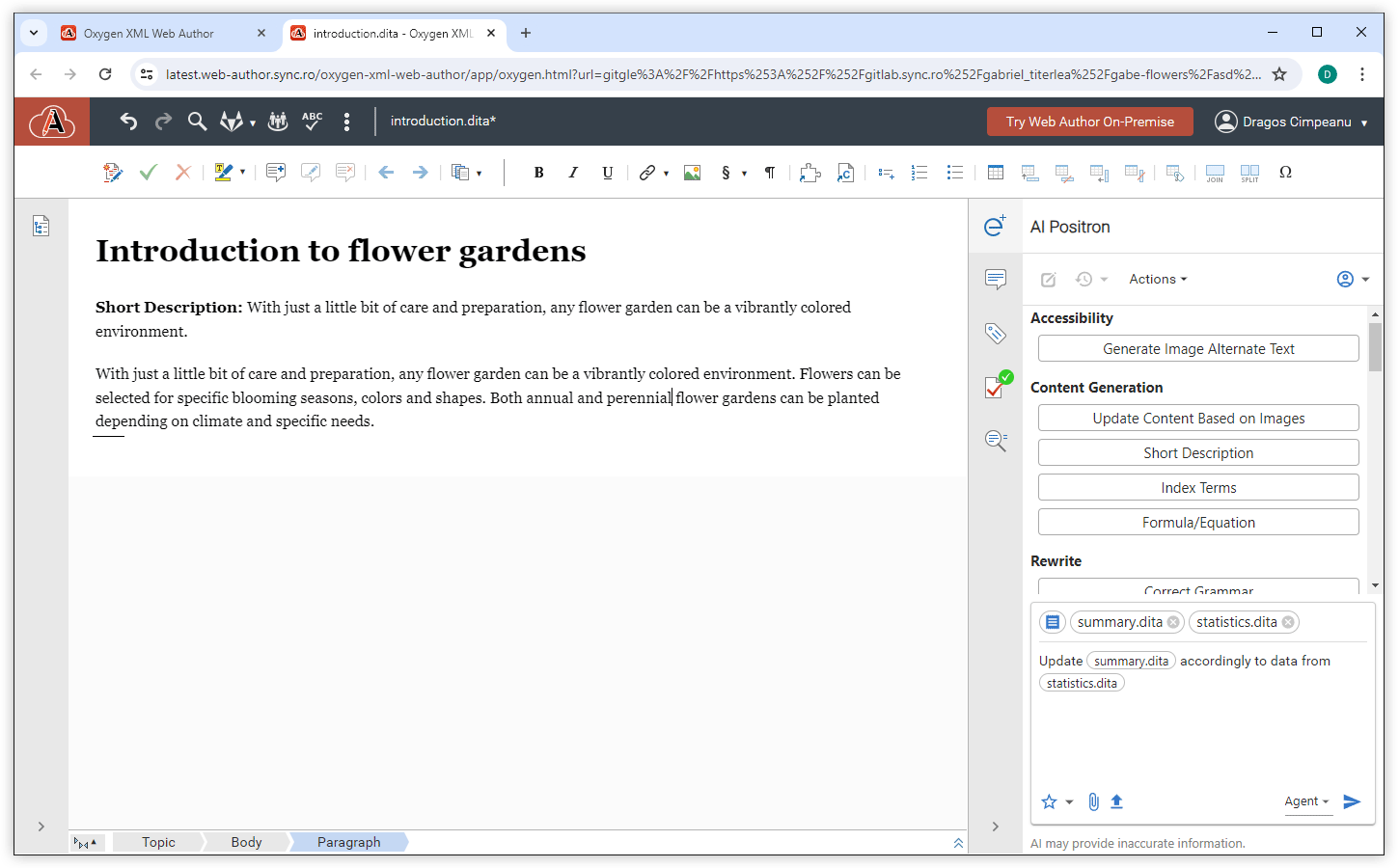
In addition to the support to attach a remote file, a new Attach from computer option allows you to incorporate files from your local machine into prompts. Attachments are useful in various use cases. For example, you can attach a screenshot and ask the AI to update a documentation topic based on that image.

AI-based MathML Generation

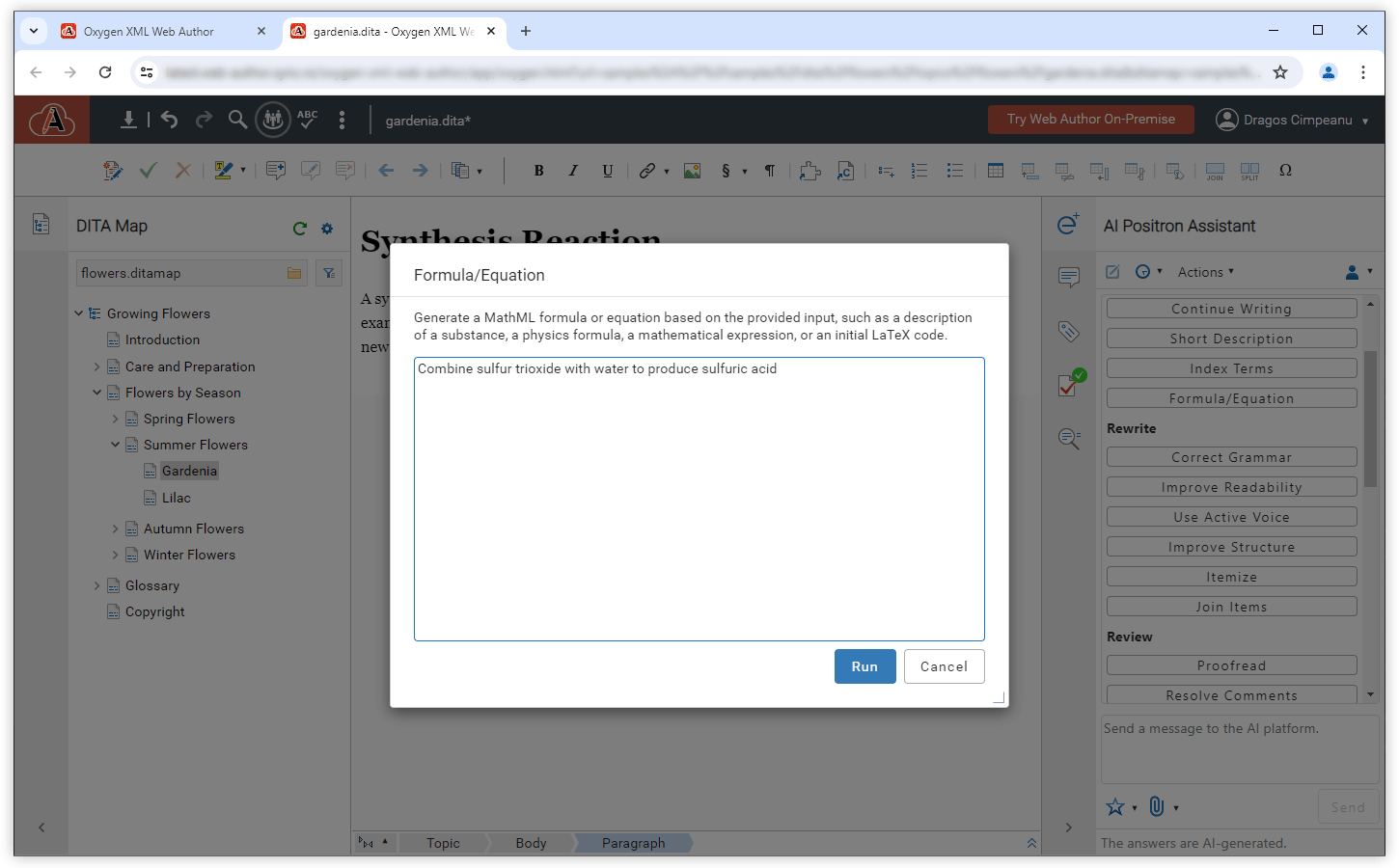
The new Formula/Equation action (located in the Content Generation category) leverages AI to generate MathML formulas based on your descriptions. This feature simplifies the creation of complex mathematical representations and enhances technical documentation workflows.
AI-based MathML Generation

New AI Tool Function

When processing or generating content, an AI action can now use the new callback function, validate_document_content, that validates a document, ensuring that the generated content is valid. In case of errors, it offers the opportunity to automatically correct the detected problems.

Notification for Unchanged Content

When an AI action processes content but does not result in any changes, you are now informed, eliminating the need for unnecessary previews or visual inspection. This improvement saves time and ensures a smoother workflow.

Oxygen AI Positron Assistant 4.0

November 1, 2024

Web Author

Attach Image, XML, or Text File to a Chat

Users can attach multiple images, XML, or text files to a chat message by clicking on an interface button. The selected file will be inserted into the chat, allowing the AI to utilize it for additional context during the conversation.

Document Type Sent to AI for Context

When starting a new chat with the AI, the document type and any selected content in the main editor area are automatically provided as context. This feature allows you to get responses more tailored for that specific document.

Intuitive Identification of XML Content in Markdown

An AI response might contain explanations followed by the actual response wrapped in the ```xml marker. This type of response is now detected and the block of XML code can be inserted or previewed.

Expand DITA Topic Draft

The new Expand Draft AI action enhances a draft of a DITA XML topic by refining the content, adding consistent markup, and generating documentation based on referenced images using Vision support. The AI searches for similar content in topics gathered from related links or through Retrieval-Augmented Generation (RAG). This action is available for DITA XML documents.

Split Large DITA Topics

The Split Topic AI action splits large topics with numerous subjects into multiple topic files. The newly created topics are also conveniently referenced in the DITA map that is currently open in the DITA Maps Manager.

New AI tool functions

Within the definition of custom actions, you can reference functions that may be called by the AI engine to interact with the application. These functions can provide additional information that allows for more relevant answers to be constructed by the AI, or they may allow the AI to directly act in a controlled way on the application workspace. The following functions were added in this version:
  • get_content_for_document_url - Retrieves the content of a certain document.
  • get_current_editor_file_location - Retrieves the location (URL) of the current file that is open in the editor.
  • get_related_content_from_webhelp - Accesses the search functionality provided by the Oxygen Feedback product when a connection to Oxygen Feedback is defined in the preferences page.
  • save_document - Saves the document at the specified path within the project and writes content to it. If a resource already exists at the specified URL, the content of the document is overridden with the new content.

Oxygen AI Positron Assistant 3.0

September 5, 2024

Web Author

Edit Messages Sent to AI

You can edit your message that you send to the AI by clicking a convenient edit button that appears to the right of your message in the response area. Once you submit your edited message, the AI regenerates the response. This streamlines the process of fine-tuning the results to suit your needs.
Edit Messages Sent to AI

Selected Content Sent to AI for Context

When directly initiating a new chat with the AI (without invoking an action), any content selected in the main editor area is automatically passed as context for the conversation. This feature allows you to effortlessly process content within the editor.

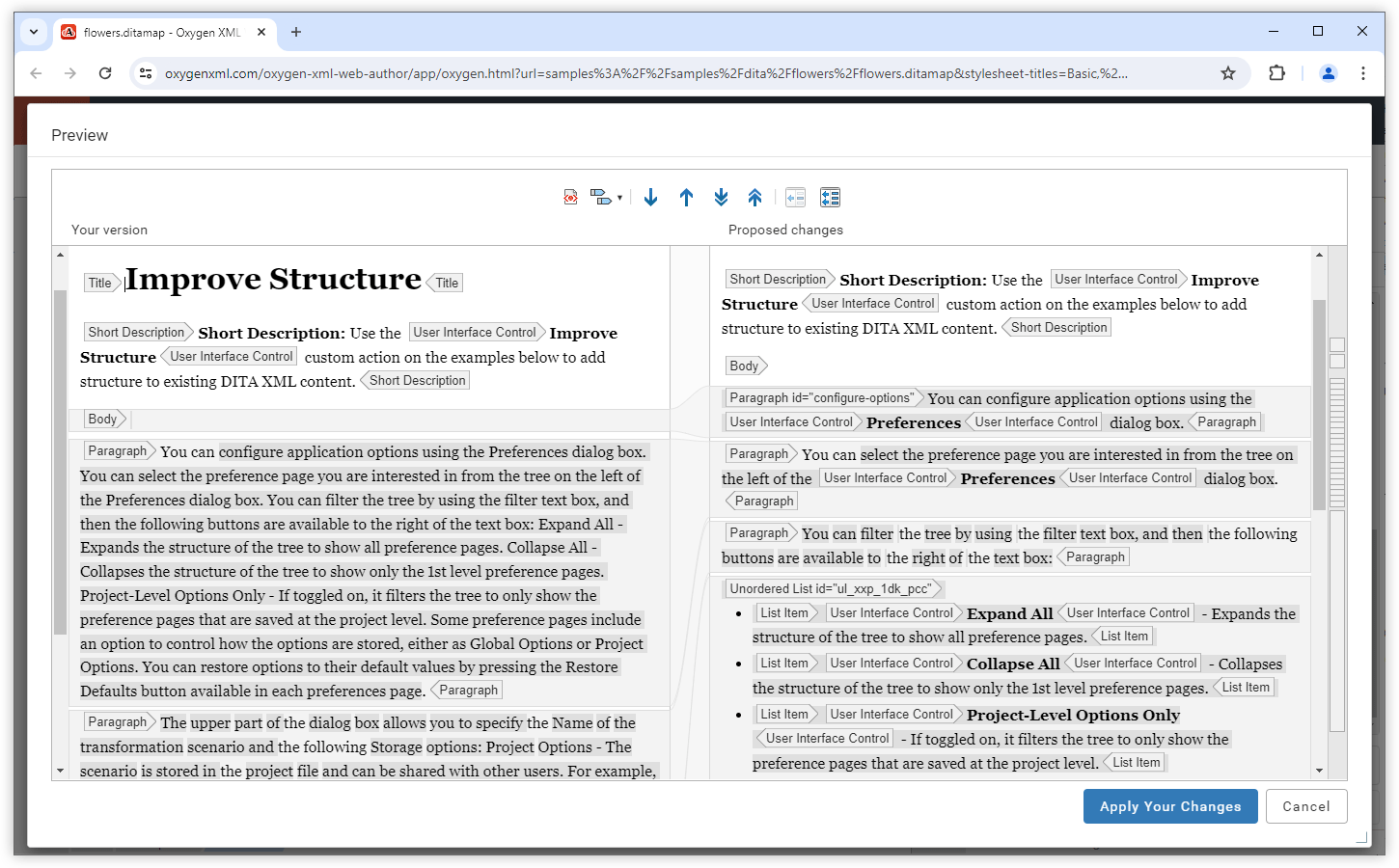
Improve Structure Action

A new Improve Structure AI action can be used to instruct the AI to improve the selected DITA XML content by adding additional structure or inline elements.
Improve Structure Action

Proofread Action
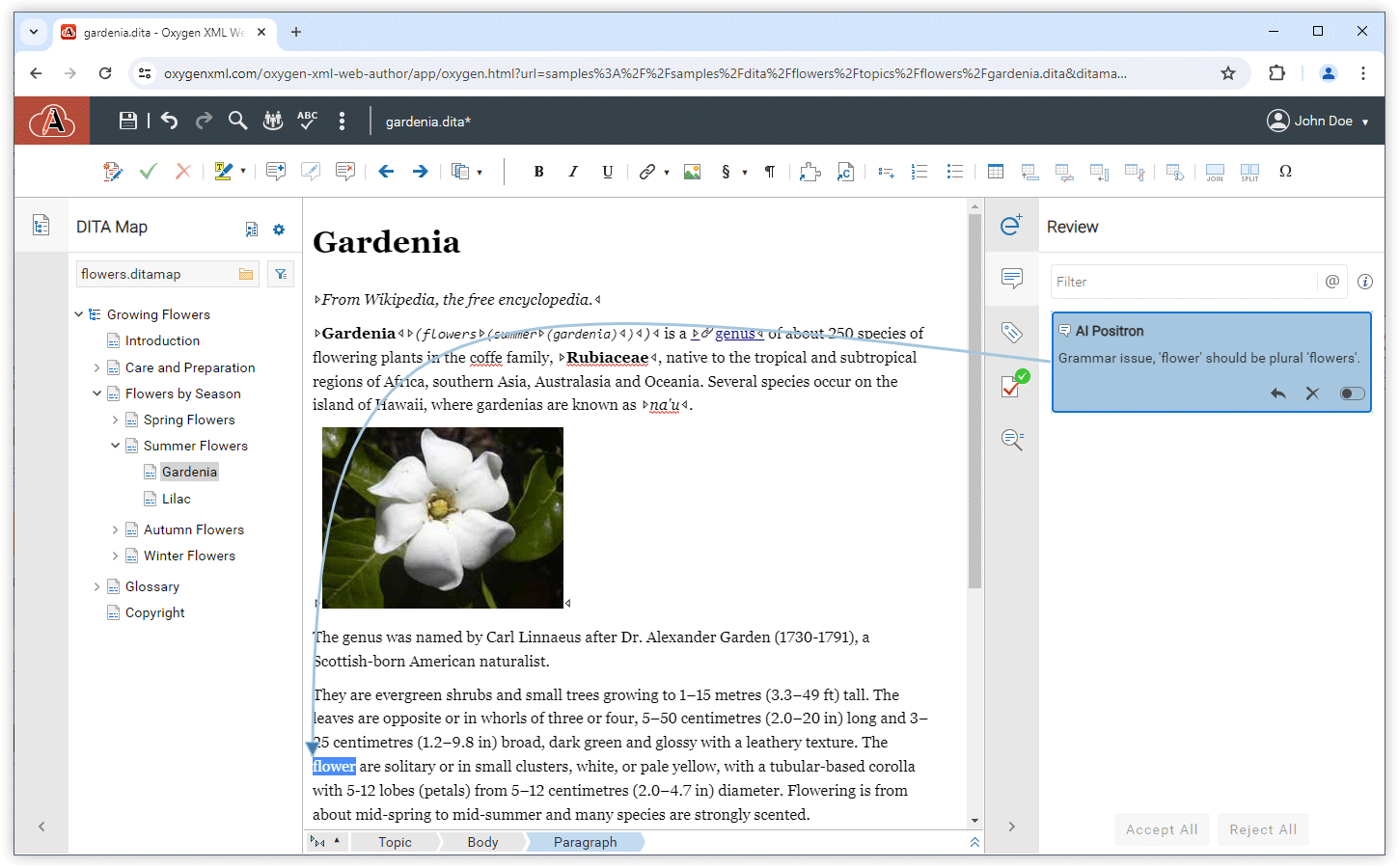
When editing DITA XML documents in Oxygen XML Web Author, a new Proofread AI action is now available to aid you in identifying potential issues in your content. The AI will then proceed to add comments in the content regarding logical consistency problems, grammar or spelling mistakes, or readability and comprehension issues.
Proofread Action

Resolve Comments Action

A new Resolve Comments AI action was implemented in Oxygen XML Web Author as well, enabling the AI to modify selected content based on suggestions in the comments. It also automatically removes the comments, saving you time during the cleanup process. This action is available when working with DITA XML documents.

Generate Image Alternate Text AI Action
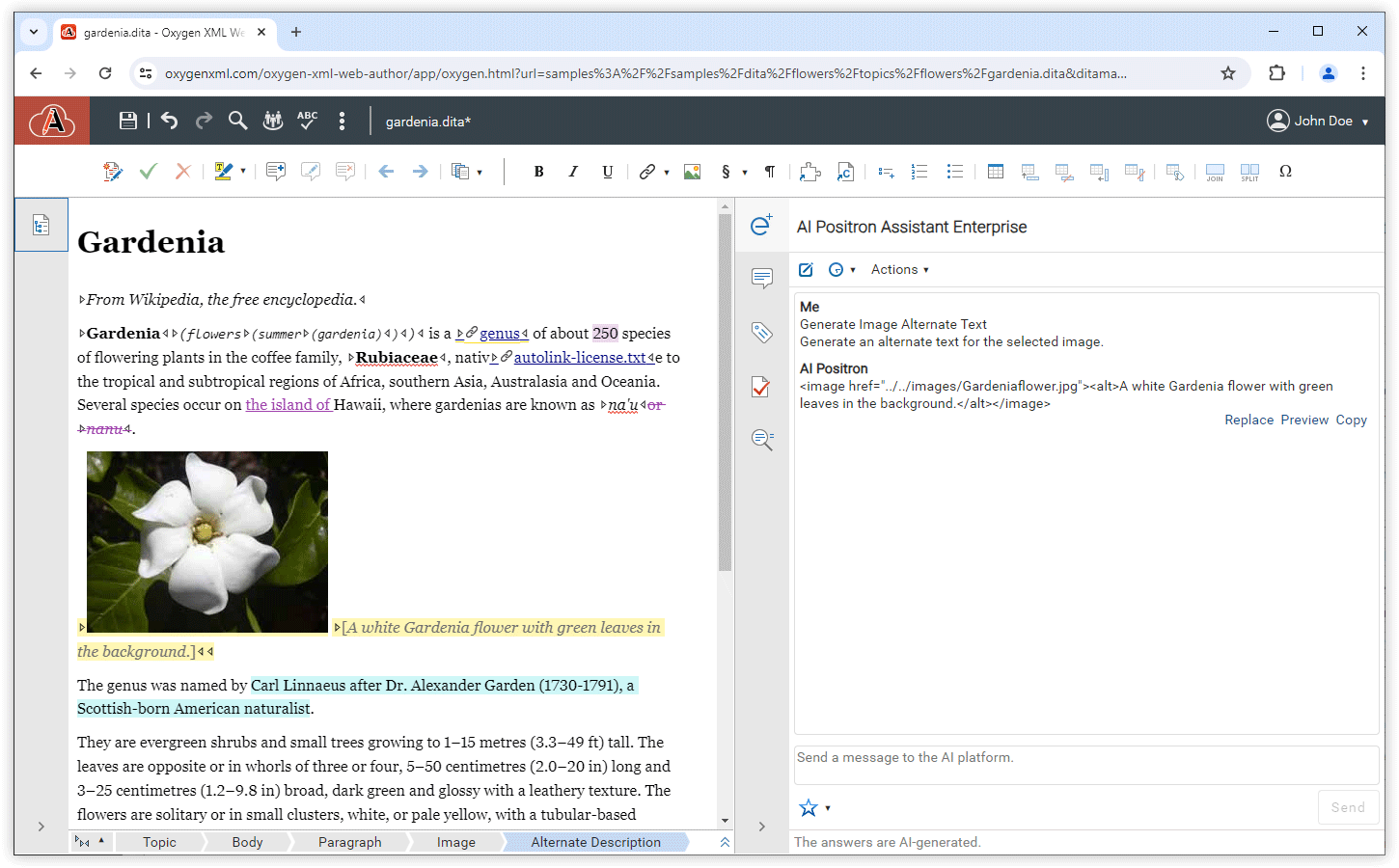
When editing DITA XML files, you can use the new Generate Image Alternate Text AI action to generate an alternate text for an image that is selected in the editing area.
Generate Image Alternate Text AI Action

Function Calls

Within the definition of custom actions, you can reference existing functions that are called by the AI engine to interact with the application. This gives actions more context information and allows for more accurate answers to be constructed by the AI. The current available reference values for pre-defined function calls for Web Author are:
  • get_current_document_plain_text_content - Obtains all text without markup from the current document open in the editor.
  • get_current_document_marked_up_content - Obtains all text with markup from the current document open in the editor.
  • get_text_around_caret - Obtains size-limited content around the current cursor location within the document open in the editor.

Oxygen AI Positron Assistant 2.1

June 12, 2024

Web Author

Filter List of Available Actions for Web Author

Oxygen XML Web Author and Content Fusion users who integrate the Oxygen AI Positron Assistant Enterprise plugin now have the ability to filter the list of AI actions. An additional option has been included in the Preferences page, enabling users to specify which actions should no longer appear in the list of available actions.

Oxygen AI Positron Assistant 2.0

April 23, 2024

The Oxygen AI Positron Assistant add-on is a powerful tool that helps users increase their productivity by providing support for using AI-generated content.

Starting with version 2.0, Oxygen XML Web Author and Content Fusion users can now benefit from the new Oxygen AI Positron Assistant Enterprise plugin.

Oxygen AI Positron Assistant Enterprise Plugin for Web Author and Content Fusion

Oxygen XML Web Author and Content Fusion users now have access to the new Oxygen AI Positron Assistant Enterprise plugins for Web Author and Content Fusion. This plugin provides connectors for direct access to your own OpenAI account or AI service hosted on Microsoft Azure.