
What's New in Oxygen XML Web Author 22.1.0
May 19, 2020
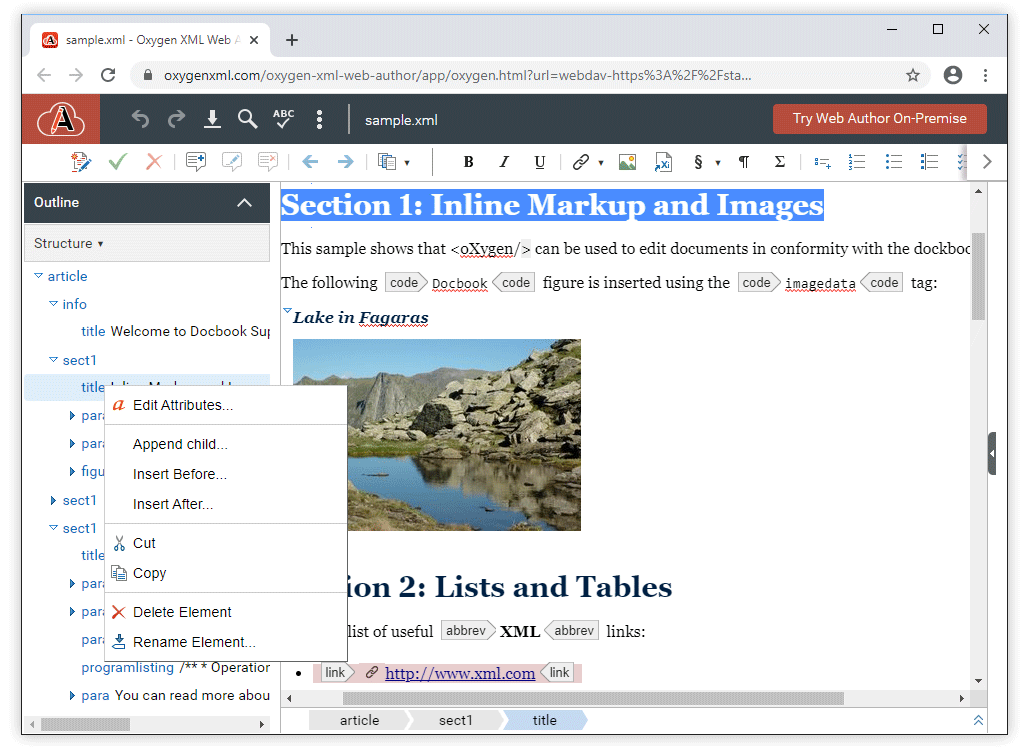
Version 22.1.0 of the Oxygen XML Web Author includes a new Outline pane that offers a quick way to navigate through the document, gives you insight about the location of your modifications, shows the hierarchical dependencies between elements, and makes it easy to visualize the XML structure.
We also optimized contextual menus for various components such as tables, Git submodules are now supported for all types of Git connectors, you can now control the font size in the editor, more customization possibilities were added, and as usual, this release includes various API additions, bug fixes, and component updates.
There are changes in:
Outline Pane
General
Web Author now includes an Outline pane that offers a quick
way to navigate through the document, gives you insight about the location of your
modifications, shows the hierarchical dependencies between elements, and makes it easy to
visualize the XML structure.
Display Modes
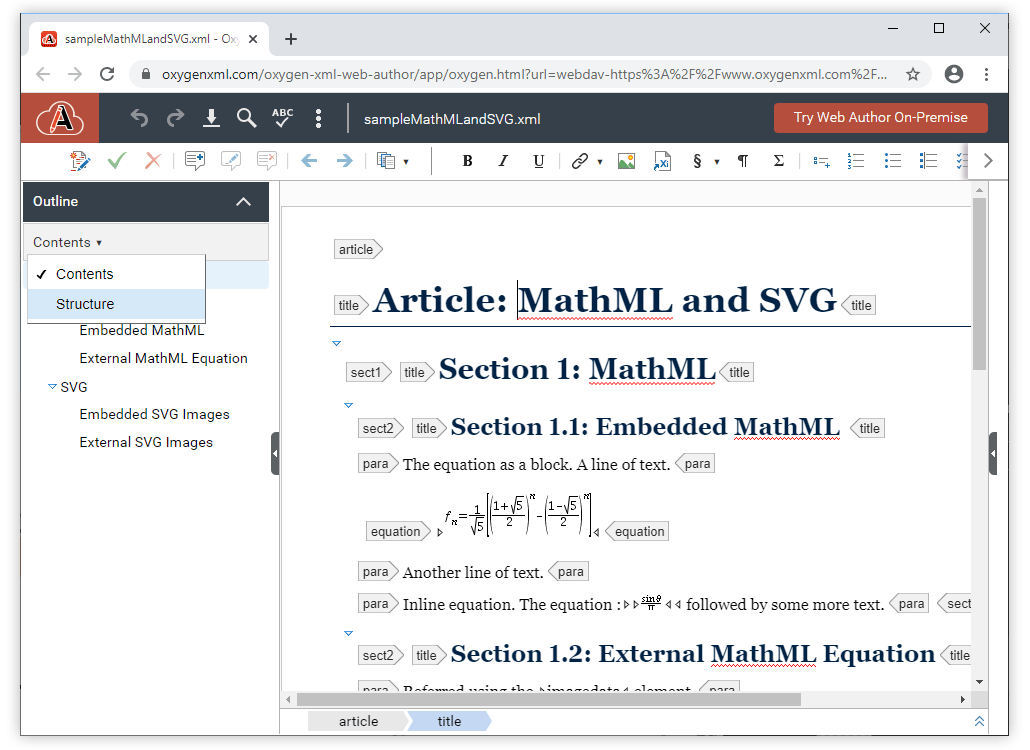
The Outline pane includes two display modes that can be
selected using a drop-down menu at the top-right of the pane. Contents
mode displays the information in the pane like a table of contents and
Structure mode displays the information in the pane as a general tag
overview of the current XML document.
Accessibility
Accessibility was a primary focus in the design of the Outline pane, making it
Section 508 compliant. It supports keyboard navigation, common
shortcuts, and it is compatible with screen readers.
Customization
The Outline pane is enabled by a framework configuration file and it is
available by default for DocBook, TEI, and XHTML documents. It is
possible to configure other frameworks (such as DITA) to make it
available for those particular types of documents.
Git
Git Submodules Support for all Git Connectors
Previously, Git submodules were only supported for GitLab integrations, they
are now supported for all Git repository types (generic Git, GitHub, GitLab On-Premise,
Bitbucket).
Autocomplete Repositories for Generic Git Connector
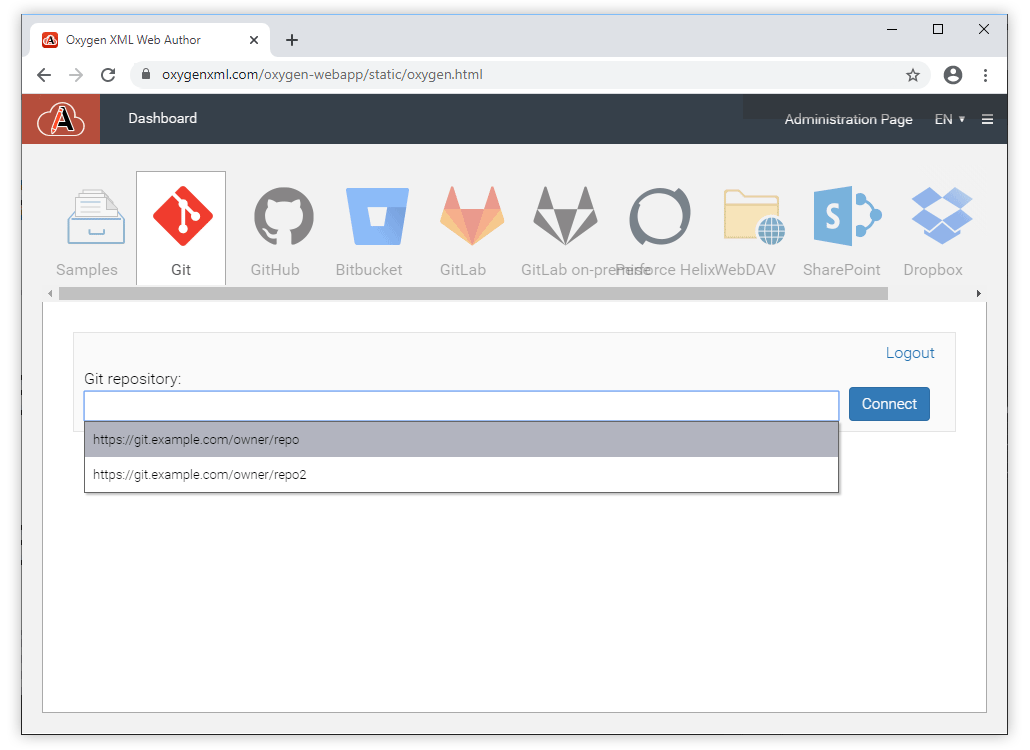
To make it easy to open a repository when using the generic Git connector,
recently used repositories are automatically proposed. An administrator can also configure
a list of commonly used repositories to be proposed automatically.
General Editing
Control the Editor Font Size
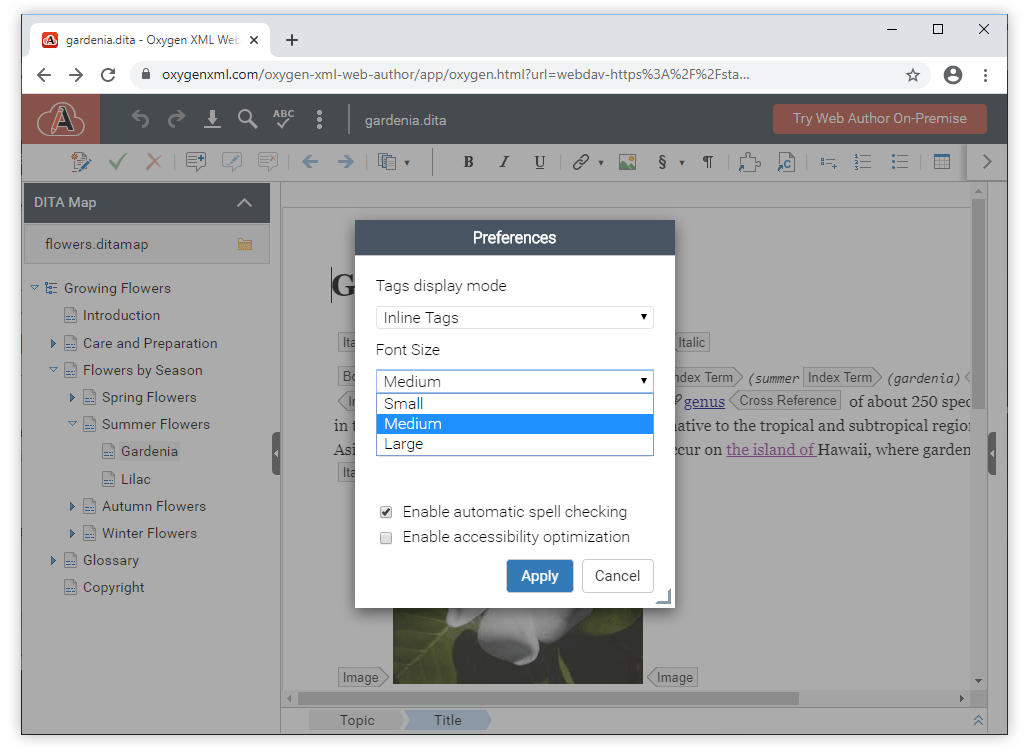
There is a new option in the Preferences dialog box where you
can specify the font size for content in the main editing pane. This is
the starting font size, the CSS styles may increase or decrease that for various elements,
or even use fixed font size.
More Information in the Review Pane
The Review pane displays now the name of the element used to surround
content for tracked changes created when content is surrounded by an
element.
Other
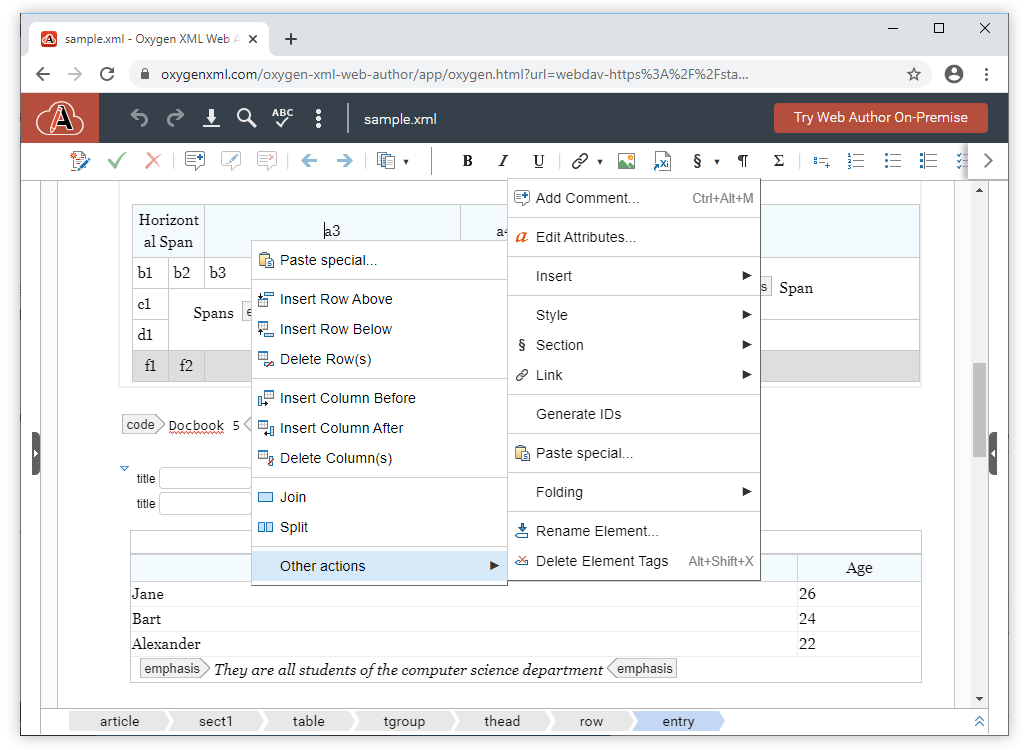
Optimized Context Menu for Tables
When invoked inside a table, the context menu displays table-related
actions first and the rest of the actions in a sub-menu. The actions to be
promoted in this context can be configured at the framework level using the Document Type
Configuration Dialog.
Default Tags Display Mode
A new option called
tagless.editor.tags.display.mode can be
used to specify the default tags display mode whenever an XML document is opened in Web
Author. For example, you can set the default mode to be Full Tags,
No Tags, Block Tags, Partial Tags,
Full Tags with Attributes, or Inline
Tags.Prefix/Suffix for New Files
If you define custom document templates, it is now possible to
add a prefix or suffix to the file name that is proposed in the new
file wizard by using the
filenamePrefix or
filenameSuffix properties. For more details, see Customizing New Document Templates.API
JavaScript API Documentation Facelift
The JavaScript documentation portal now has an easier to use
design and search support.
Improved Client-Side DOM API
The editor now exposes a read-only API that is compatible with the DOM
Level 3 specification
(
sync.api.AuthorEditingSupport.getDocument()). One can also use the
sync.api.AuthorEditingSupport.AuthorModelChangedEvent event to
subscribe for notifications when the document is modified.Render Arrows That Point to Specific Nodes in the Editor
A new JavaScript API
(
sync.api.AuthorEditingSupport.getWidgetsFactory) was added. It gives
you access to the non-persistent highlights manager and to the new
sync.api.GuidingArrowRenderer that can be used to draw arrows that
point to specific nodes in the editor. For example, you can draw an arrow from an element
in a side-pane to a specific element in the main editor.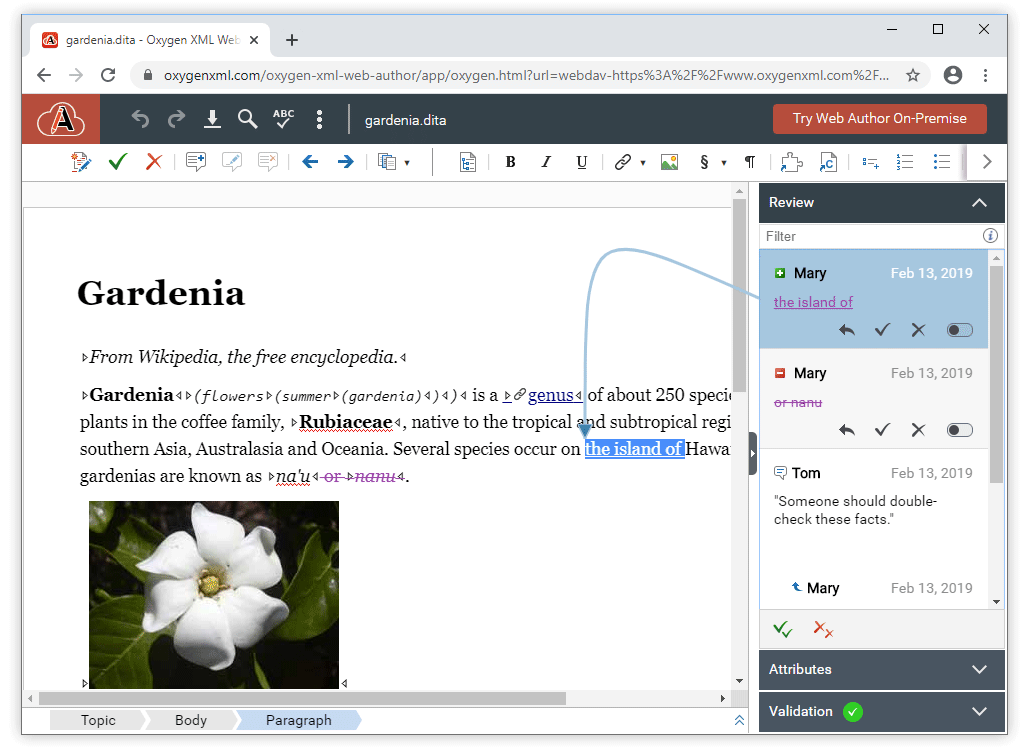
Improved Client-Side Selection API
The selection API was extended to be able to find more precise
information on where the caret is located, including the offset inside
a text node -
sync.api.Selection.getCaretPositionInformation(). Various methods were
added to create selections like
sync.api.SelectionManager.createEmptySelectionAfterNode or
sync.api.SelectionManager.createEmptySelectionInTextNode.Customize Persistent Highlights
The
sync.api.PersistentHighlightsManager API was added and it
can be used for managing highlights in Web Author that are saved as
processing instructions with a custom type. One use-case for this new API is to
create custom comment types in the Review
pane.API to Draw Connecting Arrows from Side-Views to Editor
The
sync.api.GuidingArrowRenderer API was added to make it
possible to connect contents in a side-view with the corresponding
elements in the editor.New Parameter to Show the DITA Map Pane by default
A new parameter and loading option
showDitaMapView was added
to show the DITA Map pane by default, without having to use the toolbar
button.New API to Improve Performance for the Processing of DITA Key Definitions
The new
KeyDefinitionManager.getContextKeyDefinitionsMap API was
added and it helps to improve editor performance when the context DITA map
contains lots of key definitions.New APIs to Get Details About Document Changes
The new
sync.api.AuthorEditingSupport.EventType.BEFORE_MODEL_CHANGED and
sync.api.AuthorEditingSupport.EventType.MODEL_CHANGED can be used to
let users know when a document's model is changed and the details about what changed in
the document.Component Updates
Apache Tomcat 9.0.31
Updated the Apache Tomcat in the installers to version 9.0.31.
Shiro 1.5.2
Updated the Shiro library to version 1.5.2.
Log4j 2.13
Updated the log4j library to version 2.13.