
Configuring Review Task Settings
How to use the Task Settings page to update the task title, set a due date, control reviewer editing, enable concurrent editing, or delete the task.
The Task Settings page contains options that apply to the current review task, along with an action to delete the task.
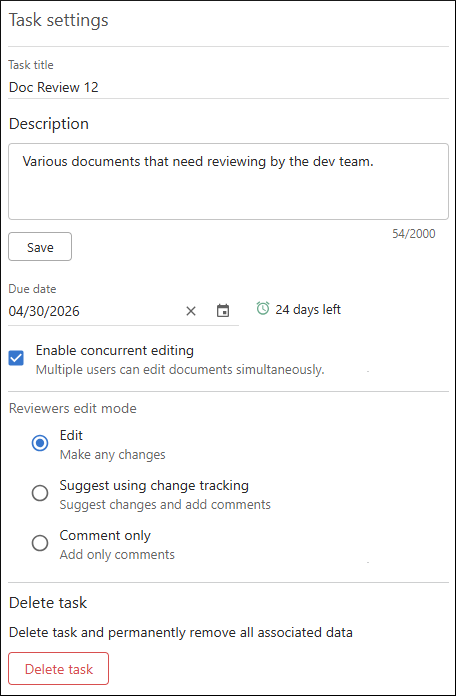
Click on Settings in the left stripe after you open a review task to open its Task settings page.
This page includes the following options:
- Task Title
- Edit the task title in this field.
- Description
- An optional description of the task.
- Due Date
- You can set an optional Due Date. The remaining time is shown in the review task header and in the task list on the My Review Tasks page. Reviewers who have not finalized the task receive email notifications when the due date is within 3 days, 1 day, and 12 hours.
- Enable Concurrent Editing
- If this option is selected, multiple users who have access to the task can edit and review the same document at the same time. They can see who is editing in the visual editor and in the activity stream in real time. For details, see Concurrent Editing in Review Tasks.
- Reviewers Edit Mode
- This option controls what reviewers can do in the review task documents. You can
choose one of the following values:
- Edit (default) - Reviewers can edit documents in the review task.
- Suggest using change tracking - Change tracking is always on when reviewers make changes. This lets owners and reviewers see exactly what changed and easily manage those changes by accepting or rejecting them.
- Comment only - Reviewers can add comments, but they cannot edit the document content.
- Delete
- Select this action to delete the task from the Oxygen Content Fusion server.