
Concurrent Editing in Review Tasks
How concurrent editing works in review tasks and how task owners enable or disable it for a task.
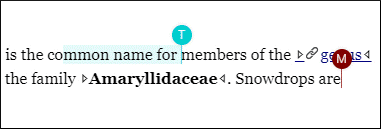
Oxygen Content Fusion allows multiple users who have access to the same review task to edit and review content concurrently. Each collaborator can see changes made by others in the visual editor and in the activity stream in real time.
Task owners can turn this feature on or off for each task by using the Enable Concurrent Editing option in the Task Settings page.
When concurrent editing is enabled, multiple collaborators can edit the same file at the same time. When it is disabled, only one collaborator can edit a file at a time and the file is locked for others until the lock is released. For details, see How File Locking and Unlocking Work.