
Review Task Dashboard
The review task dashboard is the starting place for working with a review task, showing details about the task and providing access to actions for working with task files.
When you open a review task, the review task dashboard is displayed where you can see various details about the current task and access actions for creating, uploading, and opening files.
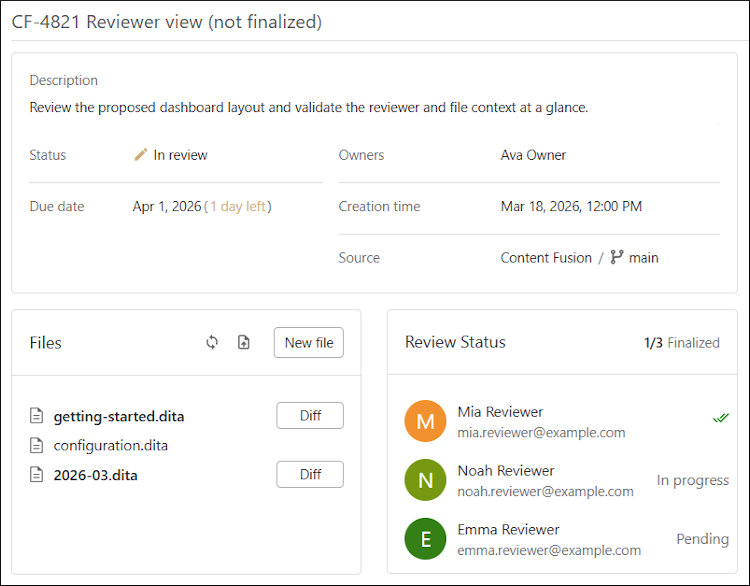
The title of the review task is displayed at the top of the page.
The top box contains details about the task, including the description (if applicable), owners, creation time, and source repository information.
The bottom-left box contains the Files view that lists all files that are attached to the
task. Click a file to open it in the review
task visual editor. For files that contain changes, you can click the
Diff button next to the file to see a comparison of the file changes.
To refresh the file list, click  Refresh in the header. To upload a file to the task,
click
Refresh in the header. To upload a file to the task,
click  Upload in the header. To
create a new file and add it to the task, click New File in the
header.
Upload in the header. To
create a new file and add it to the task, click New File in the
header.
The bottom-right box displays the review status of all the collaborators assigned to the task.