Personal Workspace
When opening a project, it automatically opens in a Personal Workspace, which allows you to make changes across multiple files within a project and then commit them to the project. Editing inside a Personal Workspace means that your changes are private until you commit them to the project's repository.
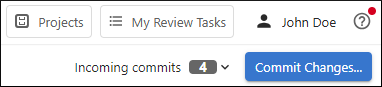
Once inside the project's personal workspace, the left stripe contains navigation options to open the various project management pages. On the right side of the second top stripe, an Incoming commits widget shows if there are incoming changes and you can click the drop-down to display more information and access additional actions.
When a file (document) is open, it appears in the visual editor (within the main pane to the right of the file tree pane). Whenever a change is made to a document in the visual editor, a Commit Changes button also appears to the right of the Incoming commits drop-down. Clicking this button opens the Changes view where you can commit the changes to the repository.